

 Zyntra OS
 Zyntra OTA
 Zyntra Legal
 Zyntra Real Estate
 Zyntra Hotel
 Zyntra Appointments
Zyntra Appointments, the booking edition of Zyntra OS
Zyntra Appointments: bookings on Zyntra OS
Zyntra Appointments runs a business that books its time — a clinic, a salon, a studio — from the booking to the paid invoice: services with their duration and price, staff hours from HR, a booking calendar that never books a time twice, the front desk, waiting list, coupons and packages, reminders, and a booking page of your own. It is built on Zyntra OS, so the invoices, accounting, HR and everything else are part of the same system.
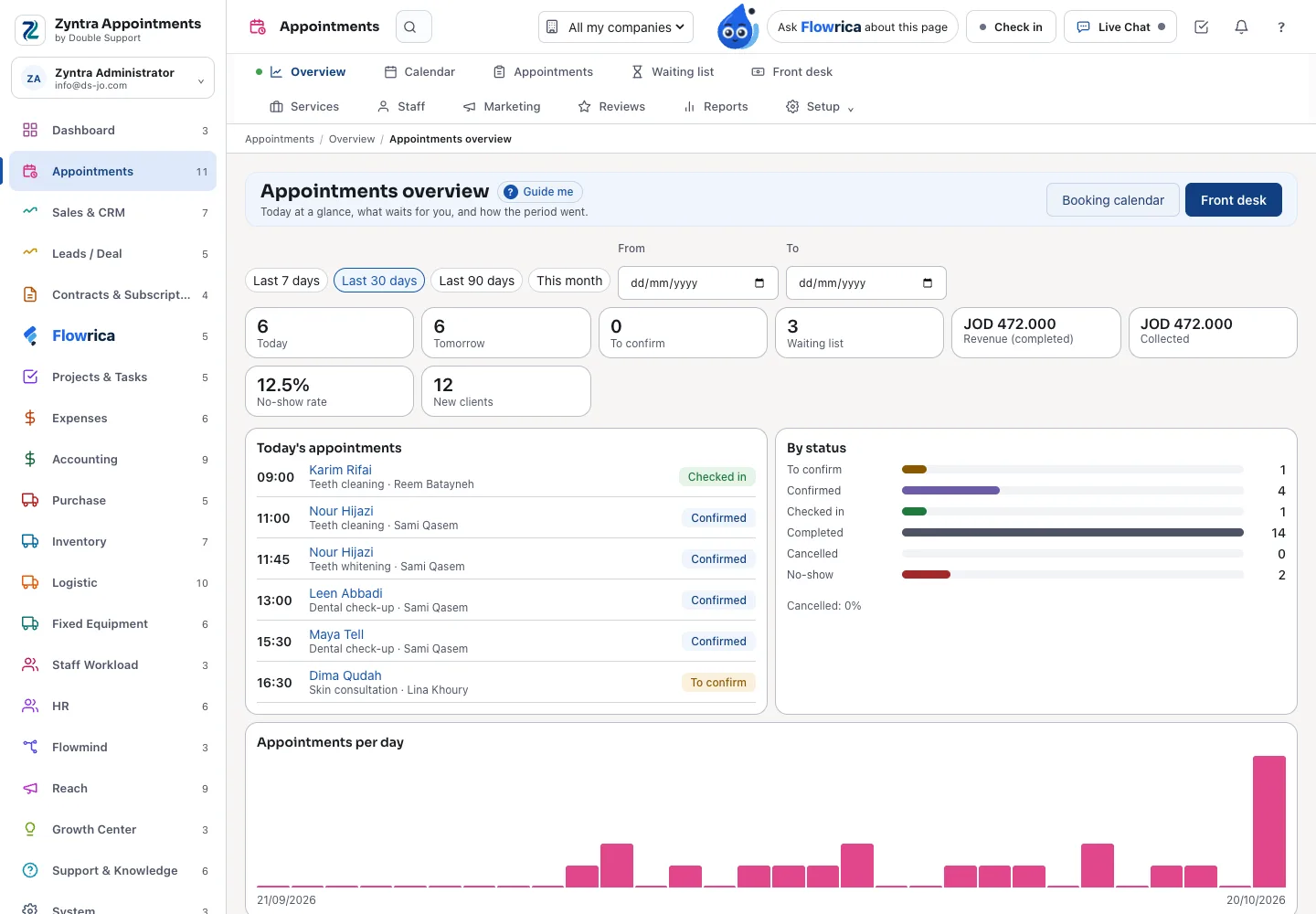
See it working
Pictures of a made-up clinic, taken from Zyntra Appointments itself.
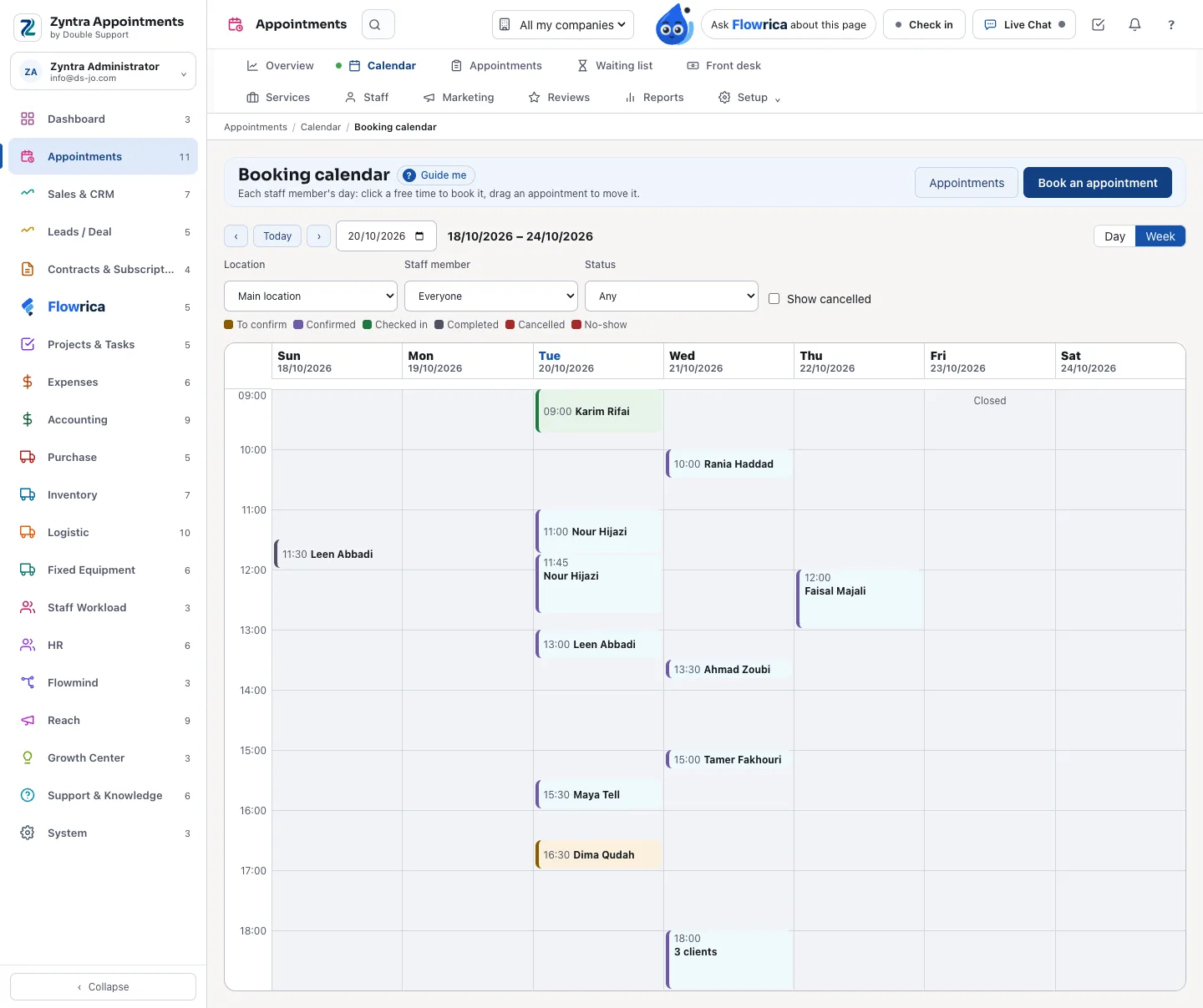
A booking calendar that never books twice
Each staff member's day or week, by location, every appointment in its status. Click a free time to book it, drag an appointment to move it; closed days, breaks, staff leave from HR and room capacity are kept, checked again when it is saved.
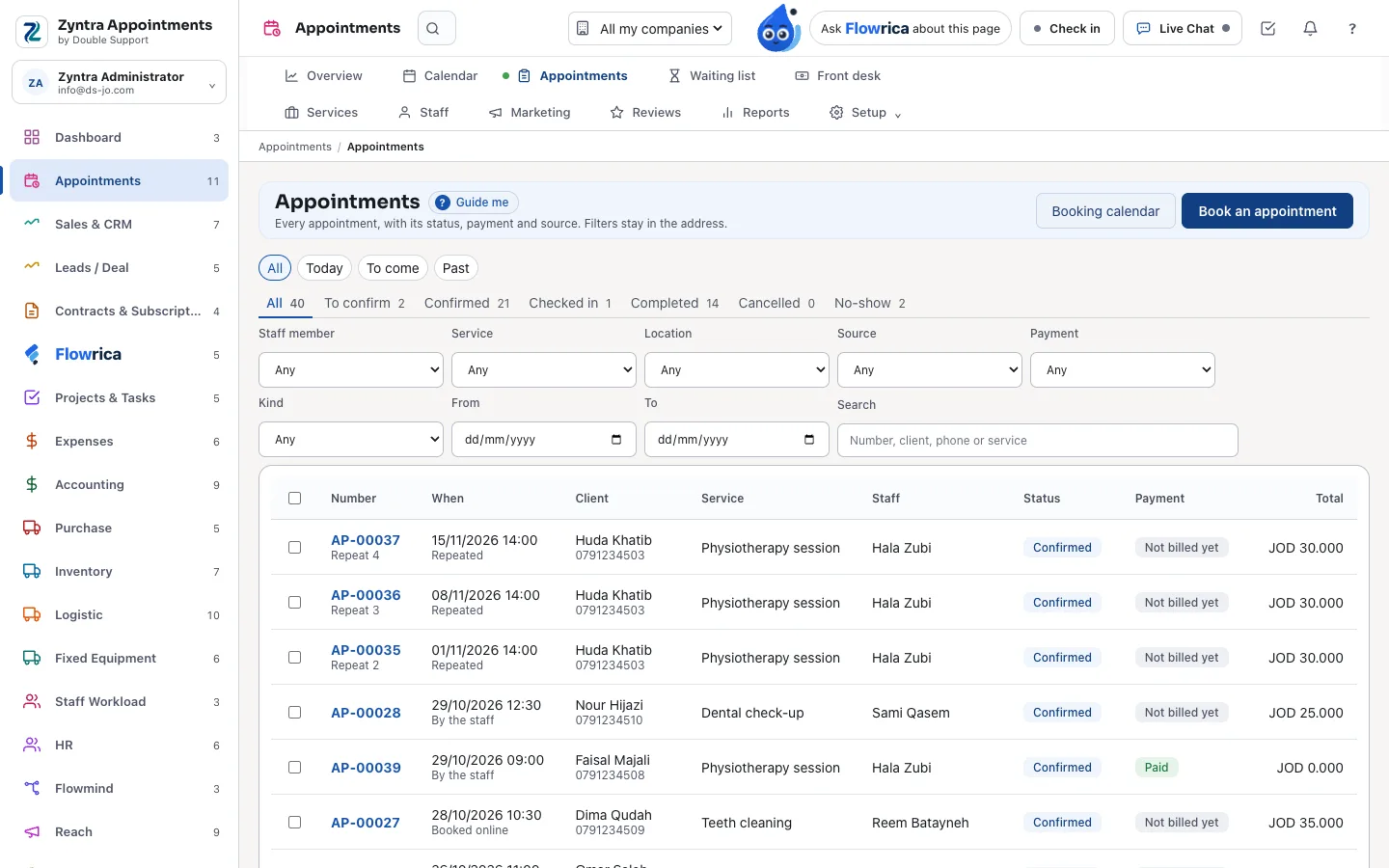
Every appointment, in 6 statuses
To confirm, confirmed, checked in, completed, cancelled and no-show, today, to come or past. Filter by staff member, service, location, source, payment and dates, search by number, client, phone or service, and change many at once.
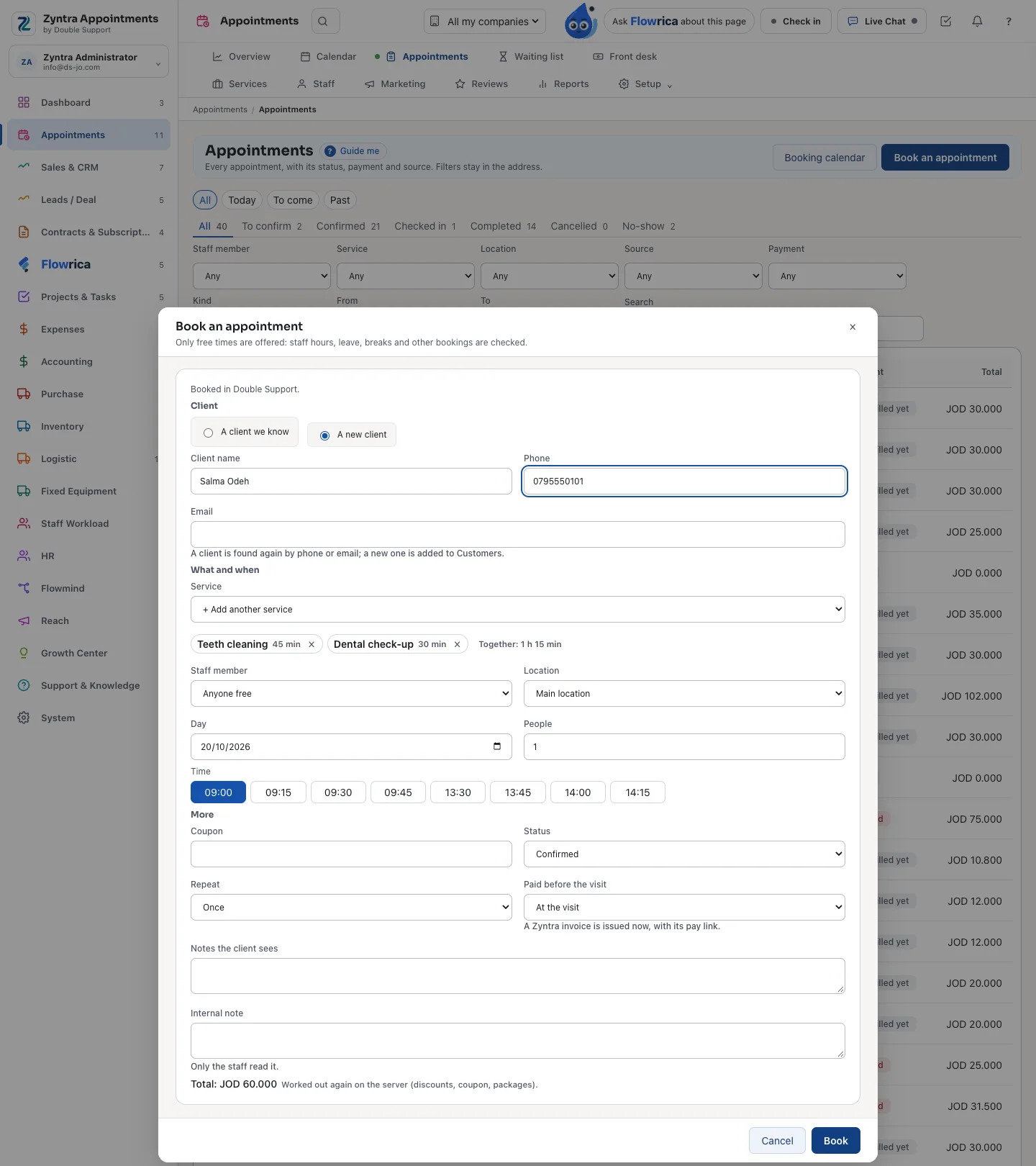
Booking, with only free times offered
A client you know or a new one, one service or several in one visit, a staff member or anyone free, and only the times that are really free. Add a coupon, repeat it, and choose what is paid before the visit: a Zyntra invoice is issued with its pay link, and the total is worked out again by the server.
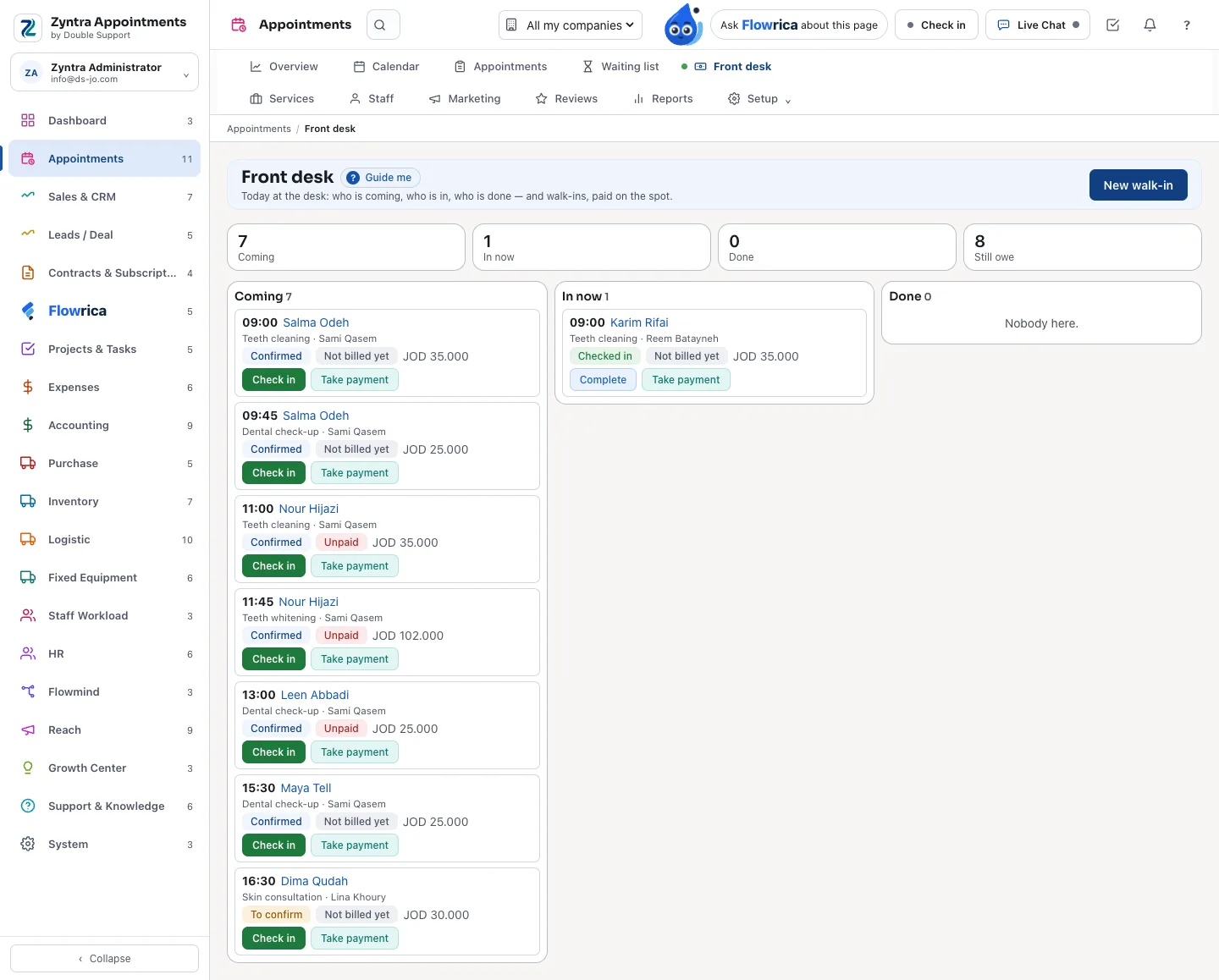
The front desk
Today at the desk: who is coming, who is in, who is done and what is still owed. A walk-in is booked and paid on the spot, with the products sold with it.
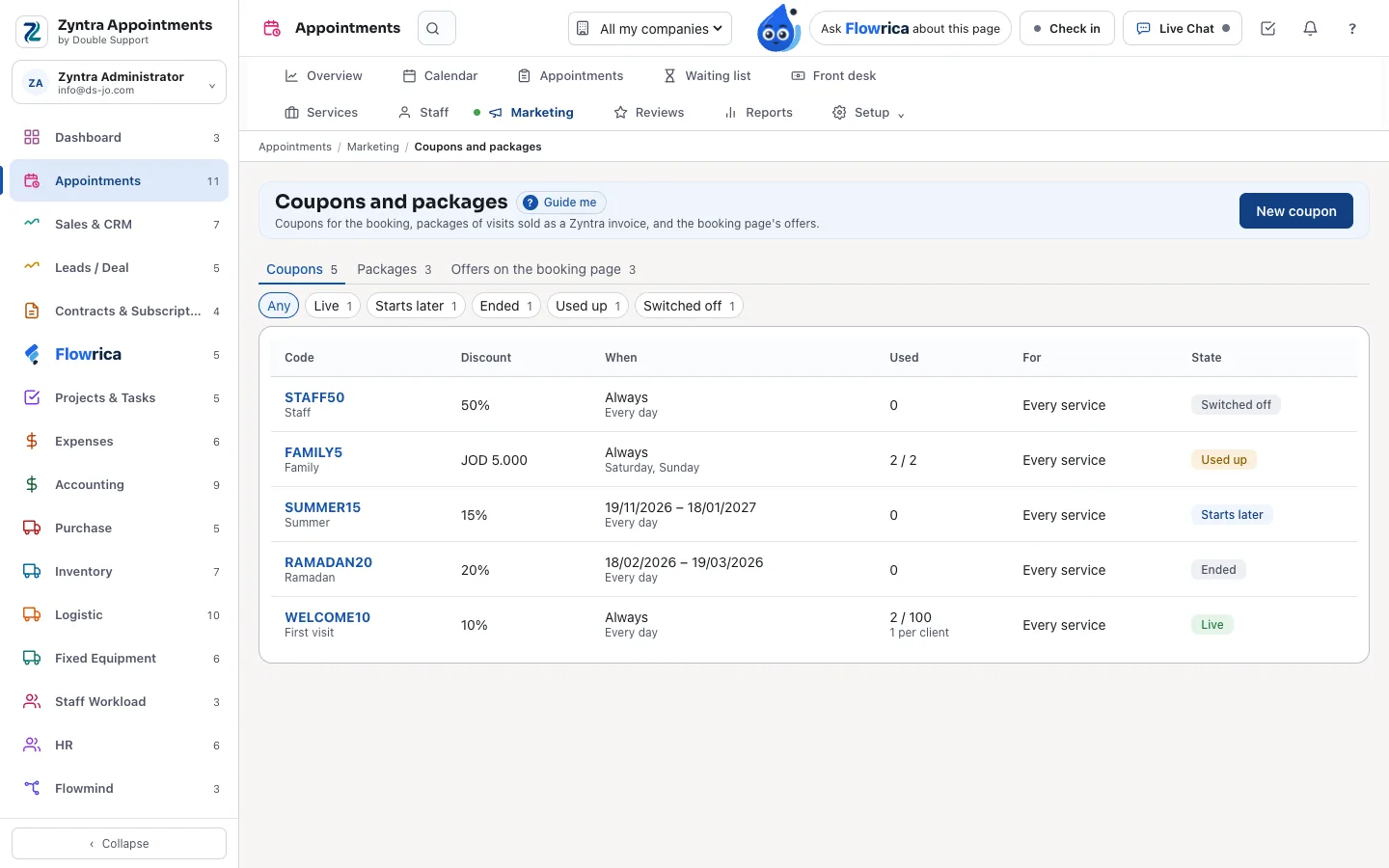
Coupons, packages and offers
Coupons by percentage or amount, with dates, days of the week and limits; packages of visits sold as a Zyntra invoice; and offers on the booking page. Every discount is worked out by the server.
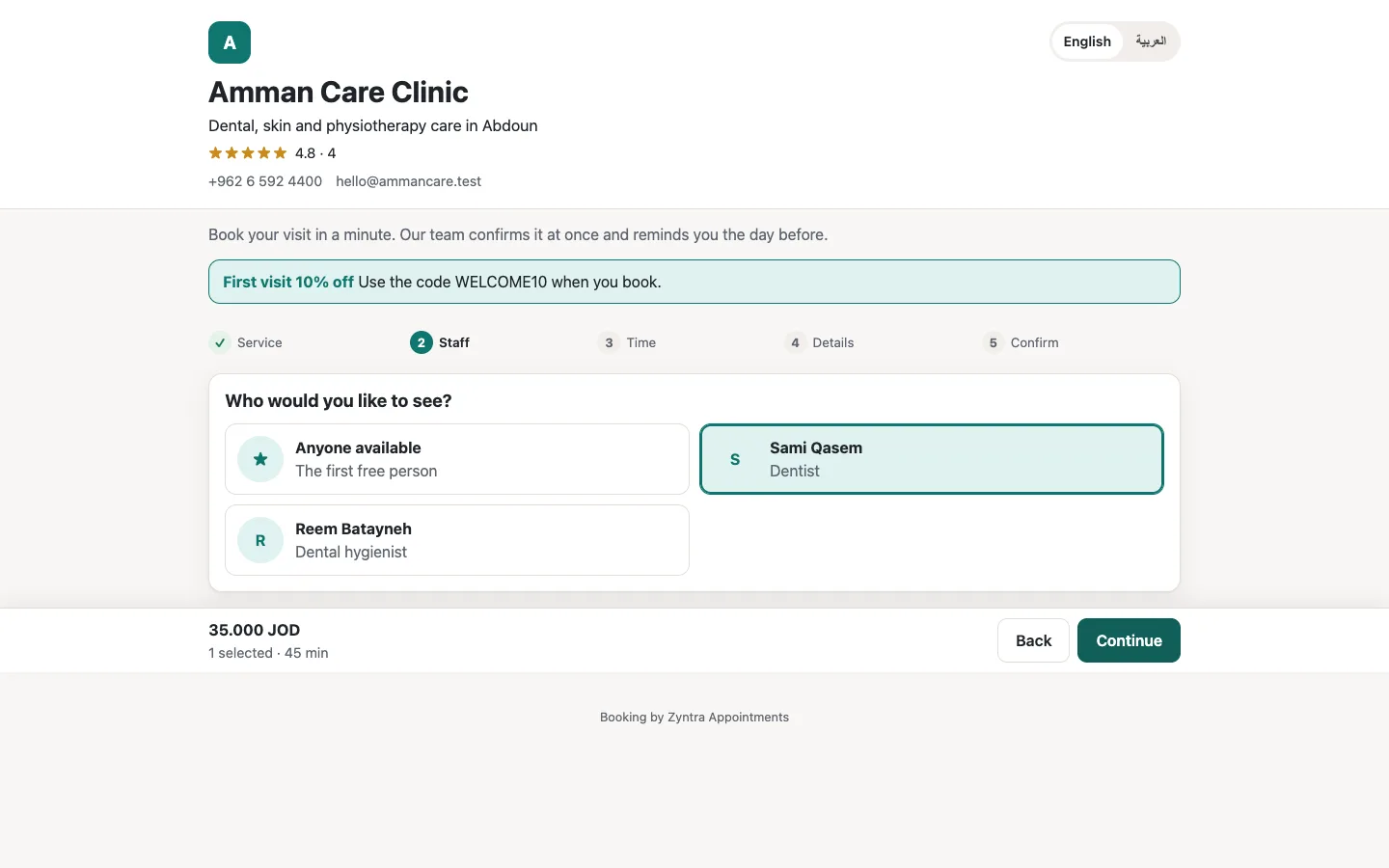
Your own booking page
On your own domain, in English and Arabic, made for the phone: the client picks the service, the staff member or anyone free, the time, then confirms, with your offers on top.
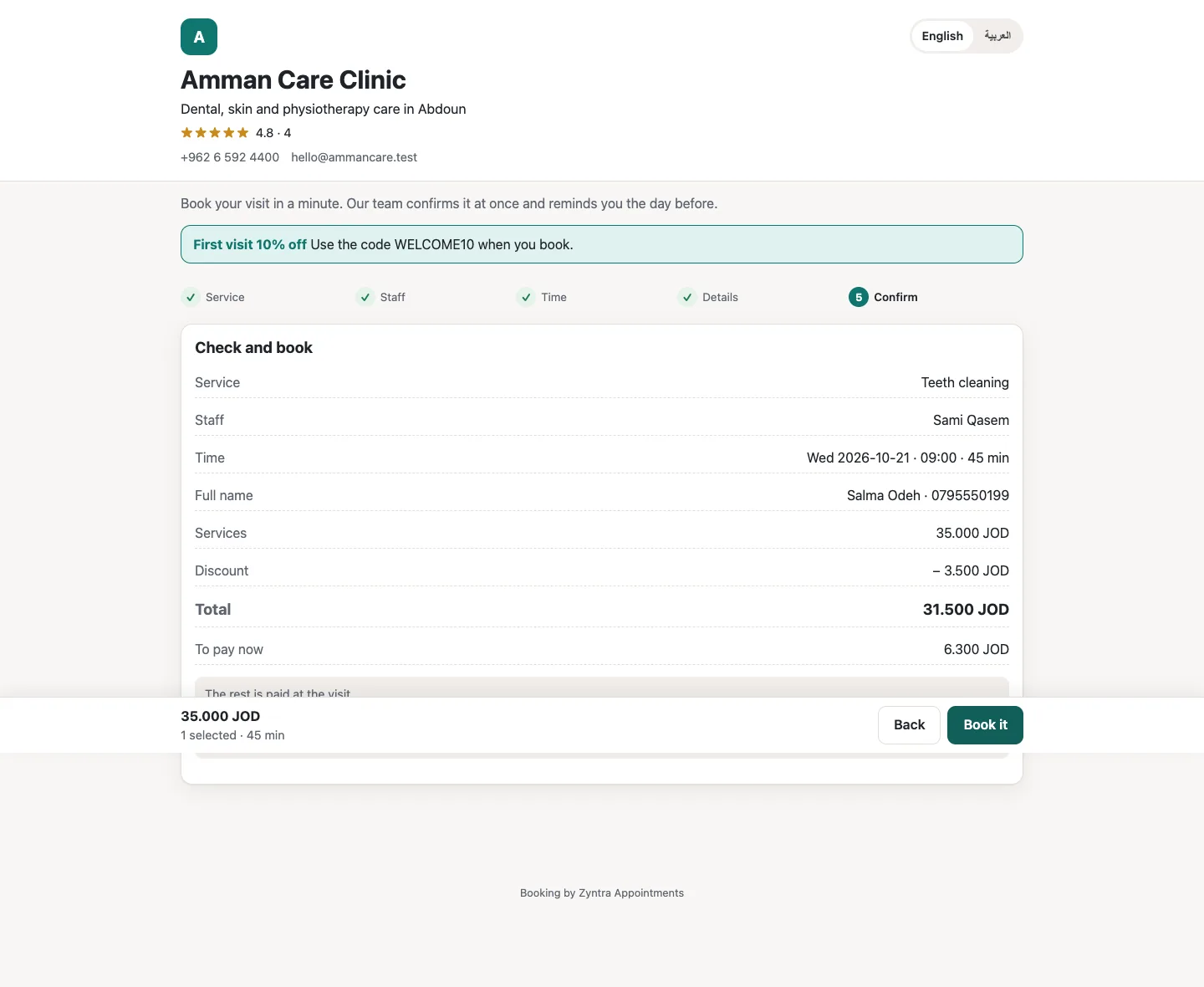
Booked, with the deposit paid ahead
The client checks the visit, the coupon's discount and what is paid now, and books. The appointment lands in the same calendar, and the client gets their own page to see, pay, move, cancel and review.
Made for a business that books its time
Zyntra Appointments is Zyntra OS with its Appointments part switched on, in English and in Arabic.
- Services are your Zyntra items. Duration, buffers before and after, capacity, discount, online or in person, who performs it and its taxes.
- Locations and rooms. Each location's week, its rooms and their capacity, and closures.
- Staff hours from HR. A staff member's shift and approved leave decide when they can be booked, or they keep a week of their own.
- Repeats. Weekly, every two weeks or monthly, up to 52 times, each one checked for clashes.
- A waiting list. When a time frees, the first client waiting is offered it, and booked in one step.
- Your rules. A cut-off before which a client may move or cancel, and an optional fee for a late cancel or a no-show.
The client, from booking to review
Every message carries the client's own page:
- Booked, confirmed, moved and cancelled messages, and reminders before the visit, by e-mail and text message, queued in Zyntra
- Pay a deposit or the whole visit through the invoice's own pay page
- Move or cancel within your rules
- A review with stars after a completed visit, shown once you approve it
- An online visit's meeting link in the messages
- The appointments on the client's tab and in the client portal
Flowrica for appointments
Ask her in English or in Arabic, from the Appointments screens:
- "Who is booked tomorrow?" and "Who is booked today?"
- "How busy is this week?"
- Book an appointment: she fills the booking as you answer, you press Save, and you can undo it.
Reports that say what they counted
8 reports for any period, each to CSV:
- Revenue, by service and by staff member
- Clients, and where the bookings come from
- No-shows and cancellations
- Offers, and the full list
What runs it underneath
Zyntra Appointments sits on Zyntra OS, so the rest of the business is in the same system:
- Clients are your customers, and your staff are your HR records
- Invoices, deposits and payments
- The staff member's Zyntra calendar
- The accounting
- HR, shifts, leave and payroll
- More than one company
- And the rest of Zyntra OS, module by module
Zyntra Appointments: frequently asked questions
What is Zyntra Appointments?
Zyntra Appointments is booking software made by Double Support in Amman, Jordan. It is the appointments edition of Zyntra OS: services, staff hours, a booking calendar, the front desk, a waiting list, coupons and packages, reminders and your own booking page, on top of the invoices, accounting, HR and the rest of Zyntra OS.
Is Zyntra Appointments a separate system from Zyntra OS?
No. It is Zyntra OS with its Appointments part switched on, in the same installation, under its own name and mark.
Does Zyntra Appointments work in Arabic?
Yes. Every screen and your booking page work in Arabic and in English.
Can a time be booked twice?
No. Every booking is checked against the staff member's hours, breaks, leave, the room's capacity and the other appointments, again at the moment it is saved.
Can clients book on my own website?
Yes. Your booking page works on your own domain, in English and Arabic, and each booking lands in the same calendar.
How much does Zyntra Appointments cost?
Zyntra Appointments has one price a user a month. Choose Zyntra Appointments in the price builder on our Pricing page to see it for your number of users, monthly or yearly.
Talk to us about your bookings
Tell us how you book today, and we'll show you Zyntra Appointments on services like yours.