

Zyntra Legal, the law office edition of Zyntra OS
Zyntra Legal: the law office edition of Zyntra OS
Zyntra Legal runs a law office from the first call to the last invoice: every case with its court, number, parties and hearings, the legal deadlines counted for you, the powers of attorney your clients gave, and the time, fee agreements, expenses and invoices of each case. It is built on Zyntra OS, so the accounting, HR and everything else that runs the office are part of the same system.
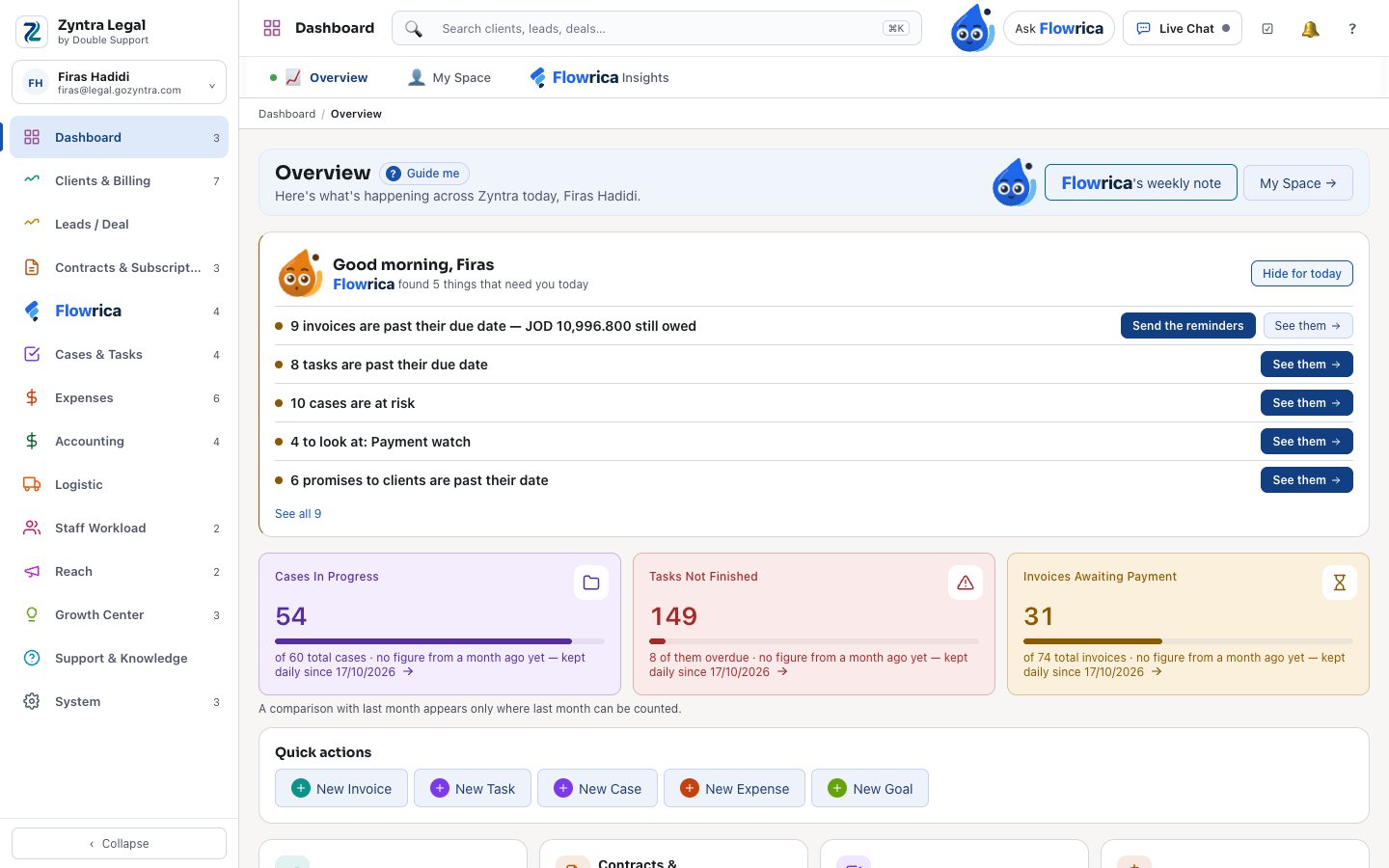
See it working
Pictures of a made-up law office, taken from Zyntra Legal itself.
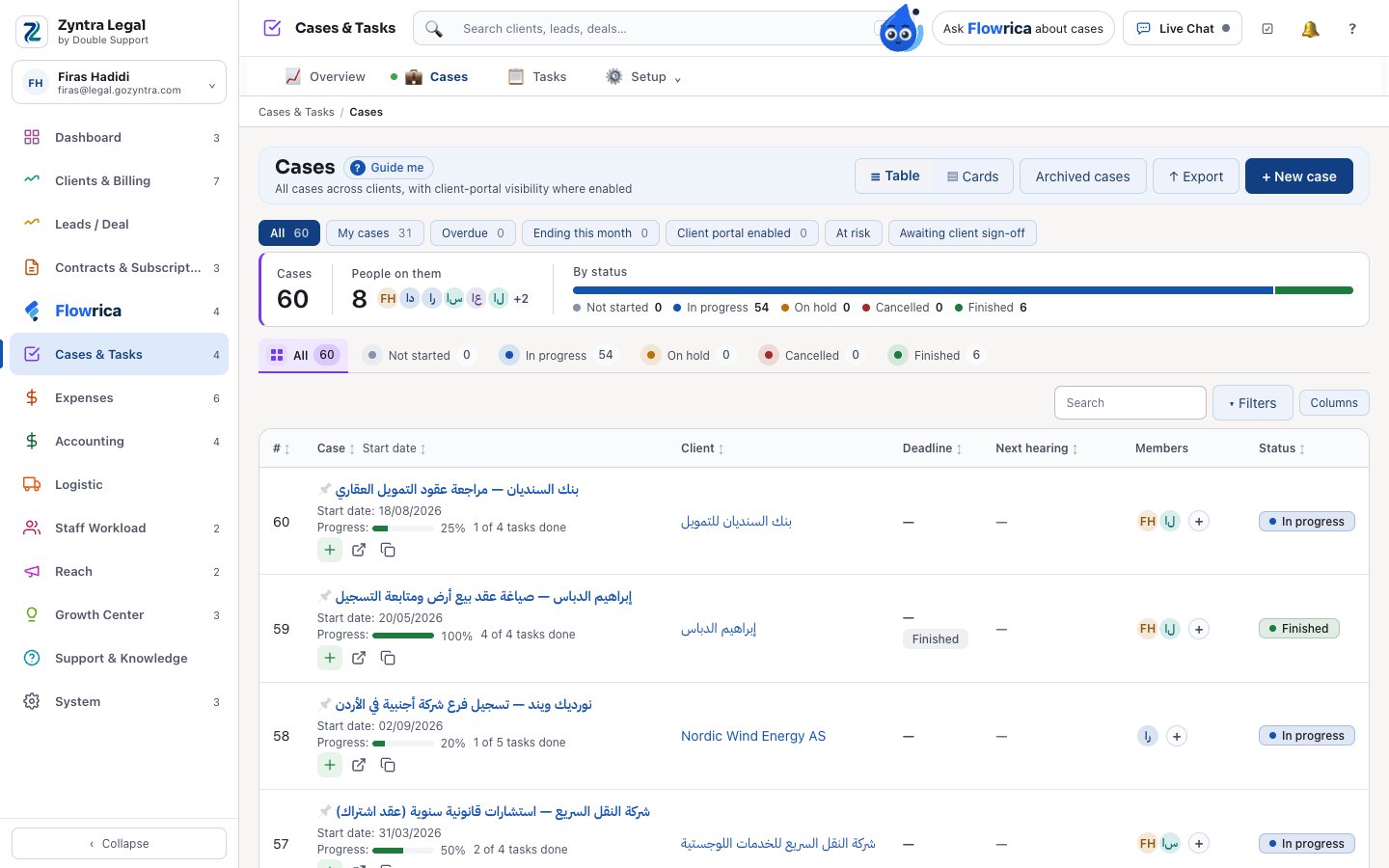
Every case in one list
Each case with its client, its deadline, its next hearing and its status. Search by name or by case number, and see at a glance how many cases are in progress, finished or at risk.
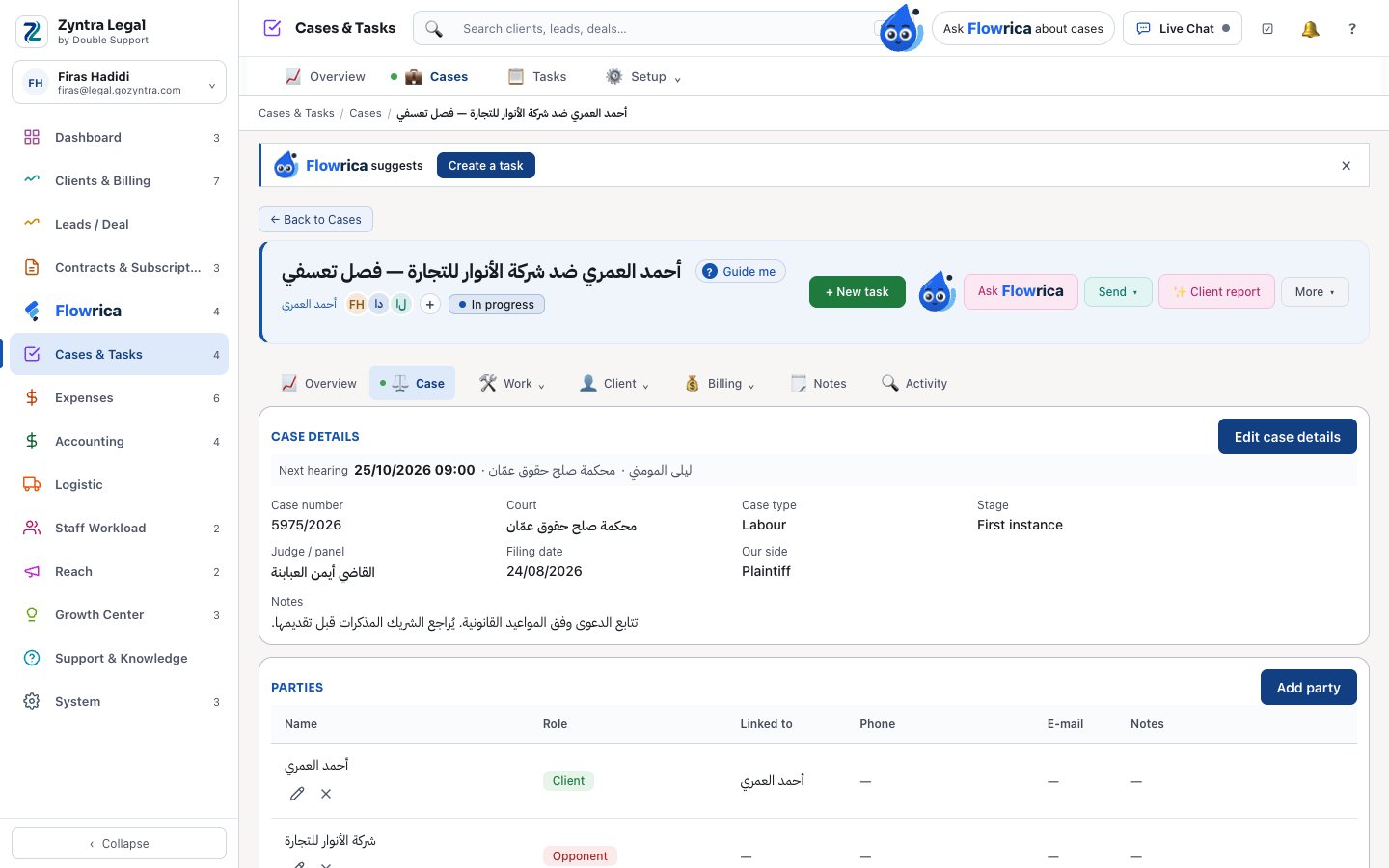
The case file
Case number, court, case type, stage, judge or panel, filing date and your side, with the next hearing on top. Then the parties: your client, the opponent, the opponent's lawyer and the witnesses.
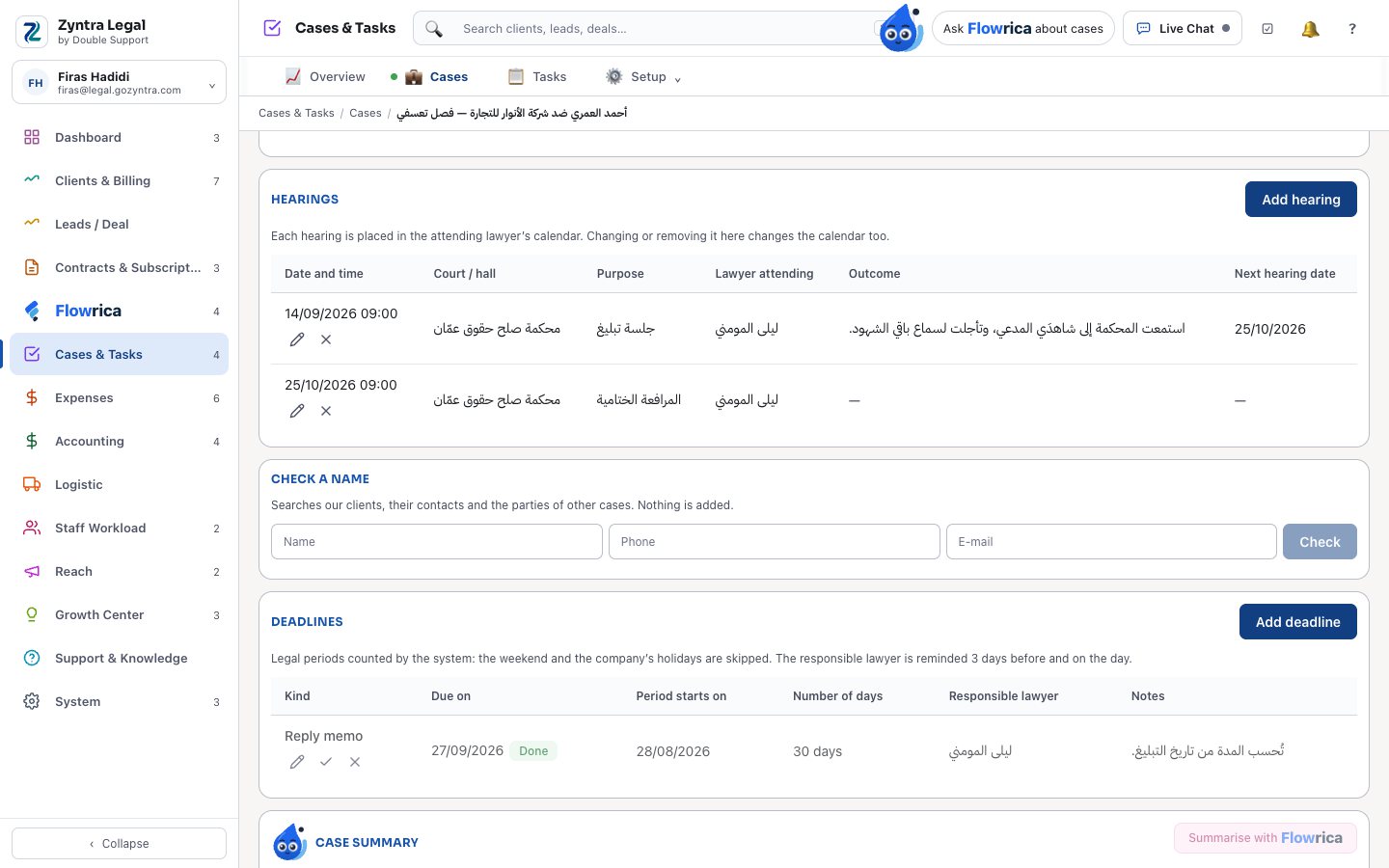
Hearings, a name check and deadlines
Each hearing goes into the attending lawyer's calendar, with its outcome and the next date. Before you take a case, check a name against your clients, their contacts and the parties of other cases. Legal periods are counted with the weekend and the company's holidays skipped, and the responsible lawyer is reminded 3 days before and on the day.
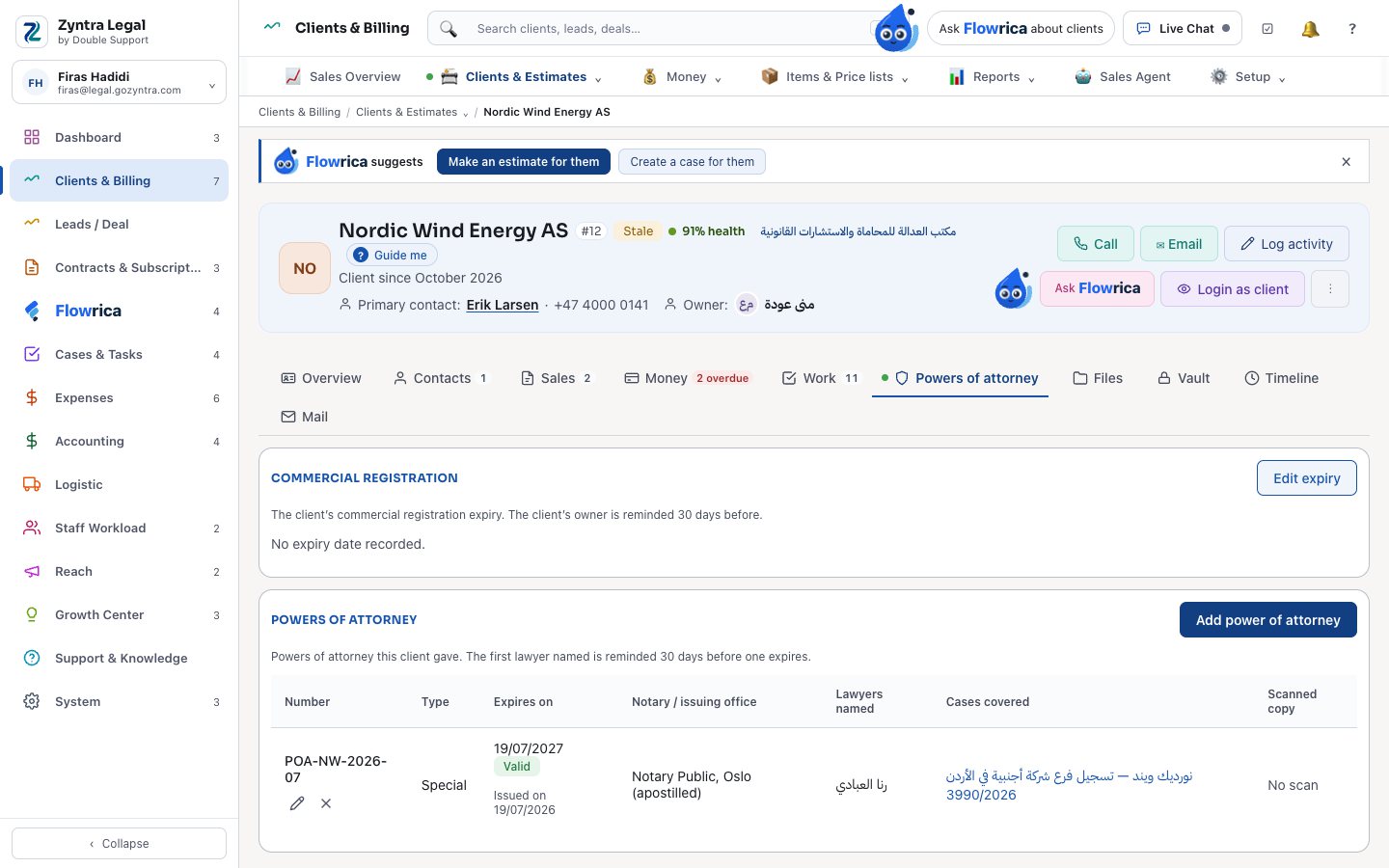
Powers of attorney
Every power of attorney a client gave: its number, type, expiry date, notary, the lawyers named and the cases it covers. The first lawyer named is reminded before it expires, and a company client's commercial registration expiry is kept beside it.
Made for a law office
Zyntra Legal is Zyntra OS with its Legal part switched on: every screen speaks the office's words — Cases, Clients, Hearings — in English and in Arabic.
- Ready case paths. Labour, commercial, family and sharia, and criminal cases start from a template with their usual steps.
- Confidential cases. A case marked confidential is seen only by the people on it and by those given that right.
- Your own installation, your own database. Like every Zyntra OS installation, it is yours, set up for how your office works.
Your client's side of the case
In the client portal, your client opens their own case:
- The case number, court, case type, stage, filing date and the next hearing — never your notes or the other parties
- The fee agreement, to sign, and the case's invoices, to pay
- Documents they upload, filed in the case's documents when you allow uploads
Flowrica for lawyers
Flowrica prepares, you decide. Nothing is saved until you press Save.
- A case summary from that case only — its details, parties, hearings and the words of its documents: the facts, a timeline and where the statements disagree.
- A document drafted from your office's own template, filled from the case: parties, court, case number and dates. It opens as a draft for you to edit.
- "Which cases are at risk?" answered from your own cases.
What runs the office underneath
Zyntra Legal sits on Zyntra OS, so the rest of the office is in the same system:
- Tasks and time entries on each case
- Fee agreements
- Expenses, charged back to the client on the invoice
- Invoices with sales tax, and payments
- Accounting and bookkeeping
- HR, leave and payroll
- And the rest of Zyntra OS, module by module
Zyntra Legal: frequently asked questions
What is Zyntra Legal?
Zyntra Legal is law office software made by Double Support in Amman, Jordan. It is the law office edition of Zyntra OS: cases with their parties, hearings and legal deadlines, the powers of attorney clients give, and the time, fee agreements, expenses and invoices of each case, on top of the accounting, HR and the rest of Zyntra OS.
Is Zyntra Legal a separate system from Zyntra OS?
No. It is Zyntra OS with its Legal part switched on, in the same installation. Projects become Cases and customers become Clients, and the case screens appear.
Does Zyntra Legal work in Arabic?
Yes. Every screen works in Arabic and in English, and each person chooses their own language.
Does Zyntra Legal keep track of legal deadlines?
Yes. A deadline such as an appeal, an objection or a reply memo is counted from its start date with the weekend and the company's holidays skipped, and the responsible lawyer is reminded 3 days before and on the day.
Who can see a confidential case?
Only the people working on that case and those the office gave the right to see confidential cases.
Can clients follow their own case?
Yes, in the client portal: the case number, court, type, stage and next hearing, the fee agreement to sign, the invoices to pay, and the documents they upload.
How much does Zyntra Legal cost?
It depends on the modules a law office takes. Contact Double Support for a quote.
Talk to us about your law office
Tell us how your office works today, and we'll show you Zyntra Legal on cases like yours.