

 Zyntra OS
 Zyntra OTA
 Zyntra Legal
 Zyntra Real Estate
 Zyntra Hotel
 Zyntra E-commerce
 Zyntra Appointments
 Zyntra Repair
Zyntra Repair, the repair shop edition of Zyntra OS
Zyntra Repair: the repair shop edition of Zyntra OS
Zyntra Repair runs a repair shop from the counter to the collection: every device written down as it came in, a workflow the devices cannot skip, the technician's own bench, diagnostics, checklists and the quality check, the customer's estimate approved online, the final invoice with the parts taken out of stock, and the customer told at every step. It is built on Zyntra OS, so the accounting, stock, HR and everything else that runs the shop are part of the same system.
See it working
Pictures of a made-up repair shop, taken from Zyntra Repair itself.
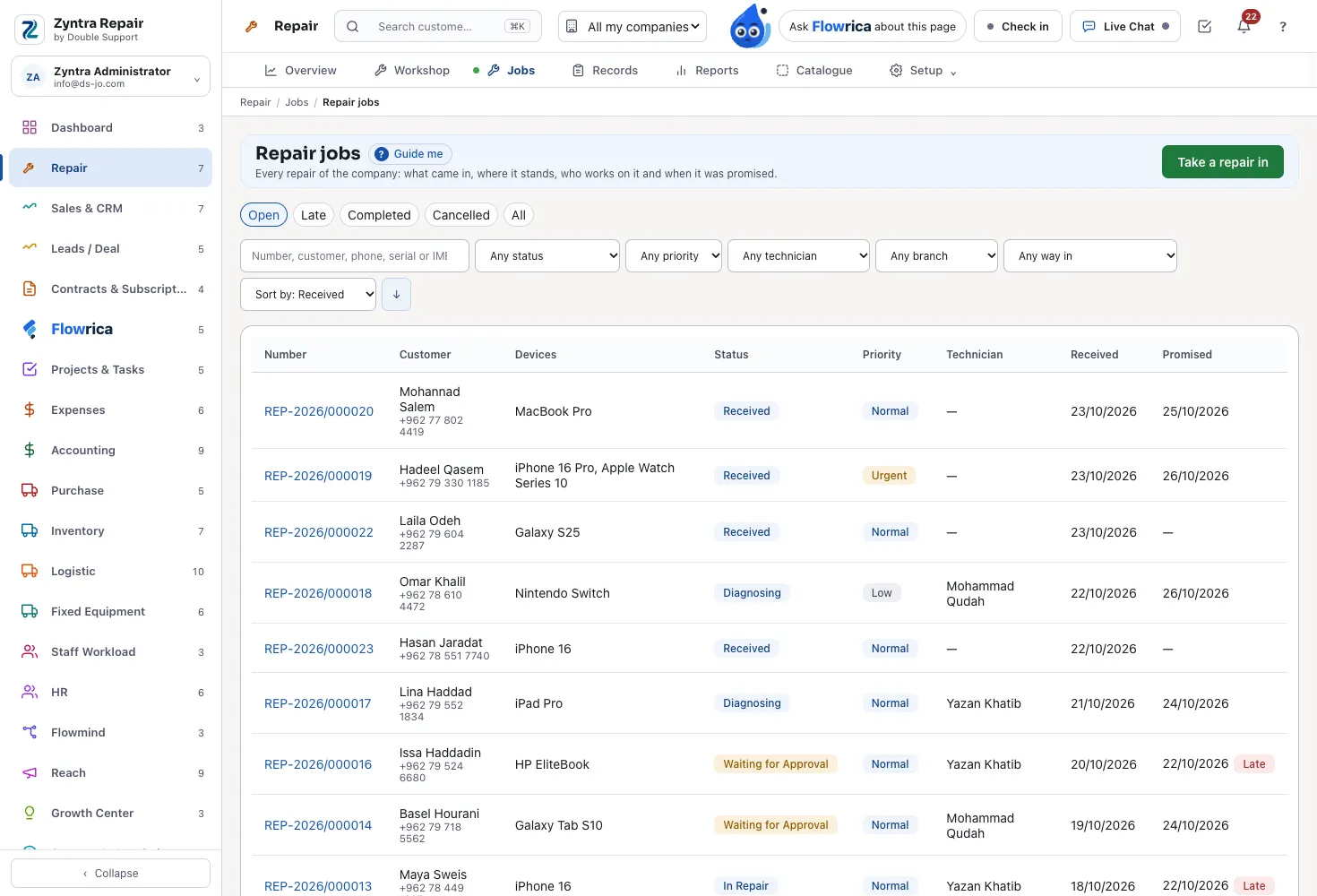
Every repair, found again
Every repair with what came in, where it stands, who works on it and when it was promised. Search by number, customer, phone, serial or IMEI, narrow by status, priority, technician, branch or the way it came in, and sort by any column. A late one says so.
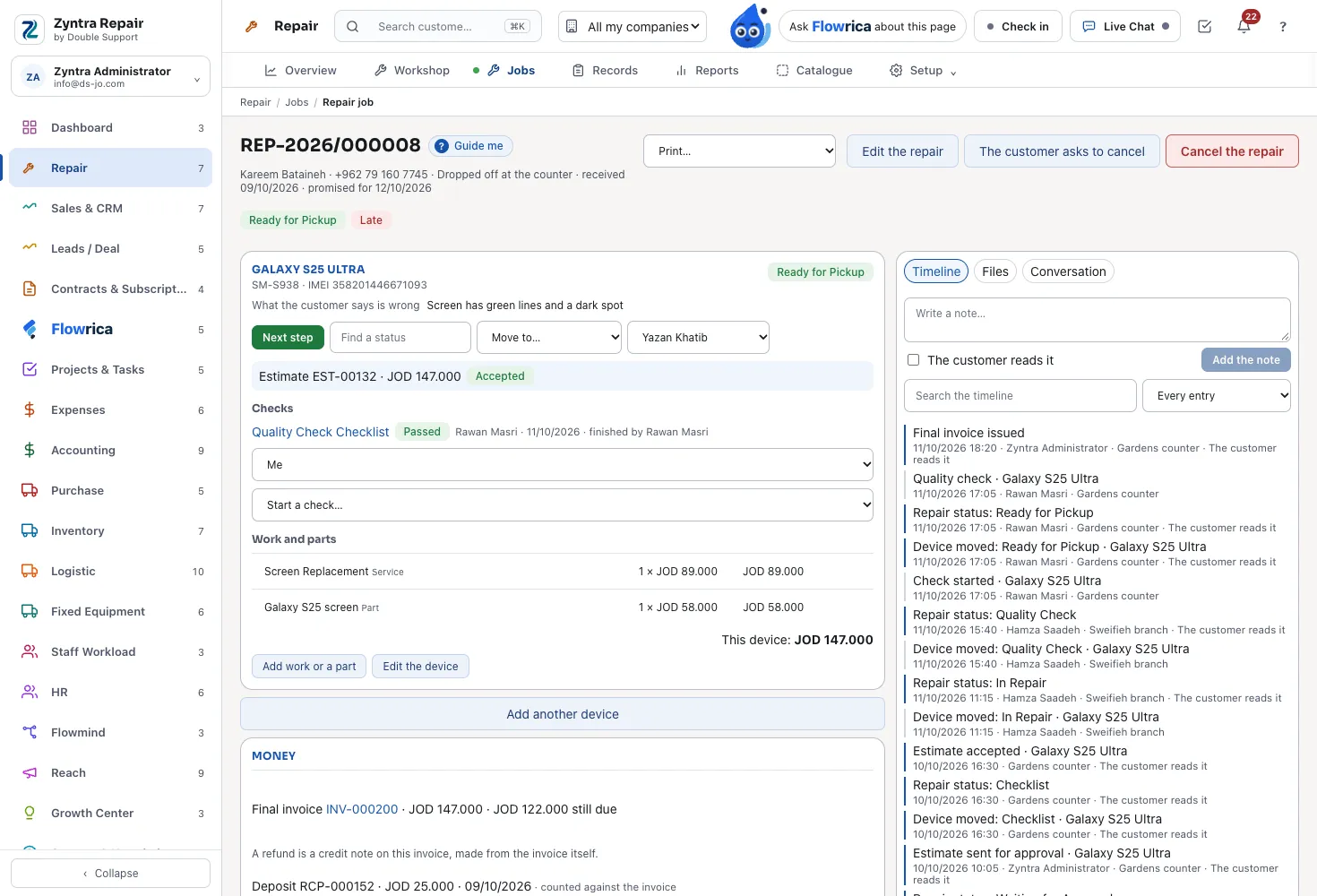
One repair, step by step
Each device with its serial, IMEI, the fault as told, what came with it and the damage already on it; the unlock code kept encrypted. It moves through your workflow one step at a time, with its checks, its work and parts, its estimate, the timeline the customer reads, photos and signatures, and the conversation with the customer.
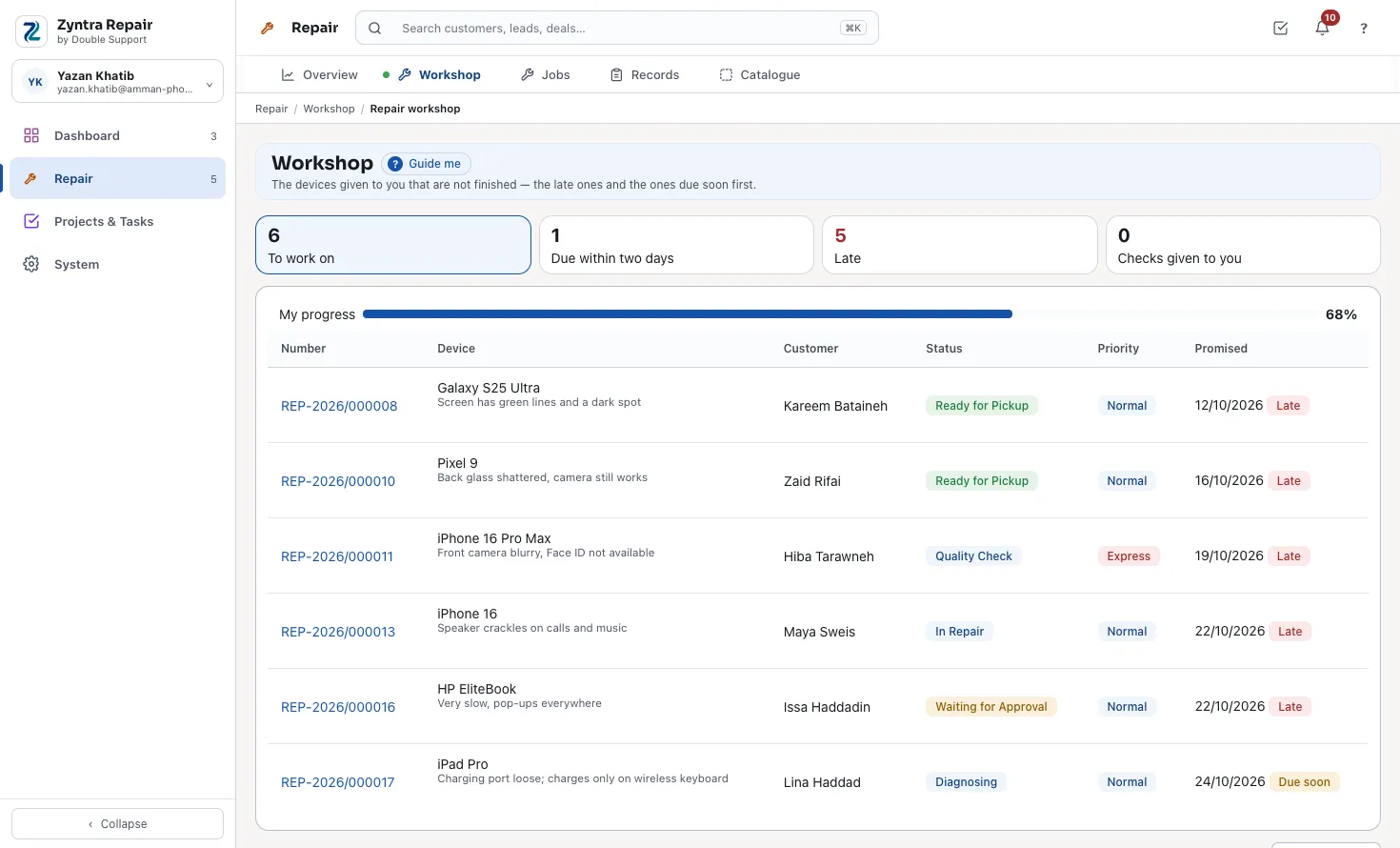
The technician's bench
Each technician sees only the devices given to them, the late ones and the ones due soon first, with the checks they were given and their own progress; the shop sees who has the most on the bench.
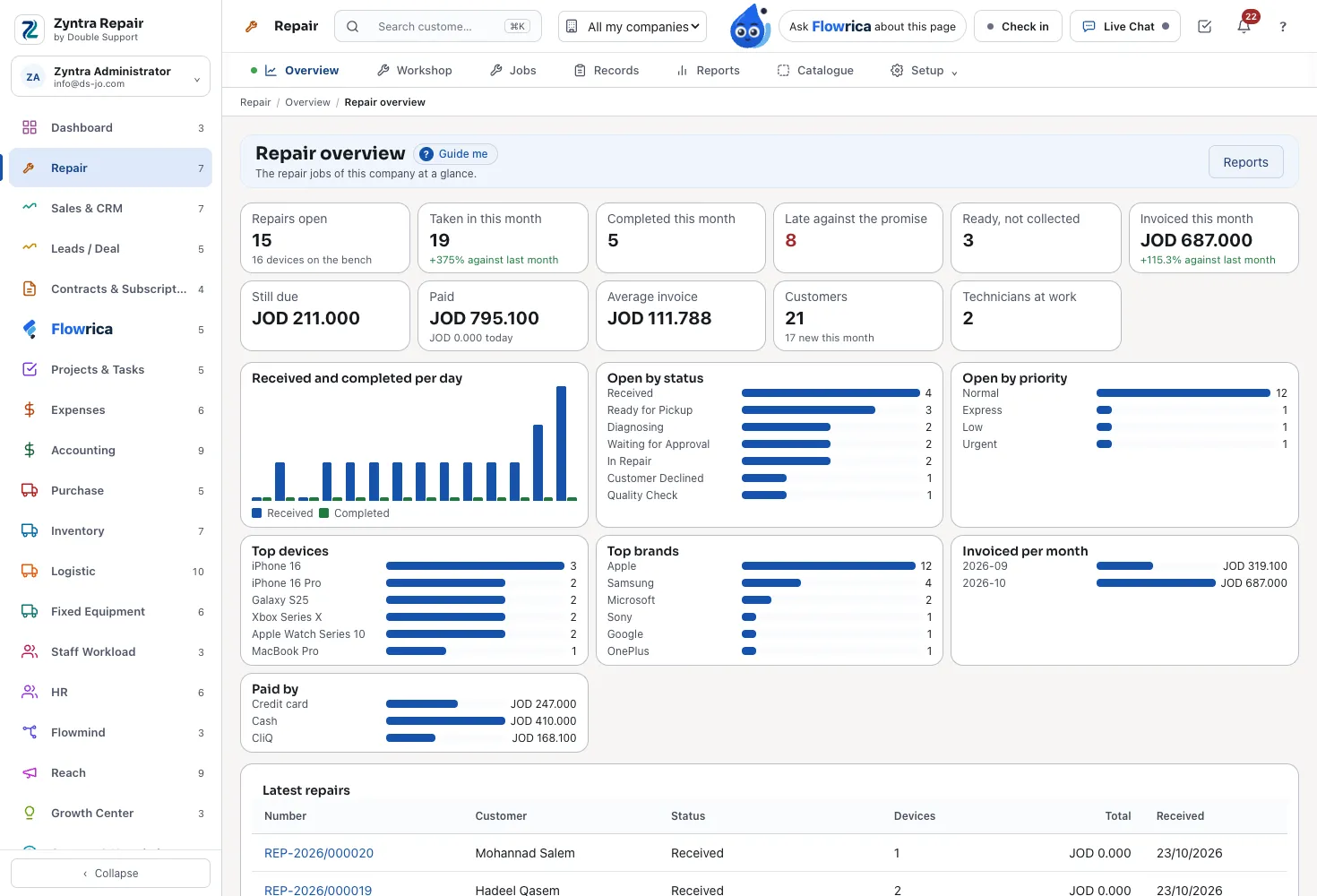
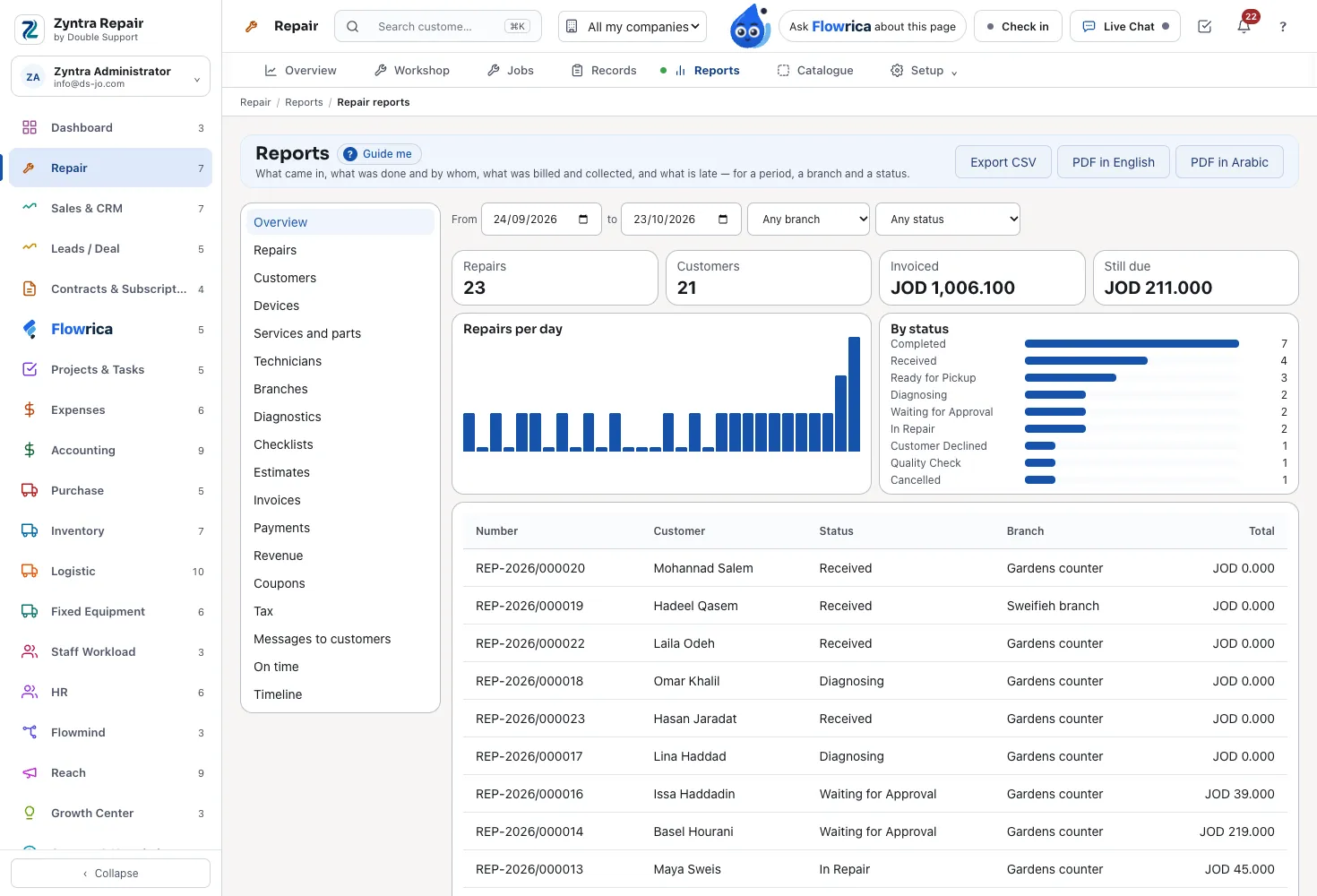
Reports that say what they counted
18 reports for any period, branch and status: repairs, customers, devices, services and parts, technicians, diagnostics, estimates, invoices, payments, revenue, coupons, tax, messages and on time — each to CSV, or a PDF in English or Arabic.
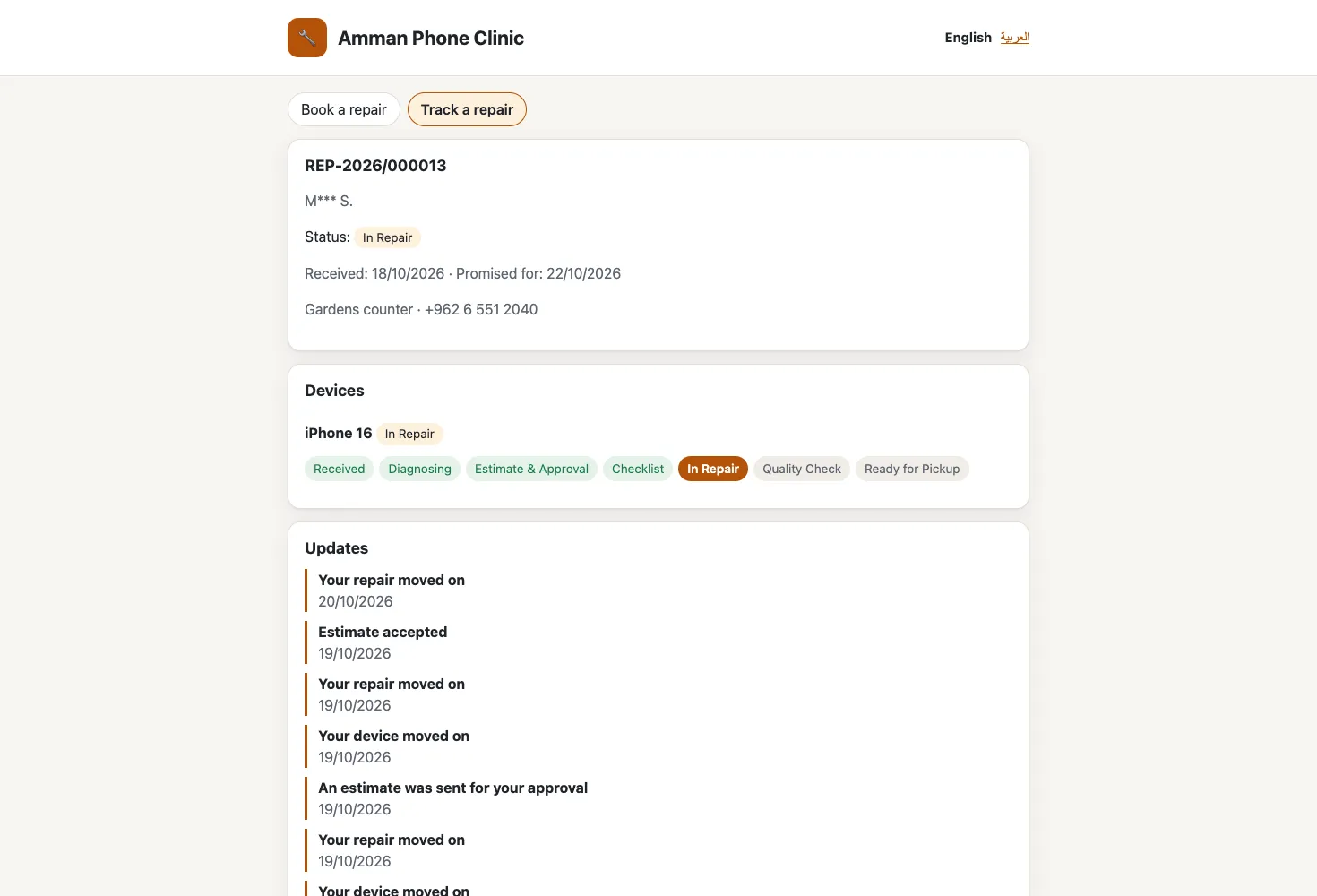
The customer follows the repair
Your own page where a customer books a repair, and follows it by its number and the last digits of their phone, or from the link in every message. In the portal they read their repairs, approve the estimate and pay the invoice.
Made for a repair shop
Zyntra Repair is Zyntra OS with its Repair part switched on, in English and in Arabic.
- Three ways in. Dropped off at the counter, sent in by the customer, or a technician visit — each with its own charge.
- A workflow that cannot be skipped. Received, diagnosis, estimate, checklist, in repair, quality check, ready — your own statuses, in your own order.
- Diagnostics, checklists and the quality check. Each run keeps its own copy of the questions; a failed quality check sends the device back.
- Branches and roles. A manager, the front desk, technicians and a quality inspector, each with their own rights; a technician sees only their devices.
- Every customer is a Zyntra customer. Their repairs, estimates, invoices and payments are on their record.
The money, through Zyntra
Every amount is a Zyntra estimate, invoice, payment or credit note, posted the way your books post them:
- An estimate per device, approved or declined by the customer online or at the counter
- A deposit at intake, counted on the final invoice
- The final invoice from the approved work, the parts and the way-in charge once — a declined device is not billed
- The parts taken out of stock exactly once
- Coupons with their limits, held even when two invoices take one at the same moment
- A refund as a credit note
The customer is told every moment
Through Zyntra's own mail, an SMS beside it, and your approved WhatsApp template:
- Taken in, a step reached, ready to collect, completed or cancelled
- An estimate to approve, the technician assigned, the invoice, a payment
- Every message with the repair's own tracking link
- Printed job card, device tags, an 80 mm intake ticket and a dispatch label, in English and Arabic, the QR drawn on your own server
Flowrica for repair shops
Ask her from the Repair screens:
- "Which repairs are late?" and "Which repairs are ready to collect?"
- "What is on my bench?", from the workshop's own list
- Take a repair in: she fills the intake form as you answer, you press Take it in, and you can undo it.
What runs the shop underneath
Zyntra Repair sits on Zyntra OS, so the rest of the shop is in the same system:
- Customers, and the conversation with each as a support ticket
- Invoices, payments and credit notes
- Your parts in stock, by warehouse
- Tasks for every technician's work
- The full accounting, HR and payroll
- And the rest of Zyntra OS, module by module
Zyntra Repair: frequently asked questions
What is Zyntra Repair?
Zyntra Repair is repair shop software made by Double Support in Amman, Jordan. It is the repair edition of Zyntra OS: the intake, the workflow, the technician's bench, checks, estimates, invoices, messages to the customer, printouts and reports, on top of the accounting, stock, HR and the rest of Zyntra OS.
Is Zyntra Repair a separate system from Zyntra OS?
No. It is Zyntra OS with its Repair part switched on, in the same installation, under its own name and mark.
Does Zyntra Repair work in Arabic?
Yes. Every screen, every printout and every message to the customer work in Arabic and in English.
Can my customers follow their repair?
Yes. On your own page by the repair number and the last digits of their phone, from the link in every message, and in the portal, where they approve the estimate and pay the invoice.
How much does Zyntra Repair cost?
Zyntra Repair has one price a user a month. Choose Zyntra Repair in the price builder on our Pricing page to see it for your number of users, monthly or yearly.
Talk to us about your repair shop
Tell us how your shop works today, and we'll show you Zyntra Repair on devices like yours.