

 Zyntra OS
 Zyntra Legal
 Zyntra Real Estate
 Zyntra Hotel
 Zyntra E-commerce
 Zyntra Appointments
 Zyntra Repair
 Zyntra Garage
 Zyntra Concierge
 Zyntra Contracting
 Zyntra Clinic
 Zyntra Dental
 Zyntra School
 Zyntra University
 Zyntra Call Center
 Zyntra OTA
Move to Zyntra OS
Move to Zyntra OS from the system you use today
The move is built into Zyntra OS: sign in to your old system, or give it your old system's export file, and your books and your CRM come across once — without retyping them.
Two ways in
Choose the one your old system offers.
By signing in — your books
QuickBooks Online, Xero, Odoo, Zoho Books, Microsoft Dynamics 365 Business Central and Sage Business Cloud Accounting.
By signing in — your CRM
HubSpot, Salesforce, Odoo, Zoho CRM and Microsoft Dynamics 365 Sales.
By an export file
The books from Odoo, Zoho, Sage 50 and Sage 300, and the CRM from Odoo and Zoho, read from the files those systems export.
See it working
Pictures of a made-up company, taken from Zyntra OS itself.
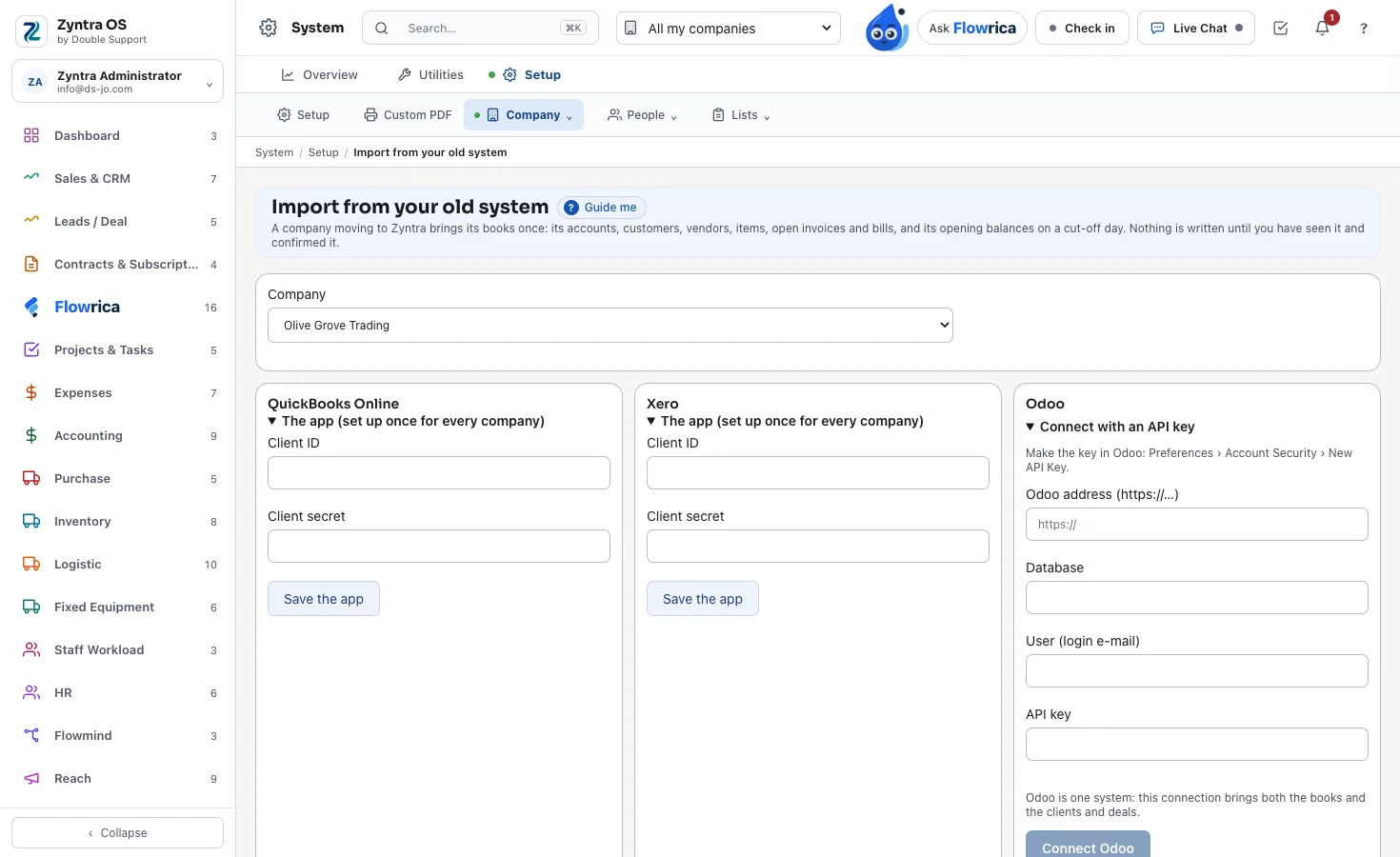
Choose your old system
Setup › Import from your old system: the company, then the system its books are in — by a sign-in, an API key or an export file.
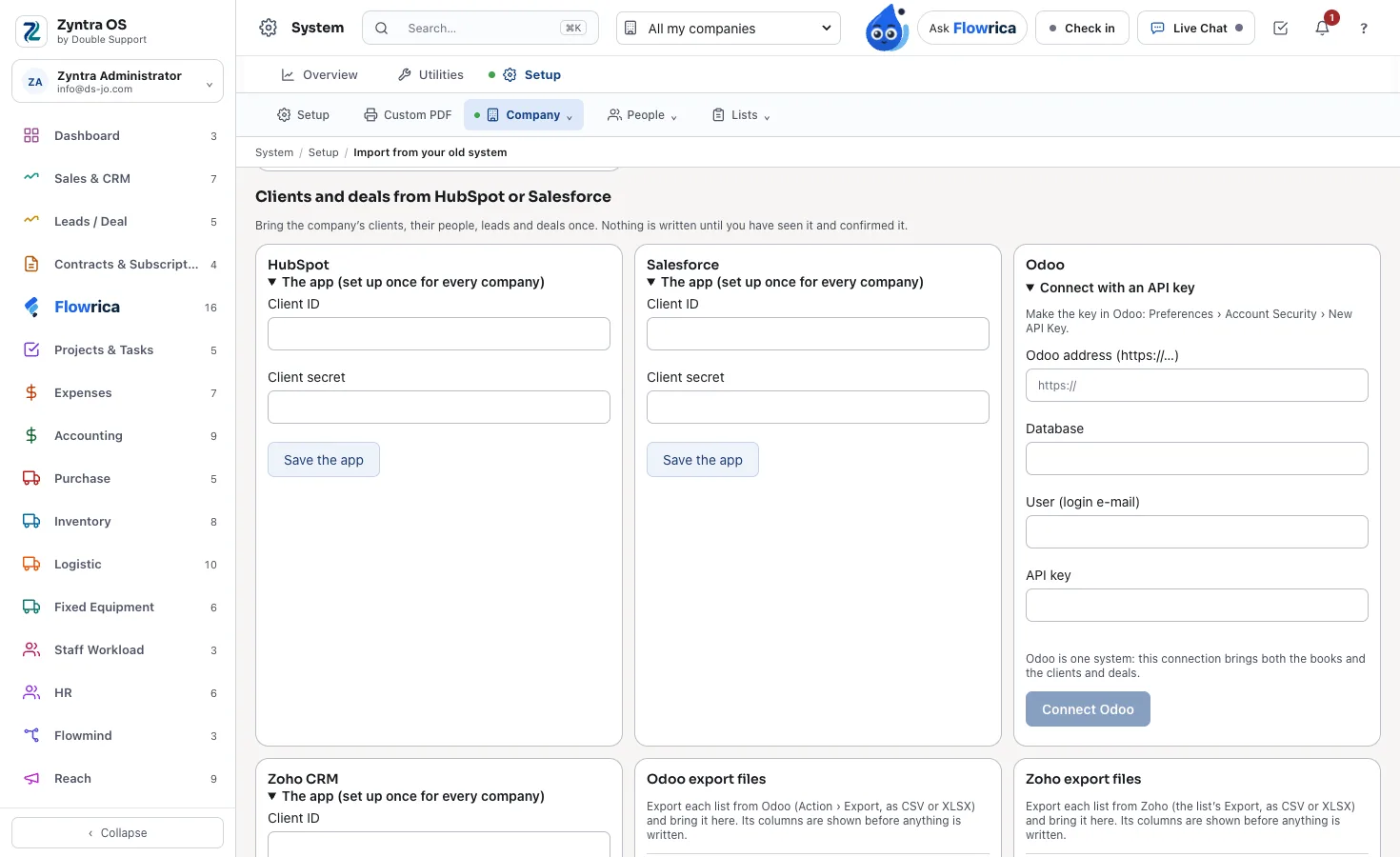
Your clients and deals too
The CRM comes the same way: HubSpot, Salesforce, Odoo, Zoho CRM or Dynamics 365 Sales.
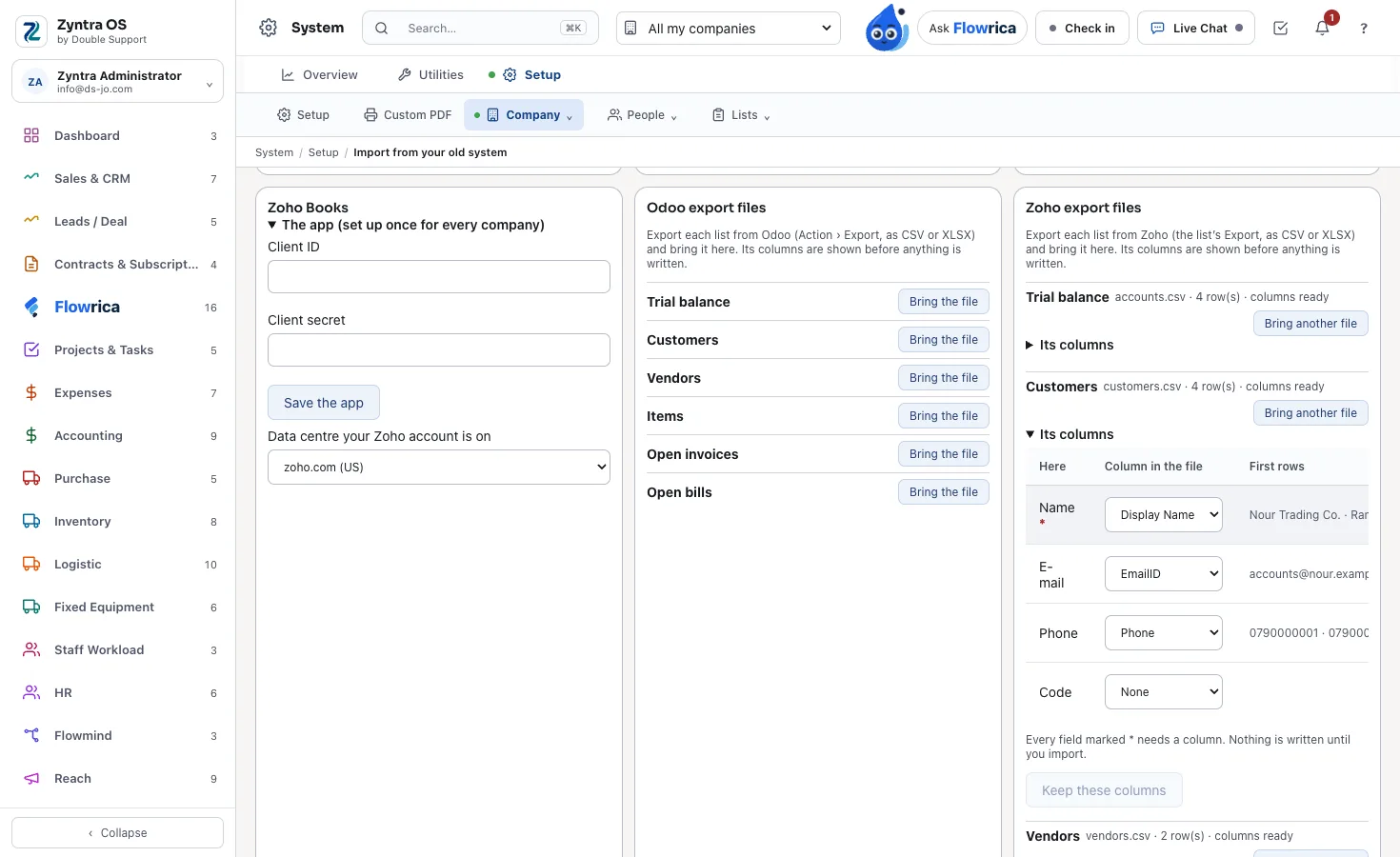
Or bring the export files
One file per list — the trial balance, customers, vendors, items, open invoices and bills — each with its columns matched before anything is written.
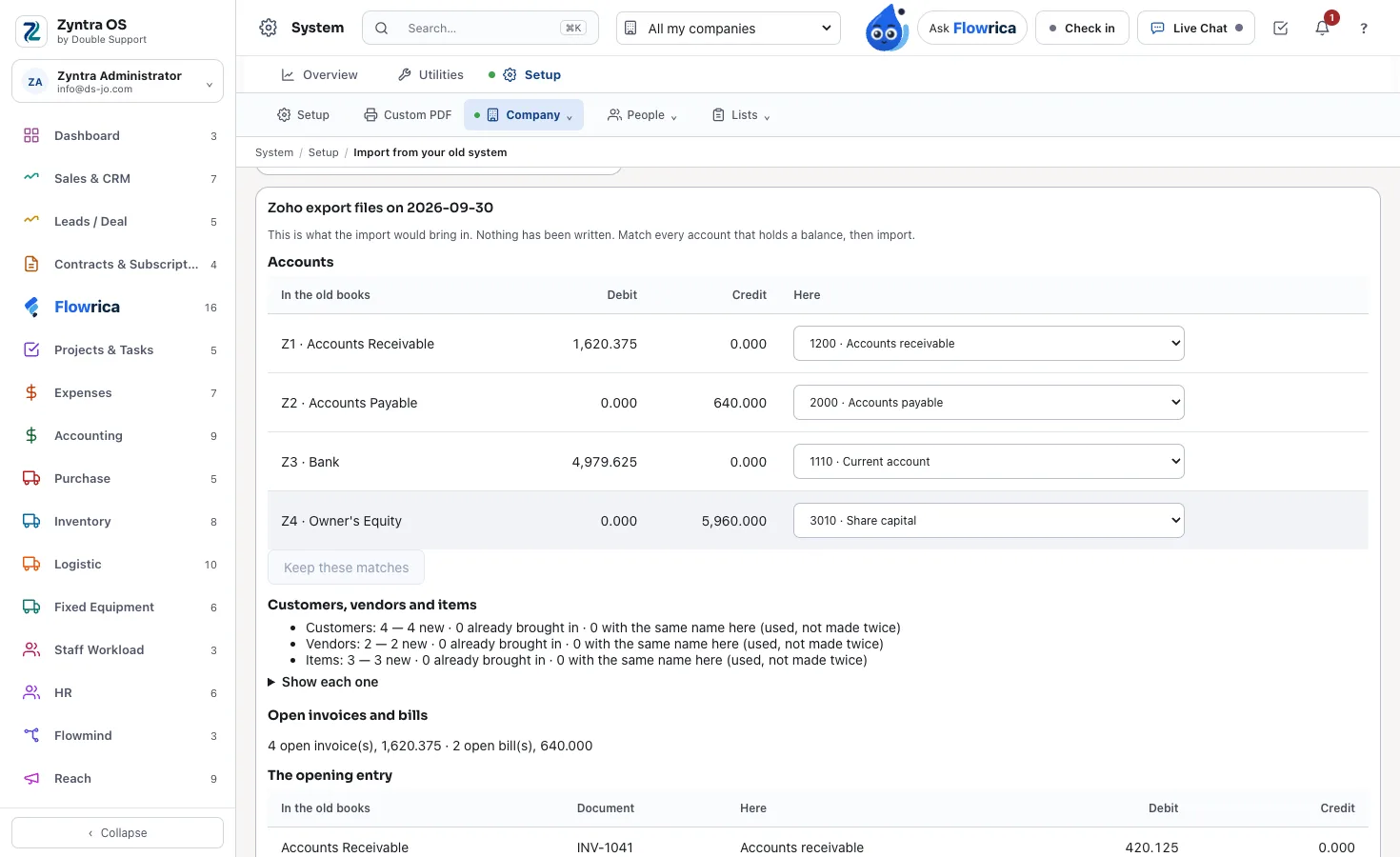
See it before it comes in
Each old account matched to yours, what is new, the open invoices and bills, and the opening entry — nothing is written until you press «Bring them in».
What comes across
Once, without retyping it — and only what you choose.
Your accounts
Each old account is mapped by a person to one of your Zyntra OS accounts — none is guessed, none is made.
Customers, vendors and items
Your customers, vendors and items, each brought once.
One opening entry
Your trial balance at the date you choose, with each open invoice and bill as a line of it, posted once.
Clients, contacts, leads and deals
Companies become clients, contacts their contacts, open leads become leads, and each deal lands in the stage a person mapped it to.
Your old system is only read
Nothing is changed there, and nothing is written here until you say so.
Read only
Zyntra OS only reads your old system; nothing is changed or deleted there.
See it first
A preview shows what will come; it writes nothing.
Checked to the fils
The opening entry is refused unless its debits equal its credits and the open invoices and bills add up exactly to the receivables and payables.
Undo
An import can be undone: what it made is taken back, except anything used since. A second run adds nothing.
Questions about the move
Which systems can I move from?
Odoo, QuickBooks Online, Xero, Zoho Books and Zoho CRM, Sage Business Cloud Accounting, Sage 50 and Sage 300, Microsoft Dynamics 365 Business Central and Dynamics 365 Sales, HubSpot and Salesforce.
Does the move cost extra?
No. The import is built into Zyntra OS, and its connections cost nothing extra.
Do I have to retype anything?
No. You map your old accounts and deal stages to yours, look at the preview, and press Import once.
Are my balances checked?
Yes, exactly: the opening entry must balance, and the open invoices and bills must equal the receivables and payables to the fils, or nothing is posted.
Can the import be undone?
Yes. Undo takes back what the import made — the opening entry and the records it added — except anything used since.
Does Flowrica come with Zyntra OS?
Yes. Flowrica is built into Zyntra OS by Double Support — not an outside chatbot or plug-in — and comes in the base price. From your first day she answers from your moved records, warns on the screen before you save, and fills the product's own forms for you to confirm.
Bring what you have
We help you move, and the connection costs nothing extra.
Talk to us See the prices +962 795 900 124 info@double-support.com