

 Zyntra OS
 Zyntra Legal
 Zyntra Real Estate
 Zyntra Hotel
 Zyntra E-commerce
 Zyntra Appointments
 Zyntra Repair
 Zyntra Garage
 Zyntra Concierge
 Zyntra Contracting
 Zyntra Clinic
 Zyntra Dental
 Zyntra School
 Zyntra University
 Zyntra Social
 Zyntra Call Center
 Zyntra OTA
Zyntra Social, Facebook and Instagram inside Zyntra OS
Zyntra Social: your Facebook Pages and Instagram accounts, in one place
Zyntra Social — Facebook and Instagram inside Zyntra OS.
Zyntra Social brings your Facebook Pages and Instagram accounts into Zyntra OS. Write a post once and see it on a phone as Facebook or Instagram will show it, publish it now or schedule it on one calendar, answer every comment and message from one inbox, and read the figures of each account and post. Each screen opens only for the people your roles allow.
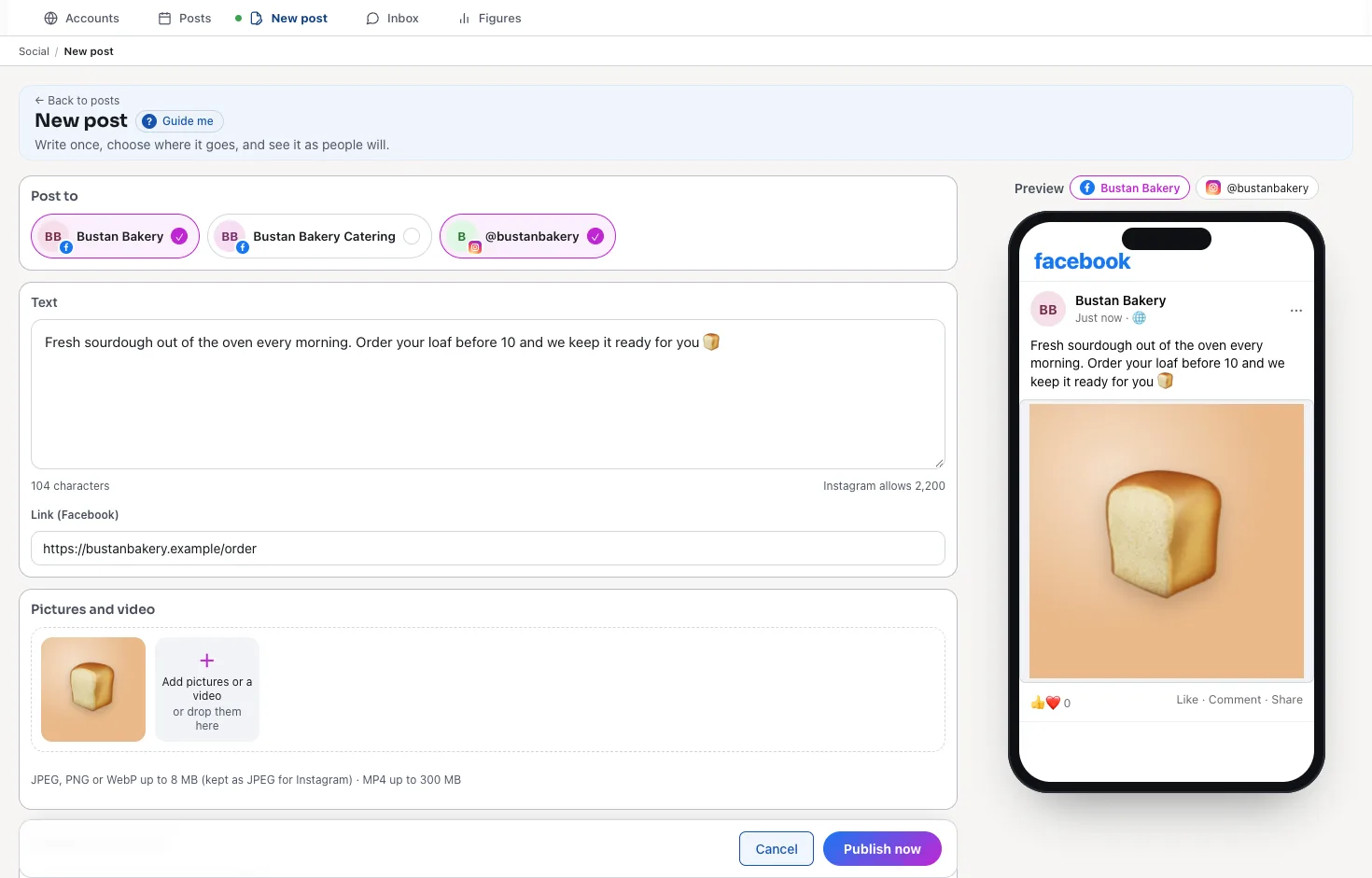
See it working
Pictures of a made-up bakery, taken from Zyntra Social itself.
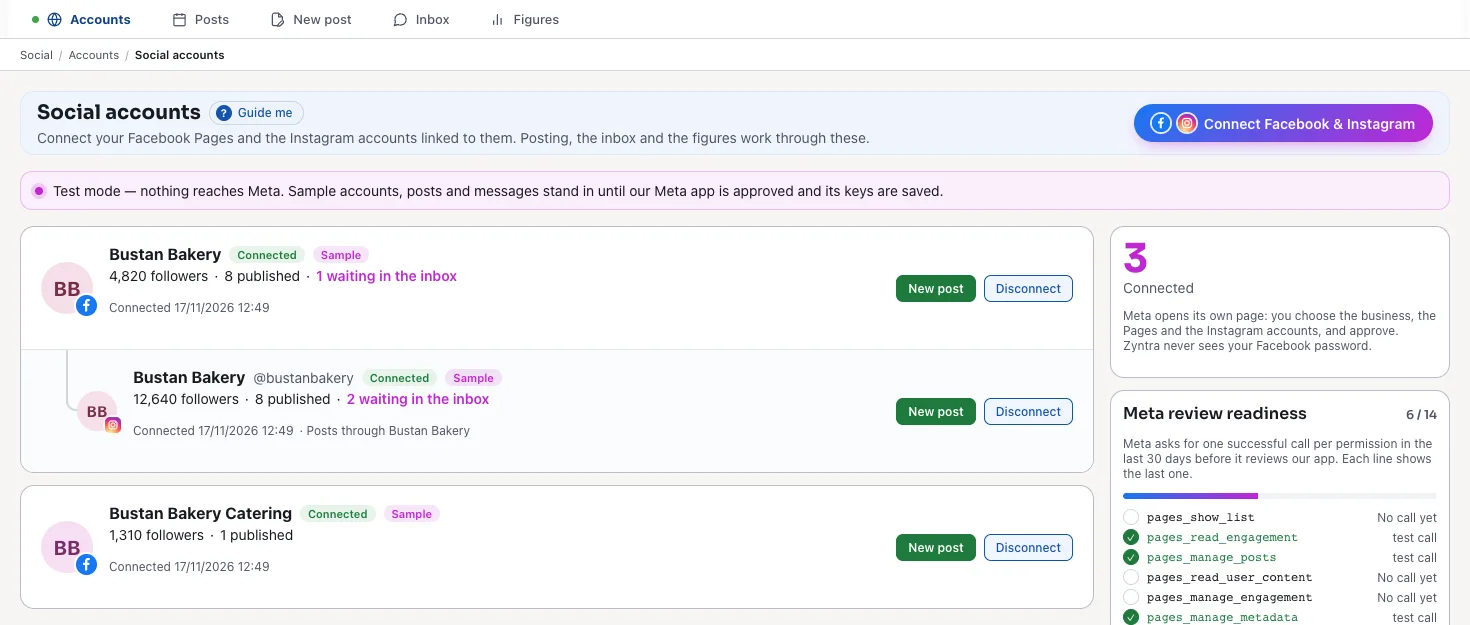
Your Pages and their Instagram accounts
Press «Connect Facebook & Instagram» and choose your Pages on Meta's own page; Zyntra never sees your Facebook password. Each Page shows its Instagram account under it, its followers, what was published and what waits in the inbox.
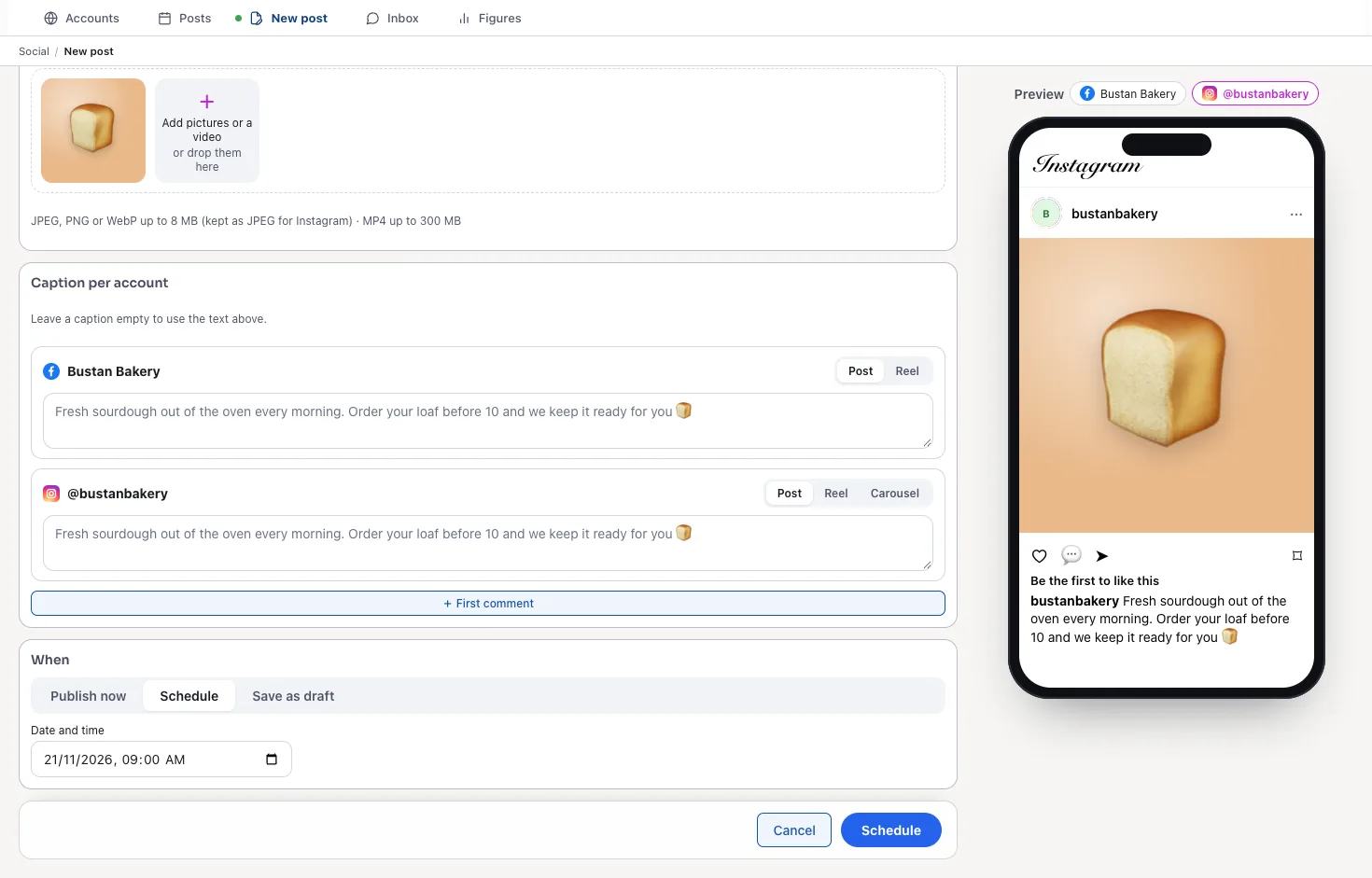
A caption for each account, and a time
Give an account its own caption and type — a post, a reel or a carousel — add a first comment for hashtags or a link, then publish now, schedule a date and time, or keep it as a draft. A line in red says what Meta would refuse before you press.
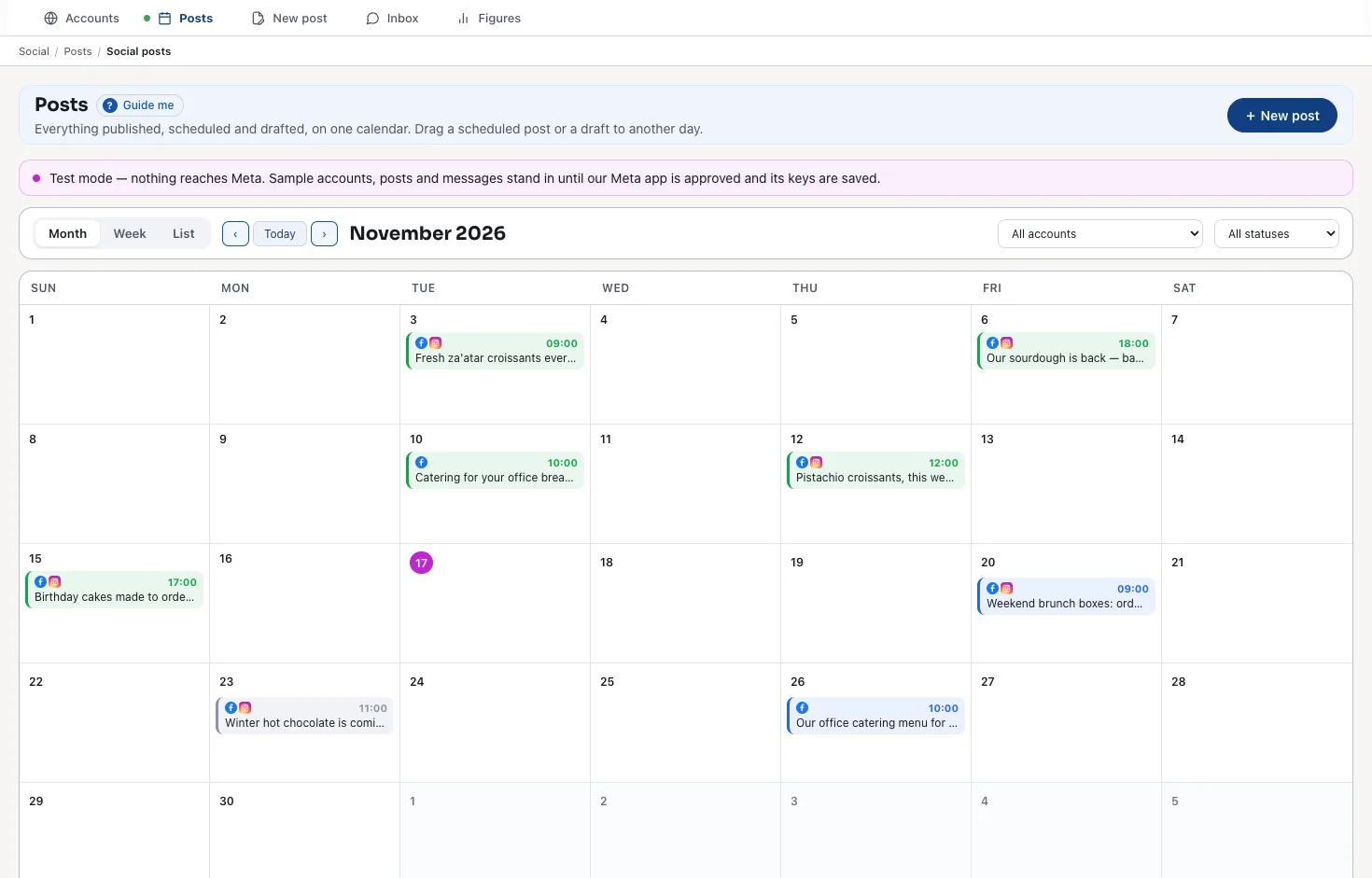
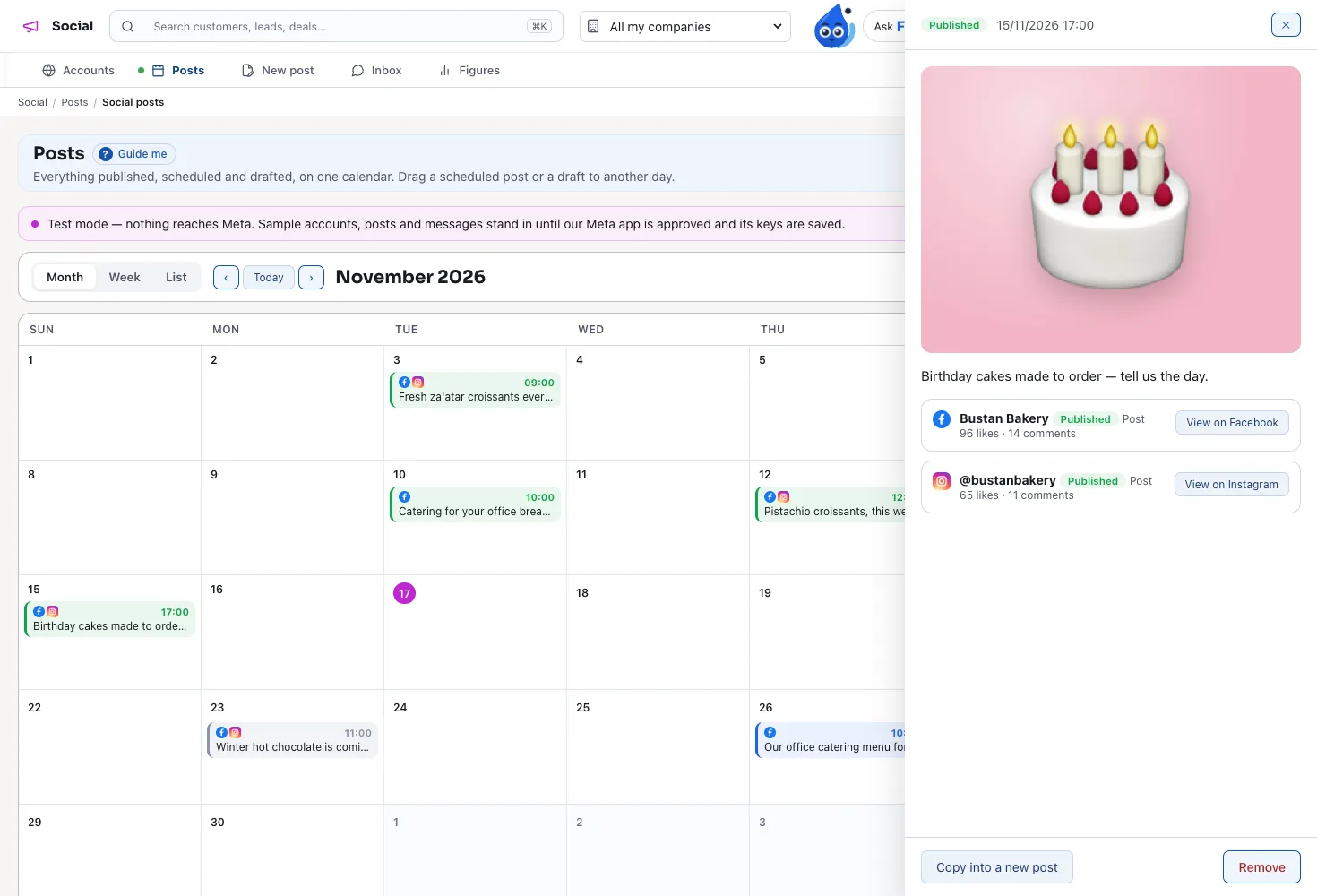
Every post on one calendar
The month or the week, in the colour of each post's state: published, scheduled, draft or failed. Drag a draft or a scheduled post to another day.
What happened on each account
Open a post beside the calendar: a line for each account with its result, its likes and comments, or why it failed — and «Try again».
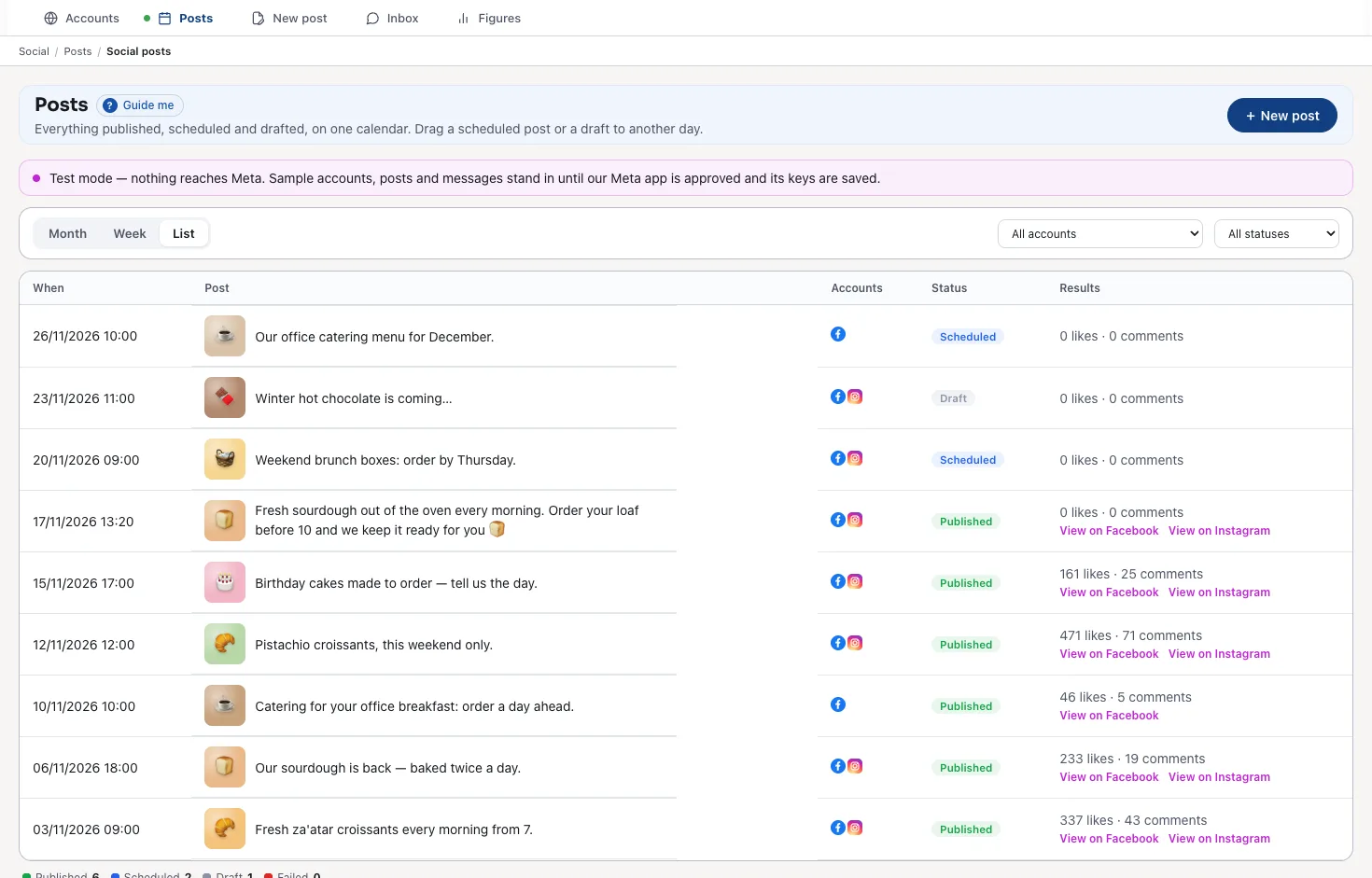
Every post as a list
When, the post, its accounts, its state and its results, with a link to the live post on Facebook and on Instagram.
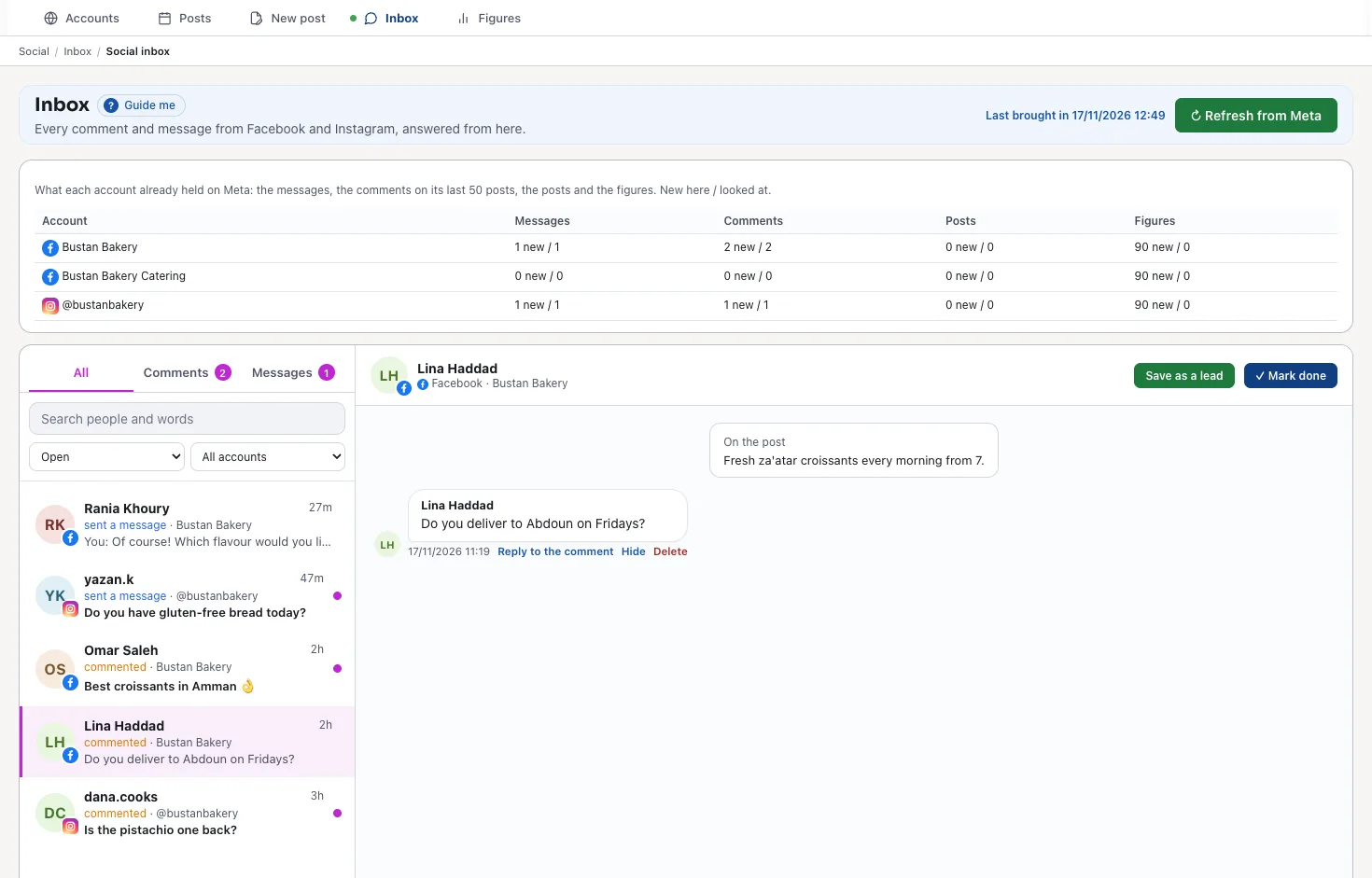
One inbox for every comment and message
Comments and Messenger and Instagram messages of every account arrive on their own. Answer, hide or delete a comment, mark a conversation done, or save the person as a lead.
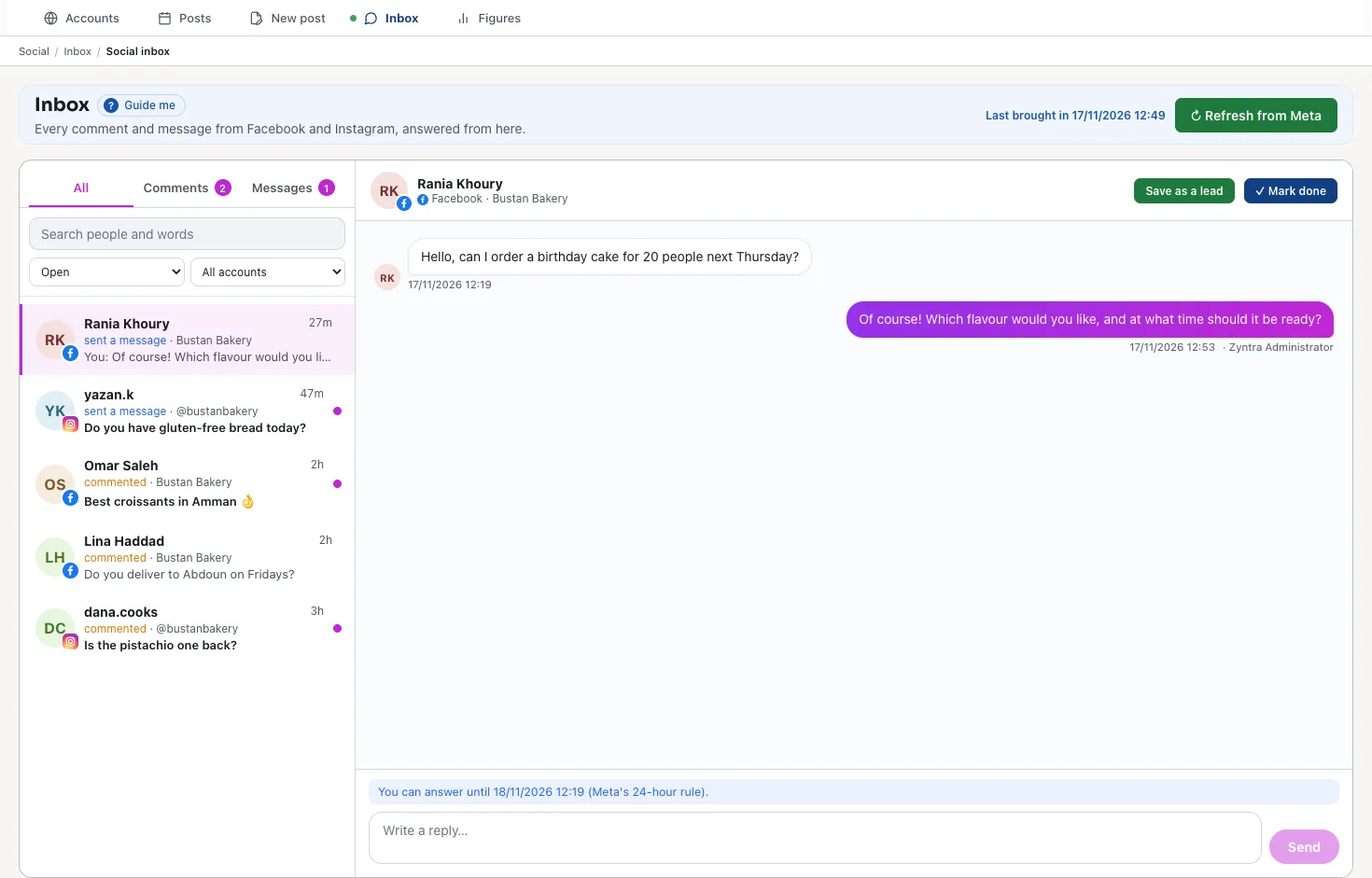
Answer within Meta's 24 hours
A message can be answered within 24 hours of the person's last message, Meta's rule; the line above the reply box says until when.
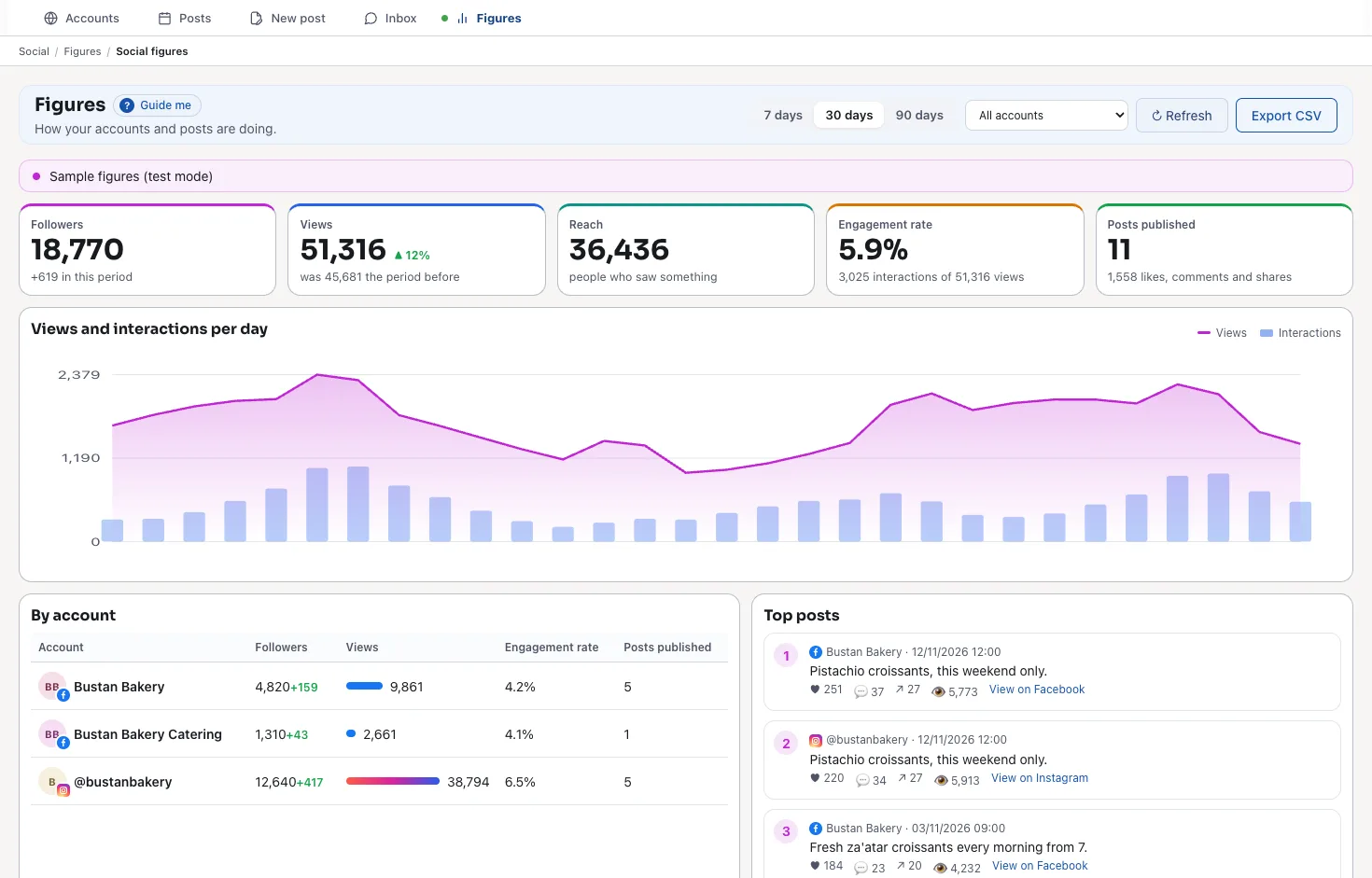
The figures of each account and post
Followers, views, reach, the engagement rate and the posts published, for 7, 30 or 90 days: a chart per day, each account, the top posts, and the table as a CSV file.
For whom
Zyntra Social works beside any Zyntra OS, or alone, in English and in Arabic:
- Companies already on Zyntra OS. Switch Social on in Setup › Modules; it needs no other module.
- A business that only wants its Facebook Page and Instagram handled. Social is sold alone too.
Posts, written once
One composer for every account:
- Pictures and video. JPEG, PNG or WebP pictures and MP4 videos, in the order you choose.
- A post, a reel or a carousel on Instagram, each account with its own caption.
- A live preview on a phone, as Facebook or as Instagram, for each account.
- Publish now, schedule, or keep a draft. A post is published once, even if the button is pressed twice.
- Meta's rules checked first. What Instagram would refuse is said in red before you publish.
The people who write to you
Nobody waits unanswered:
- One inbox for comments and Messenger and Instagram messages, from every account.
- What is already on your accounts is brought in when they are connected: the conversations, the comments on the last 50 posts, the posts and the figures.
- Hide, delete or answer a comment from Zyntra.
- Save as a lead. A person who asks becomes a lead in Leads, with one press.
- Rights for each screen. Someone who may read the inbox but not answer it sees the conversations without the reply box.
Part of Zyntra OS
Zyntra Social sits on Zyntra OS, so a post or a message is never alone:
- Your own Pages and accounts, connected through Meta's own consent page
- The same roles and rights as the rest of Zyntra OS
- Every screen in Arabic and in English
- And the rest of Zyntra OS: Reach, sales, support, projects, accounting and HR
Its price
Zyntra Social has one price a month for the whole company, the same whether it sits beside any Zyntra OS or is bought alone.
- Choose it in the price builder on our Pricing page to see it with your edition
- Or choose the package «Social» on our Pricing page to have it alone
Zyntra Social: frequently asked questions
What is Zyntra Social?
Zyntra Social is the part of Zyntra OS for your Facebook Pages and Instagram accounts, made by Double Support in Amman, Jordan: posts on one calendar, one composer with a live preview, one inbox for comments and messages, and the figures of each account and post.
Does Zyntra Social need my Facebook password?
No. You choose your Pages and their Instagram accounts on Meta's own page and approve there; Zyntra never sees your Facebook password. Disconnect keeps the posts and conversations already in Zyntra.
Do I need a particular edition for Zyntra Social?
No. It works beside any edition, switched on in the same installation, and needs no other module. It is also sold alone.
How much does Zyntra Social cost?
One price a month for the whole company. Choose Zyntra Social in the price builder on our Pricing page to see it with your edition, or the package «Social» to have it alone.
Does Zyntra Social work in Arabic?
Yes. Every screen works in Arabic and in English, and your posts and answers are written in whatever language you write them.
Talk to us about your Pages
Tell us how your Facebook Page and Instagram account are run today, and we'll show you Zyntra Social with posts and messages like yours.