

 Zyntra OS
 Zyntra Legal
 Zyntra Real Estate
 Zyntra Hotel
 Zyntra E-commerce
 Zyntra Appointments
 Zyntra Repair
 Zyntra Garage
 Zyntra Concierge
 Zyntra Contracting
 Zyntra Clinic
 Zyntra Call Center
 Zyntra OTA
Where
Contracting › OverviewWho
Contracting Contracts — View to see the contracts; the other rights below for each step.Switch it on
Before the first contract you need a customer who has a project (the owner), vendors for the subcontracts, and a warehouse with stocked items for site stock.
The contracts
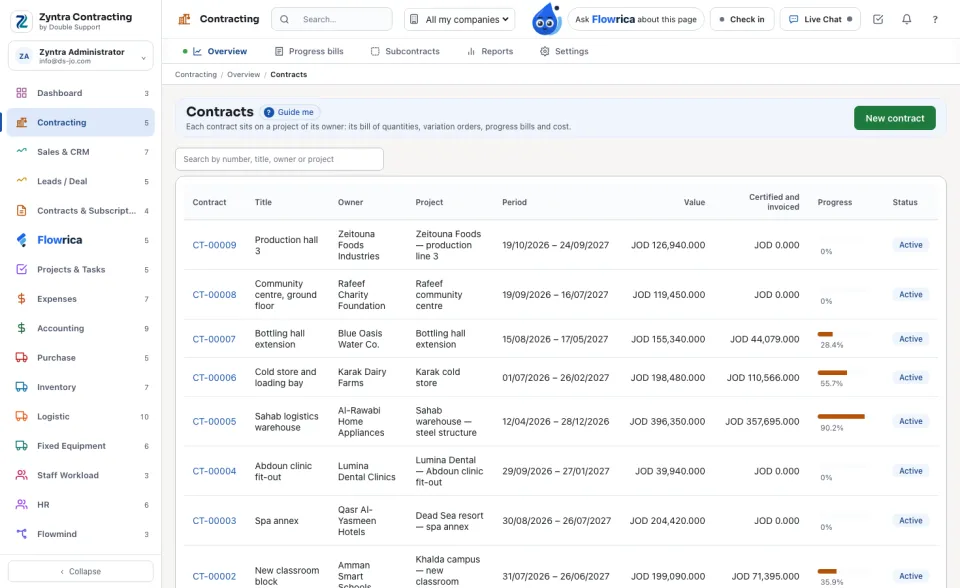
The list shows Contract, Title, Owner, Project, Period, Value, Certified and invoiced, Progress and Status. Search by number, title, owner or project. The amounts show only to people who hold the money right.
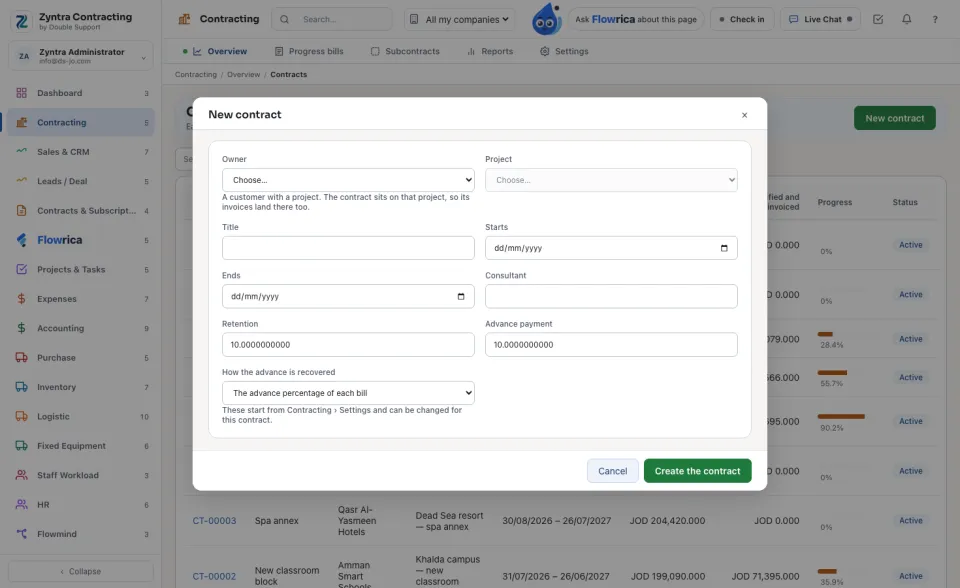
Make a contract
Who may do what
| Right | What it lets a person do |
|---|---|
| Contracting Contracts — View | See and open contracts. |
| Contracting Contracts — Create | Make a new contract. |
| Contracting Contracts — Edit the BOQ and the contract | Change the BOQ and the contract, write variation orders, save budgets. |
| Contracting Contracts — Delete | Delete a contract that has no bills and no subcontracts. |
| Contracting Variation orders — Approve | Approve a variation order. |
| Contracting Progress bills — View / Prepare and submit / Record the certified amount | See the bills; measure and submit them; certify them. |
| Contracting Money — See amounts and raise invoices | Every amount and rate, the invoices, the advance and the handover. Adding BOQ lines, variation orders and subcontracts needs it too. |
| Contracting Subcontracts — View / Edit and bill | See subcontracts; make, bill and close them. |
| Contracting Site stock — Issue materials to a project | Issue site stock. |
| Contracting Reports — View · Contracting Settings — Edit | The reports; the settings. |
The top role holds all of them. A person sees only the contracts of the companies they work in.
Flowrica in Contracting
On a contract's page she tells its number, owner, project, consultant, dates, value, retention, advance, sections, variation orders and progress bills, as far as your rights go. She makes nothing herself.
Questions
Where is “Zyntra Contracting” in Zyntra OS?
Contracting › Overview
Who can use “Zyntra Contracting”?
Contracting Contracts — View to see the contracts; the other rights below for each step.