

 Zyntra Legal
 Zyntra Real Estate
 Zyntra Hotel
 Zyntra E-commerce
 Zyntra Appointments
 Zyntra Repair
 Zyntra Garage
 Zyntra Concierge
 Zyntra Contracting
 Zyntra Clinic
 Zyntra Dental
 Zyntra School
 Zyntra University
 Zyntra Call Center
 Zyntra OTA
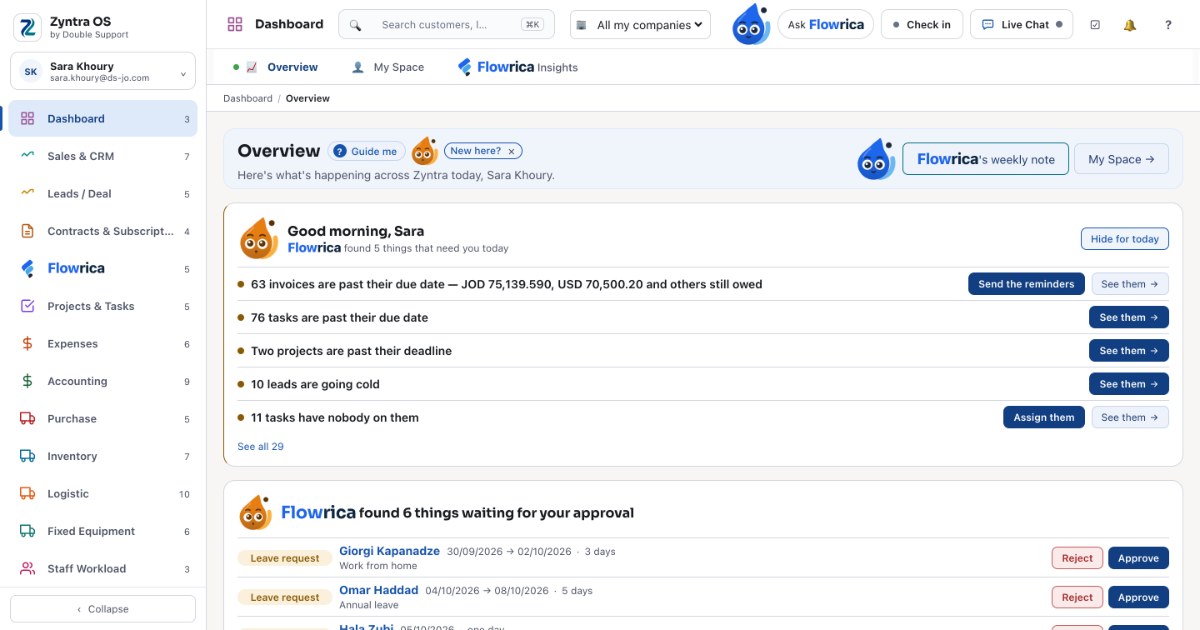
When sales sits in one tool, projects in another and accounting in a spreadsheet, the same information gets typed more than once and nobody sees the whole picture.  Zyntra OS, the business management system Double Support makes in Amman, keeps customers, deals, projects, stock, manufacturing, accounts, people and much more in the same system, so your team works from one set of records.
What lives in it
- Sales and CRM: customers, proposals, estimates, invoices, payments and credit notes, with the items you sell and their prices; leads and deals through your pipeline; contracts and recurring subscriptions billed on a schedule.
- Projects and tasks: projects, tasks, one calendar, sprints and goals.
- Money: expenses kept with the project or client they belong to, and accounting — banking, chart of accounts, journals, bills, reconciliation, budgets, fiscal periods and a tax summary — in the same system as the invoices that feed it, with e-invoicing beside it.
- Operations: purchasing, inventory across every warehouse, logistics and fixed equipment.
- Manufacturing: bills of materials, planning, production orders and the shop floor, quality and traceability, and what each order really cost.
- People: HR records, payroll, timesheets and leave, and recruitment.
- Support: a support desk with a knowledge base, a client portal and appointments.
Your own day, first thing
The dashboard shows the company; My Space shows you: today's tasks, reminders and meetings, your own to-do list, your mailbox and your calendar, in tabs. Each person connects their own mailbox and works from it without leaving the system; the Zyntra calendar and the Outlook calendar stay in step both ways. Nobody reads anyone else's mail, administrators included.
Built to be easy
Big enterprise systems need a training course, and the course starts again every time someone new joins. Zyntra OS is built the other way round: finding your way around feels like browsing your pages on social media. And Flowrica, built in beside every screen, does the work with you.
Your own installation, your own data
Each company gets its own installation and its own database, so your data does not sit beside another company's. Every installation includes reporting and a full audit trail of who changed what. There is no self-sign-up: our team installs it and sets it up with you, for how you work.
What it costs
You pay for the people who log in and work in the system, and for the modules you take. The pricing page builds your Zyntra as you choose and shows its price.