

 Zyntra OS
 Zyntra Legal
 Zyntra Real Estate
 Zyntra Hotel
 Zyntra E-commerce
 Zyntra Appointments
 Zyntra Repair
 Zyntra Garage
 Zyntra Concierge
 Zyntra Contracting
 Zyntra Clinic
 Zyntra Call Center
 Zyntra OTA
Where
Your name, above the main menu › AppearanceWho
Everyone, for themselves.1
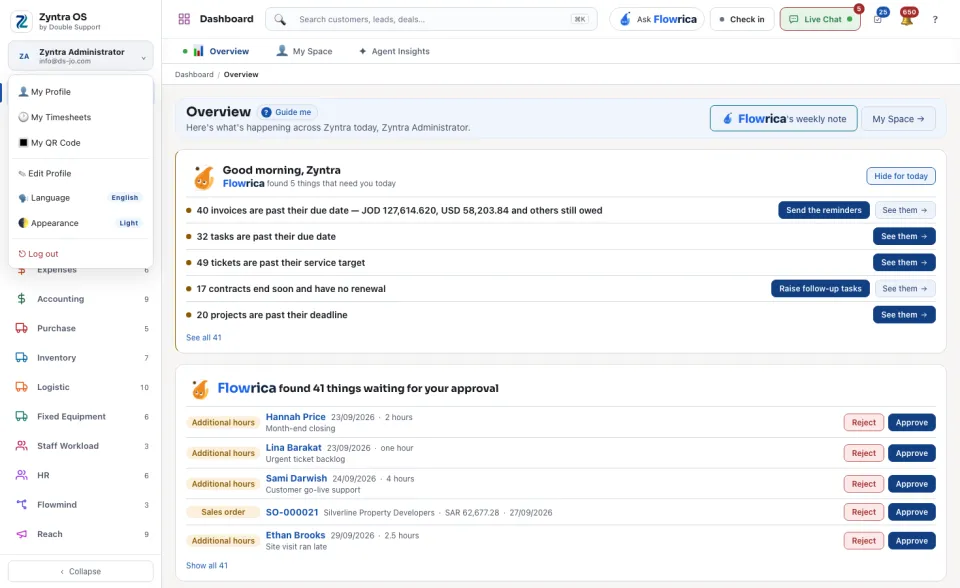
Click your name above the main menu. The account menu opens.
2
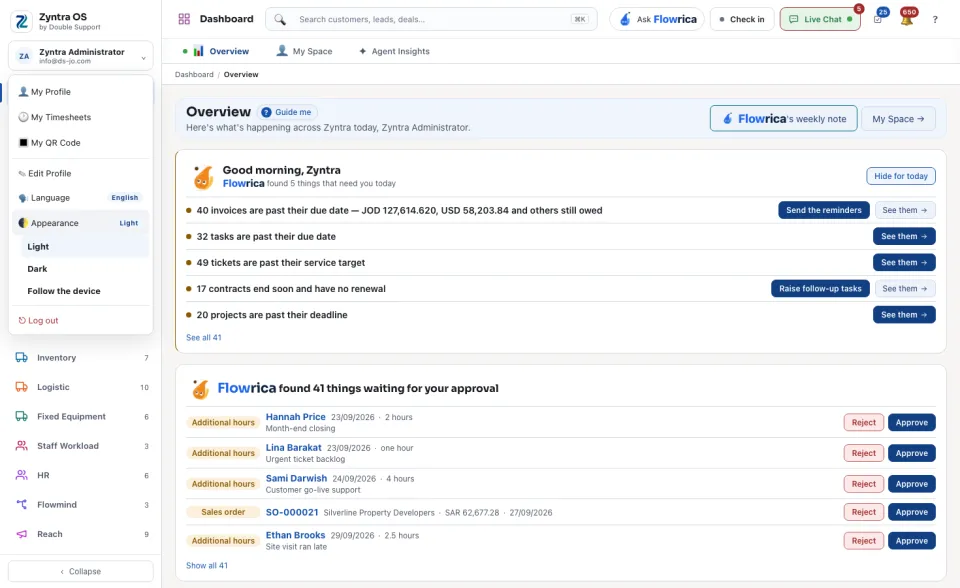
Click Appearance. The small label beside it names the look you have now.
3
Choose Light, Dark or Follow the device. Follow the device switches with your computer's or phone's own setting.
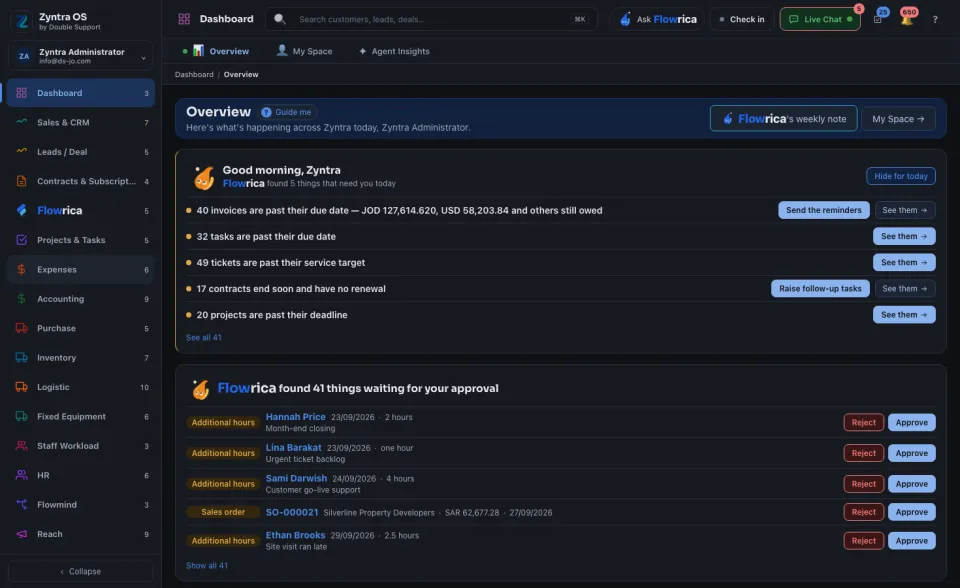
The whole product is redrawn the moment you choose. The same menu holds Language, to read Zyntra in English or in Arabic.
If the choice could not be saved to your account, the product says so: it still applies on this computer, and you may need to choose it again on another one.