

 Zyntra OS
 Zyntra Legal
 Zyntra Real Estate
 Zyntra Hotel
 Zyntra E-commerce
 Zyntra Appointments
 Zyntra Repair
 Zyntra Garage
 Zyntra Concierge
 Zyntra Contracting
 Zyntra Clinic
 Zyntra Call Center
 Zyntra OTA
Where
Call Center › Calls · Follow-upsWho
Calls: Calls — View own, View team or View all. Follow-ups: agents and whoever sees the team's or all calls.The calls
The tiles at the top count the calls you are looking at: Calls, Answered, Missed, Average wait and Average talk. The list shows Started, From → to, Caller, Queue, Agent, Waited, Talked, Outcome, Recording and Client.
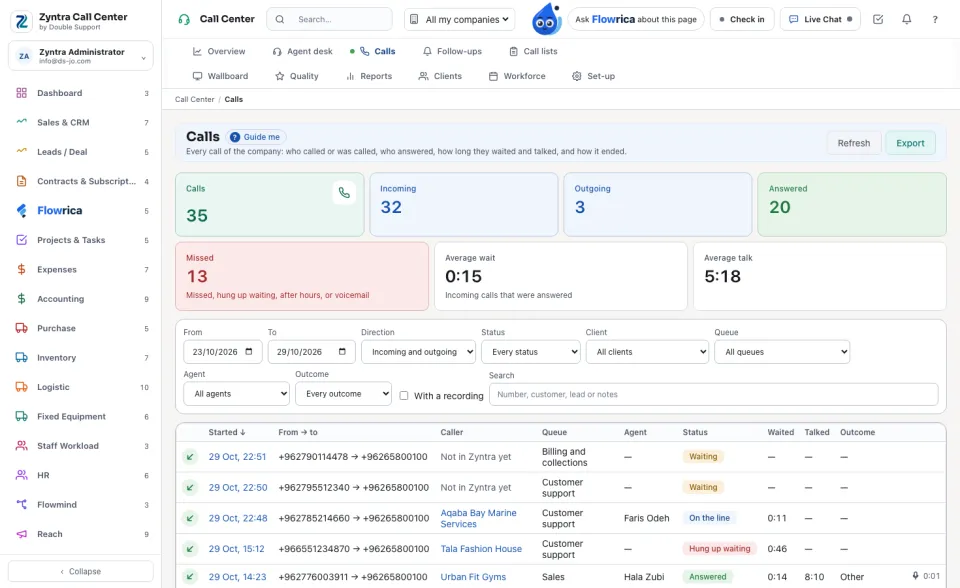
A person with View own sees only the calls they answered or made; with View team, the calls of their departments and the unanswered calls of their queues.
One call
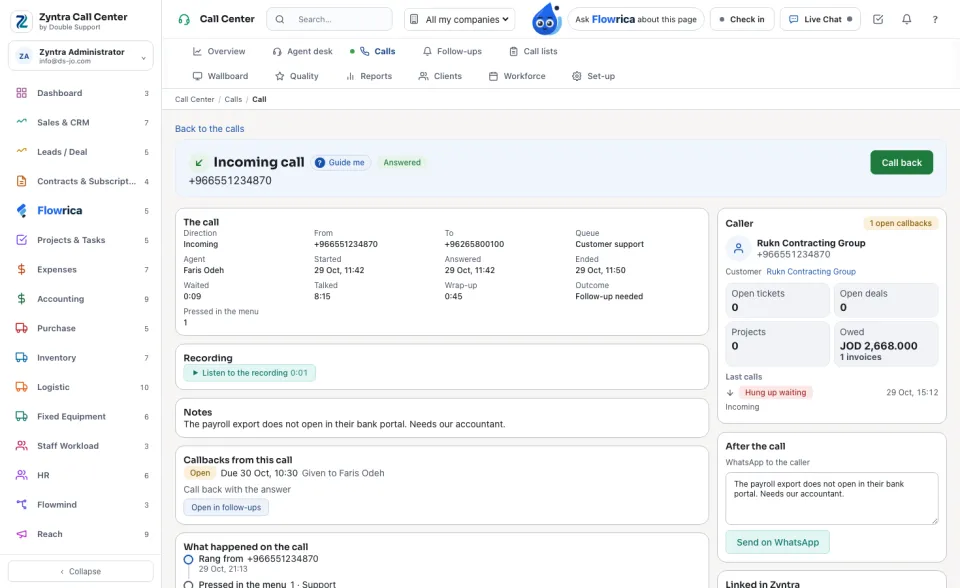
The page is titled Incoming call or Outgoing call. Call back dials the number again.
| Part | What it holds |
|---|---|
| The call | Direction, queue, agent, when it started, was answered and ended, how long they waited and talked, the wrap-up, the outcome and the key pressed in the menu. |
| Recording or Voicemail | Listen to the recording, for people who may listen. |
| Transcript and Notes | What was said, when the provider writes it, and the agent's notes. |
| Linked in Zyntra | The customer, contact, lead, ticket, task, deal, project or invoice the call belongs to. |
| Callbacks from this call | Each callback it made, open, done or cancelled. |
| What happened on the call | The timeline: rang, waited, answered, transferred, ended. |
| Quality review | Review this call, for people who review calls (see Wallboard, quality and reports). |
Follow-ups
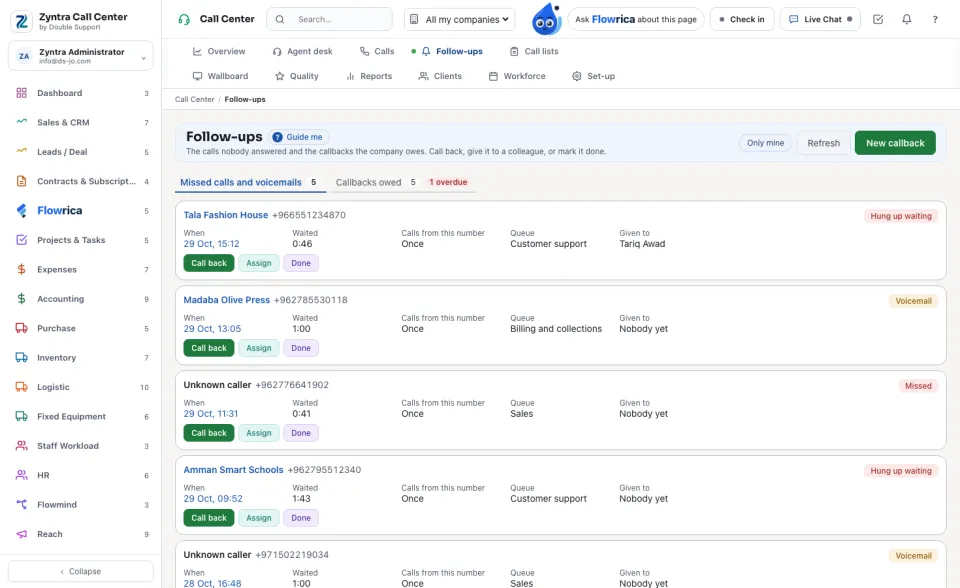
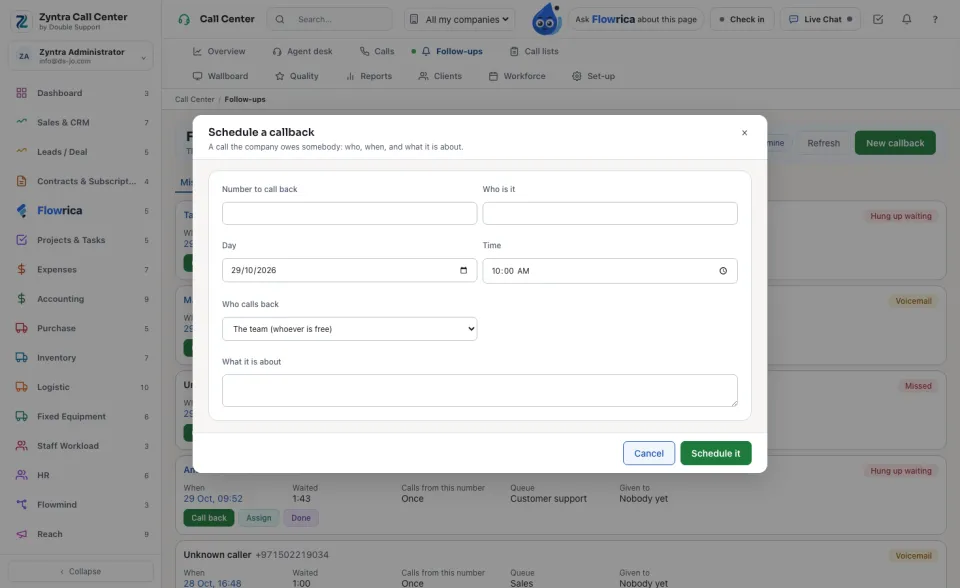
Two tabs: Missed calls and voicemails and Callbacks owed, each with its count and how many are overdue. Only mine keeps what is given to you.
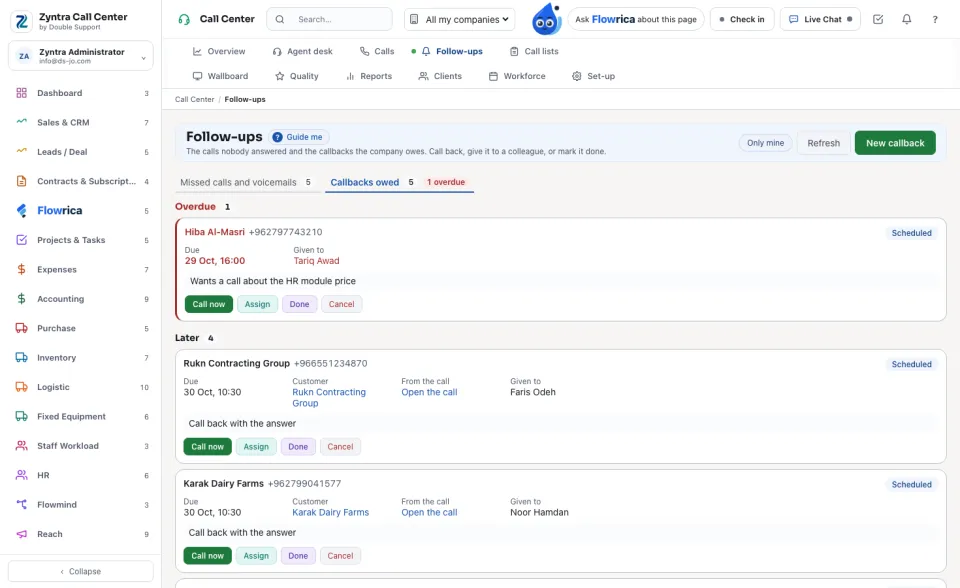
The callbacks are grouped Overdue, Today and Later. Call now dials one; Cancel drops it.
Schedule a callback
Questions
Where is “Calls and follow-ups” in Zyntra OS?
Call Center › Calls · Follow-ups
Who can use “Calls and follow-ups”?
Calls: Calls — View own, View team or View all. Follow-ups: agents and whoever sees the team's or all calls.