

 Zyntra OS
 Zyntra Legal
 Zyntra Real Estate
 Zyntra Hotel
 Zyntra E-commerce
 Zyntra Appointments
 Zyntra Repair
 Zyntra Garage
 Zyntra Concierge
 Zyntra Contracting
 Zyntra Clinic
 Zyntra Call Center
 Zyntra OTA
Where
Garage › CarsWho
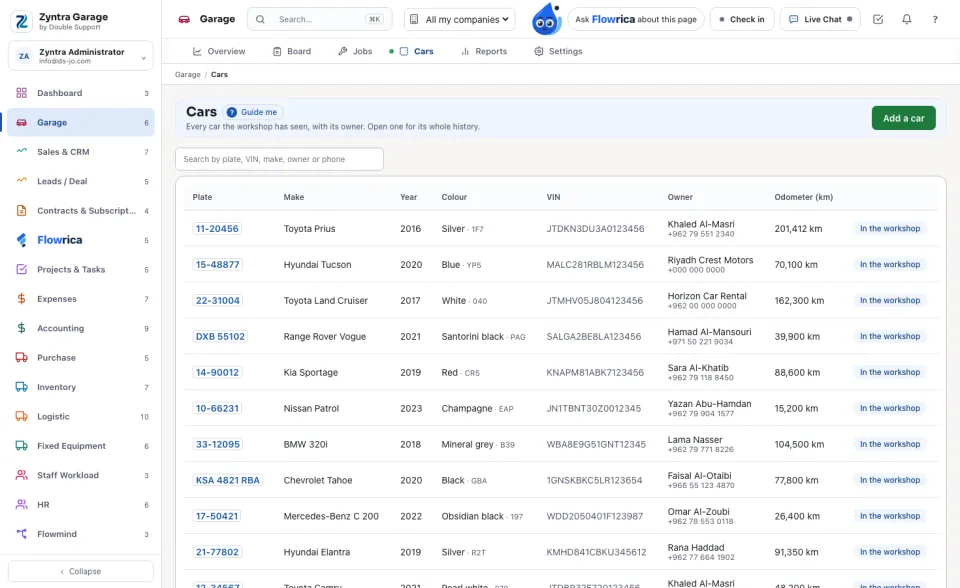
Garage Cars — View; adding and changing a car needs Create or Edit.The list shows Plate, Make (with the model), Year, Colour (with the paint code), VIN, Owner (with the phone) and Odometer (km). A car being worked on says In the workshop. Search by plate, VIN, make, owner or phone.
Add a car
1
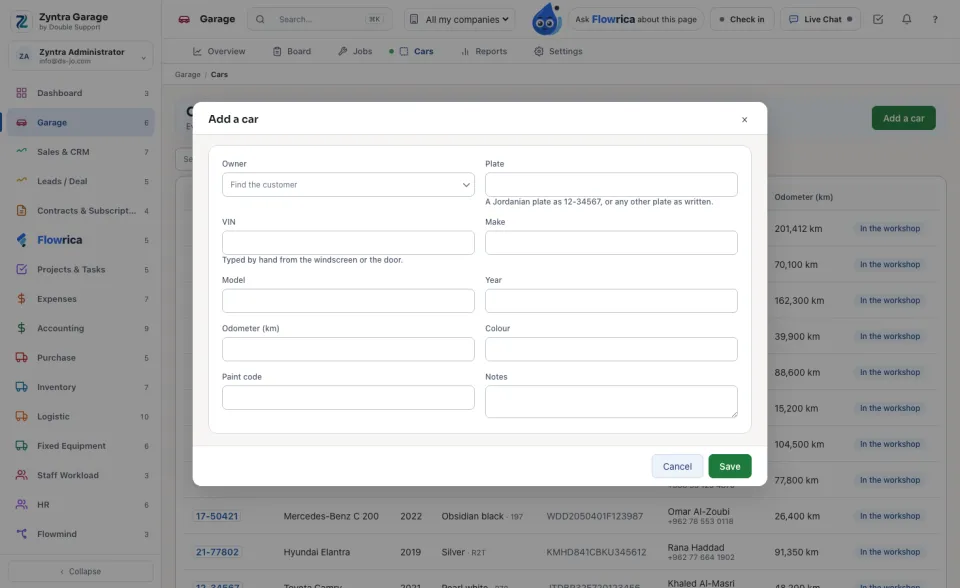
Press Add a car.
2
Under Owner find the customer. The owner is one of your customers.
3
Type the Plate — a Jordanian plate as 12-34567, or any other plate as written — and the VIN from the windscreen or the door. A car needs a plate or a VIN, and neither can belong to another car.
4
Add the Make, Model, Year, Odometer (km), Colour, Paint code and Notes, and press Save.
A car's page
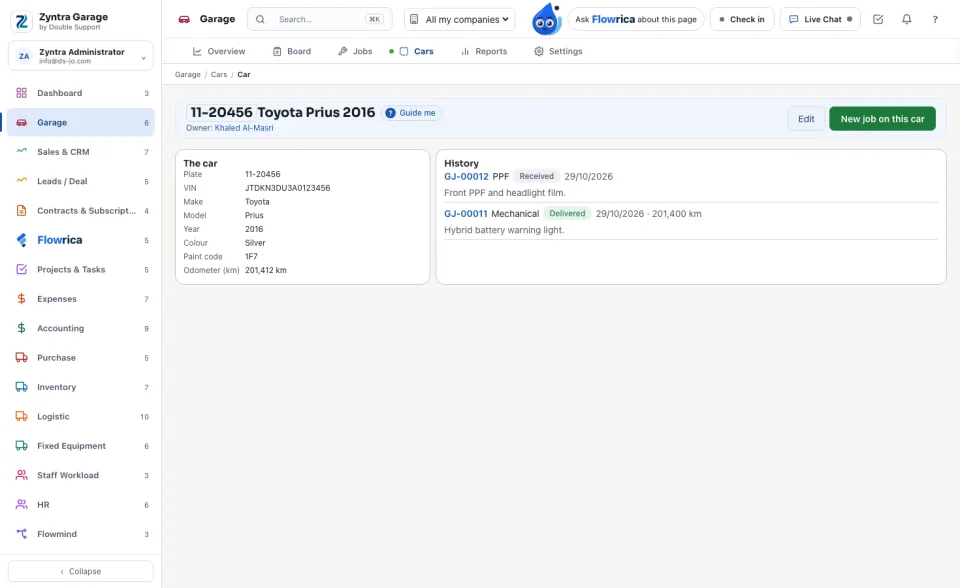
The plate and the car, its owner, Edit and New job on this car. The cards: The car, its History of jobs, its PPF warranty and its Photos.
Before: A job's page · Next: Garage reports
Questions
Where is “Cars” in Zyntra OS?
Garage › Cars
Who can use “Cars”?
Garage Cars — View; adding and changing a car needs Create or Edit.