

 Zyntra OS
 Zyntra Legal
 Zyntra Real Estate
 Zyntra Hotel
 Zyntra E-commerce
 Zyntra Appointments
 Zyntra Repair
 Zyntra Garage
 Zyntra Concierge
 Zyntra Contracting
 Zyntra Clinic
 Zyntra Call Center
 Zyntra OTA
Where
Garage › Overview · Board · JobsWho
Garage Jobs — View, or Garage Jobs — View own for a technician who sees only the jobs given to them.Switch it on
The jobs
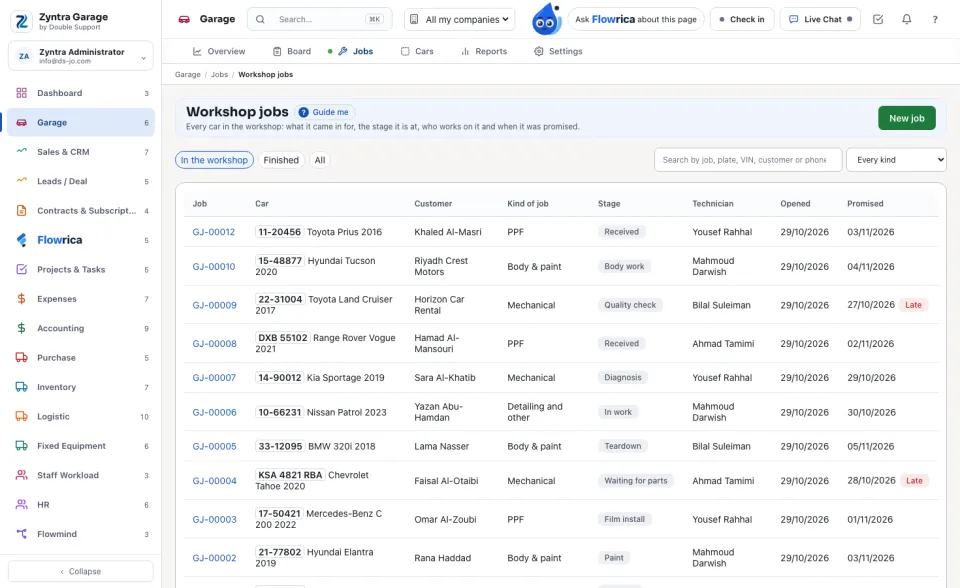
Every car in the workshop: Job, Car, Customer, Kind of job, Stage, Technician, Opened and Promised. A job past its promised day carries a red Late. The chips switch between In the workshop, Finished and All; search by job, plate, VIN, customer or phone, or narrow by kind of job.
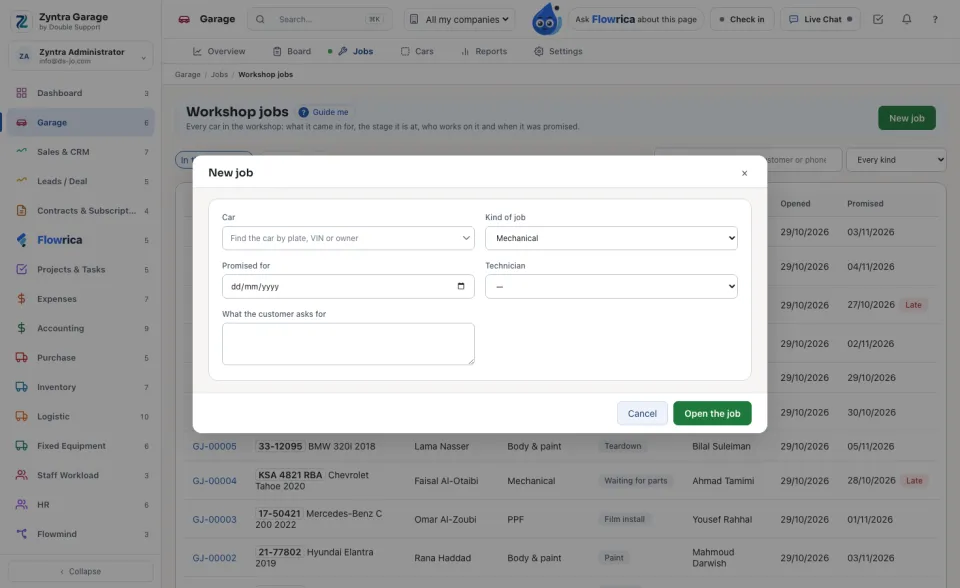
Open a job
The board
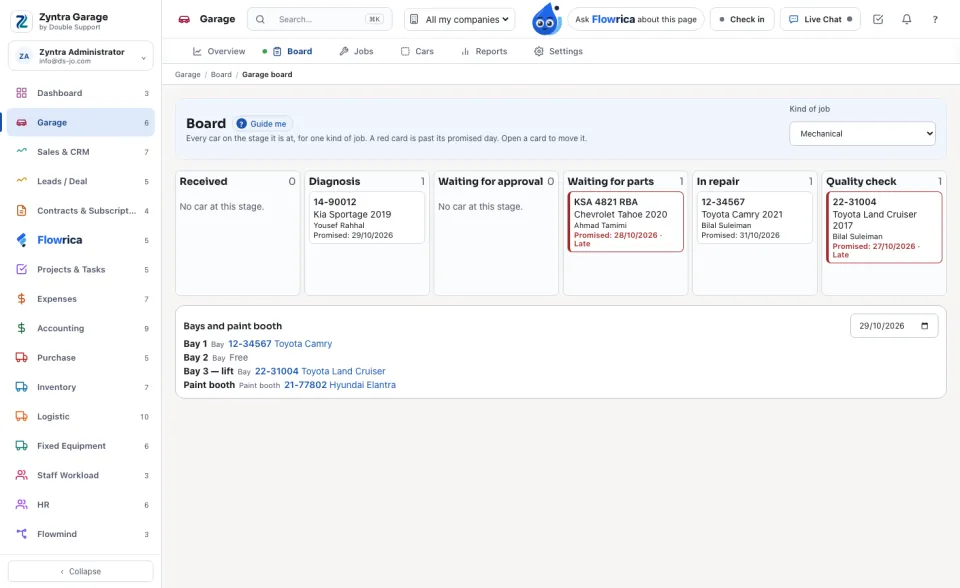
Every car on the stage it is at, for one kind of job. A red card is past its promised day. Open a card to move it. Under the stages, Bays and paint booth shows each bay as Free or Booked.
Who may do what
| Right | What it lets a person do |
|---|---|
| Garage Cars — View / Create / Edit / Delete | The cars. A car with jobs is always kept. |
| Garage Jobs — View · View own | Every job, or only the jobs where they are the technician or the one who opened it. |
| Garage Jobs — Create / Edit / Cancel | Open jobs; check cars in and out, move the stage, book a bay, add files, make the warranty; cancel. |
| Garage Billing — Price estimates and raise invoices | The estimate lines, the customer's approval, the invoice, the film used, and seeing prices. Without it the prices are hidden. |
| Garage Insurance — View claims / Move claims | See insurance claims; open them, record their steps and add insurers. |
| Garage Reports — View · Garage Settings — Edit | The reports; the settings. |
The top role holds all of them except View own.
Flowrica in Garage
On a job or a car she answers from that record, within your rights: a technician hears only about their own jobs and never about money. She never gives out a phone, a signature or a file, and she makes nothing herself.
Questions
Where is “Zyntra Garage” in Zyntra OS?
Garage › Overview · Board · Jobs
Who can use “Zyntra Garage”?
Garage Jobs — View, or Garage Jobs — View own for a technician who sees only the jobs given to them.