

 Zyntra OS
 Zyntra Legal
 Zyntra Real Estate
 Zyntra Hotel
 Zyntra E-commerce
 Zyntra Appointments
 Zyntra Repair
 Zyntra Garage
 Zyntra Concierge
 Zyntra Contracting
 Zyntra Clinic
 Zyntra Dental
 Zyntra School
 Zyntra University
 Zyntra Social
 Zyntra Call Center
 Zyntra OTA
Statement matching, a module of Zyntra OS
Flowrica matches the statement. You decide.
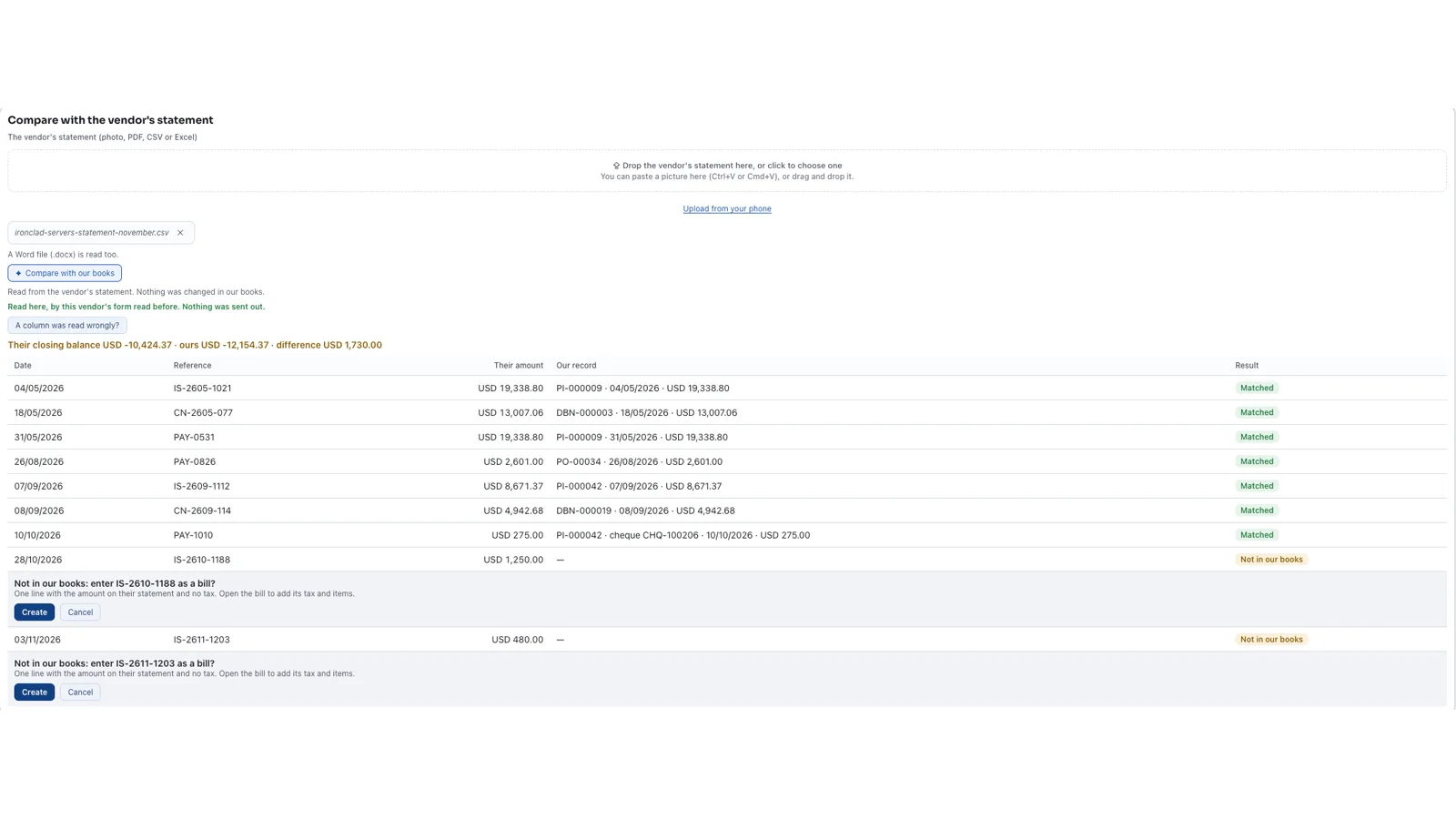
Drop the statement your vendor sent. Flowrica reads it and puts every line beside your own books, then tells you what matches, what differs and what is missing.
See it working
Pictures of a made-up company comparing a vendor's statement, taken from Zyntra OS itself.
On the vendor's own page
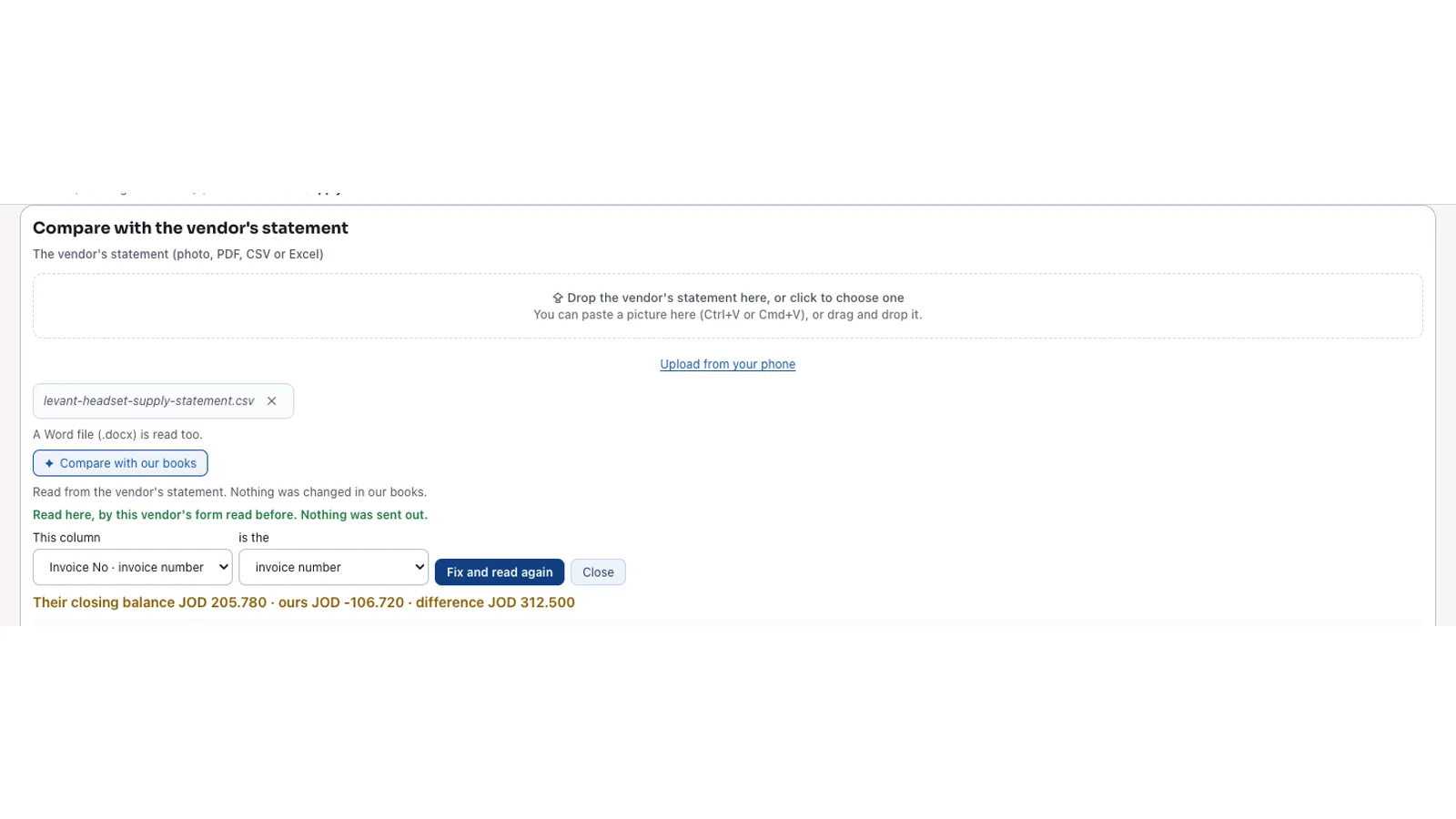
«Compare with the vendor's statement» sits under the vendor's statement in Zyntra OS. Drop the file there, or paste a picture. A vendor whose form was read before is read the same way, and the line says so.
Not in our books? One Create
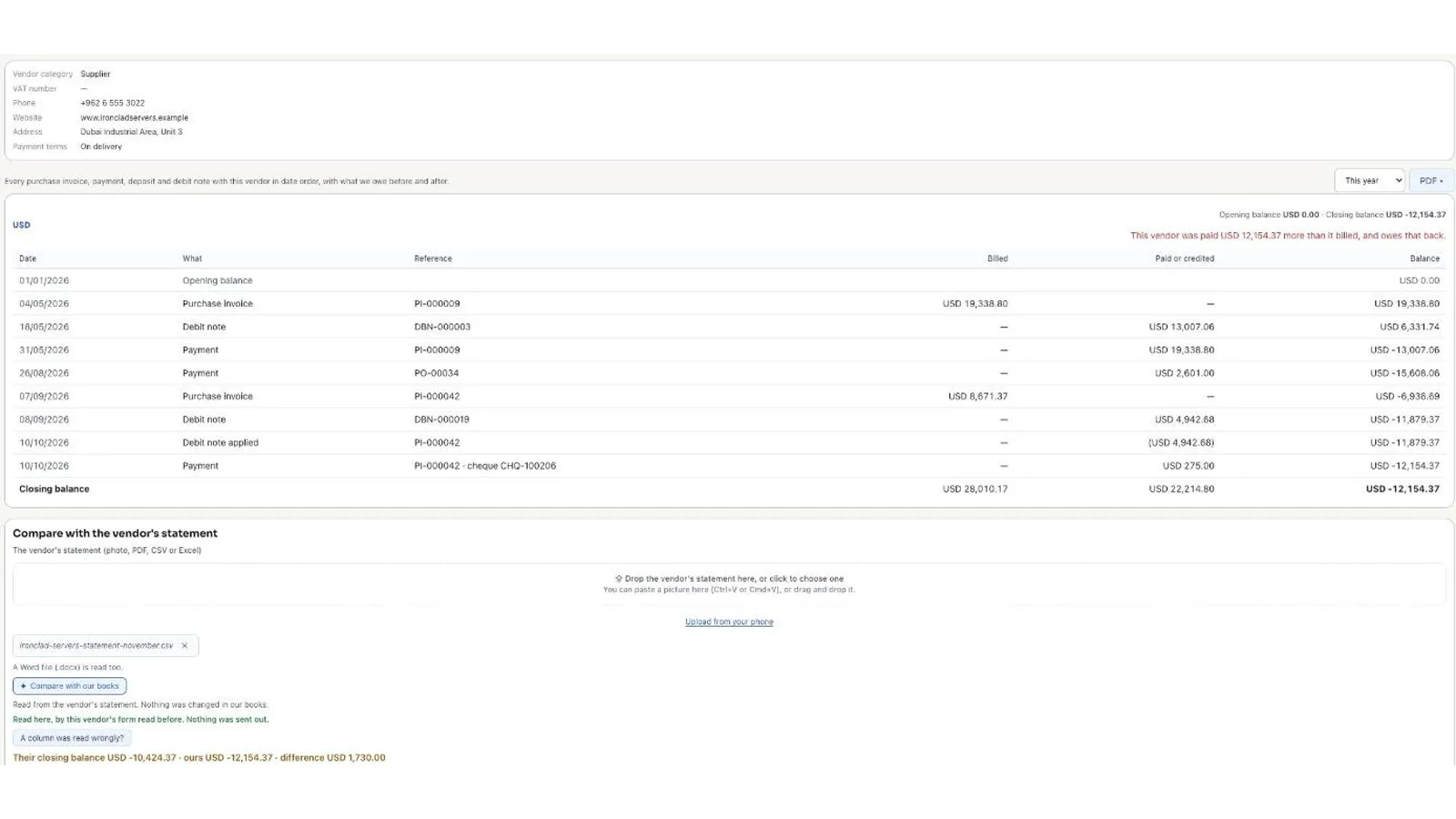
A bill on their statement that is not in your books is offered as a bill, with Create and Cancel.
And Undo takes it back
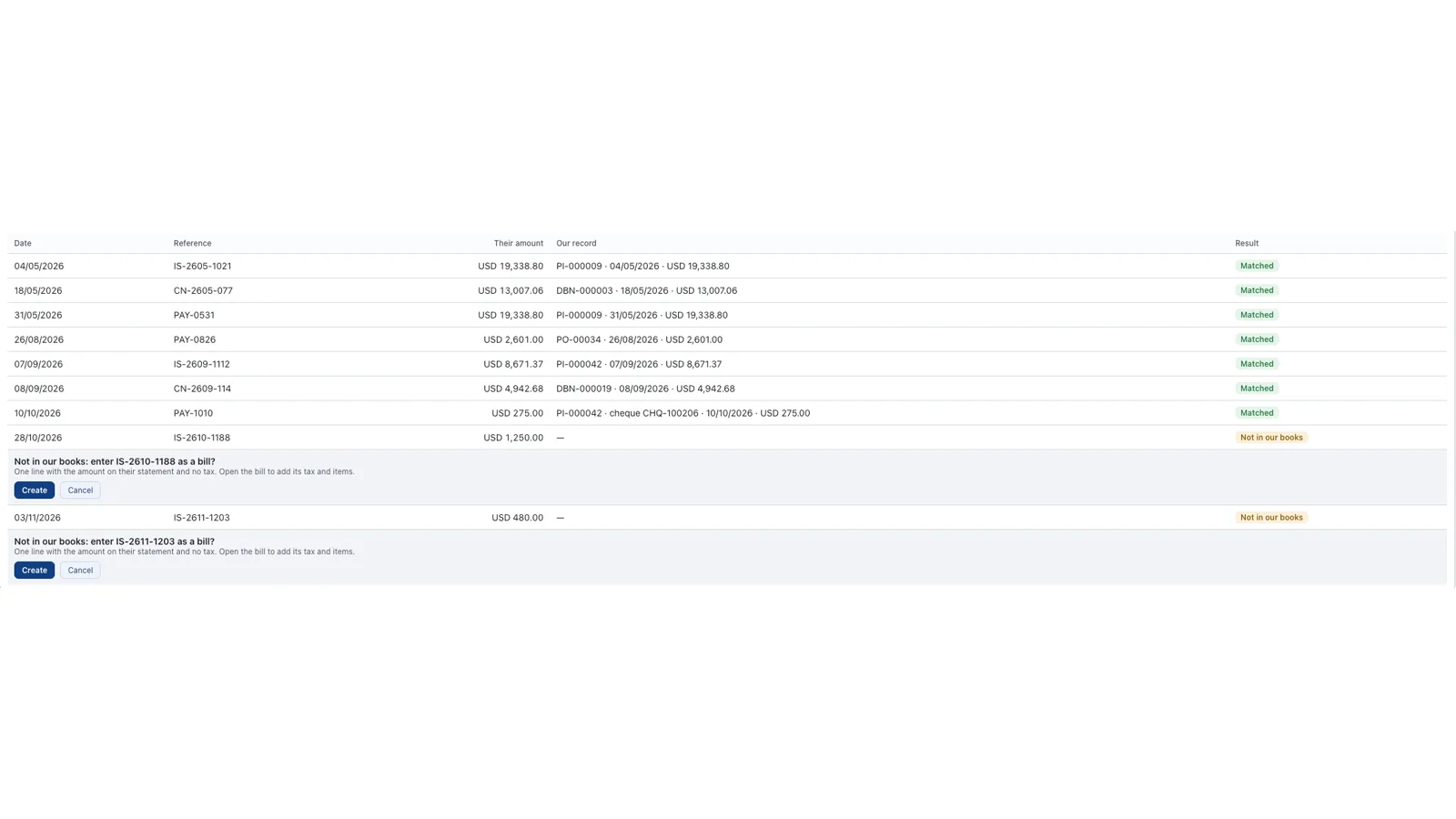
The green card says the bill was entered, and its Undo takes it back. Nothing in your books changes unless you press Create.
She learns each vendor's form
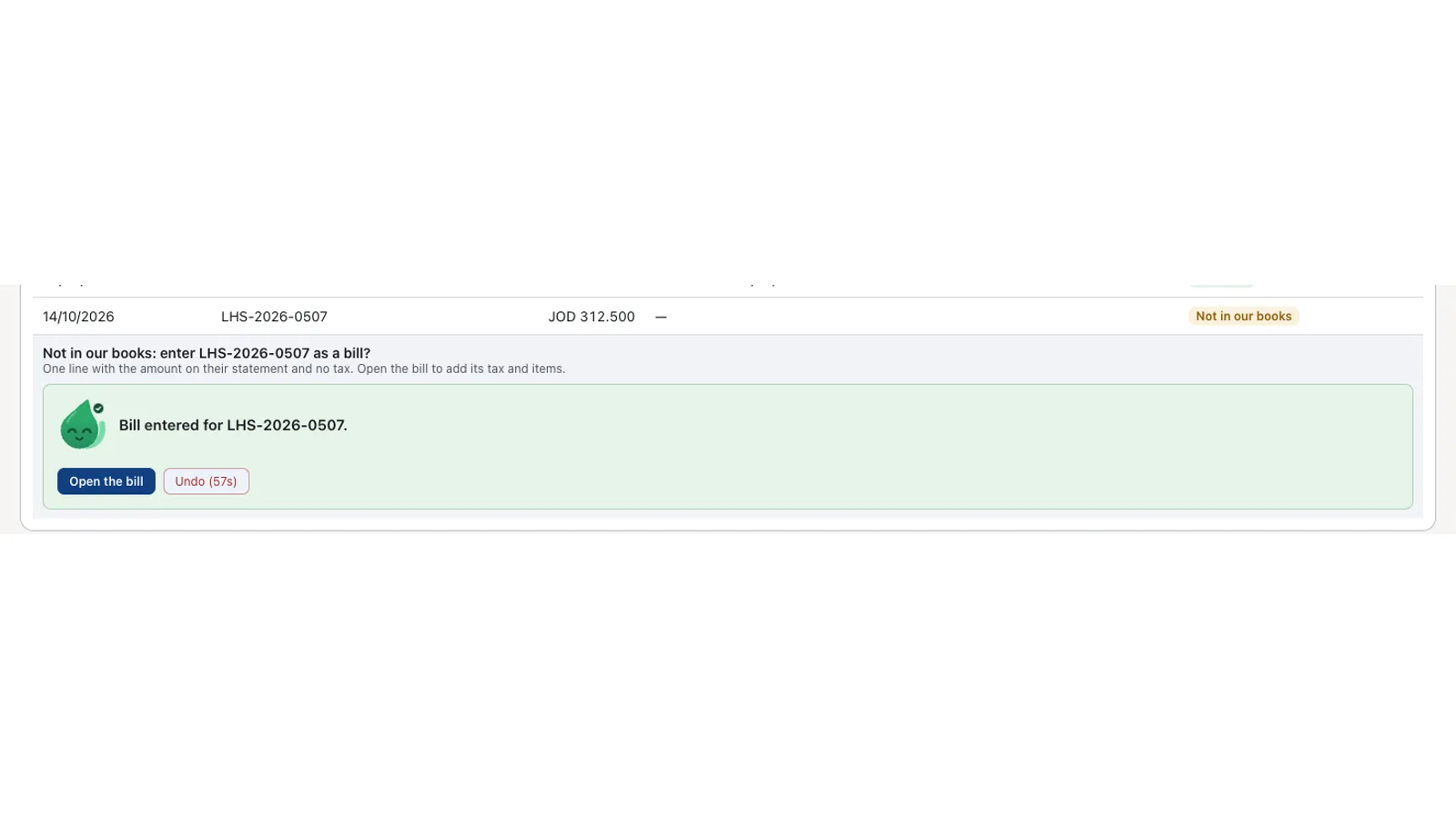
If a column is read wrongly, you point at it once, and the next statement from that vendor is read the right way.
Your rules, in your settings
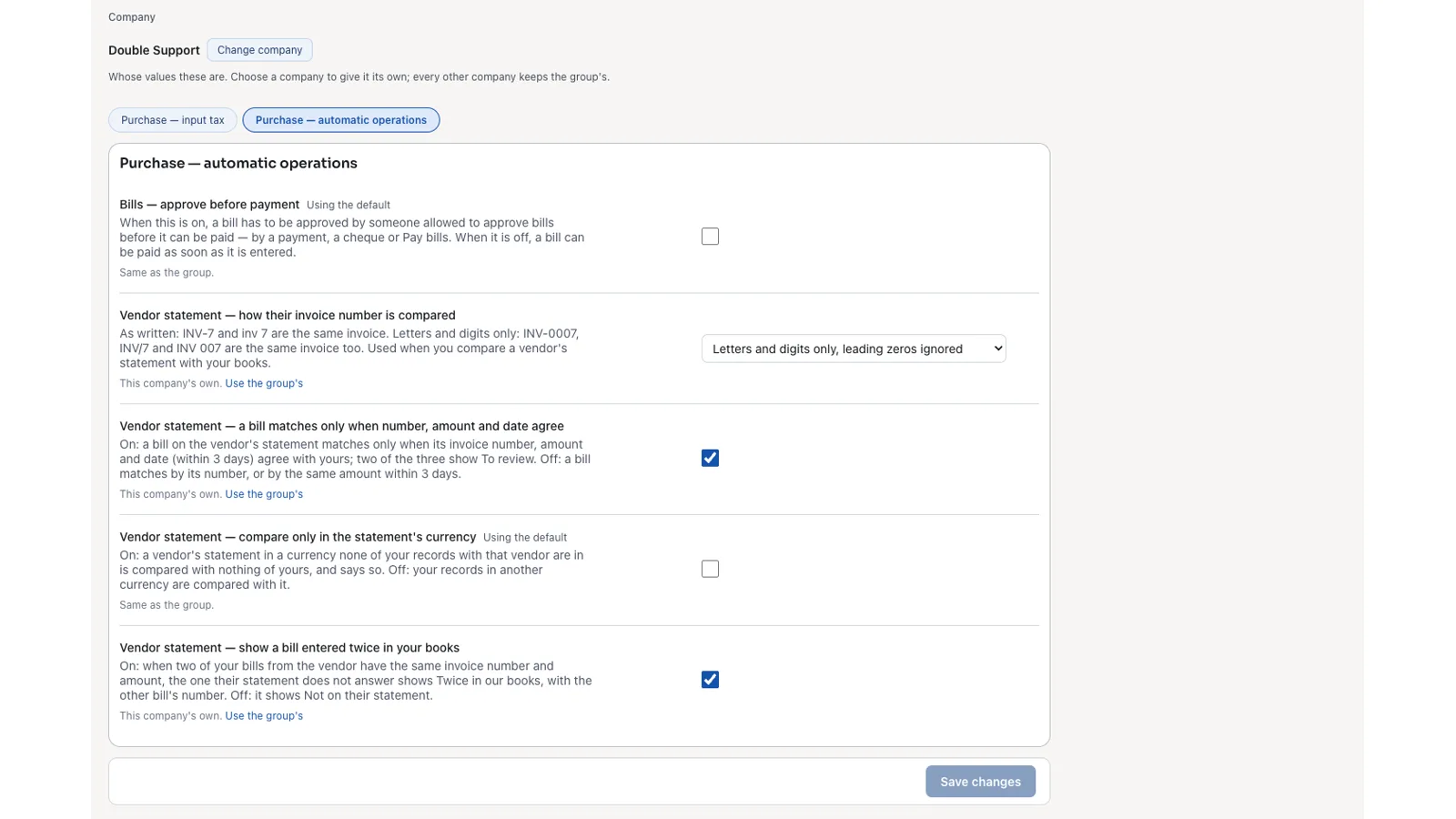
Each company chooses how a line is matched, in its own Purchases settings.
Built into Zyntra OS
Statement matching is built into Zyntra OS. The big accounting systems need a separate tool, with its own subscription, to do this.
What Flowrica does with a vendor's statement
- Reads the statement in any form: photo, PDF, CSV, Excel or Word. Most statements are read on your own server, and «Nothing was sent out» says so. A photo or a scan is read by Flowrica Advance where your company has it set up.
- Compares line by line, with their closing balance, ours and the difference above the table.
- Gives every line one result: Matched · Amount differs · Not in our books · Not on their statement · Twice on their statement · To review (number, date or no number) · Twice in our books.
- A bill on their statement that is not in your books becomes a bill with one Create, and the green card's Undo takes it back. Nothing in your books changes unless you press Create.
- Learns each vendor's statement form. If a column is read wrongly, you point at it once, and the next statement from that vendor is read the right way.
- Uses your rules: each company chooses how a line is matched, in its own settings.
Its price
Statement matching is an add-on module of Zyntra OS, with one price a month for each company.
- Choose it in the price builder on our Pricing page to see it with your edition
Statement matching: frequently asked questions
How do I reconcile a supplier statement with my books?
Drop the statement on the vendor's page in Zyntra OS; Flowrica compares it line by line and names every difference.
Can it read a PDF or a photo of a statement?
Yes: photo, PDF, CSV, Excel and Word.
Does it change my books by itself?
No. A missing bill is entered only when you press Create, and Undo takes it back.
Do I need a separate subscription or another tool?
No. It is a Zyntra OS module, with one price a month for each company: choose it in the price builder on our Pricing page.
See Flowrica match your statements
Send us a statement like the ones your vendors send, and we'll show you Flowrica comparing it with books like yours.