

 Zyntra OS
 Zyntra OTA
 Zyntra Legal
 Zyntra Real Estate
 Zyntra Hotel
 Zyntra Appointments
Zyntra OS features
Flowrica prepares, and you decide
She sits beside every screen of Zyntra OS, in the client portal and in Outlook. She answers in Arabic or English, including everyday Jordanian words, only from what each person may open, and shows where every answer came from. She never sends, saves or deletes anything on her own.
Flowrica
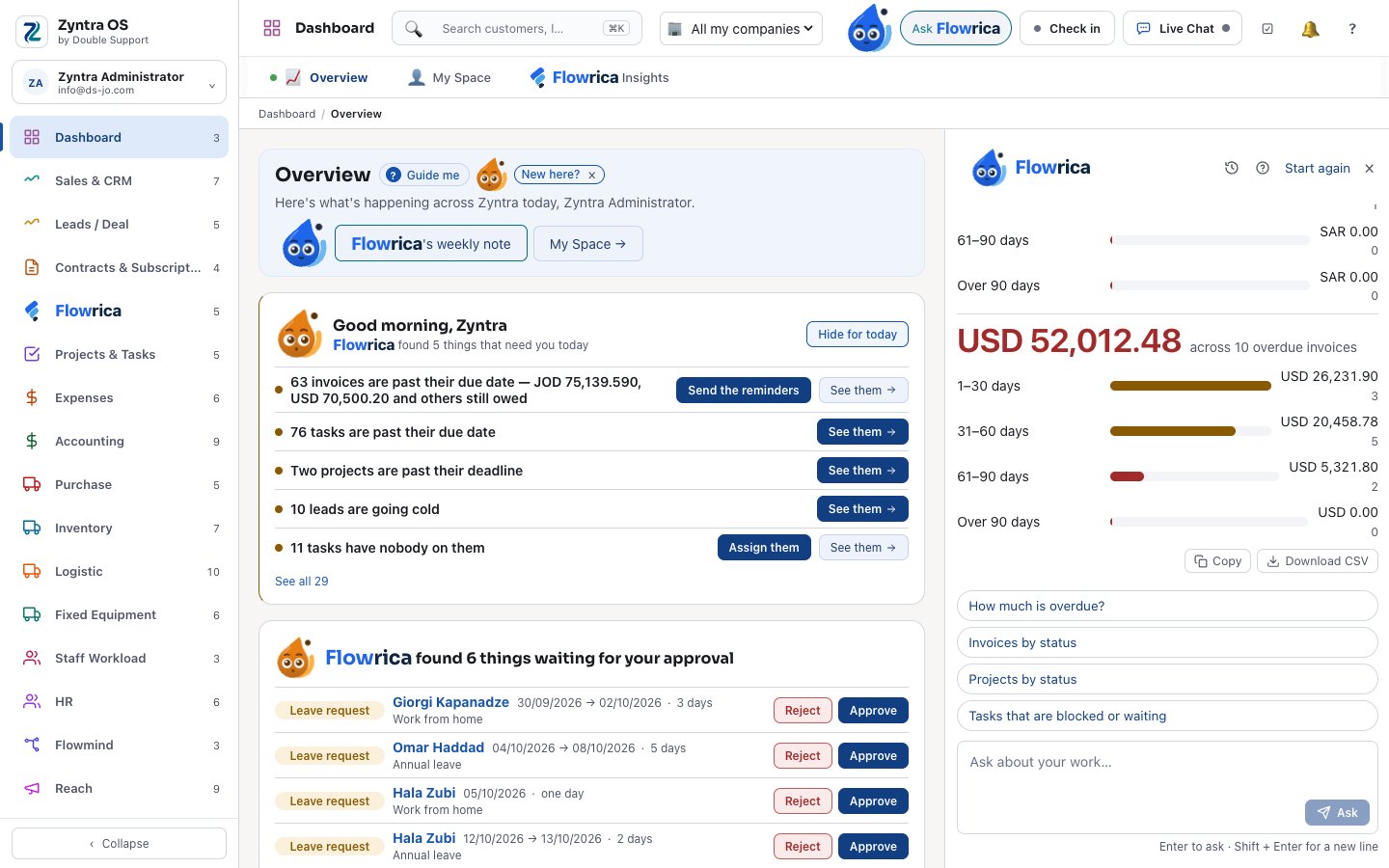
“How many invoices are overdue?” — the count and the invoices themselves.
Step 1 of 8
Answers from your own records
“How many invoices are overdue?” — the count and the invoices themselves.
- Figures and records from your own data, each one opening its own page — never from the internet
- Questions typed in Arabic, including everyday Jordanian words, or in English
- “Where did you get this?” shows the records behind every answer
- Answers in every area of the system, across the modules
Step 2 of 8
Questions across modules, and the manager’s questions
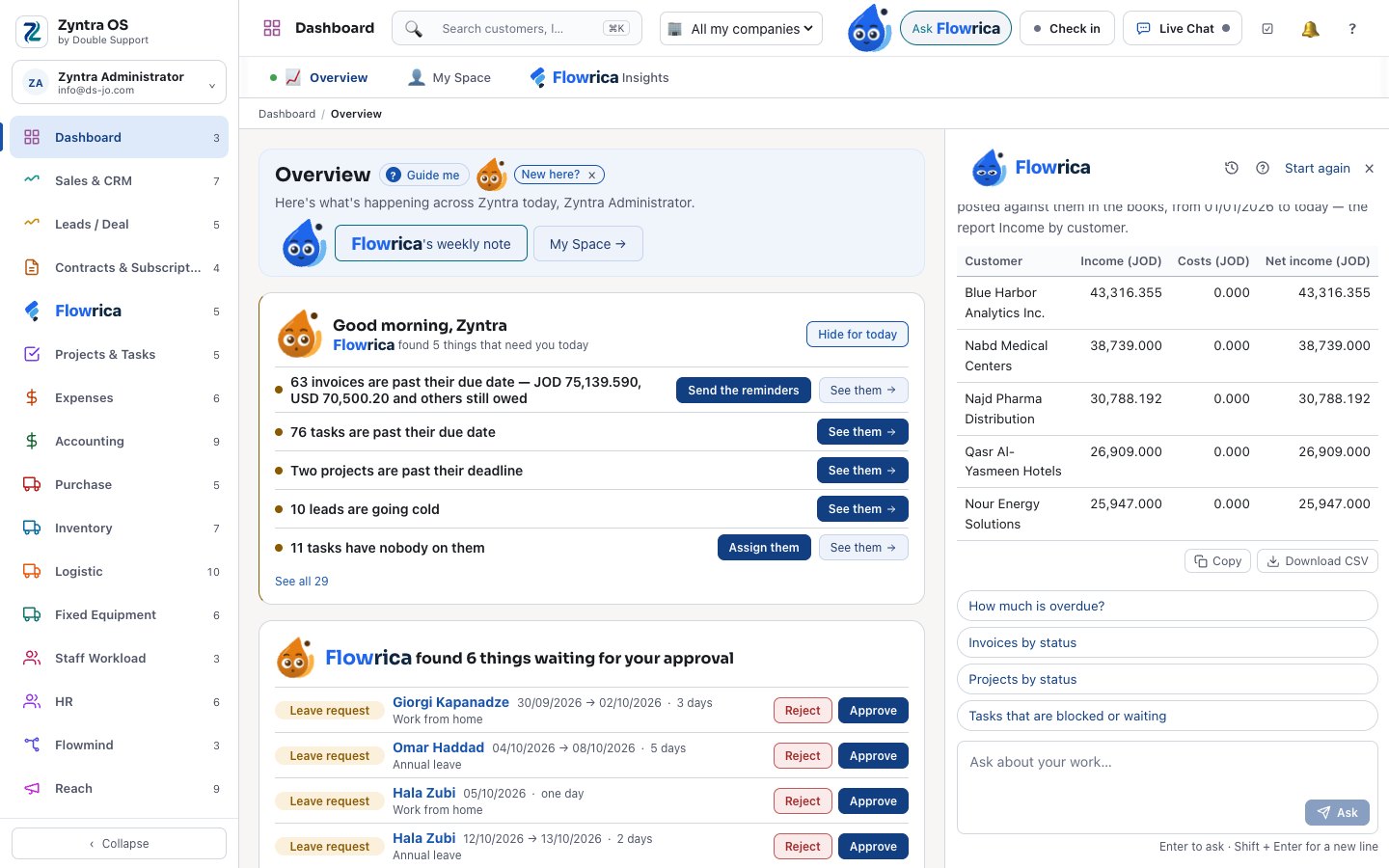
“Which customer is the most profitable?” — from the books.
- Questions across modules: “customers with running projects and unpaid invoices”
- The manager’s questions from the books, as a table you can copy or download
- Reports by talk: “show me a breakdown of our service desk workload” opens the right report
- “Which cheques fall due this week?” — each cheque, totals per currency, only for people whose screen shows cheques
Step 3 of 8
A customer’s story, and who to call first
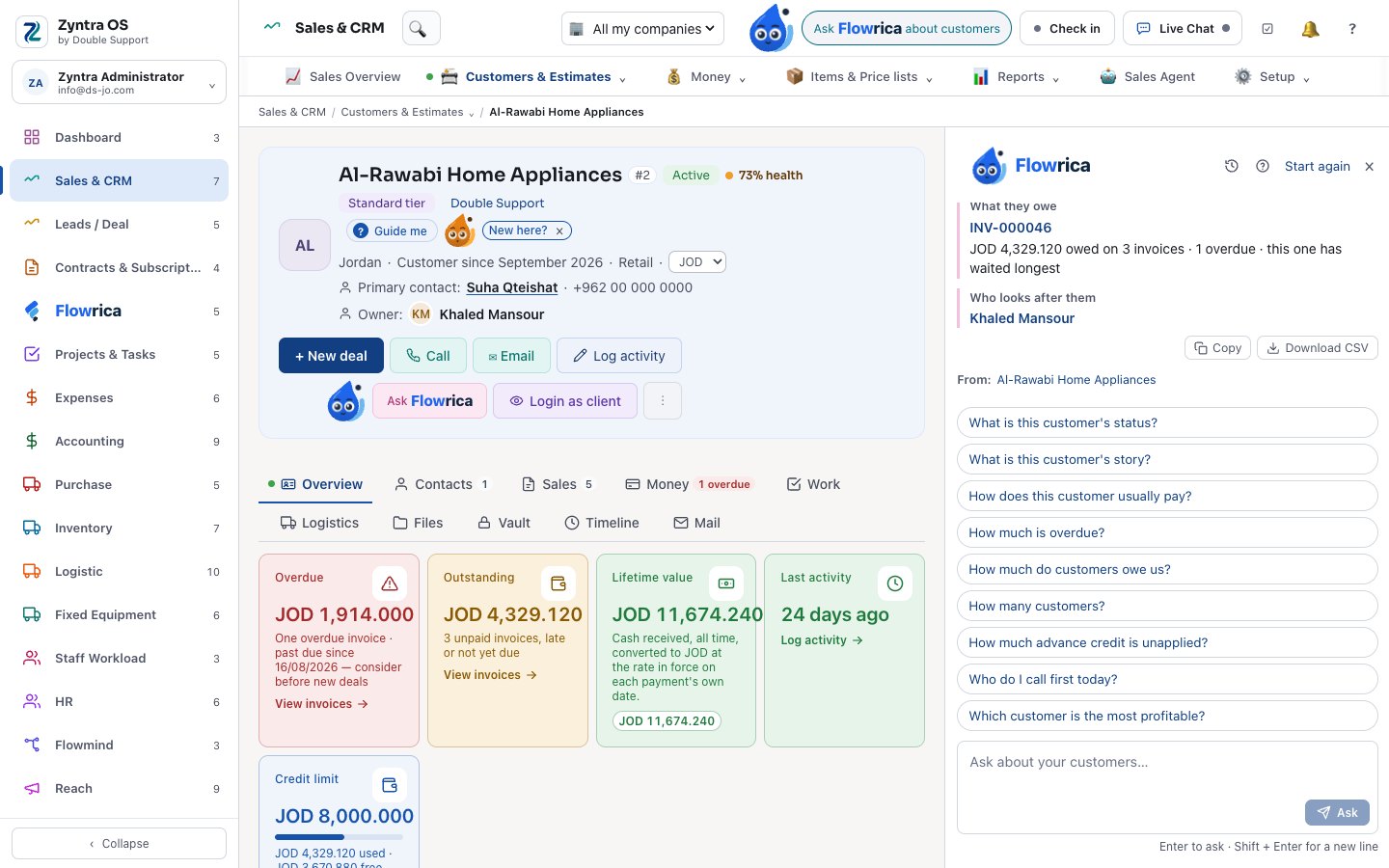
“What is this customer’s story?” — in about five lines.
- A customer’s, a deal’s or a project’s story: what they bought, what they owe, how they pay, what is open
- “Who do I call first today?” — and on a deal, what worked in similar deals
- A morning brief and your approvals on the dashboard, a weekly note, and “why is this number so?”
- After you save, she suggests the next step — she never acts on it
Step 4 of 8
People, rights and load
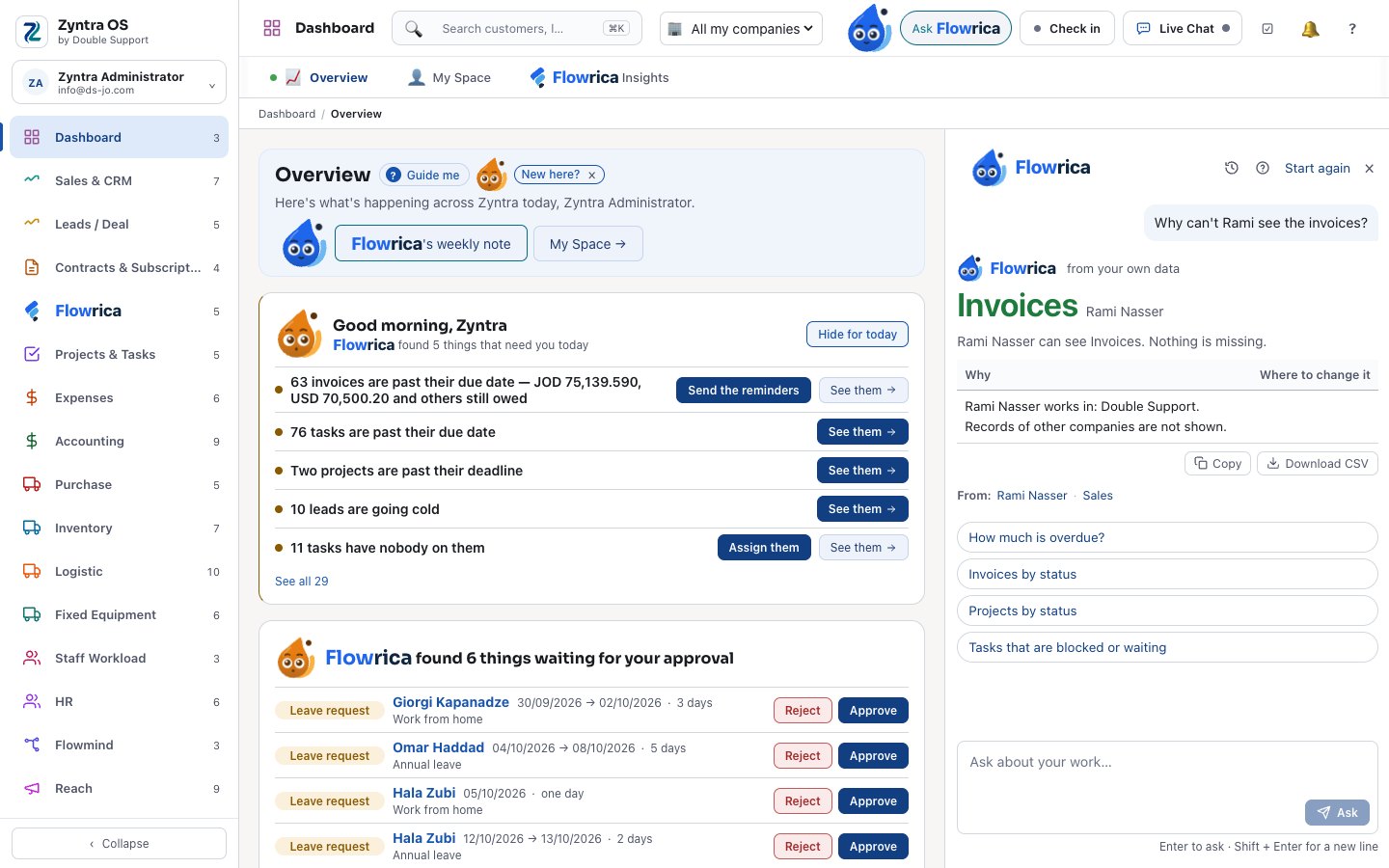
“Why can’t Rami see the invoices?” — what he can see, why, and where it is changed.
- Why a person can or cannot see something, and who can cover them next week
- Who is the most loaded and who has the least work this week, from the Workload screen’s own numbers
- A load plan for the whole team: which tasks move to people with room — nothing moves until you press Move
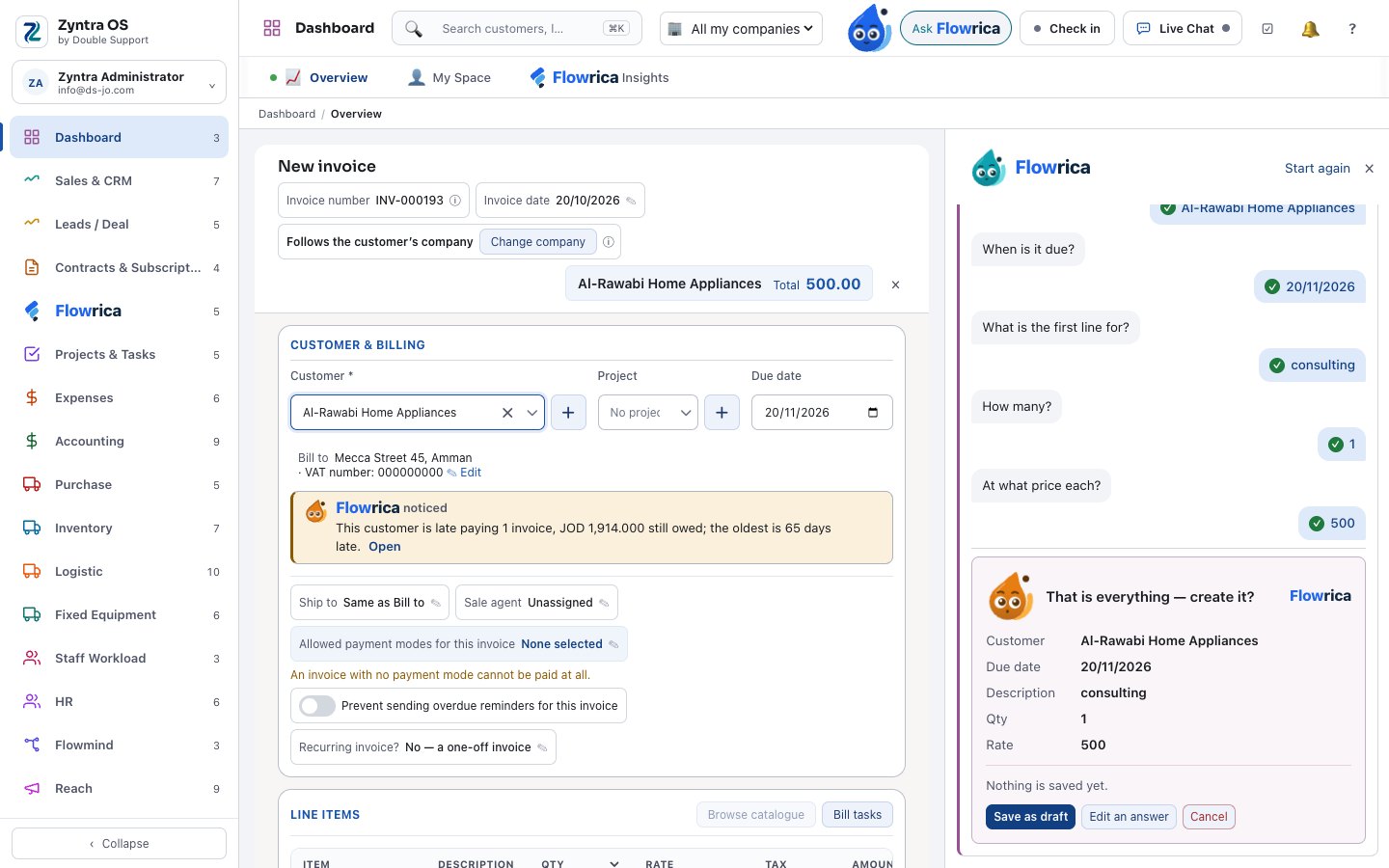
Step 5 of 8
Create from one sentence
“Create an invoice for a customer of 500 JOD consulting, due in a month.”
- Forms of every kind opened already filled — invoices, estimates, deals, tasks, purchase orders, leave and more — and you press Create
- Or one question at a time, then the form
- A purchase request, a survey, a Reach segment or campaign, or a new project drafted from a description, asking only what she is unsure of
- When she asks who a task is for, everyone already over capacity carries a red “Overloaded”
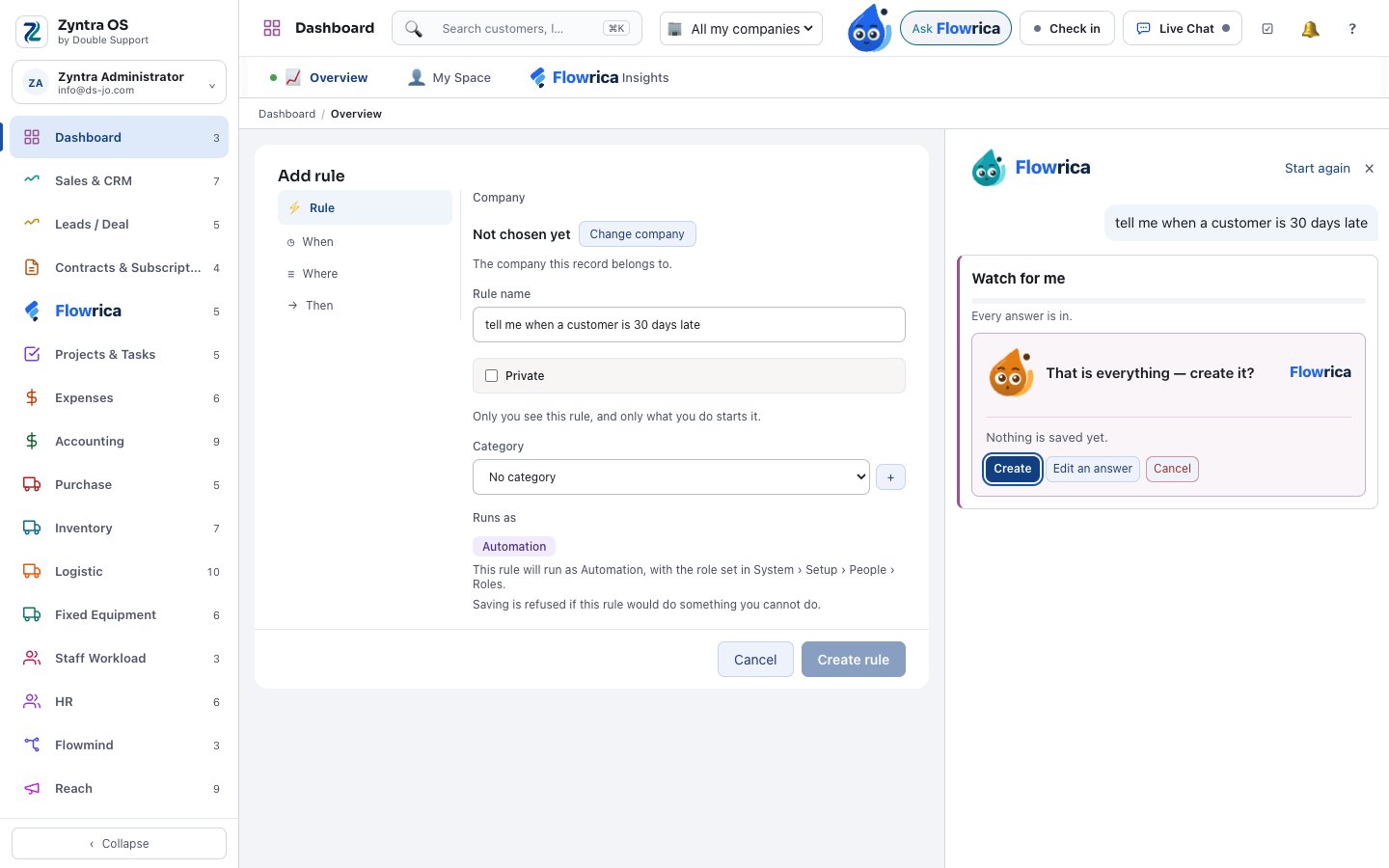
Step 6 of 8
“Watch this for me”, and small changes with Undo
“Tell me when a customer is 30 days late.”
- A Flowmind rule filled from one sentence — saved switched off until you switch it on
- A deal moved to the next stage, tasks assigned or a calendar event moved: shown first, confirmed by you, and undone if you wish
- A word at the right moment while you fill a form: a customer that may already exist, stock below its minimum, a purchase to check
- Tidy-up of duplicates and missing details, and a sentence you teach her in Flowrica Settings
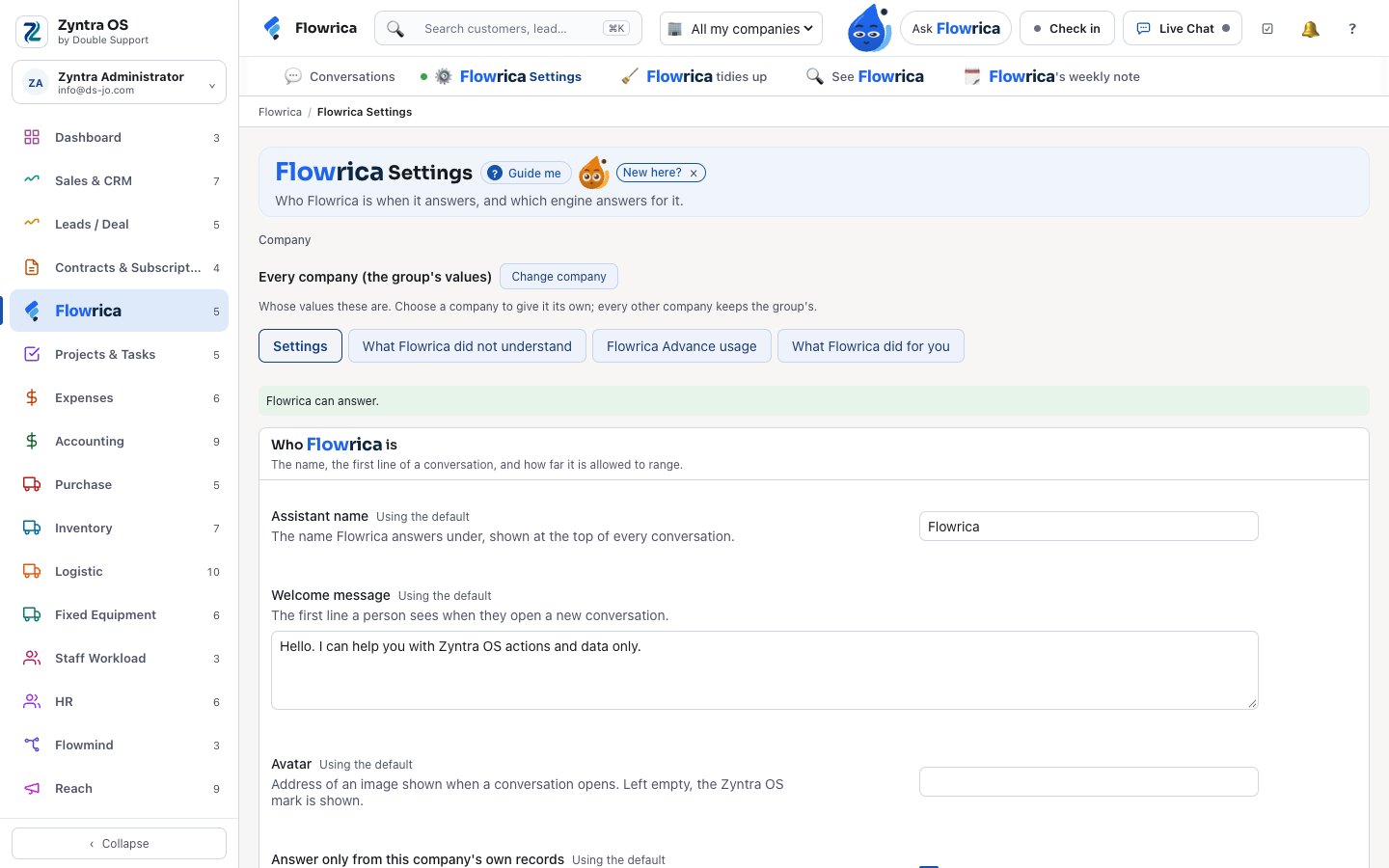
Step 7 of 8
Reads your papers and drafts your words
With Flowrica Advance, on your company’s own key, with a monthly limit you set.
- A vendor invoice, a receipt, a statement, a contract, a bank statement or a business card read into a draft form
- Emails, ticket replies, proposals, website text and Outlook replies drafted — you check and send
- Meetings turned into draft tasks, and notes before a meeting
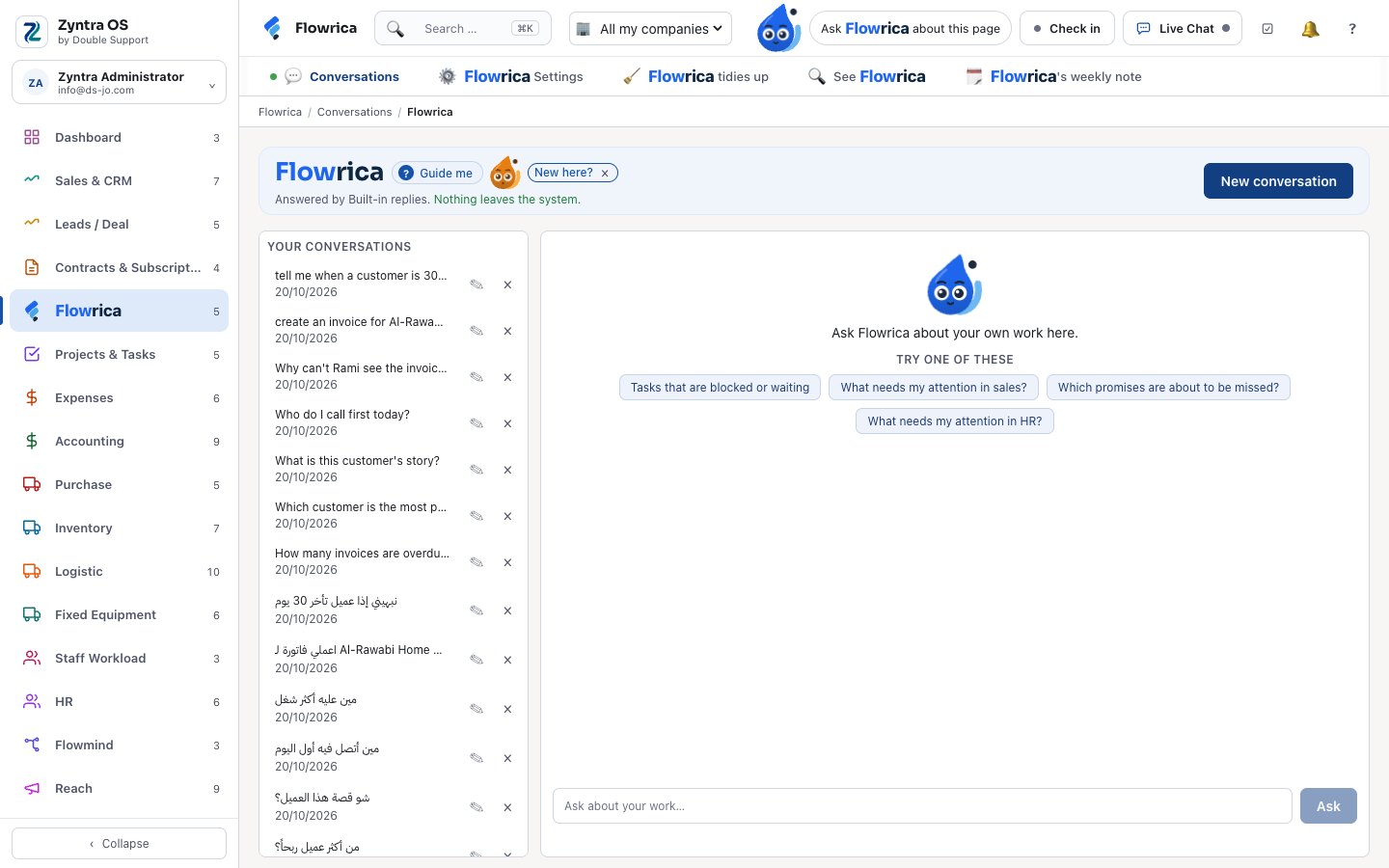
Step 8 of 8
For your customers too
In the client portal and on your website.
- In the client portal your customers ask about their own orders, invoices and projects — and only their own
- On your website, the chat answers from your site’s pages and takes a visitor’s details as a lead
- Answers from your knowledge base, only articles that person may read
- She never sends, never saves without the form’s own button, and never deletes; a record made through her says so
Flowrica abilities
Does Zyntra OS have an assistant?
Yes, Flowrica. She sits beside every screen, answers in Arabic or English from your own records — only what each person may open — and prepares forms from one sentence for you to press Create. She never sends, saves or deletes on her own. Flowrica.
Can Flowrica read invoices and receipts?
Yes, with Flowrica Advance: she reads a vendor invoice, a receipt, a statement, a contract, a bank statement or a business card into a draft form, which you check and save. Flowrica Advance runs on your company’s own key, with a monthly limit you set. Flowrica.
See it with your own work
Ask for a demo and our team will show you this part of Zyntra OS, in Arabic or in English.