

 Zyntra OS
 Zyntra OTA
 Zyntra Legal
 Zyntra Real Estate
 Zyntra Hotel
 Zyntra Appointments
Point of Sale, part of Zyntra OS Sales
Point of Sale: a till where every sale is a Zyntra sale
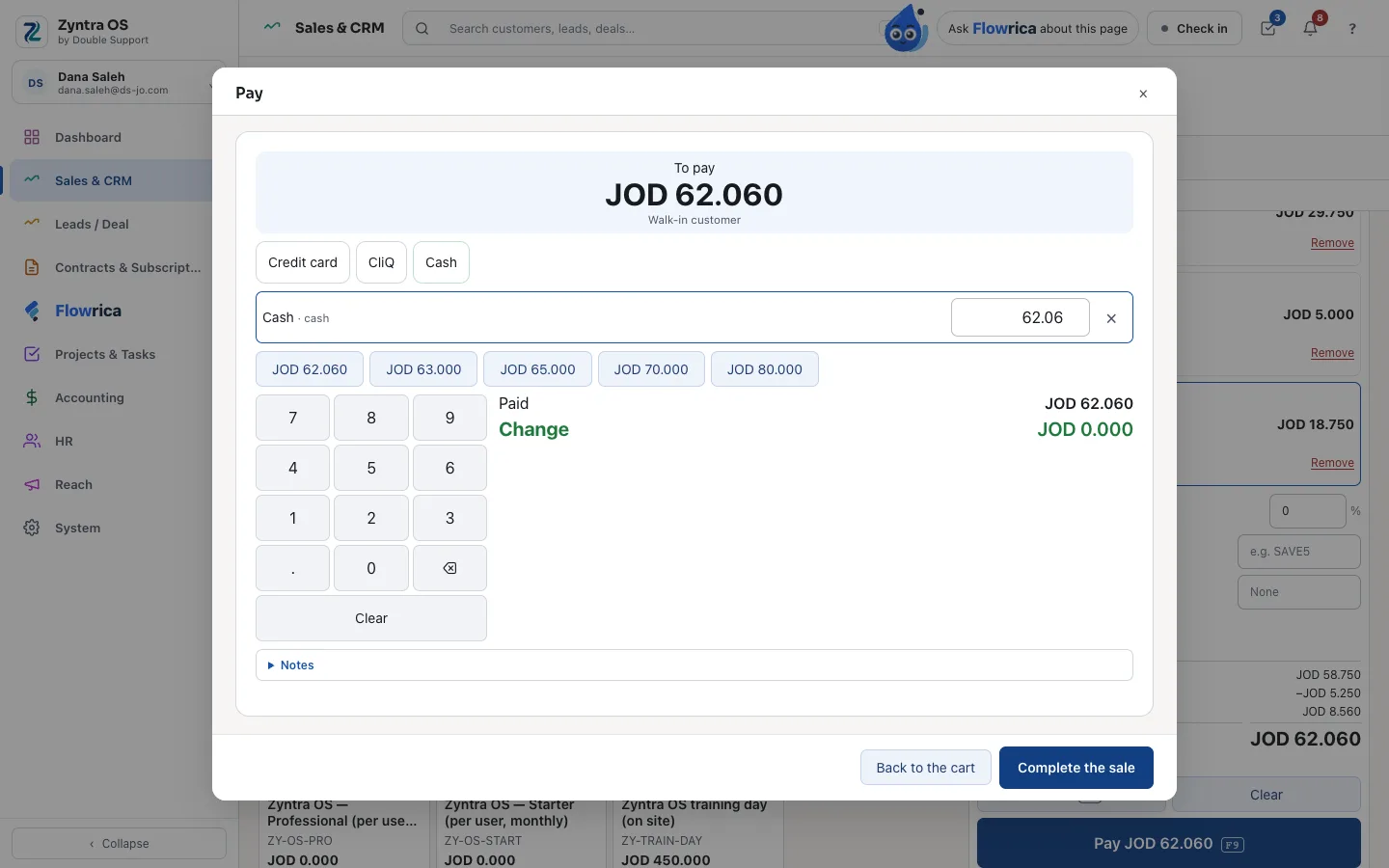
Point of Sale is the till of Zyntra OS: tills for each branch and warehouse, shifts with the cash drawer counted, a cart priced by the server, promotions and vouchers, card, CliQ and cash, returns, receipts and reports. Every sale is an issued Zyntra invoice with its stock out and its payment, so the accounting, the national e-invoice and the reports see it with no second record.
See it working
Pictures of a made-up company, taken from Zyntra OS itself.
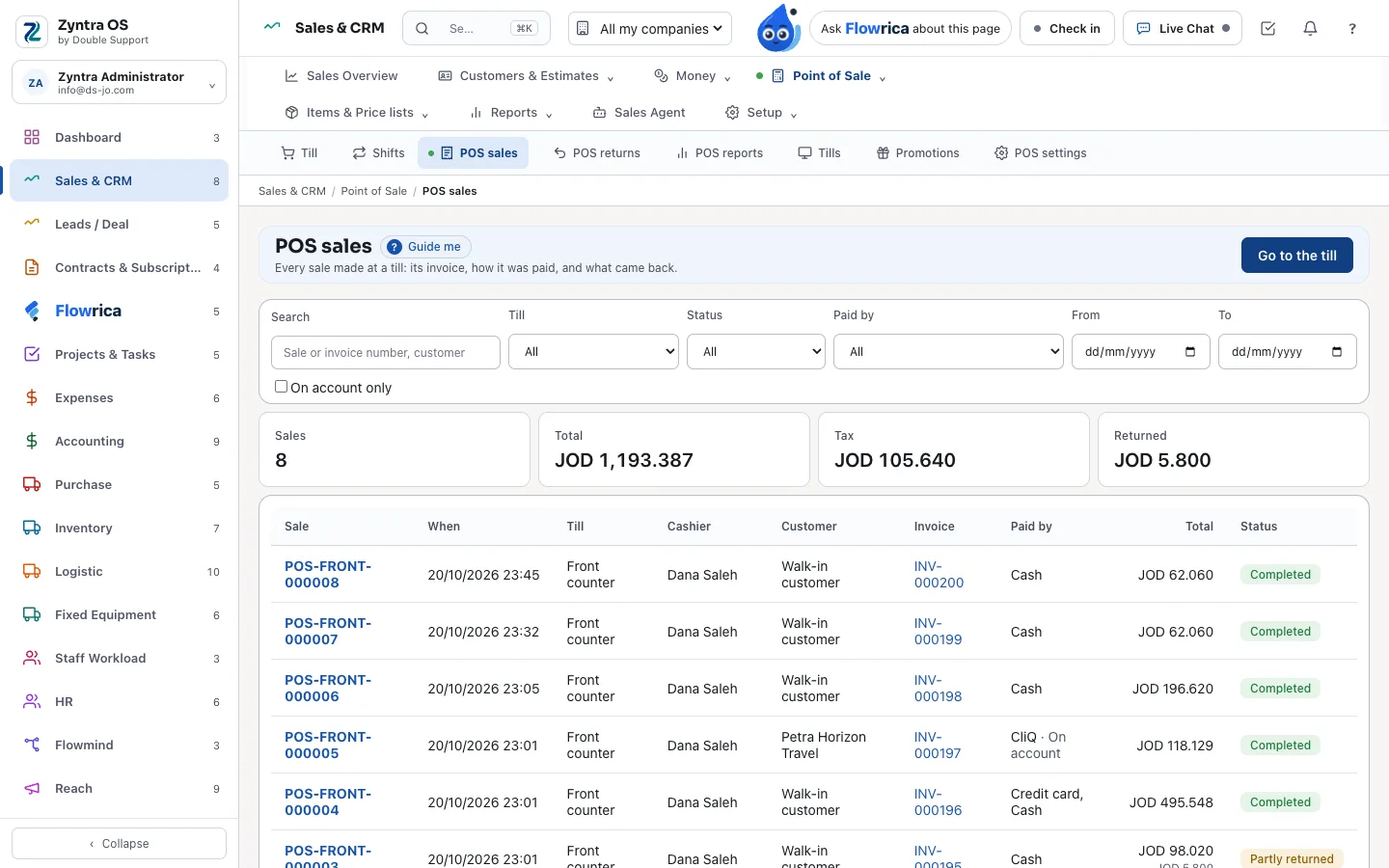
Every sale, with its invoice
Each sale with its till, cashier, customer, invoice, how it was paid and its status. Search, filter by till, status, payment and dates, or only what was left on account, with the period's totals, tax and returns above.
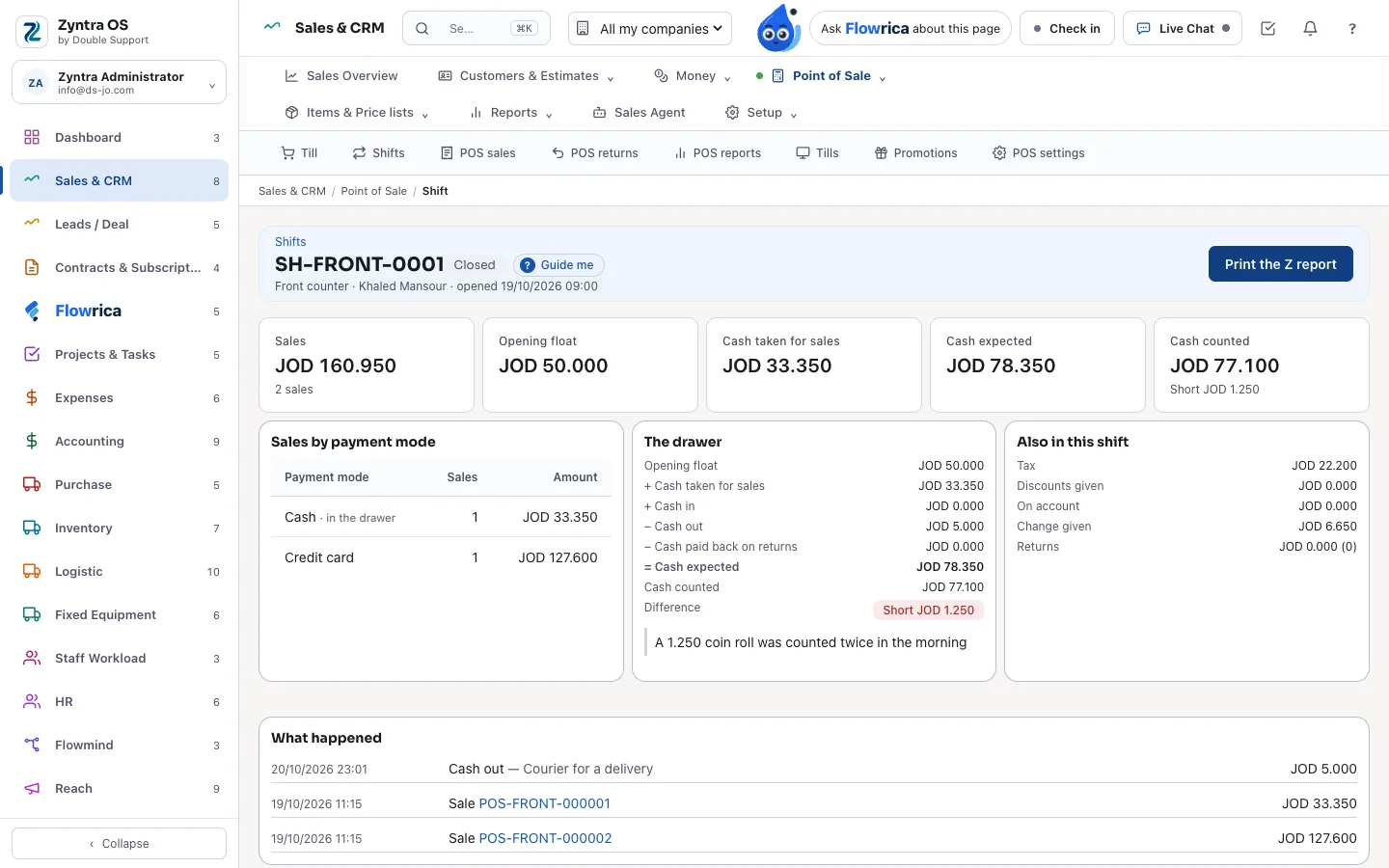
A shift and its drawer
A shift opens with a float and closes with the cash counted, by the total or note by note. The drawer shows the cash expected and the difference, and asks for a reason when it is over or short. Print the X report while it is open and the Z report once it is closed.
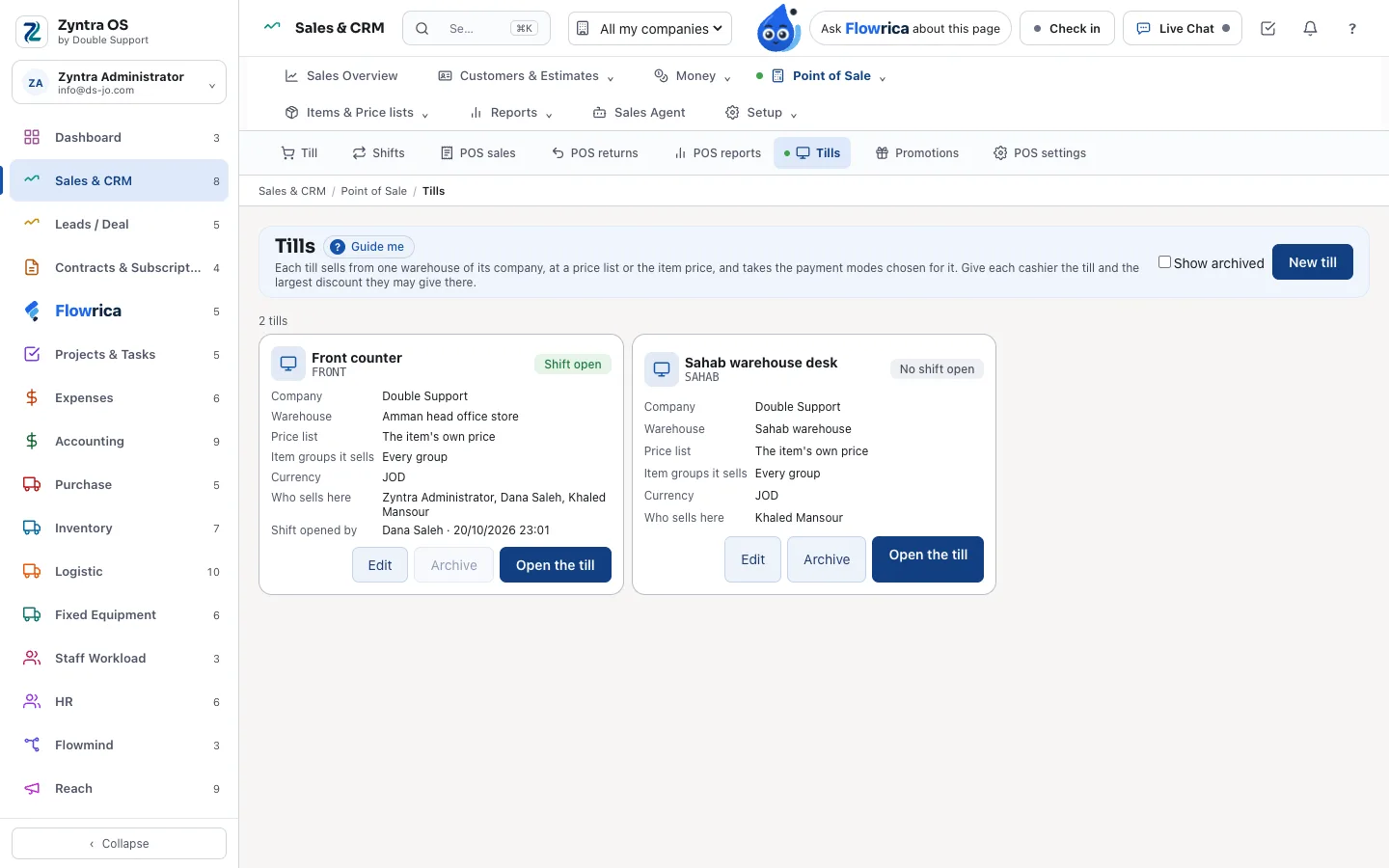
Tills for each branch
Each till sells from one warehouse of its company, at a price list or the item's own price, the item groups you give it and the payment modes chosen for it. Each cashier gets the tills they sell at and the largest discount they may give.
Promotions and vouchers
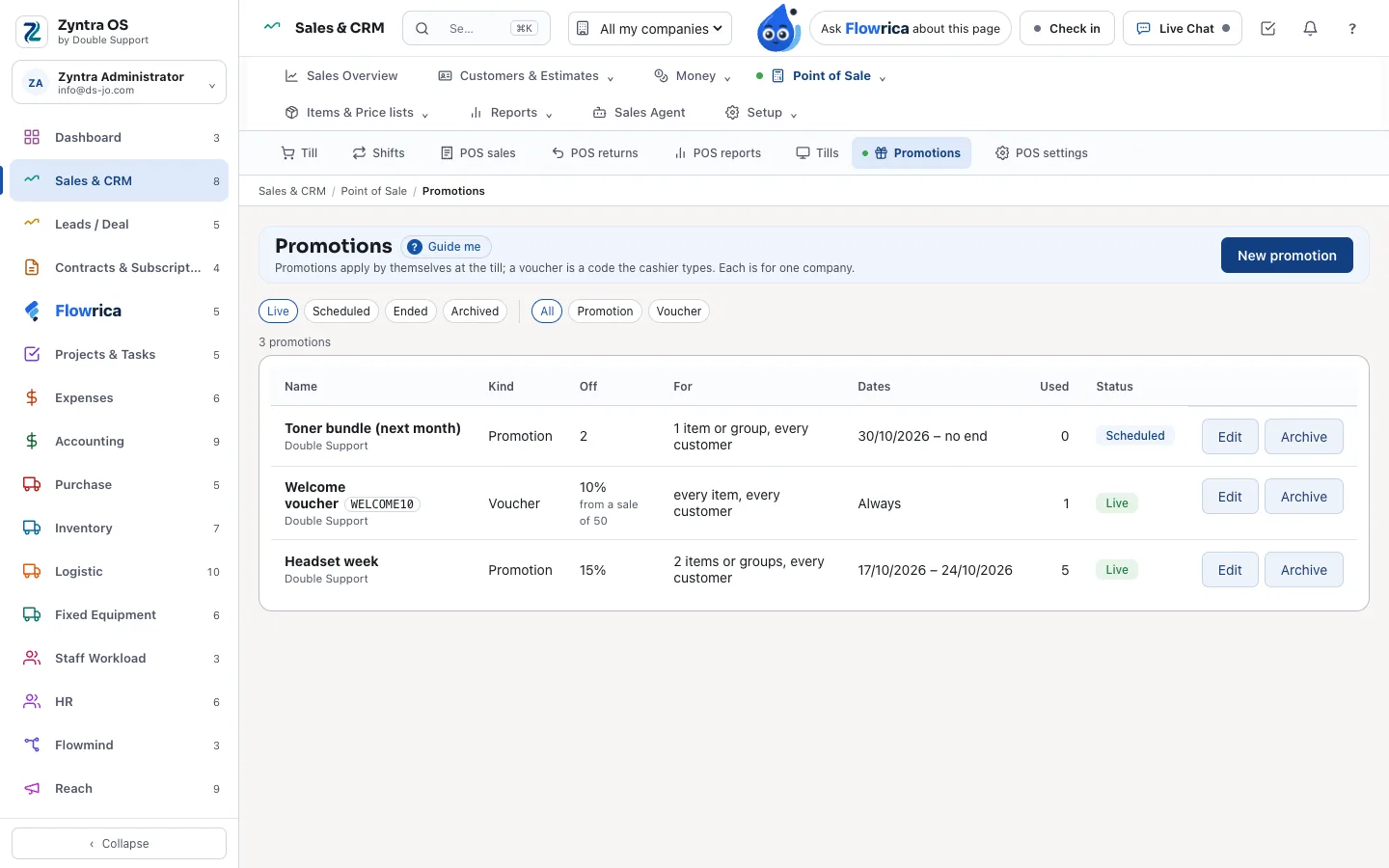
Promotions apply by themselves to the items, groups, customers and dates you choose, from a minimum sale; a voucher is a code the cashier types. A percentage or an amount, scheduled, live or ended.
Returns
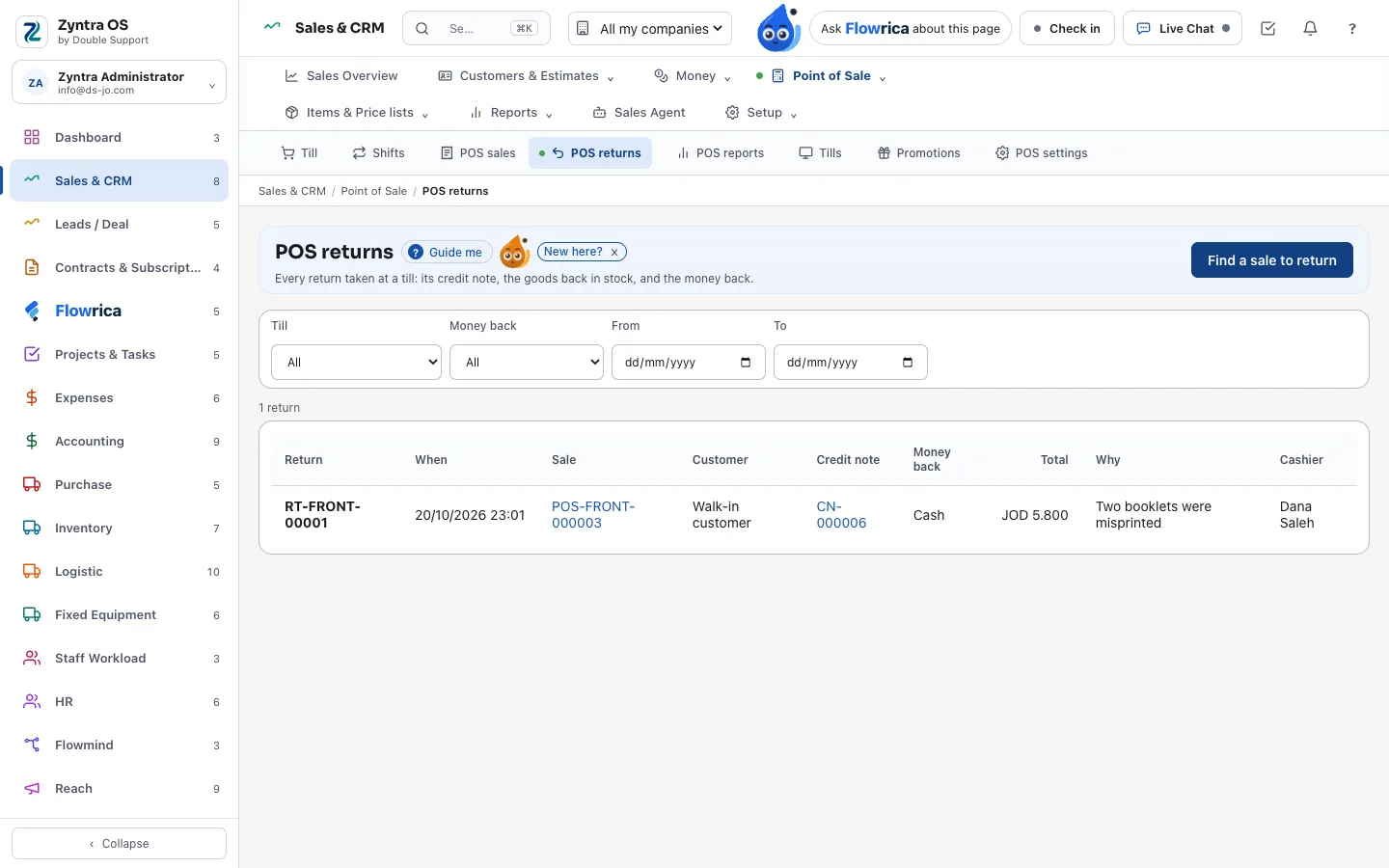
A return is a credit note on exactly the lines brought back, the goods back in stock, and the money back the way it was paid, or left as credit, within your return days.
Reports for every till
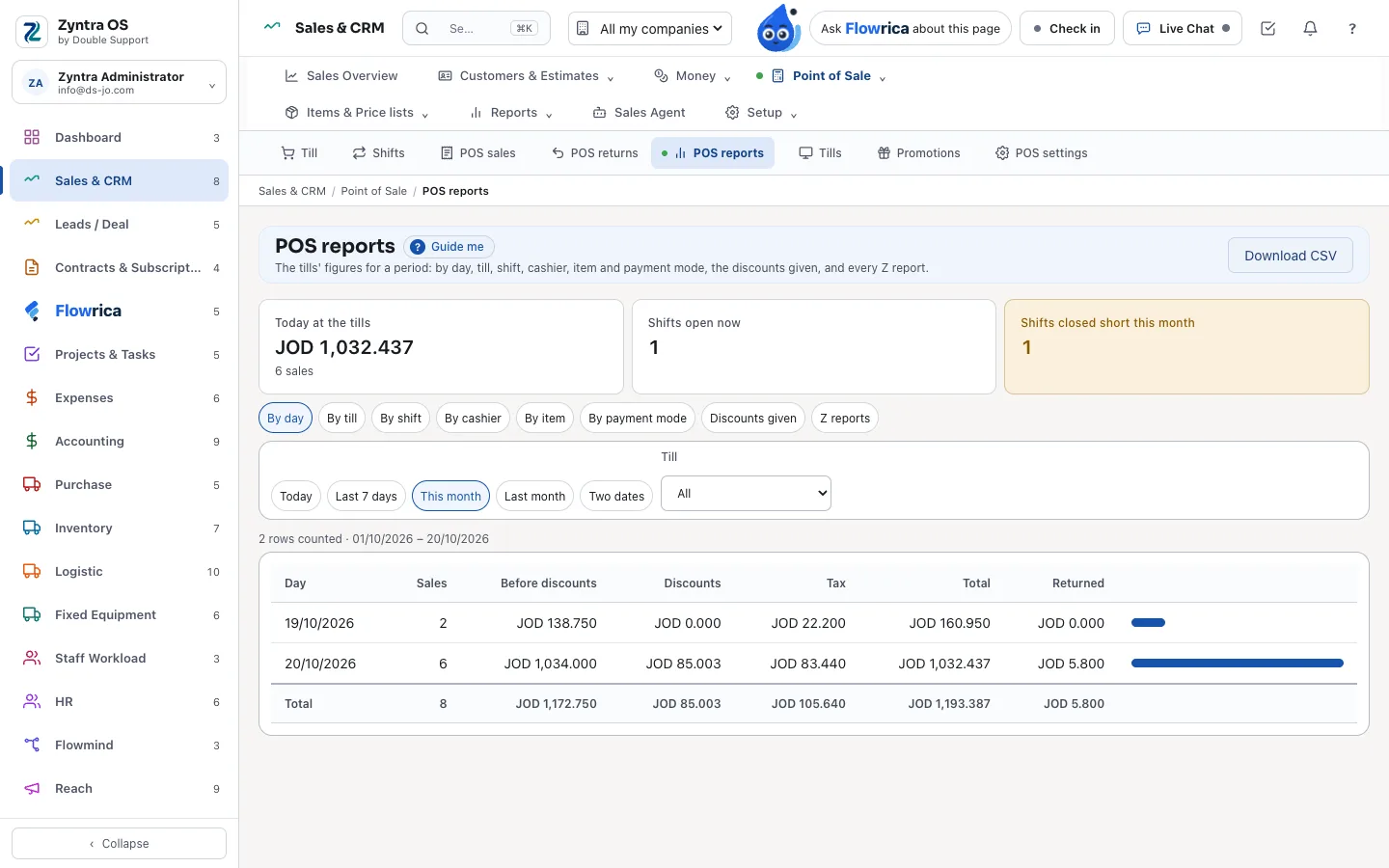
8 reports for any period and till — by day, till, shift, cashier, item and payment mode, the discounts given and every Z report — each saying how many rows it counted, and each to CSV.
Every sale is a Zyntra sale
When a sale is completed, Zyntra OS writes it the way it writes every sale:
- An issued invoice with its number and taxes, on the national e-invoice's cash type — or on account for a named customer — sent to JoFotara as your company set it
- The stock out of the till's warehouse
- One payment for each way it was paid; change is given only from cash
- A cart priced by the server on every change: the customer's price list, else the till's, else the item's price, with the taxes of each line
- Discounts within the cashier's limit
- A held cart kept on the server and taken up again; the same sale sent twice on a slow network is written once
Made for the counter
Fast to sell with, on a screen, a scanner or a touch till:
- A barcode scanner heard anywhere on the till, and the camera where the browser can read a barcode
- Keys for the till: F2, F4, F8 and F9, and full screen
- An on-screen keypad and calculator for a touch till with no keyboard
- Items found by name, barcode or price; a new customer or a new item added on the spot
- Bundles sold as one line and written as their parts, each part with its own stock
- A delivery charge on its own invoice line
- An 80 mm receipt to print, its PDF, and an e-mail queued in Zyntra
Flowrica at the till
Ask her in English or in Arabic:
- "Today's till sales", for each till and currency
- "Who closed a till short?", over the last 30 days
- Cash in or out of my drawer: she opens the shift's own form, and you can undo it.
Part of Zyntra OS
Point of Sale is a module of Zyntra OS under Sales, switched on when you need it:
- Your items, warehouses and stock from Inventory
- Your customers, their price lists and what they owe
- Invoices, payments and credit notes in your accounting
- Its own rights: who sells, discounts, sells on account, takes returns, reads every sale, reads the reports, sets it up
- A Point of Sale card on the dashboard
- More than one company, each with its own tills
- Arabic in every screen and on the receipt
Related
Point of Sale: frequently asked questions
What is Point of Sale in Zyntra OS?
It is the till of Zyntra OS, made by Double Support in Amman, Jordan: tills, shifts and the cash drawer, a cart priced by the server, promotions and vouchers, returns, receipts and reports. Every sale is an issued Zyntra invoice with its stock out and its payment.
Is it a separate system?
No. It is a module of Zyntra OS under Sales, switched on in the same installation, with its own rights.
Does a till sale go to JoFotara?
Yes, the way your company set it: the sale is an issued invoice of the national e-invoice's cash type, or receivable when left on account, and the receipt carries the invoice's number.
How is the cash drawer checked?
A shift opens with a float; cash in and out are written with their reason; at the close the cash is counted, the difference from what was expected is shown, and a reason is asked when it is over or short.
How much does Point of Sale cost?
It is an add-on of Zyntra OS, priced per user a month. Tick Point of Sale in the price builder on our Pricing page to see the price for your number of users.
Talk to us about your counter
Tell us how you sell at the counter today, and we'll show you the till on items like yours.