

 Zyntra OS
 Zyntra Legal
 Zyntra Real Estate
 Zyntra Hotel
 Zyntra E-commerce
 Zyntra Appointments
 Zyntra Repair
 Zyntra Garage
 Zyntra Concierge
 Zyntra Contracting
 Zyntra Clinic
 Zyntra Dental
 Zyntra School
 Zyntra University
 Zyntra Call Center
 Zyntra OTA
Zyntra OS features
From the first lead to the paid invoice, in one flow
Leads come in from your website, your mailboxes and your ads, are routed and scored, become deals on a board, and a won deal opens its project. Proposals, estimates, sales orders, invoices and payments follow one another without retyping, and contracts and subscriptions renew and bill on their own.
Part of Zyntra OS
A sale is never counted twice — and it is paid the local way
Deposits and held stock sit under a lock, so no customer is charged twice and no last unit is sold twice.
- A deposit is applied once, by a person — never counted twice
- The last unit is never held by two orders at once
- Paid with Tabby, Tamara and eFAWATEERcom
- Orders from your Salla and Zid stores, with your stock sent back to them
- An agent's commission is reversed when the sale is cancelled or credited
Sales & CRM
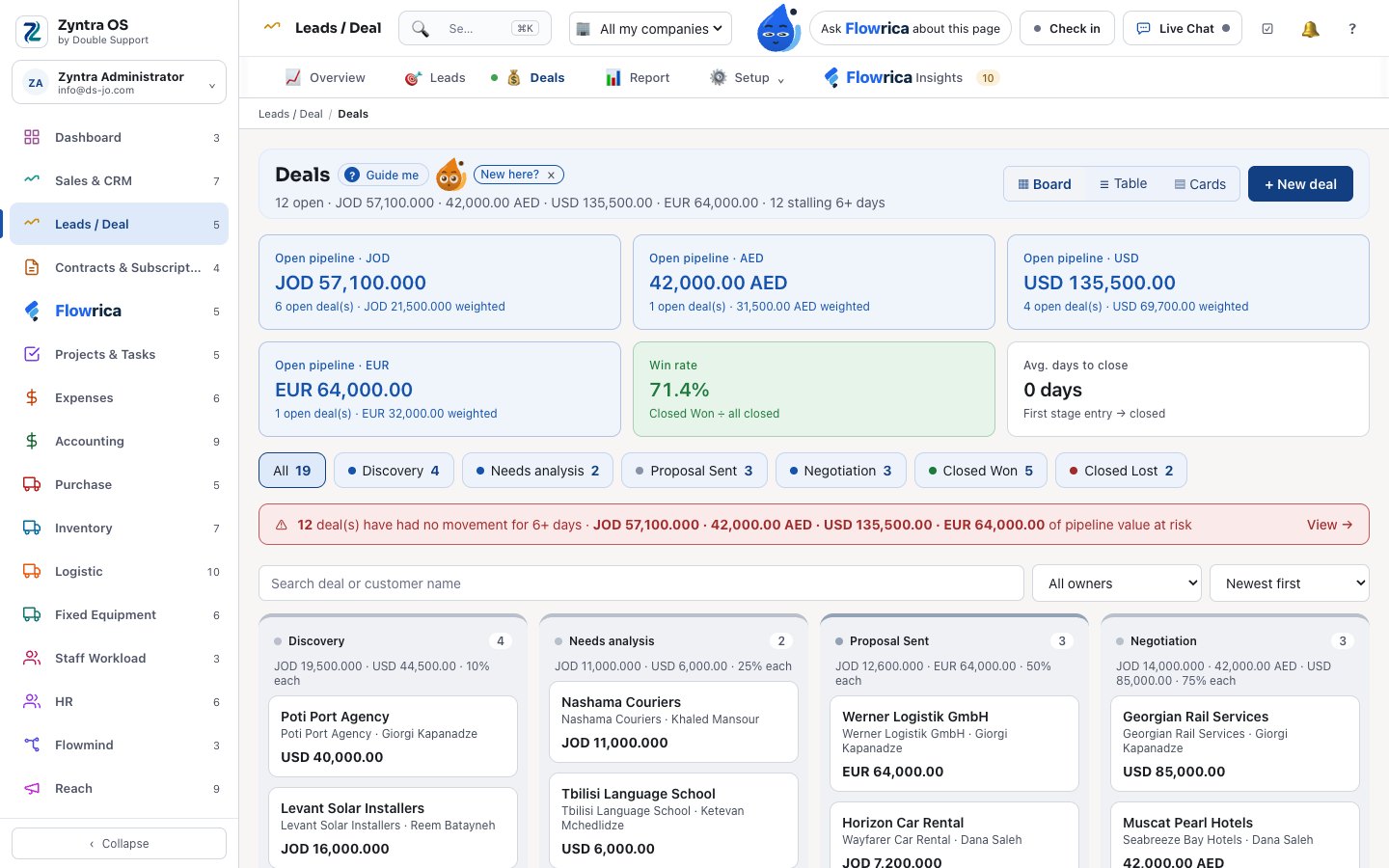
Leads / Deal
Every lead from where it came to the won deal.
- Web-to-lead forms on your website, with a captcha, and the funnel from view to submit
- Routing rules with a preview, so each lead reaches the right owner on its own
- A lead score, duplicates and junk caught, and follow-up sequences
- Leads from your mailboxes, from Facebook and Instagram Lead Ads, and from a file you import
- A person’s details anonymised on request
- A deal board with stages, won and lost, and the deals that are stalling
- A won deal opens its project from a template you choose
- Sales targets and a leads report
Sales & CRM
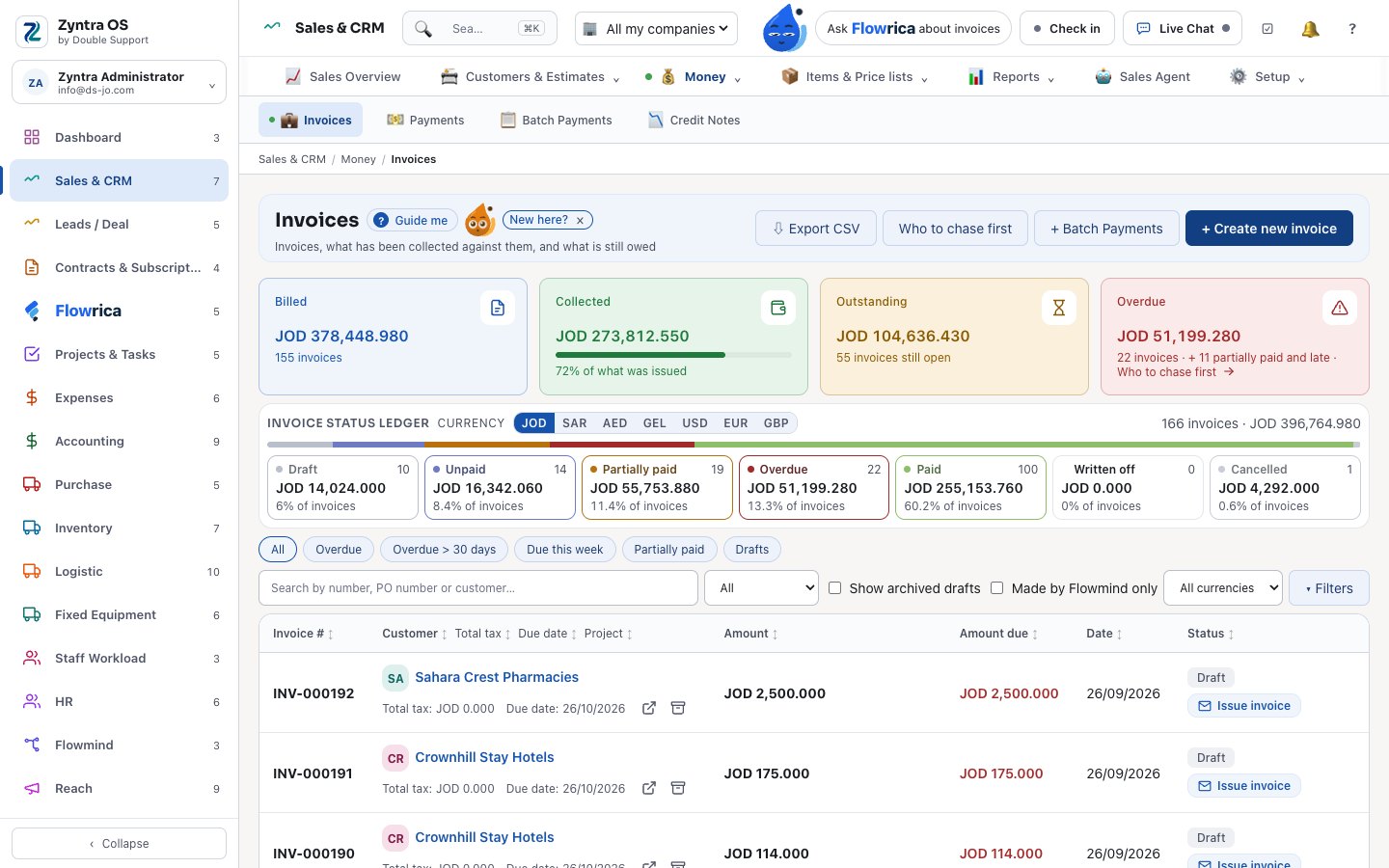
Customers, proposals, estimates, sales orders, invoices and payments.
- Customers with their contacts, groups, tiers and territories
- A customer’s statement, a health score, and duplicates merged into one record
- Price lists per customer or group
- Proposals the customer accepts online, with optional lines — and you see when they opened it and when they read the prices
- Estimates on a pipeline board that expire on their own, and estimate requests from public forms
- Sales orders with a credit limit and its approval, deposits, stock held for the order, drop-ship, and invoicing line by line
- Invoices: recurring, a discount that needs approval, paid online, chased by a reminder ladder — and refused inside a closed period
- Invoices, estimates, credit notes, receipts and statements emailed to the customer with their PDF attached, in the customer’s language
- «Send a reminder» for one late invoice, straight from the list of invoices past their due date
- A BCC copy to your own address on only the kinds of email you choose — invoices, reminders, receipts, statements or any other kind
- Credit notes, returns, payments and batch payments
- Sales agents: commission programmes with tiers, reversed when a sale is cancelled or credited, lead protection and payouts
- Sales, proposals and credit notes reports
Contracts & Subscriptions
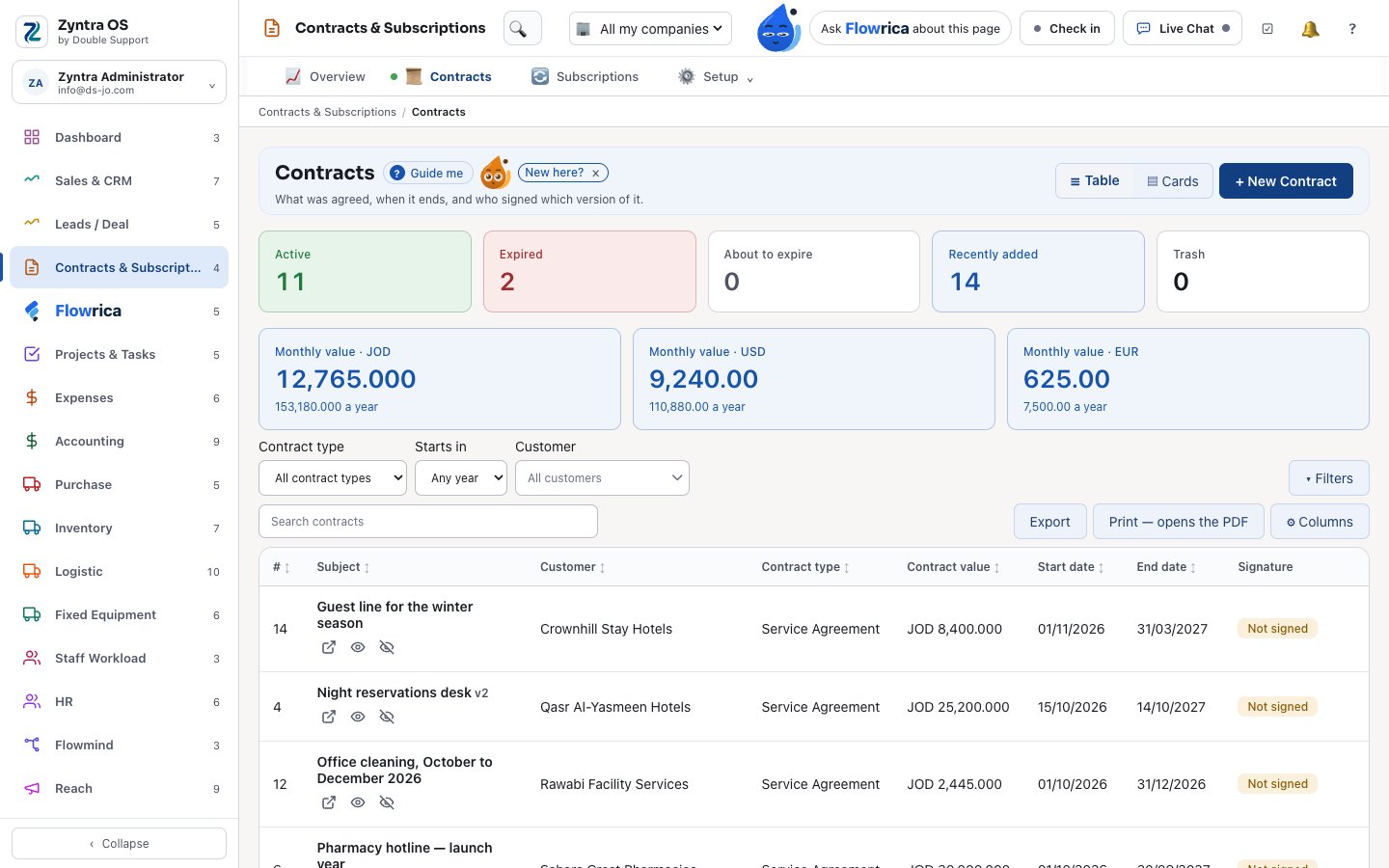
Contracts your customers sign online, and subscriptions that bill themselves.
- Contracts from templates, in versions, signed online by the customer; a signed contract is renewed, never edited
- Or sent for signature through DocuSign, on your own account
- Contracts that renew themselves, with an increase if you set one, reminders and renewal follow-ups
- Monthly recurring revenue by currency, and the contracts expiring and not renewed
- Subscriptions with plans, coupons and usage; a plan change prorated; pause and resume; a billing run
Zyntra OS sales and CRM
Does Zyntra OS have a CRM?
Yes. Leads come in from web forms, mailboxes and Facebook and Instagram Lead Ads, are routed and scored, and become deals on a board with stages; a won deal opens its project. Every customer keeps their contacts, statement, health score, price list and timeline. Sales & CRM.
Can customers accept proposals and sign contracts online in Zyntra OS?
Yes. A customer accepts a proposal or an estimate online and signs a contract online, and you see when they opened it and read the prices. A signed contract is renewed, never edited, and contracts can renew themselves. Sales & CRM.
How to use it, step by step
Every topic of the user guide for this part of Zyntra OS, with pictures of the real screens.
- From lead to paid
- Add a lead
- Convert a lead
- Your deals
- Win or lose a deal
- Proposals
- Add a customer
- Add a contact
- Your items
- Make and send an estimate
- Turn an estimate into an invoice
- Sales orders
- Issue an invoice
- Installments
- Record a payment
- Many payments at once
- Price lists
- Estimate requests
- Credit notes and refunds
- Sales agents
- Programs for sales agents
- Peppol e-invoices
- Receipt printer and cash drawer
- Contracts
- Subscriptions
- A subscription and its coupon
- Sales & CRM settings
- Leads & Deals settings
- Deal conversion rules
- Templates for won deals
- Sales report
- Proposals & Estimates report
- Returns report
- Leads report
- Contracts & Subscriptions settings
- Contract templates
- Contracts & Subscriptions overview
- Leads overview
- Deals overview
- Sales Overview
See it with your own work
Ask for a demo and our team will show you this part of Zyntra OS, in your language — Arabic too.