

 Zyntra Legal
 Zyntra Real Estate
 Zyntra Hotel
 Zyntra E-commerce
 Zyntra Appointments
 Zyntra Repair
 Zyntra Garage
 Zyntra Concierge
 Zyntra Contracting
 Zyntra Clinic
 Zyntra Dental
 Zyntra School
 Zyntra University
 Zyntra Call Center
 Zyntra OTA
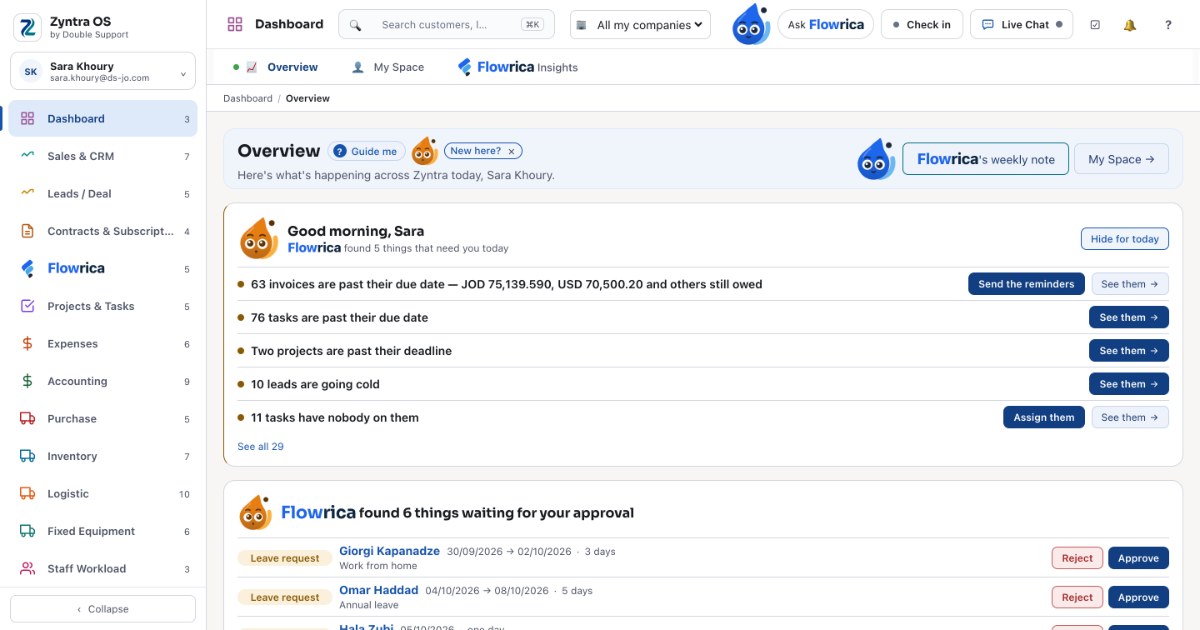
“Do we need accounting software or an ERP system?” is one of the first questions a growing company asks. The two overlap, and many products are sold under both names, so the line is easy to miss. This article draws it plainly: what each one does, the signs that a company has outgrown its accounting software, and how to start with the books today without having to move to another system later.
What accounting software does
Accounting software keeps the company’s books. Its centre is the general ledger, the chart of accounts and the journal entries, and around it sit the documents that feed them:
- sales invoices and credit notes, and what each customer owes;
- suppliers’ bills and what you owe them;
- payments received and paid, and the bank accounts they move through;
- tax on sales and purchases, and — in Jordan and Saudi Arabia — the e-invoice that goes to the tax authority;
- the reports an accountant and an owner read: the trial balance, profit and loss, the balance sheet, ageing.
That is a lot, and for a small business with a short list of products and a few people, it is often all the system it needs.
What an ERP system adds
ERP stands for enterprise resource planning. The name is old; the idea is simple: every department works in the same records. The accounting is one part of an ERP system, and the other parts write into it as they work:
- Sales and CRM — leads, deals, quotations and orders, so the invoice is made from the order, not typed again.
- Inventory and purchasing — stock in each warehouse, purchase orders and receipts, so the stock on the shelf and the stock in the books are one figure.
- Projects — tasks, hours and costs, so a project’s profit is known while it runs.
- HR and payroll — staff, attendance, leave and payslips, so the salaries reach the books without a spreadsheet in between.
- Support — customers’ tickets beside their invoices and their history.
The difference is not the number of screens. It is that in an ERP system, one thing that happens is written once and every department sees it.
The same sale in each
A customer orders ten items. With accounting software alone, the salesperson writes the order in an email or a spreadsheet, the warehouse checks the shelf in another sheet, and the accountant types the invoice into the accounting software when someone tells them it shipped. Three people type the same sale, and each copy can drift.
With an ERP system, the order is entered once. The warehouse sees it and ships it, the stock falls, the invoice is made from the order, it reaches the books and — in Jordan — goes to JoFotara. Nobody types it again, and everyone sees the same state of the same sale.
Signs you have outgrown accounting software
- The same order, invoice or customer is typed in more than one place.
- The stock count and the stock in the books do not agree at the end of the month.
- Payroll is worked out in a spreadsheet and posted to the books by hand.
- A project’s cost is only known after it ends.
- Approvals happen in chat messages, and nobody can find them a month later.
- The owner asks a simple question — “what did we sell this week, and what is still unpaid?” — and the answer takes a day.
Any one of these is a reason to look at an ERP system. Several of them together usually mean the company is already paying for the gap in hours.
When accounting software is enough
A business that sells services from a short list, has no stock, a handful of people and an accountant who keeps the books is often well served by accounting software. The question to ask is not “how big are we?” but “how many times is the same thing written down?”. If the answer is once, the books are enough for now.
Start with the books, grow in the same system
The hardest part of moving from accounting software to an ERP system is the move itself: new records, new screens, a new supplier. One way round it is to start in a system that can grow.  Zyntra OS, the system Double Support makes in Amman, is built this way: 55 modules you switch on when you need them. A company can start with accounting and invoicing — with JoFotara working and ZATCA ready — and switch on inventory, sales and CRM, projects or HR and payroll later, in the same records, without moving anything.
Every screen and every document works in Arabic, right to left, and in English, and each company has its own installation with its own database. There is no setup fee and no hidden price: the pricing page builds the price for the parts you use.