

 Zyntra OS
 Zyntra Legal
 Zyntra Real Estate
 Zyntra Hotel
 Zyntra E-commerce
 Zyntra Appointments
 Zyntra Repair
 Zyntra Garage
 Zyntra Concierge
 Zyntra Contracting
 Zyntra Clinic
 Zyntra Call Center
 Zyntra OTA
Where
Hotel › Overview · CalendarWho
Hotel Reservations — View.Switch it on
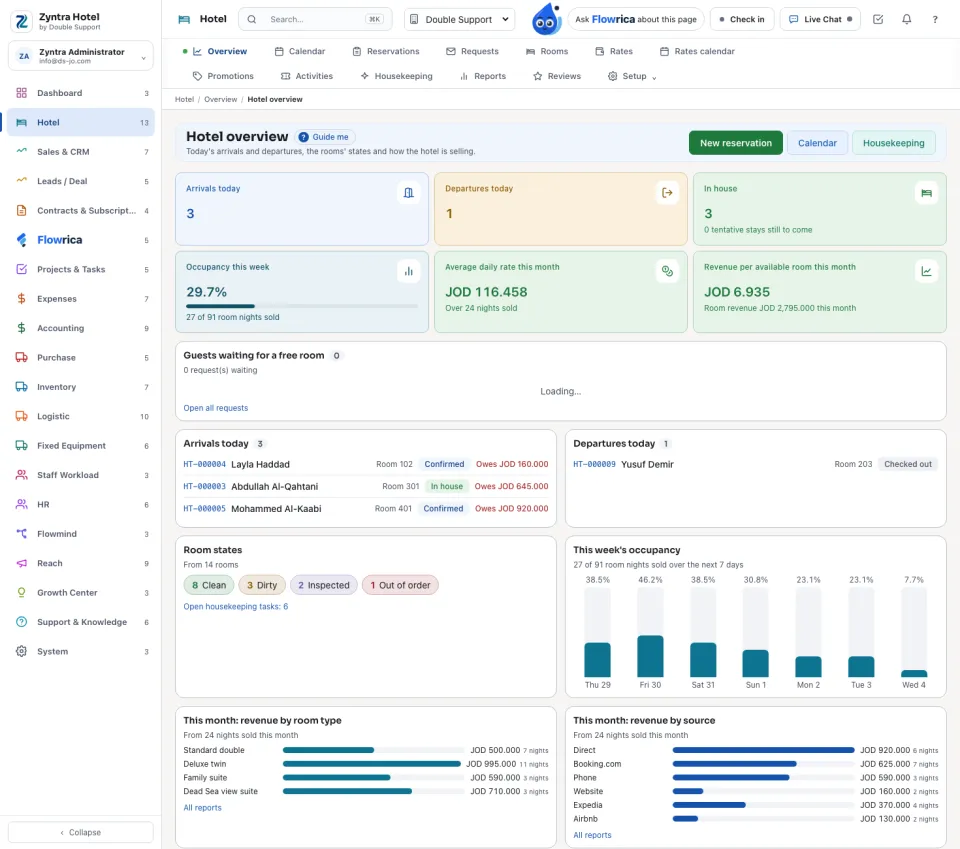
The overview
Today's arrivals and departures, the rooms' states and how the hotel is selling.
The figures: Arrivals today, Departures today, In house, Occupancy this week, Average daily rate this month and Revenue per available room this month. Below: the guests waiting for a free room, today's arrivals and departures with what each one owes, the Room states, this week's occupancy, and this month's revenue by room type and by source. New reservation, Calendar and Housekeeping are at the top.
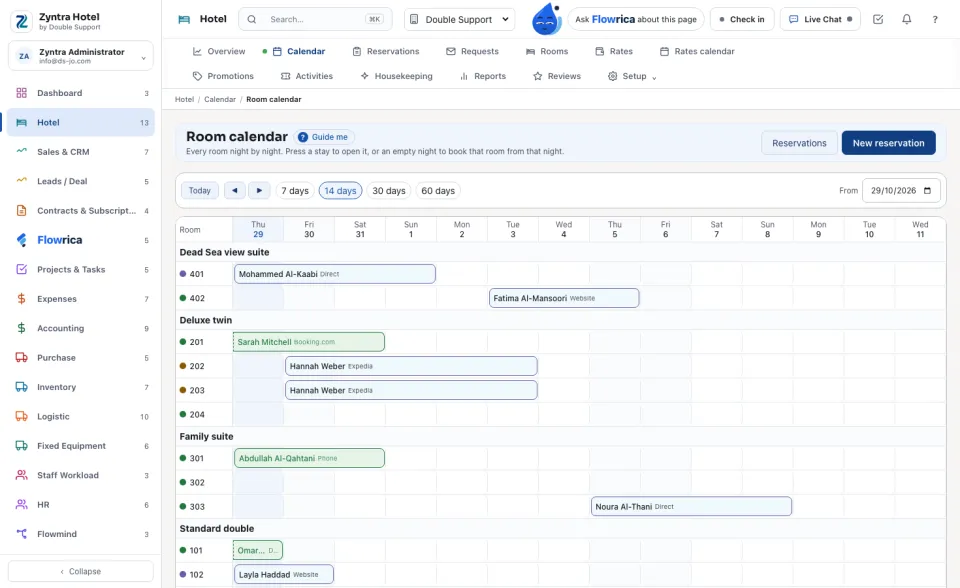
The room calendar
Every room night by night. Press a stay to open it, or an empty night to book that room from that night. Today, the arrows and the number of days move the view.
Who may do what
| Right | What it lets a person do |
|---|---|
| Hotel Rooms and Rates — View / Create / Edit / Delete | The rooms, rates, rates calendar, promotions and activities; adding and changing them; archiving room types and rooms. |
| Hotel Reservations — View | The overview, calendar, reservations, requests and reviews. |
| Hotel Reservations — Create / Edit | New stays; confirming, checking in and out, cancelling, moving and extending them, answering requests, publishing reviews. |
| Hotel Folio — View / Create / Edit | See the folio; post charges; move or void a charge, invoice a window, take a payment, refund. |
| Hotel Housekeeping — View / Edit | The housekeeping board; setting room states, adding tasks, reporting faults. |
| Hotel Reports — View · Hotel Settings — Edit | The reports; the settings, import and health. |
The top role holds all of them. A person sees every stay of the companies they work in.
Flowrica in Hotel
Questions
Where is “Zyntra Hotel” in Zyntra OS?
Hotel › Overview · Calendar
Who can use “Zyntra Hotel”?
Hotel Reservations — View.