

 Zyntra OS
 Zyntra Legal
 Zyntra Real Estate
 Zyntra Hotel
 Zyntra E-commerce
 Zyntra Appointments
 Zyntra Repair
 Zyntra Garage
 Zyntra Concierge
 Zyntra Contracting
 Zyntra Clinic
 Zyntra Call Center
 Zyntra OTA
Where
Hotel › Housekeeping · Reviews · ReportsWho
Hotel Housekeeping; Hotel Reservations for reviews; Hotel Reports.Housekeeping
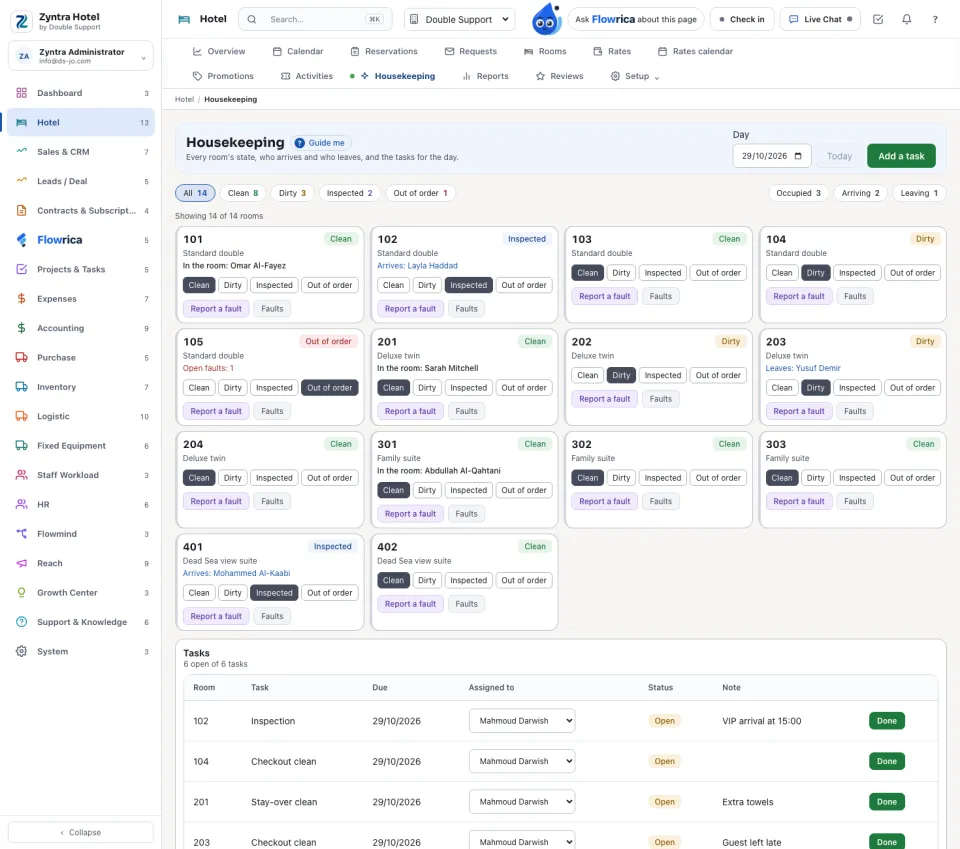
Narrow the rooms with All, Occupied, Arriving and Leaving, and choose the day. Each room says who is in it, who arrives and who leaves.
1
Mark a room Clean, Dirty, Inspected or Out of order with its buttons.
2
Report a fault: what needs fixing and the details, and tick Take the room out of order if it cannot be sold. Open the ticket makes a Support ticket.
3
Add a task: the room, the task (checkout clean, stay-over clean, inspection, turndown or deep clean), the day, who does it and a note. Done closes it; Reopen brings it back.
Guest reviews
Guests write their review after the stay. The tabs: All written, Waiting, Published, Refused and Invited. Publish it, Refuse it with a reason, or Answer it.
Reports
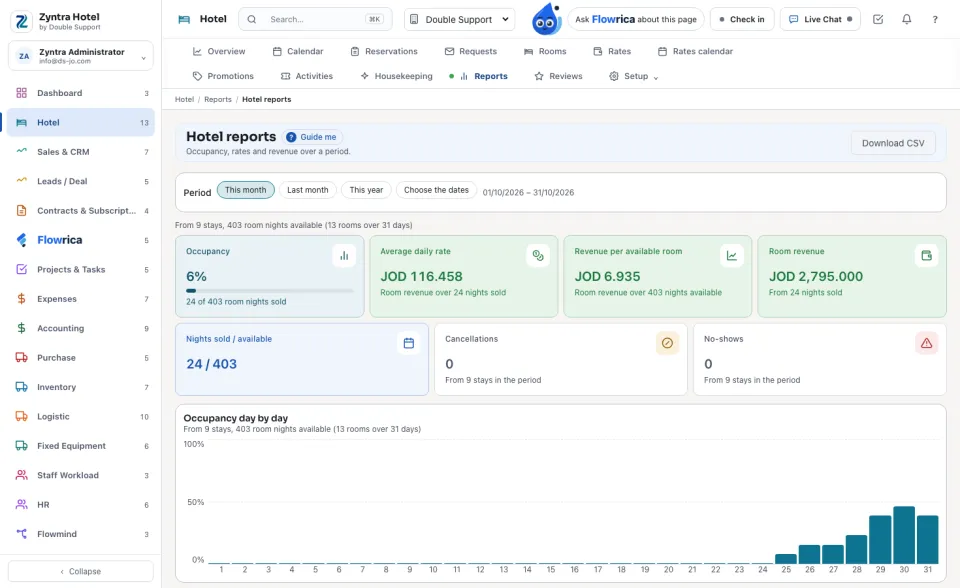
Choose the period: This month, Last month, This year or Choose the dates. The figures: occupancy, average daily rate, revenue per available room, room revenue, cancellations and no-shows; then day by day, by room type, by source, and the other revenue. Download CSV gives it as a file.
Before: Rooms, rates and offers · Next: Hotel settings
Questions
Where is “Housekeeping, reviews and reports” in Zyntra OS?
Hotel › Housekeeping · Reviews · Reports
Who can use “Housekeeping, reviews and reports”?
Hotel Housekeeping; Hotel Reservations for reviews; Hotel Reports.