

 Zyntra OS
 Zyntra Legal
 Zyntra Real Estate
 Zyntra E-commerce
 Zyntra Appointments
 Zyntra Repair
 Zyntra Garage
 Zyntra Concierge
 Zyntra Contracting
 Zyntra Clinic
 Zyntra Call Center
 Zyntra OTA
Where
Hotel › Reservations · RequestsWho
Hotel Reservations; the folio needs Hotel Folio.The reservations
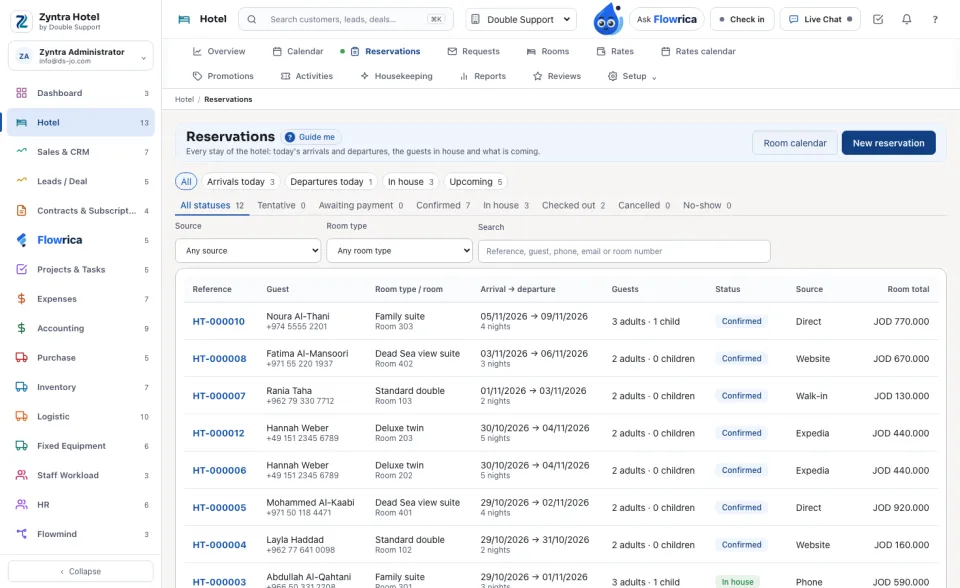
The chips: All, Arrivals today, Departures today, In house and Upcoming, with the statuses below them. Narrow by source and room type, or search a reference, guest, phone, email or room number. The list shows Reference, Guest, Room type / room, Arrival → departure, Guests, Status, Source and Room total.
The statuses: Tentative, Awaiting payment, Confirmed, In house, Checked out, Cancelled and No-show.
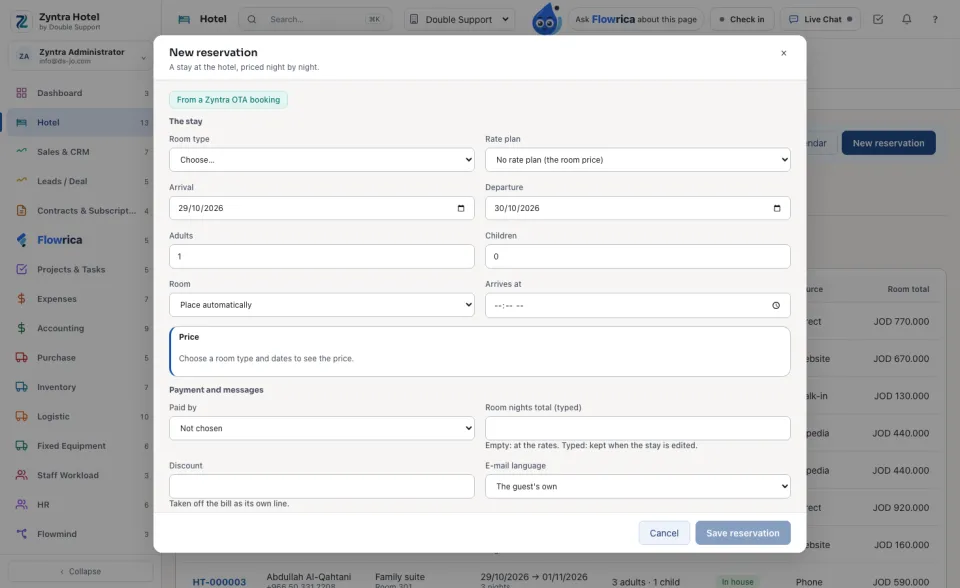
A new reservation
One stay
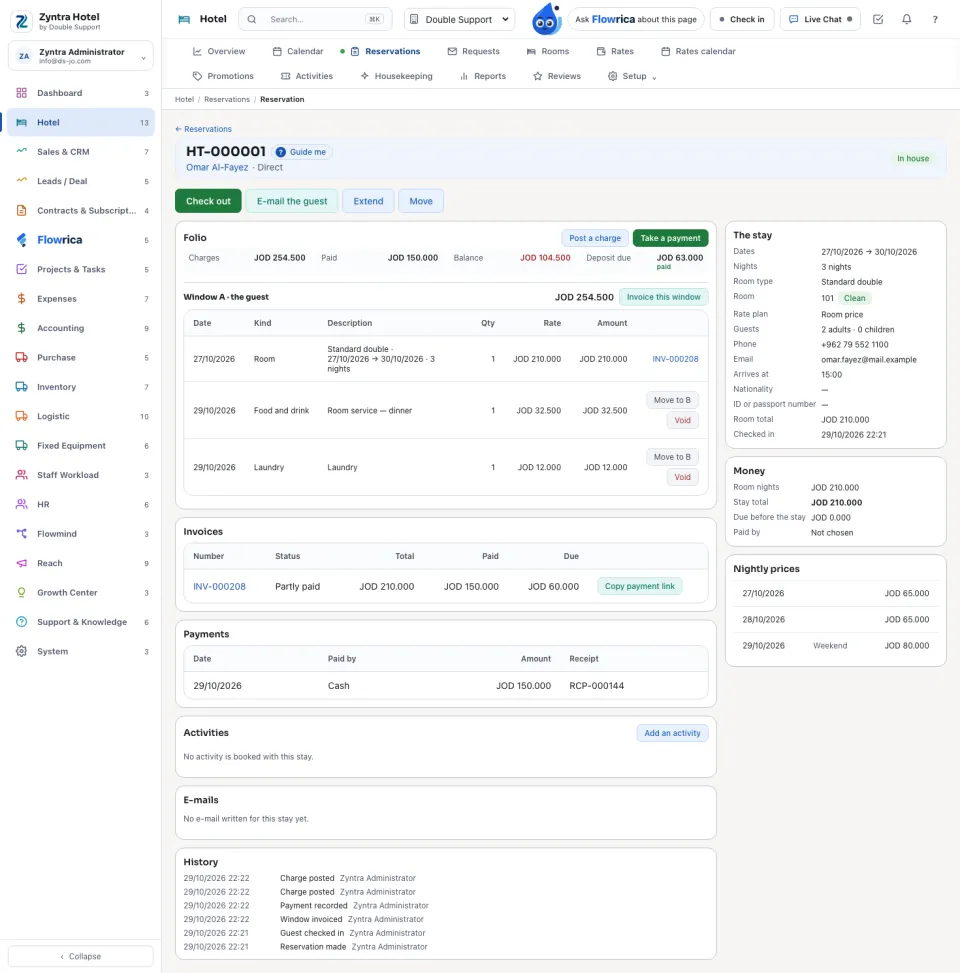
The buttons follow the stay: Confirm, Check in, Check out, Extend (a new departure), Move (another room), Edit, Cancel reservation (with a reason, or Waive the charge), No-show, and E-mail the guest.
Beside the folio: The stay, Money, the Nightly prices, and below it the Invoices, Payments, the activities booked, the e-mails and the History.
Requests
Guests who found the hotel full on the booking page and asked to be told when a room is free. The tabs: Waiting, Answered, Booked, Closed and All. Answer writes to the guest; Book it turns the request into a stay; Mark answered and Close tidy the list.
A clerk without the folio right does not see on a stay what is due now, what may be refunded, or the refund button. An activity booking is cancelled off the bill only once, and only while it has not started and its charge is not invoiced or voided. While Concierge is switched off, the desk offers none of its bookings to fill a stay from.
 Zyntra Hotel · Next: Rooms, rates and offers
Questions
Where is “Reservations and the folio” in Zyntra OS?
Hotel › Reservations · Requests
Who can use “Reservations and the folio”?
Hotel Reservations; the folio needs Hotel Folio.