

 Zyntra OS
 Zyntra Legal
 Zyntra Real Estate
 Zyntra Hotel
 Zyntra E-commerce
 Zyntra Appointments
 Zyntra Repair
 Zyntra Garage
 Zyntra Concierge
 Zyntra Contracting
 Zyntra Clinic
 Zyntra Call Center
 Zyntra OTA
Where
Cases & Tasks › Cases › a case › CaseWho
Anyone who may see the case reads it; changing it needs Projects — edit. Flowrica's cards need Flowrica.Deadlines
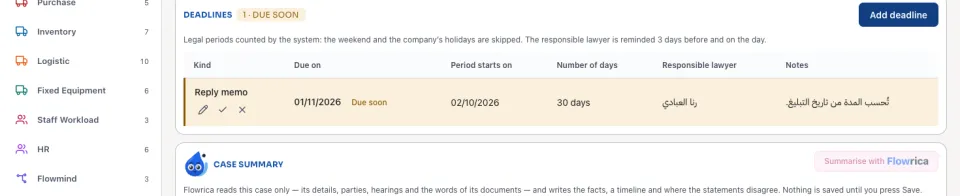
A deadline is Open, Due soon, Overdue or Done.
Case documents
Add document puts a file on the case with its kind (Statement of claim, Defence memo, Court decision / judgment, Power of attorney, Evidence …) and its date. Files added on the case's Files tab, and documents the client sends from the portal, show here too. Search by file name or by the words inside the document: a scanned file is read so it can be searched.
Flowrica on the case
Summarise with Flowrica writes The facts in short, a Timeline and Where the statements disagree; Save as a note keeps it on the case. Draft a document drafts a notice, a statement of claim, a defence memo or a contract from a template; Save to case documents keeps it. Find similar cases lists past cases of the same type or court, or with the same words, and their outcome. Summaries and drafts need Flowrica Advance; similar cases work without it.
Confidentiality
Stop being confidential opens it again. Both are written in the case's history.
Questions
Where is “Deadlines, documents and confidentiality” in Zyntra OS?
Cases & Tasks › Cases › a case › Case
Who can use “Deadlines, documents and confidentiality”?
Anyone who may see the case reads it; changing it needs Projects — edit. Flowrica's cards need Flowrica.