

 Zyntra OS
 Zyntra Legal
 Zyntra Real Estate
 Zyntra Hotel
 Zyntra E-commerce
 Zyntra Appointments
 Zyntra Repair
 Zyntra Garage
 Zyntra Concierge
 Zyntra Contracting
 Zyntra Clinic
 Zyntra Call Center
 Zyntra OTA
Where
Contracts & Subscriptions › SubscriptionsWho
Anyone allowed to manage subscriptions.1
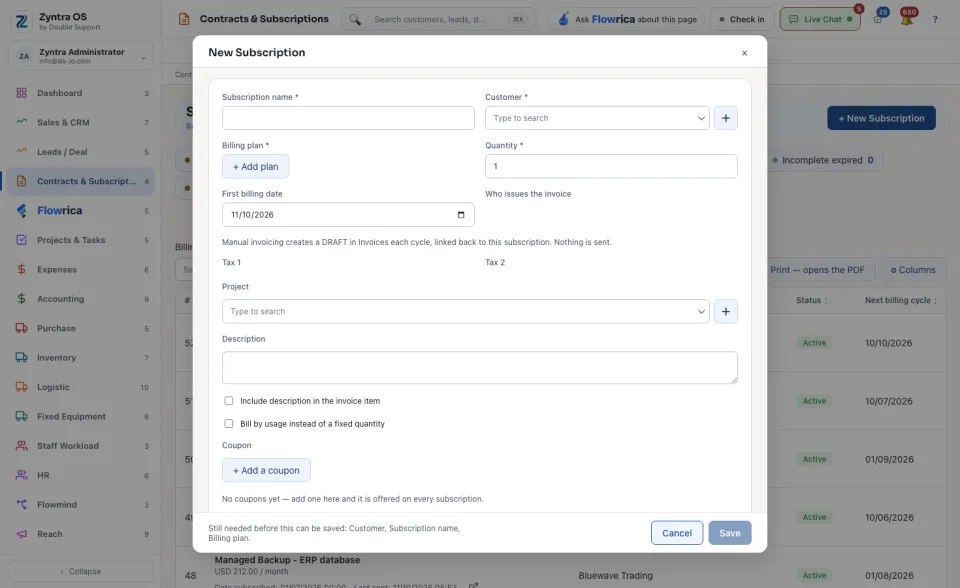
Press + New Subscription.
2
Type the Subscription name, choose the Customer and the Billing plan, and give the Quantity.
3
Choose the First billing date and Who issues the invoice. With manual invoicing, Zyntra makes a draft in Invoices each cycle and sends nothing by itself.
4
Add the Tax 1 and Tax 2, a Project and a Description if you need them. Tick Include description in the invoice item to print the description on the invoice, or Bill by usage instead of a fixed quantity when the amount changes each cycle.
5
A Coupon gives a discount: see A subscription and its coupon. Write the Terms & conditions if there are any.
6
Press Save.
The list
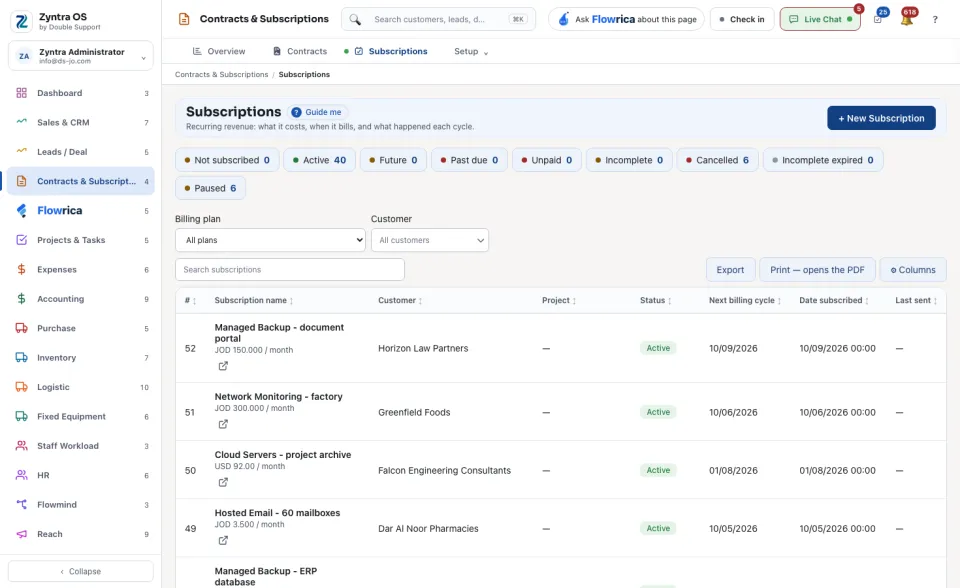
The chips narrow the list by status: Not subscribed, Active, Future, Past due, Unpaid, Incomplete, Cancelled, Incomplete expired and Paused. Narrow by Billing plan or Customer, or Search subscriptions.
Each row shows the Subscription name, the Customer, the Project, the Status, the Next billing cycle, the Date subscribed and when it was Last sent. When a subscription is not being paid, the screen names it above the list. Export, Print — opens the PDF and ⚙ Columns work on the table.
Flowrica on this screen
Press Guide me and Flowrica points at each part of the screen. You can ask her, for example, “How many subscriptions are running?”.
Before: Contracts · Next: A subscription and its coupon