

 Zyntra OS
 Zyntra Legal
 Zyntra Real Estate
 Zyntra Hotel
 Zyntra E-commerce
 Zyntra Appointments
 Zyntra Repair
 Zyntra Garage
 Zyntra Concierge
 Zyntra Contracting
 Zyntra Clinic
 Zyntra Dental
 Zyntra School
 Zyntra University
 Zyntra Social
 Zyntra Call Center
 Zyntra OTA
Zyntra OS features
Cheque management in Zyntra OS
Received cheques followed through their whole life — received, deposited, collected, returned, given back, deposited again — and issued cheques printed with the amount in words, each step in the books.
What it does
- Received cheques, step by step. Received, deposited, collected; or returned to your box with a reason, then deposited again or given back to the customer.
- One entry per step. Each step writes its journal entry, on the accounts your company chose: cheques in hand, under collection, the bank.
- Post-dated cheques. Each cheque carries its number, its bank and the day it can be cashed.
- One cheque, several invoices. A cheque pays several invoices of one customer; what is left becomes an advance.
- Given back means owed again. A cheque given back to the customer reverses its payment, so the customer owes the amount again.
- No cheque entered twice. The same number and bank from the same customer is refused while the first is still held.
- Issued cheques printed. Payee, amount in figures and in words, date, bank and the bills it pays; a reprint spoils the first cheque and takes a new number.
- Issued cheques followed. Issued, presented, cleared, bounced or cancelled; a bounced cheque is reversed and the bills it paid open again.
- Told before they fall due. Your accountants are told of received cheques due today or tomorrow, and of issued cheques due within three days.
How it works
- Receive the chequeRecord it on the customer's payment, with its number, bank and due day, against the invoices it pays.
- Move it alongIn Accounting › Cheques, deposit it, mark it collected, or return it with a reason.
- Pay with a chequePay one or several bills of a vendor with one cheque, and print it.
An example: a customer's post-dated cheque, from the hand to the bank
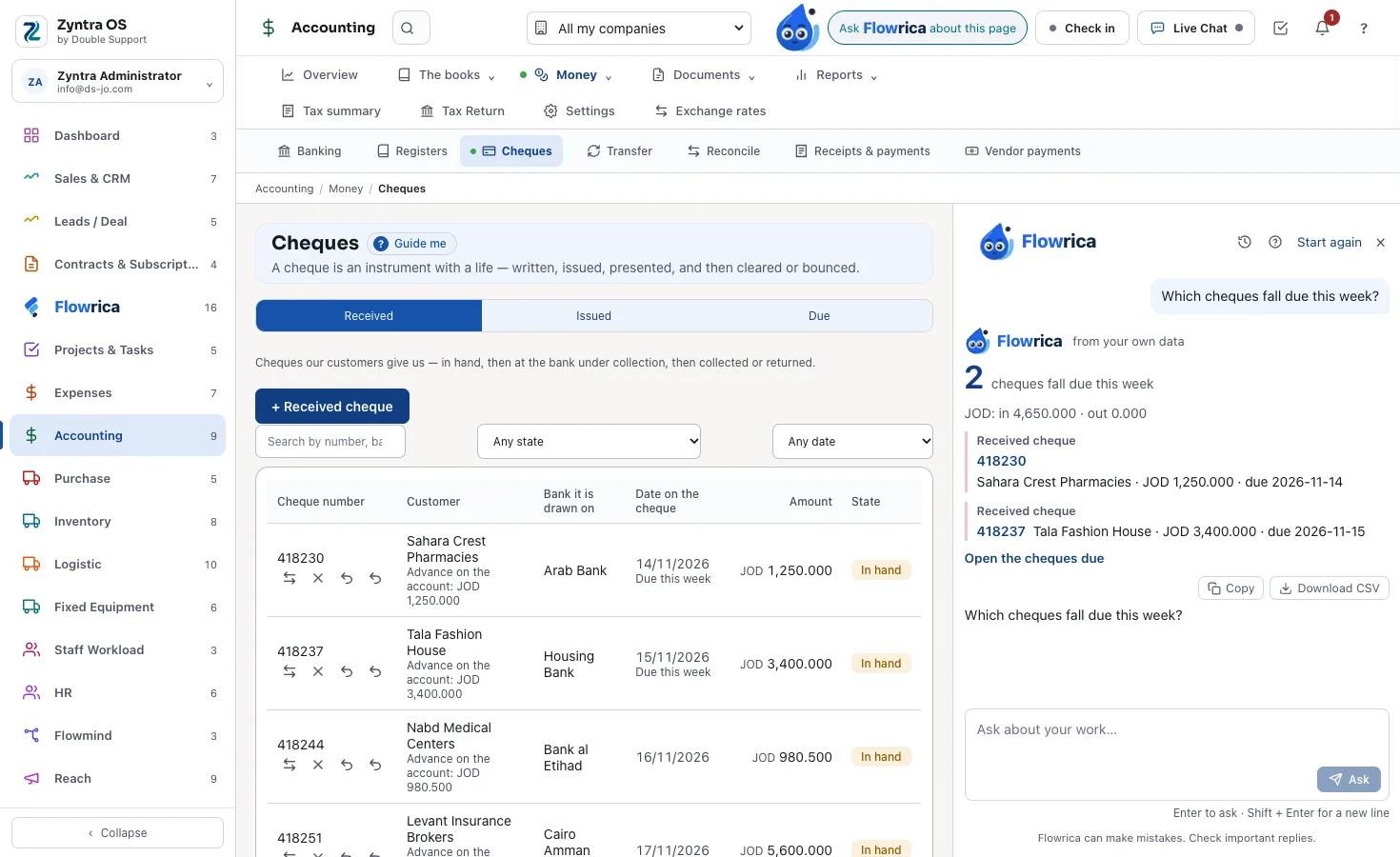
A customer hands you one cheque, dated next month, for two of their invoices. In Accounting › Money › Cheques, open Received and press + Received cheque. Fill from a photo of the cheque lets Flowrica read the bank, the cheque number, the date on it, the amount and the customer whose name is printed on it; you check them and press Save. Nothing is recorded before Save. Dated after today, the cheque is post-dated, and it reads In hand.
The day before the date on the cheque, the bell says it, and Flowrica on the phone says it too. Press Deposit at the bank and Save: the cheque moves from the cheques in hand to Under collection. When the bank pays it, Mark collected and Save move it into the bank account, and it reads Collected. An entry for each step is posted by itself in Journal entries.
Step by step, with pictures of the real screens: Cheques.
Questions
Can Zyntra OS handle post-dated cheques?
Yes. Each received cheque carries the day it can be cashed, stays in hand until you deposit it, and your accountants are told when it falls due.
What happens when a received cheque comes back?
It returns to your box with a reason. From there you deposit it again, or give it back to the customer — which reverses its payment, so the amount is owed again.
Does each step reach the books?
Yes. Each step writes its own journal entry on the accounts your company chose for cheques in hand, under collection and the bank.
Can Flowrica read a cheque from a photo?
Yes. On + Received cheque, Fill from a photo of the cheque lets her read the bank, the cheque number, the date on it, the amount and the customer whose name is printed on it. You check them; nothing is recorded before Save. On the phone, choose Cheque in Flowrica and take its photo.
Can one cheque pay several invoices or bills?
Yes. A received cheque pays several invoices of one customer, and what is left becomes an advance. An issued cheque pays one or several bills of a vendor: under Pays bills of, choose the vendor and say how much of each bill this cheque pays.
What happens when an issued cheque is printed again?
Print opens the cheque with the amount in words, and printing again is recorded. Reprint on a new cheque asks the new cheque number: the first cheque is marked spoiled, never deleted, and the same payment is written on the new one.
When does an issued cheque reach the ledger?
That is a setting of each company's books: when the cheque clears, or when it is issued. The Cheques screen says it at the top, for each company.
See it with your own work
Ask for a demo and our team will show it to you, in your language — Arabic too.