

 Zyntra OS
 Zyntra Legal
 Zyntra Real Estate
 Zyntra Hotel
 Zyntra E-commerce
 Zyntra Appointments
 Zyntra Repair
 Zyntra Garage
 Zyntra Concierge
 Zyntra Contracting
 Zyntra Clinic
 Zyntra Call Center
 Zyntra OTA
Where
Accounting › Money › ChequesWho
People whose role may see accounting transactions.At the top the screen says, for each company, when a cheque reaches the ledger: when it clears, or when it is issued. That is a setting of the company's books.
1
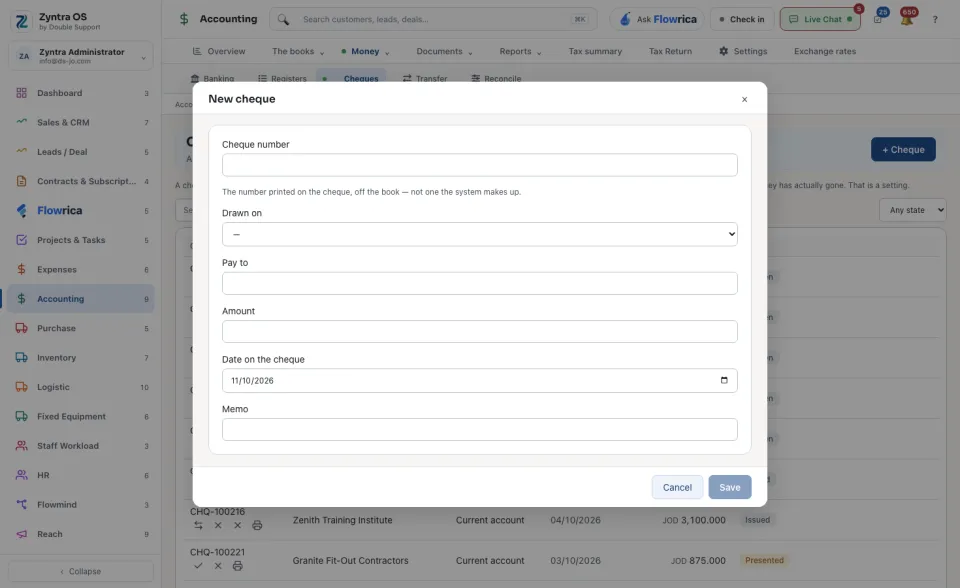
Press + Cheque. The form New cheque opens.
2
Choose the account it is Drawn on. Type the Cheque number printed on the cheque, off your book; the form says the next number in the book, and Use it fills it in.
3
Fill Pay to, the Date on the cheque, the Amount and a Memo.
4
Under Pays bills of choose a vendor to pay their bills with it, and say how much of each bill This cheque pays. Leave it at No bills for a cheque on its own.
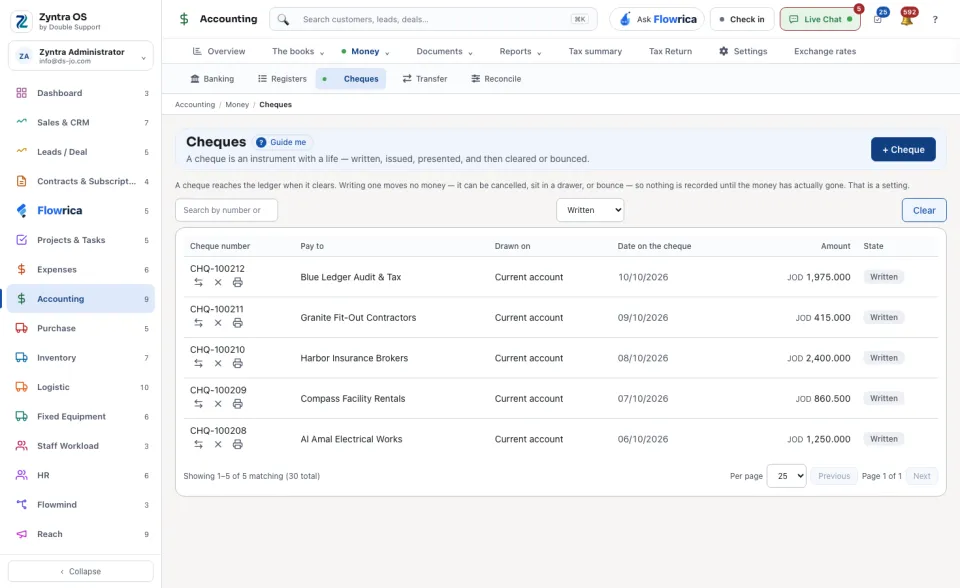
The list shows Cheque number, Pay to, Drawn on, Date on the cheque, Amount and the state. Search by number or payee, or keep one state instead of Any state.
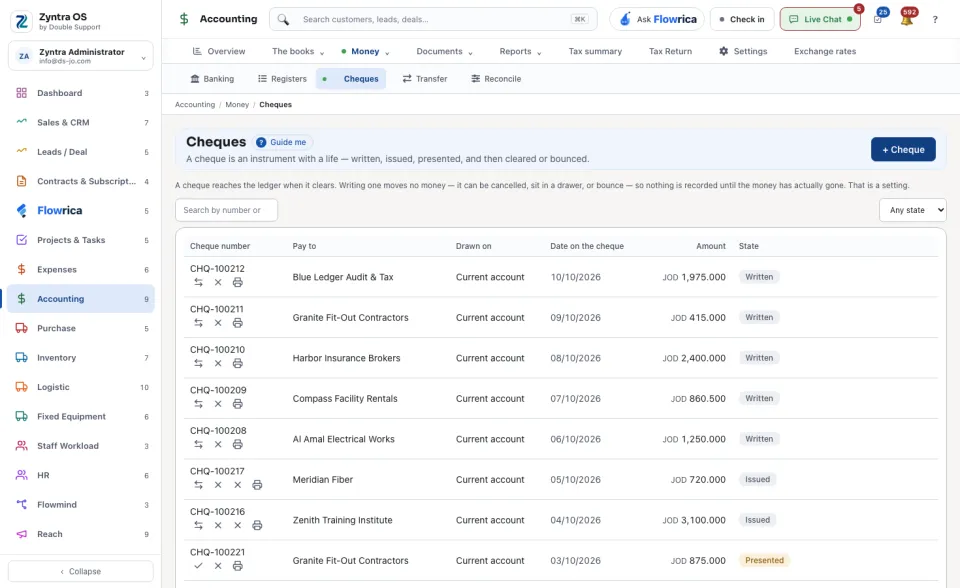
A cheque moves on with the button that names its next state. Print opens Print the cheque, with the amount In words; printing again is recorded. Reprint on a new cheque asks the New cheque number: the first cheque is marked spoiled, never deleted, and the same payment is written on the new one.
A bounced cheque is money that came back. If it had already reached the ledger, its entry is reversed with a second dated entry; the first is never edited.
With Flowrica: press Guide me and she points at + Cheque. The press is yours.