

 Zyntra OS
 Zyntra Legal
 Zyntra Real Estate
 Zyntra Hotel
 Zyntra E-commerce
 Zyntra Appointments
 Zyntra Repair
 Zyntra Garage
 Zyntra Concierge
 Zyntra Contracting
 Zyntra Clinic
 Zyntra Call Center
 Zyntra OTA
Where
Inventory › Movements › Receiving · Delivery · Internal Transfer · Packing Lists · Loss & Adjustment · ReturnsWho
Storekeepers enter them; approvers approve.Receive the goods
1
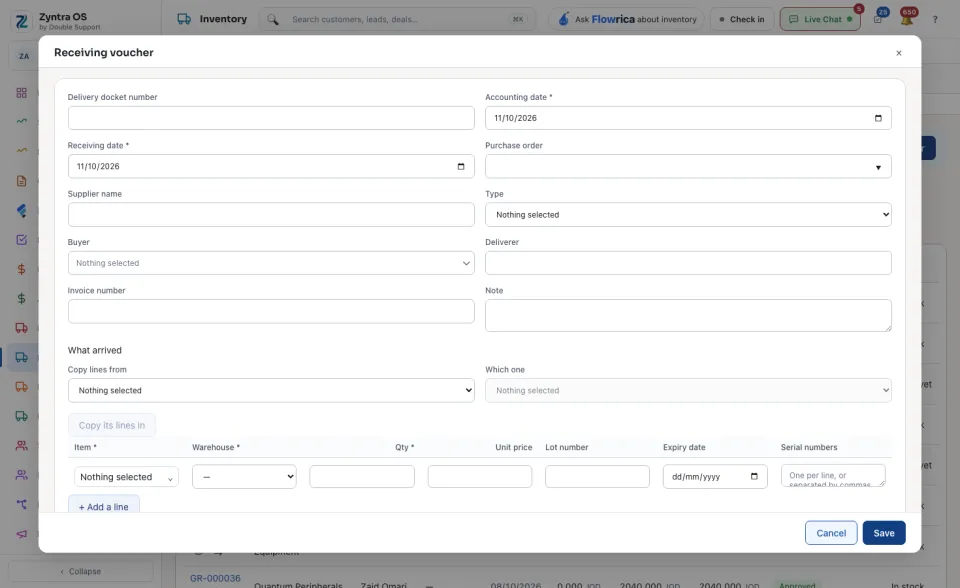
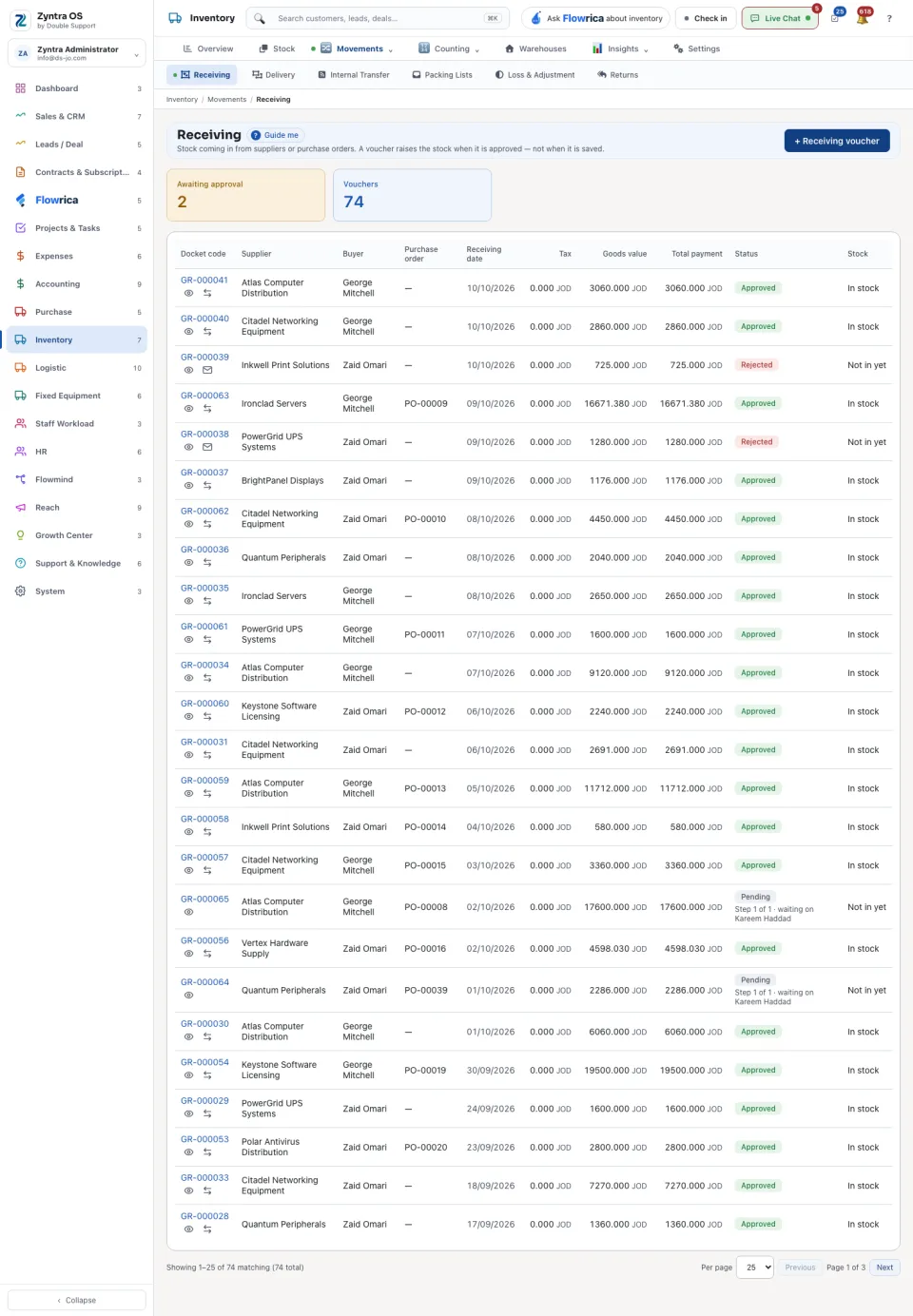
Open Receiving and press + Receiving voucher.
2
Set the Accounting date and the Receiving date, and choose the Purchase order. To bring its lines in, choose in Copy lines from and Which one, then press Copy its lines in.
3
Check each line: the Item, the Warehouse, the Qty and the Unit price, and where the item needs them the Lot number, Expiry date and Serial numbers. + Add a line adds another.
4
Press Save. The voucher raises the stock when it is approved.
The other movements
| Screen | What it is for | Its main button |
|---|---|---|
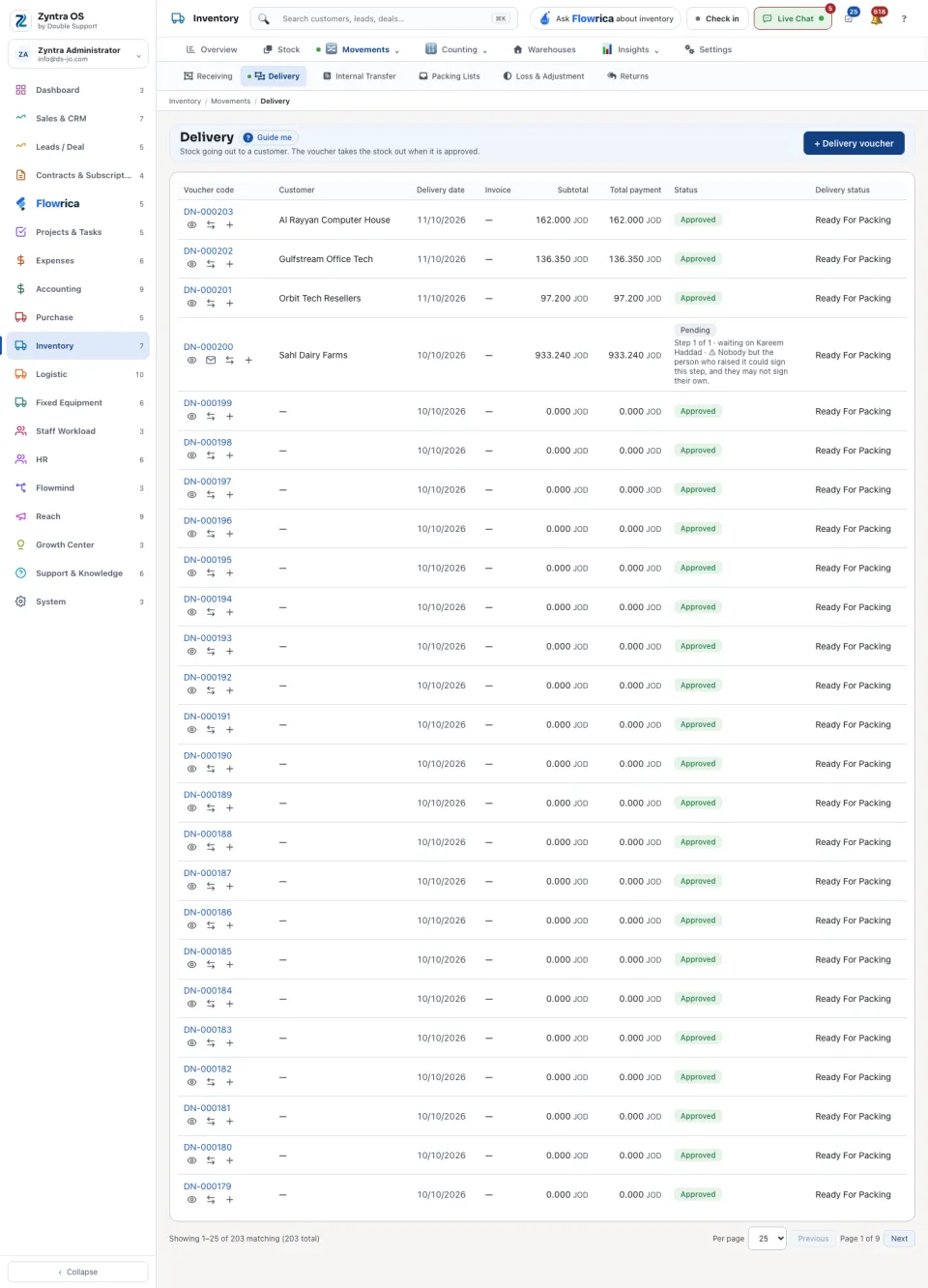
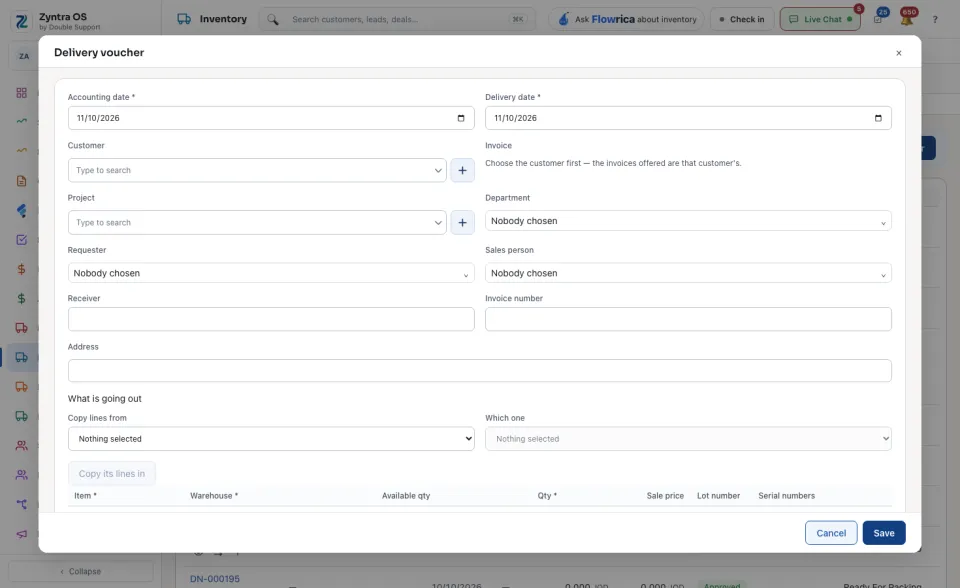
| Delivery | Stock going out to a customer. On a row you can also Mark the delivery status and make a + Packing list. | + Delivery voucher |
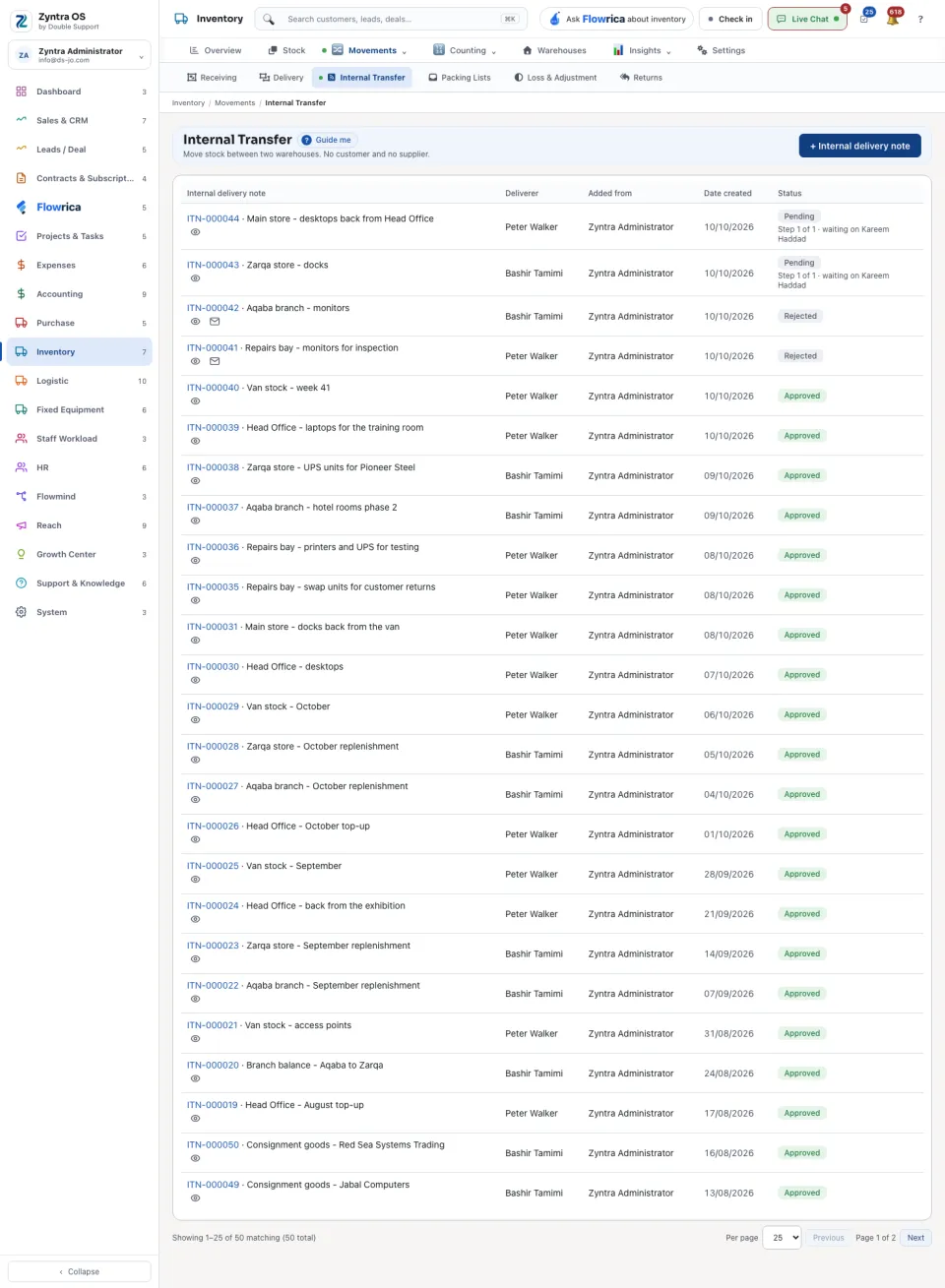
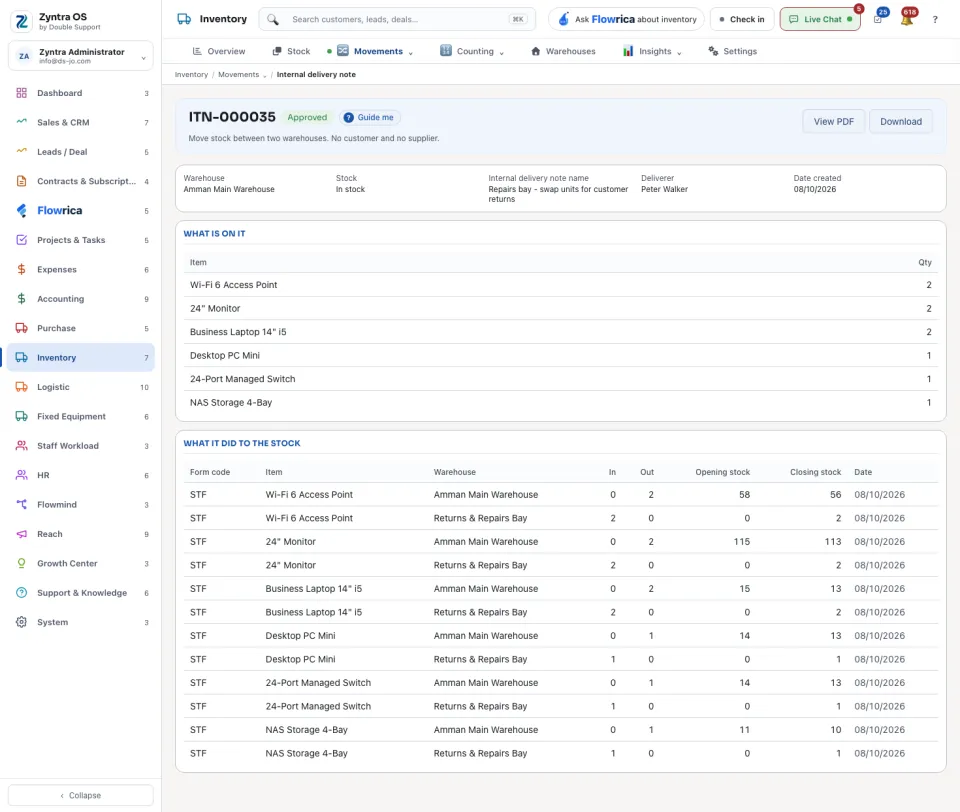
| Internal Transfer | Moves stock between two warehouses: each line has a From warehouse and a To warehouse. | + Internal delivery note |
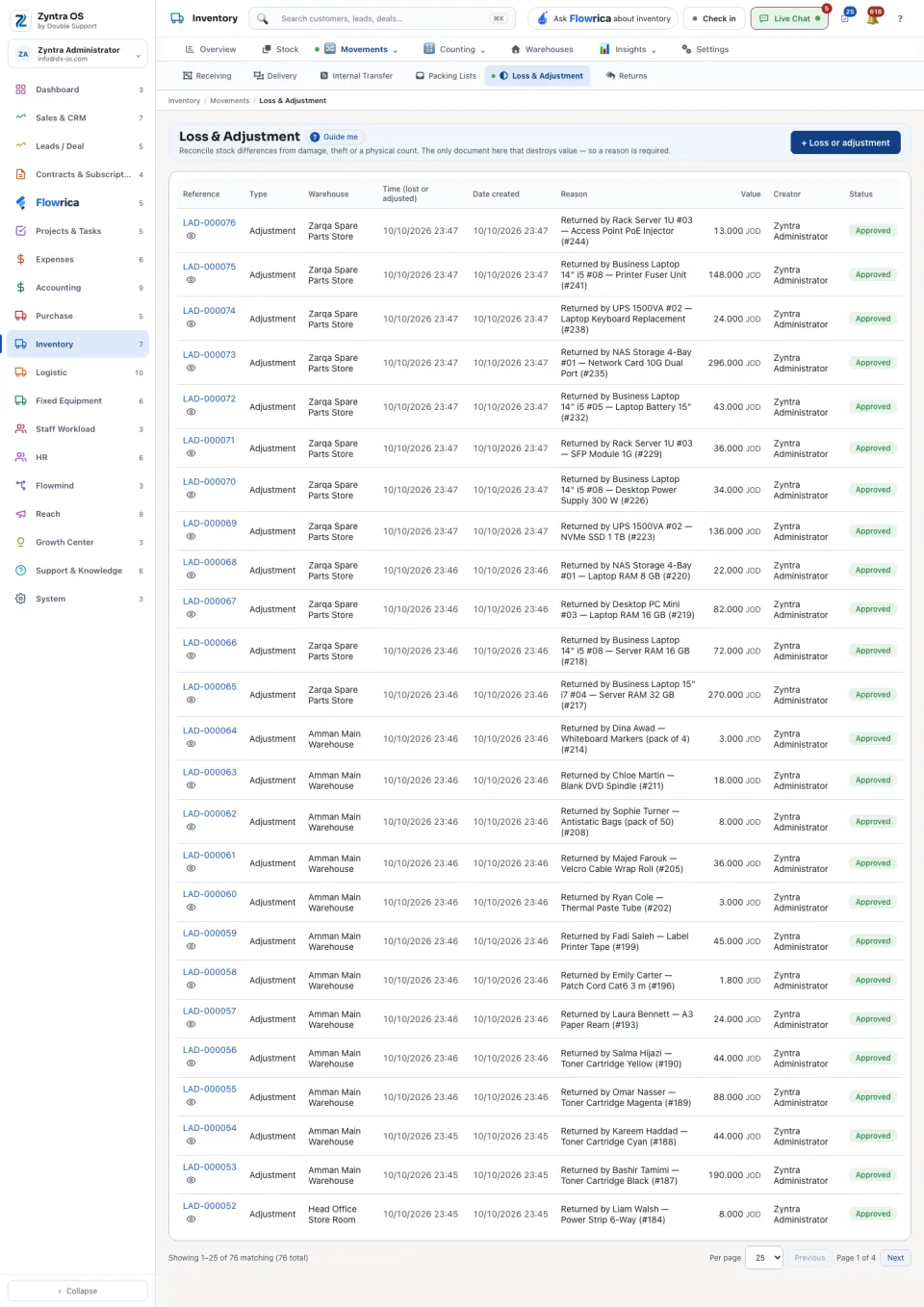
| Loss & Adjustment | Stock differences from damage, theft or a count. It is the only document here that destroys value, so a Reason is required. | + Loss or adjustment |
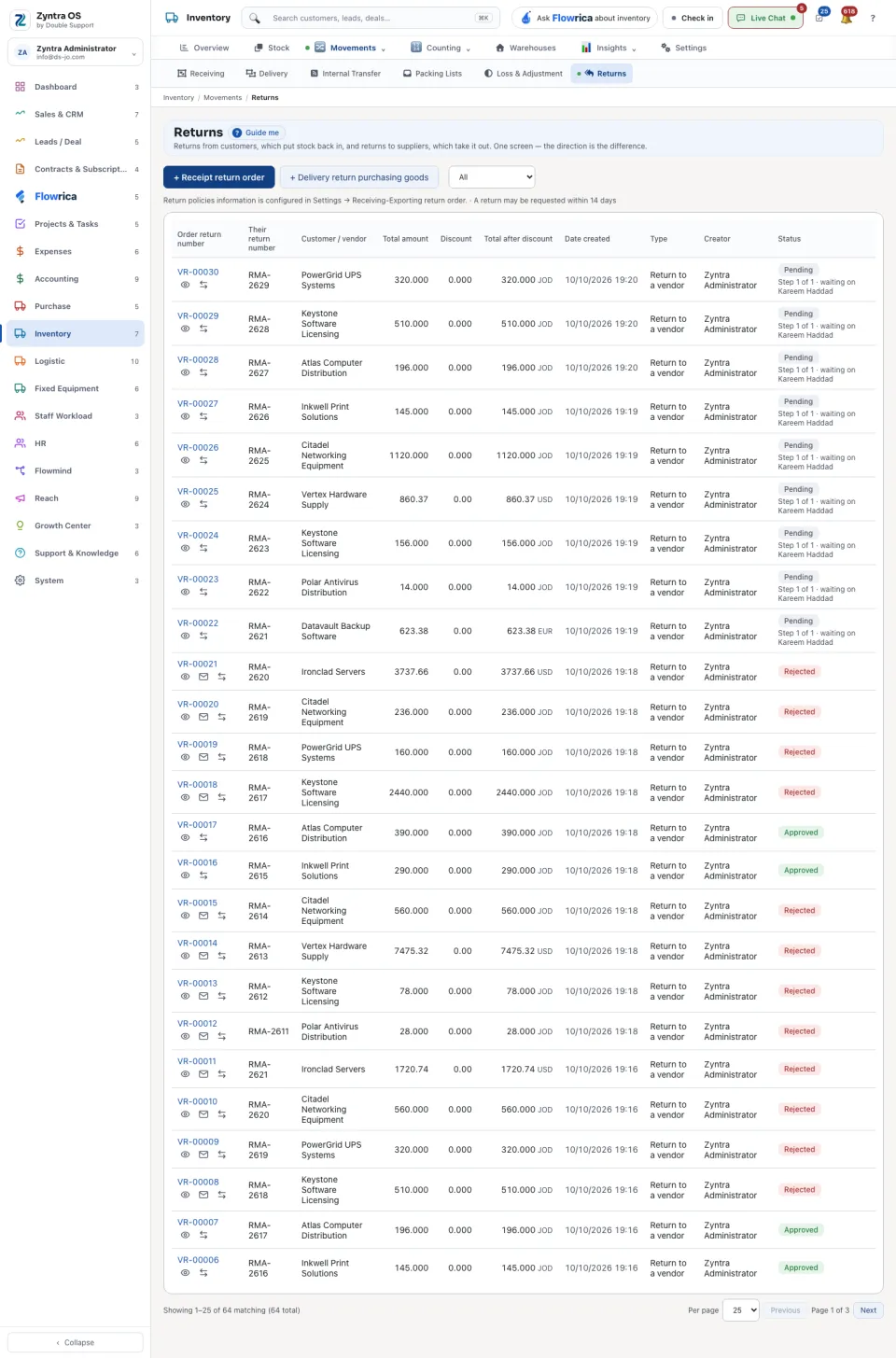
| Returns | Returns from customers put stock back in; returns to suppliers take it out. On a row you can Record a refund. | + Receipt return order and + Delivery return purchasing goods |
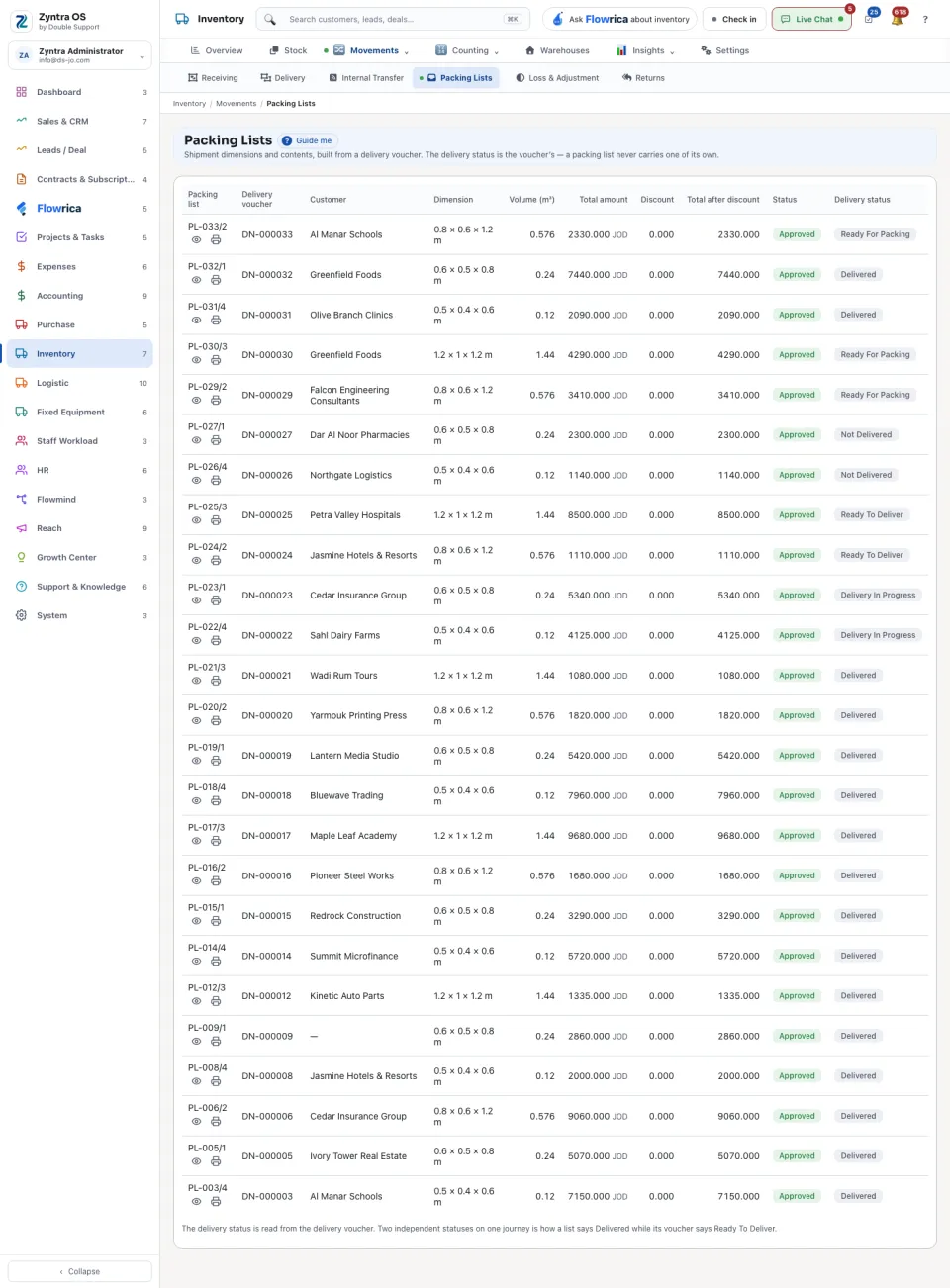
| Packing Lists | The dimensions and contents of a shipment, built from a delivery voucher. The list shows Packing list, Delivery voucher, Customer, Dimension, Total amount, Discount, Total after discount, Status and Delivery status. The delivery status is read from the delivery voucher: a packing list never carries one of its own. | None on this screen: press + Packing list on a delivery’s row, or Create the packing list on its page. |
A document’s page
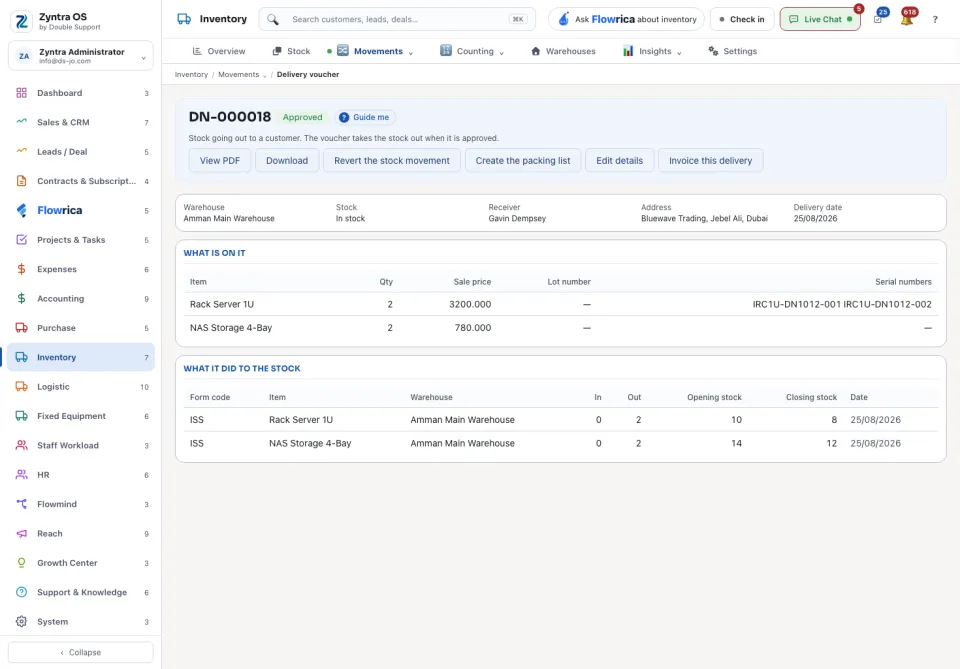
Press Open on a row. The page shows the document’s number with its status beside it, and two parts: What is on it (the lines) and What it did to the stock (for each warehouse: In, Out, Opening stock and Closing stock). A document that is still waiting says which step it is on and who it is waiting on, and that it has not moved any stock.
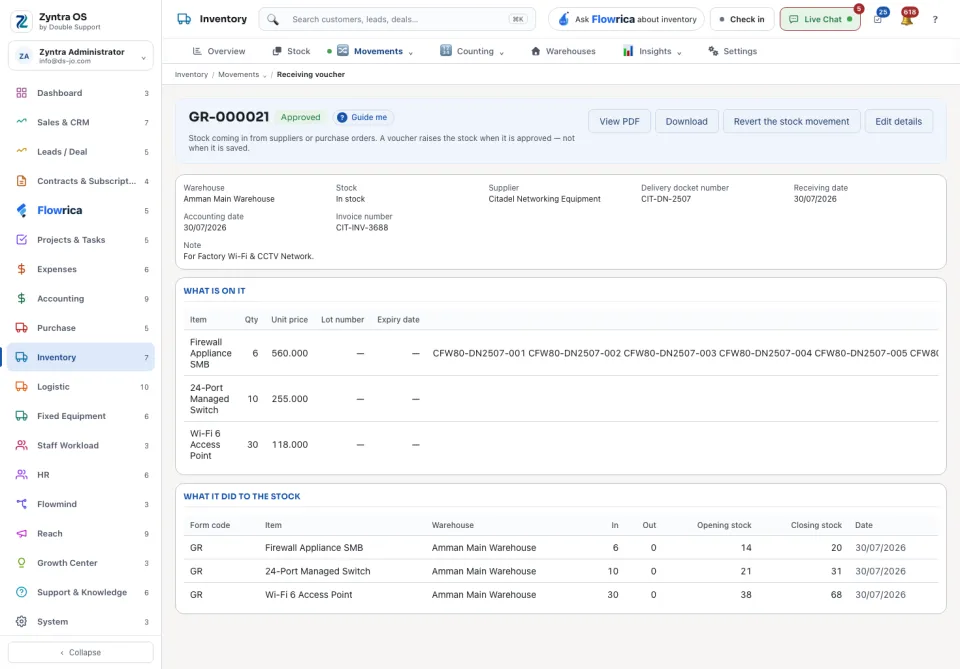
| Button | When you see it |
|---|---|
| View PDF, Download | Always. |
| Withdraw and resubmit | While the document waits for approval. |
| Revert the stock movement, Edit details | On an approved receiving or delivery voucher. |
| Create the packing list | On an approved delivery voucher. |
| Invoice this delivery | On a delivery voucher that can be invoiced. |
Before: Purchase orders · Next: Enter and pay a vendor invoice