Zyntra OS
 Zyntra Legal
 Zyntra Real Estate
 Zyntra Hotel
 Zyntra E-commerce
 Zyntra Appointments
 Zyntra Repair
 Zyntra Garage
 Zyntra Concierge
 Zyntra Contracting
 Zyntra Clinic
 Zyntra Call Center
 Zyntra OTA
Where
Inventory › Stock · Inventory › Warehouses · Inventory › Counting › Serial Numbers · Inventory › Insights › HistoryWho
Anyone allowed to see inventory.Add a warehouse
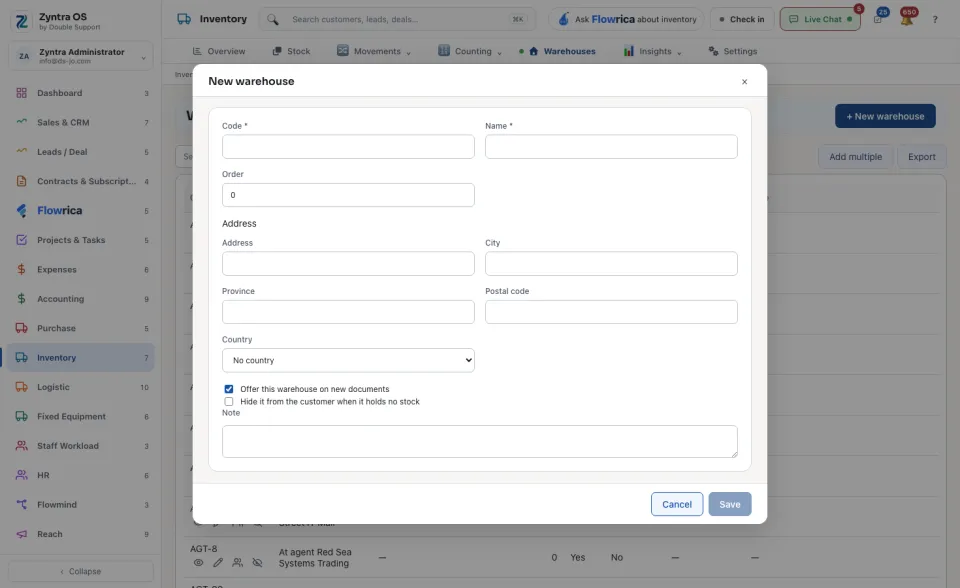
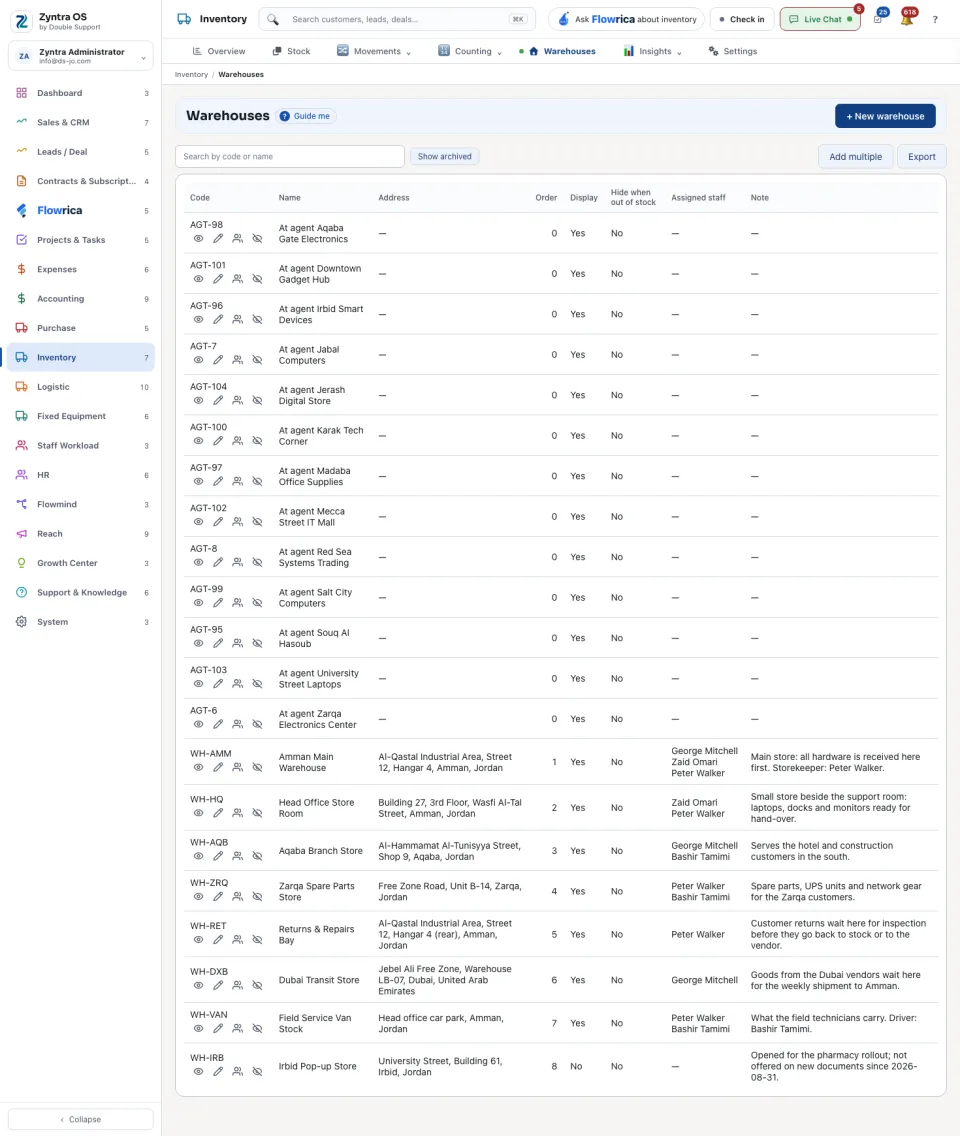
On the list, each warehouse has See its stock, Edit, Assign staff and Archive. Add multiple makes several at once; Show archived brings archived ones back into view.
Stock
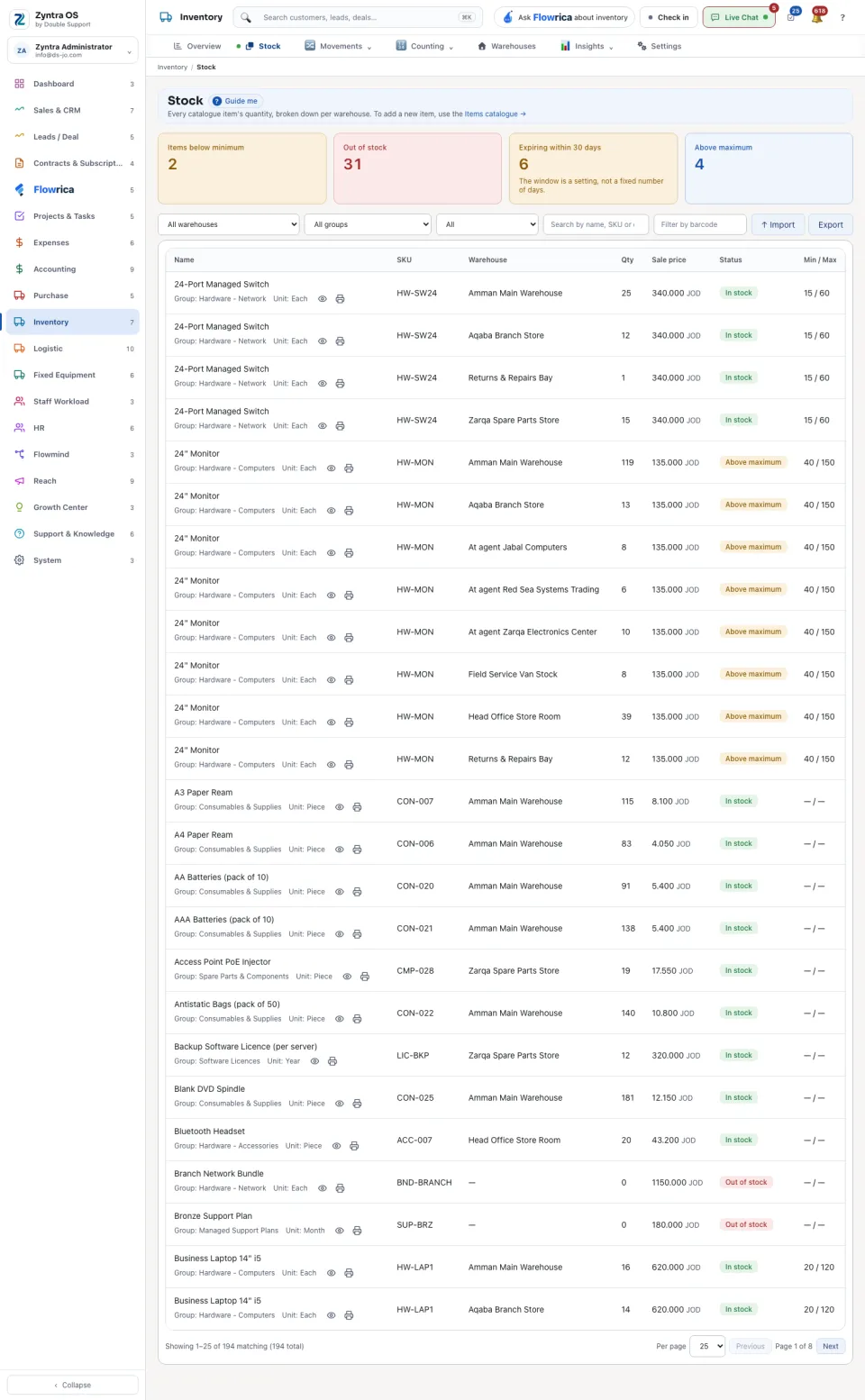
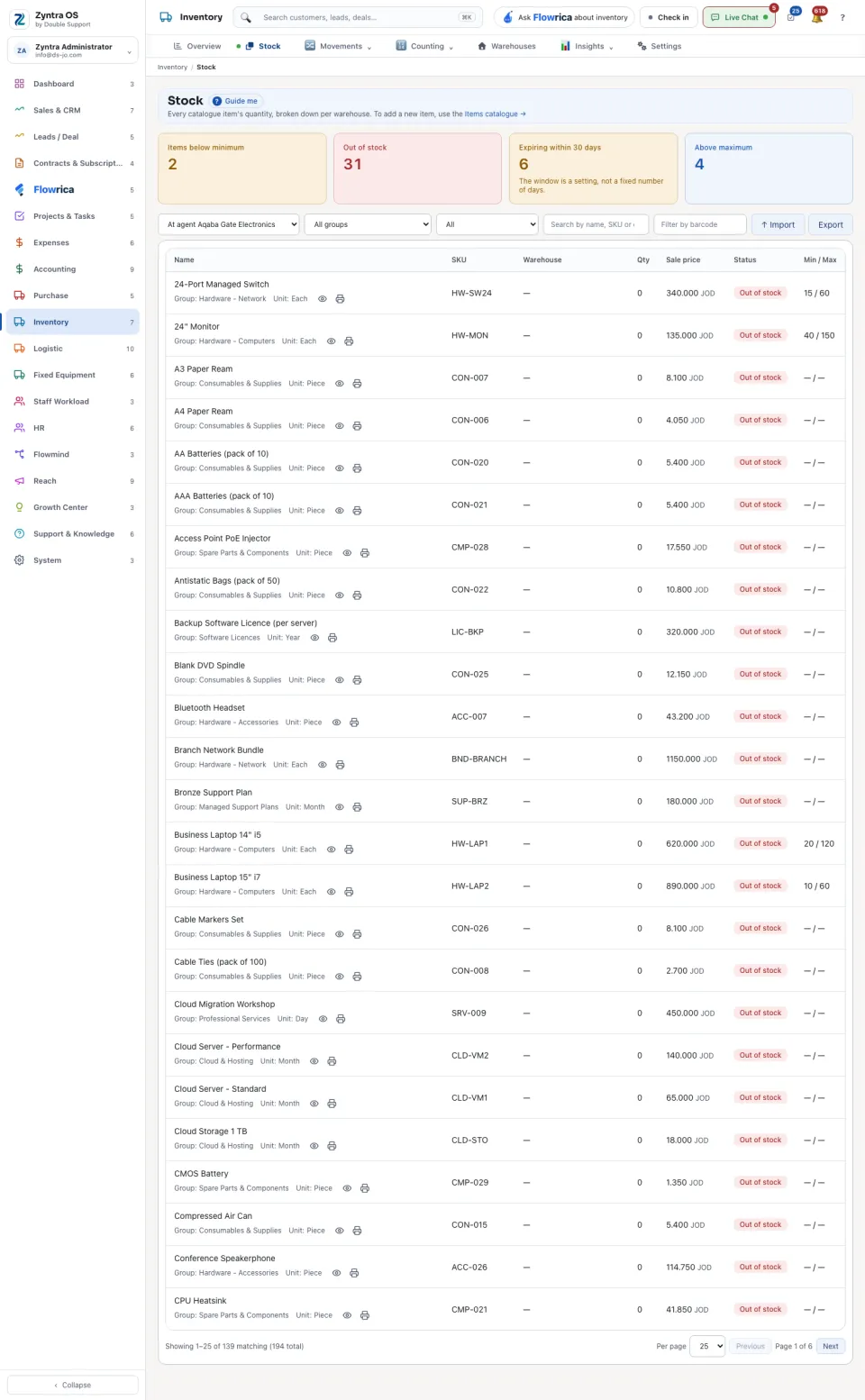
Stock lists every catalogue item’s quantity per warehouse: Name, SKU, Warehouse, Qty, Sale price, Status and Min / Max. The four figures above it count Items below minimum, Out of stock, Expiring within 30 days and Above maximum. Narrow the list by warehouse, by group, or to Below minimum stock, Above maximum stock, Expiring soon or Out of stock. On a row: See its history and Print barcode labels. Import and Export are at the top. A new item is not made here: it is made in the Items catalogue.
Serial numbers and history
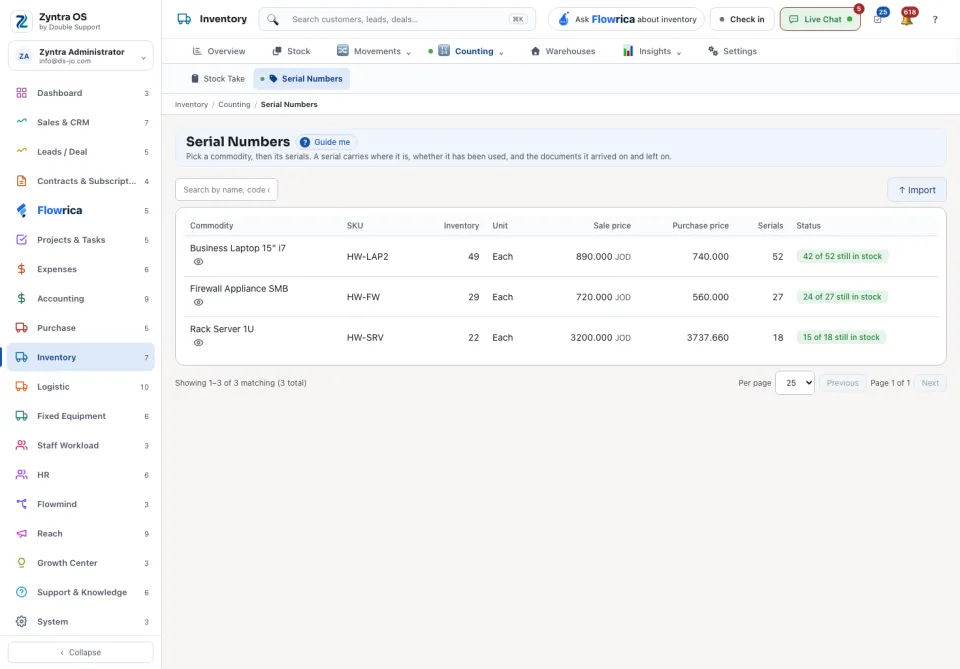
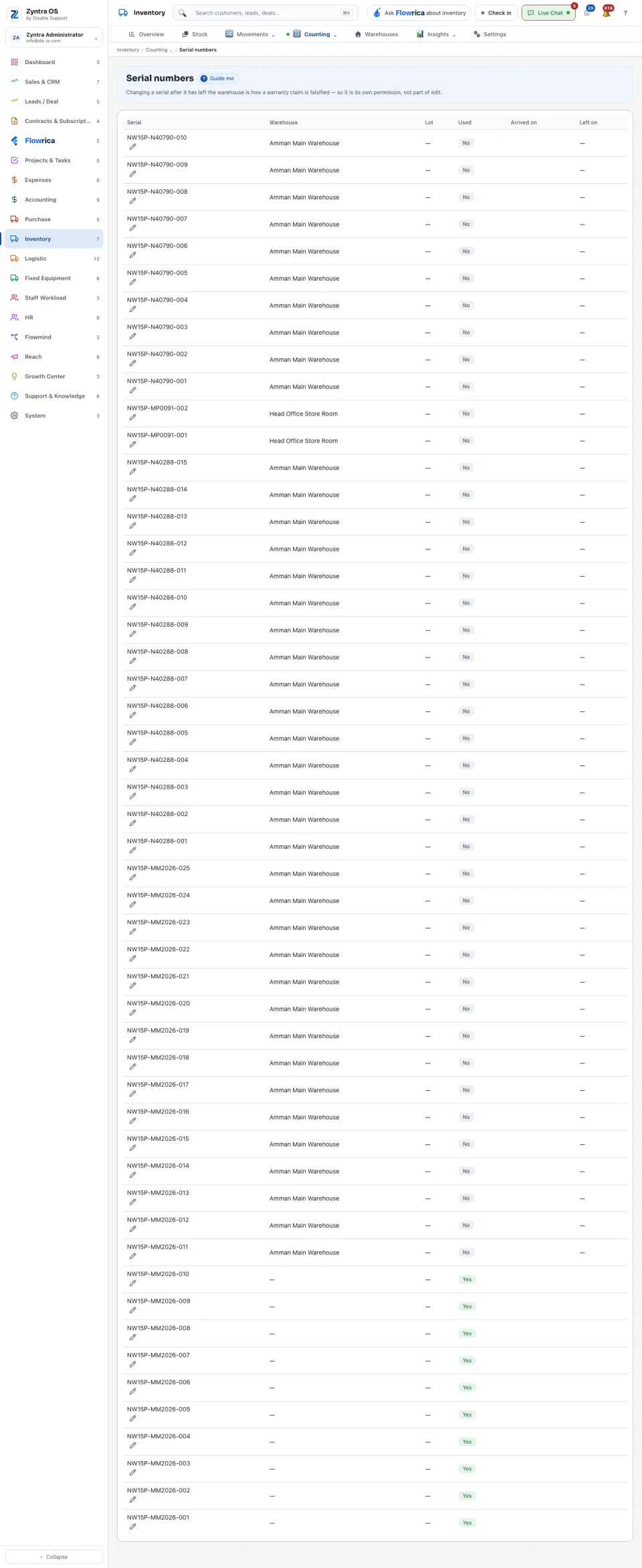
Serial Numbers: pick a commodity, then press Serials on its row. A serial carries where it is, whether it has been used, and the documents it arrived on and left on.
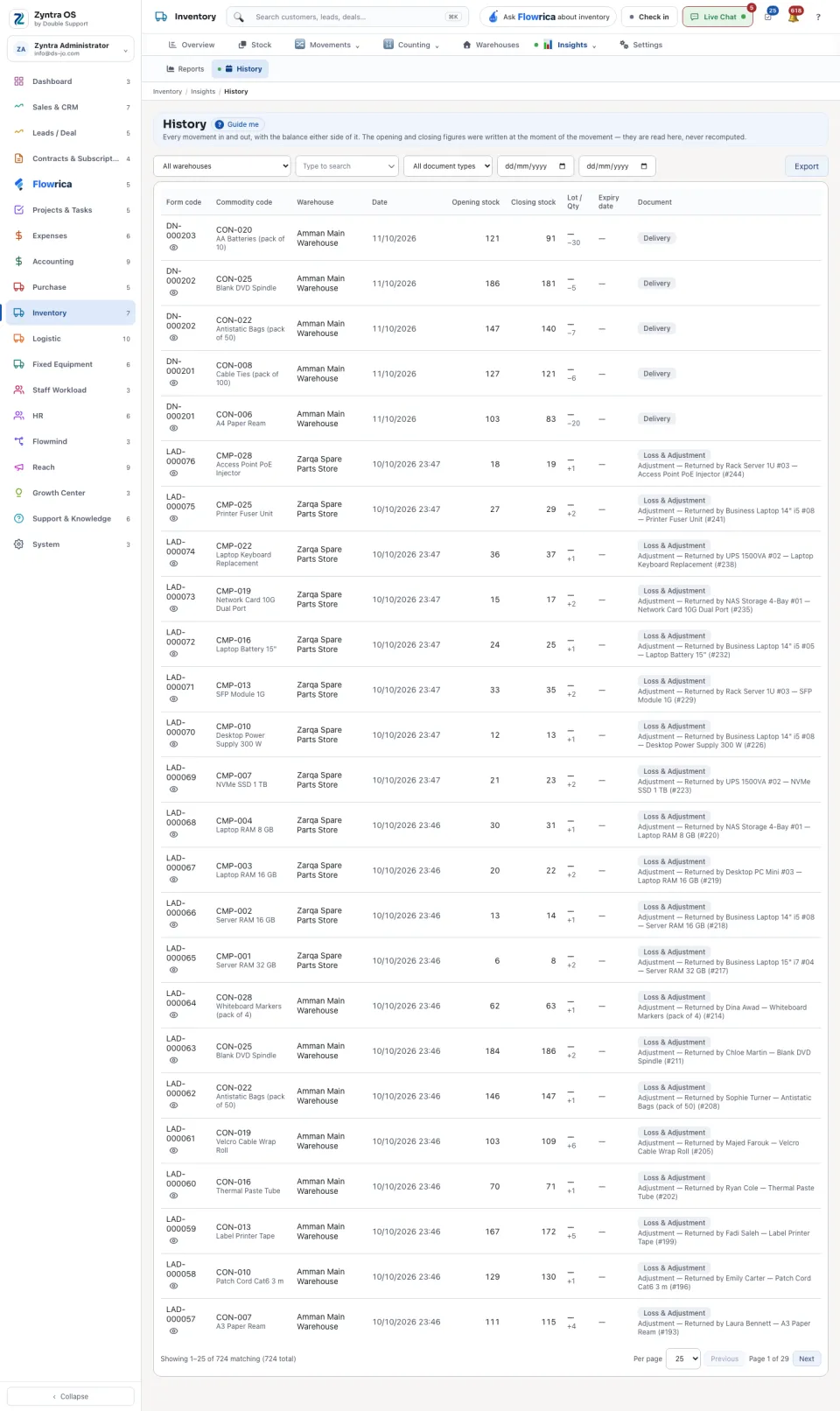
History lists every movement in and out with the balance either side of it: Opening stock and Closing stock, the warehouse, the date and the Document that moved it. Open on a row opens that document.