Zyntra OS
 Zyntra Legal
 Zyntra Real Estate
 Zyntra Hotel
 Zyntra E-commerce
 Zyntra Appointments
 Zyntra Repair
 Zyntra Garage
 Zyntra Concierge
 Zyntra Contracting
 Zyntra Clinic
 Zyntra Call Center
 Zyntra OTA
Where
Inventory › Counting › Stock TakeWho
Storekeepers count; approvers approve.1
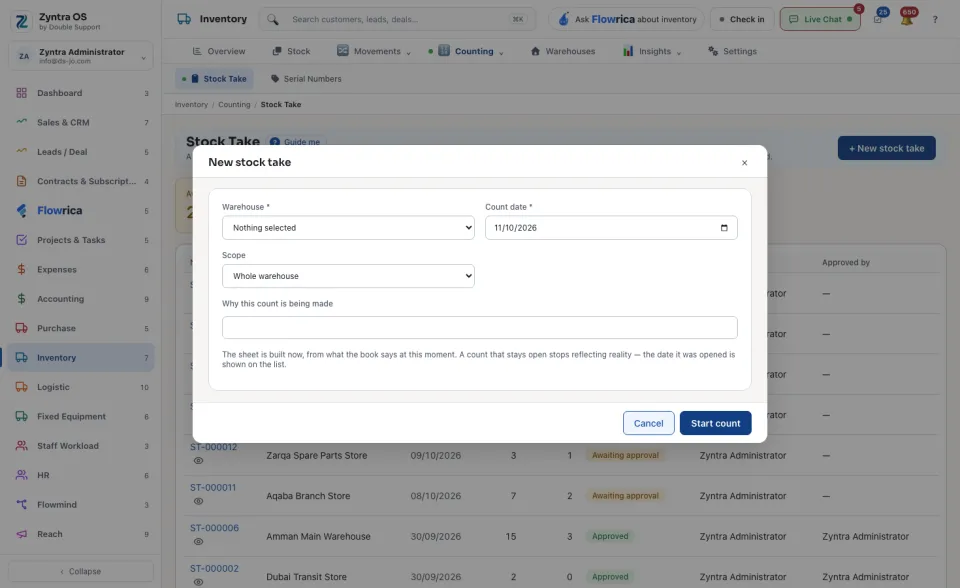
Press + New stock take. Choose the Warehouse, the Count date and the Scope: Whole warehouse or One commodity group. You can say Why this count is being made. Press Start count.
2
The sheet opens with one line per shelf position. Book is what the system believed when the sheet was opened. Type what you found in Counted; the Difference is worked out.
3
Every line that differs needs a Handling, and you can give a Reason. Write off and Adjust the book move stock; Recount and Leave for review move none.
4
Press Save the count as you go, then Submit for approval.
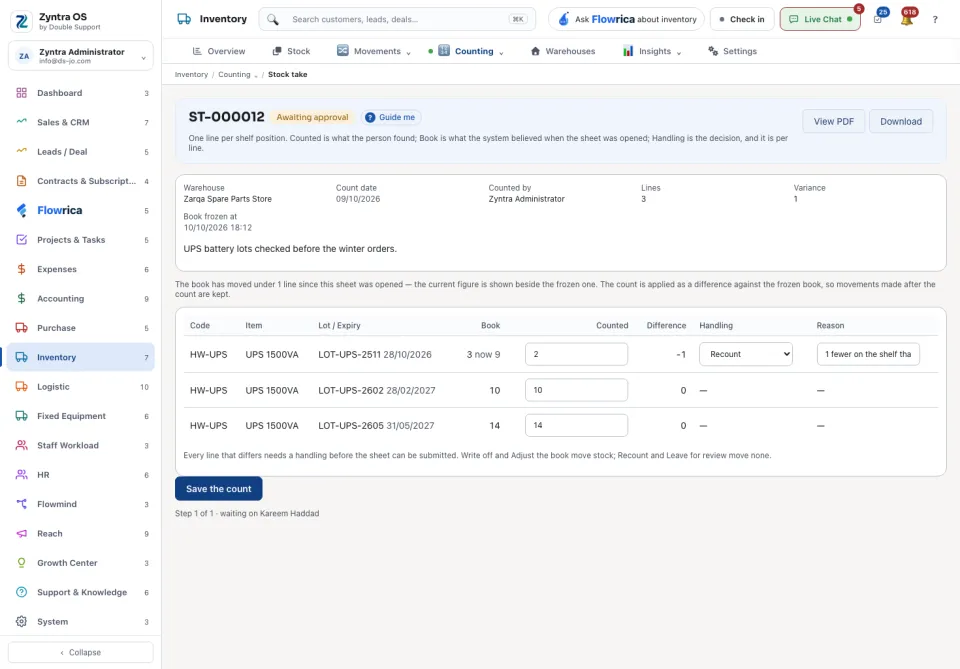
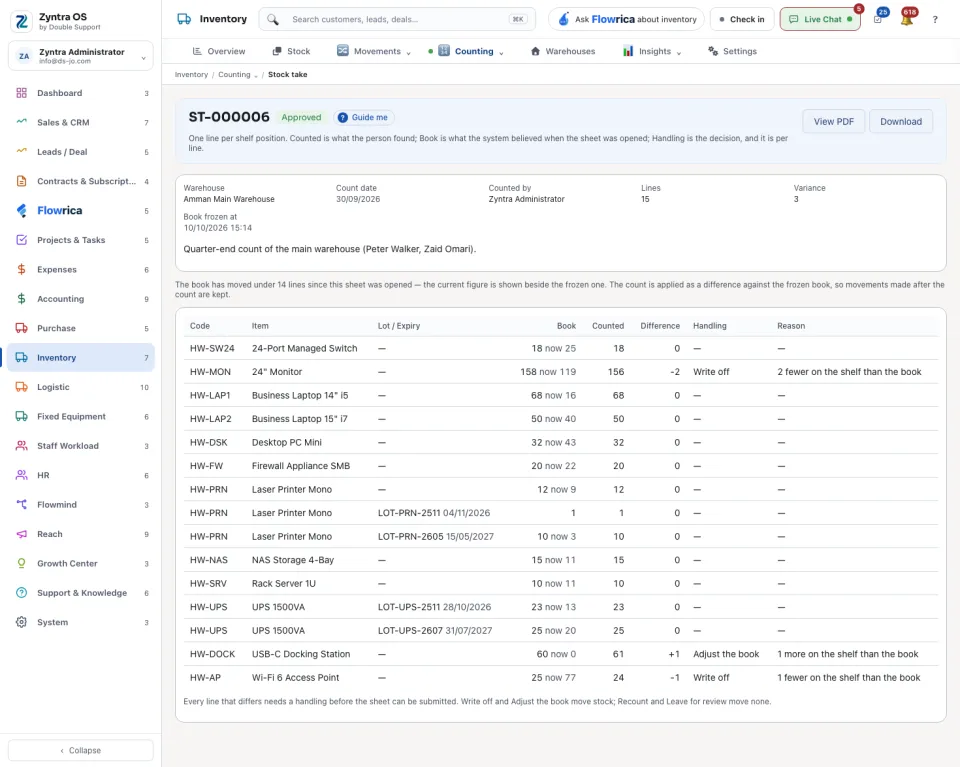
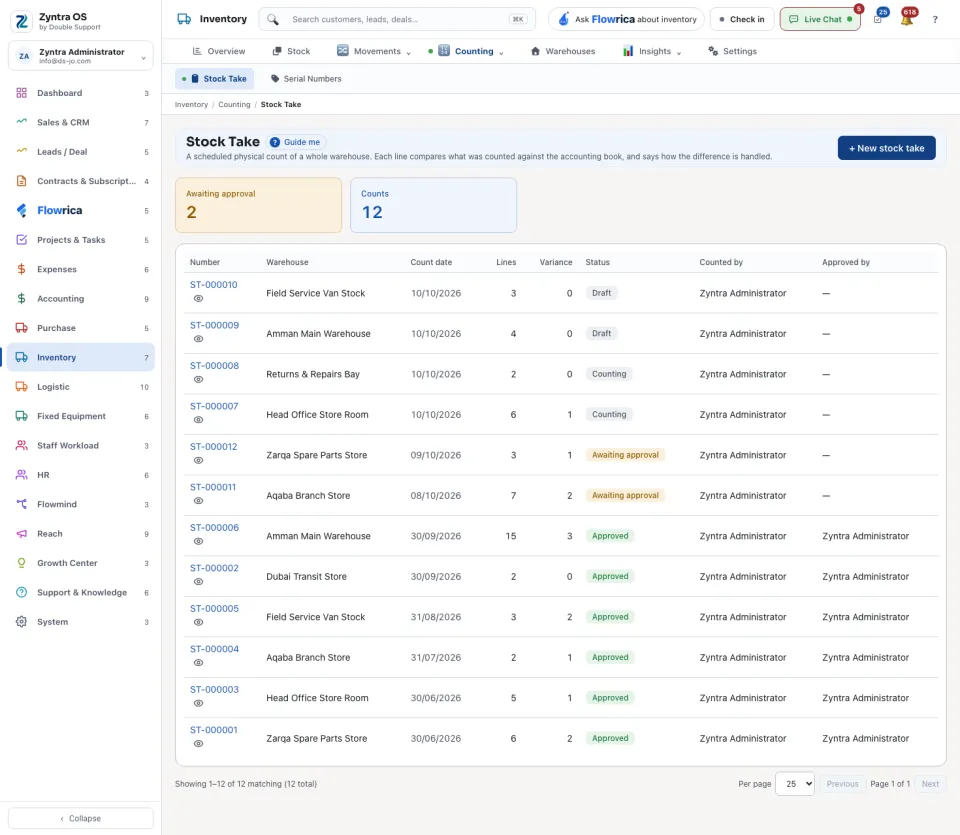
The list shows Number, Warehouse, Count date, Lines, Variance, Status, Counted by and Approved by. The sheet’s head also says when the book was frozen. View PDF and Download give you the sheet to print.