When the vendor’s invoice arrives, enter it and record its payment. Tax is stored per line and per rate: this is where the input tax on the VAT return comes from.
Where
Purchase › Post-Purchase › Invoices
Who
Anyone allowed to handle vendor invoices.
1
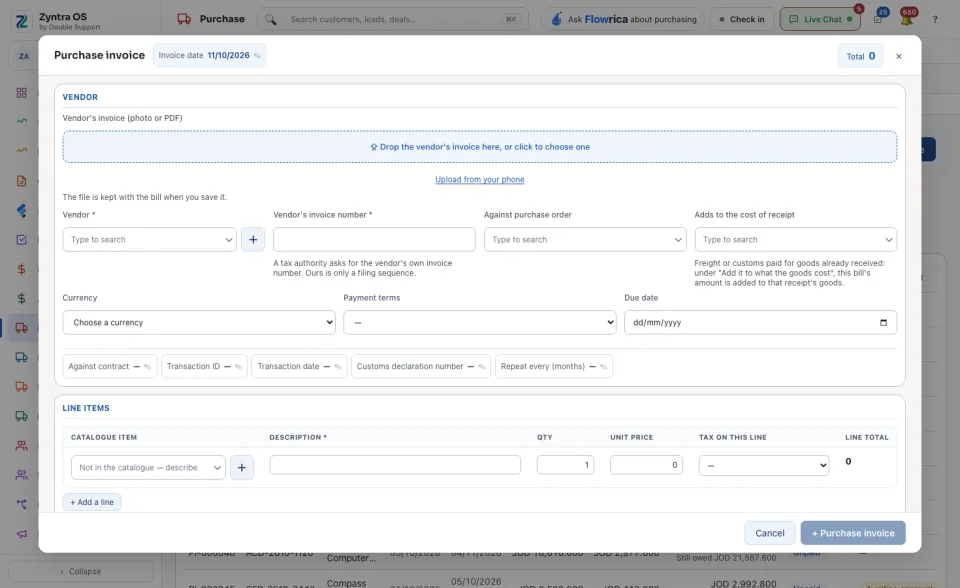
Press + Purchase invoice. Drop the vendor’s own invoice on the box at the top, or press Upload from your phone: the file is kept with the bill when you save it.
2
Choose the Vendor and the Currency. Type the Vendor's invoice number: a tax authority asks for the vendor’s own number, ours is only a filing sequence. Check the Invoice date, the Payment terms and the Due date.
3
Choose the order it is for in Against purchase order. For freight or customs paid on goods already received, choose the receipt in Adds to the cost of receipt.
4
Check the lines and the Tax on this line, then press + Purchase invoice at the foot of the form to save.
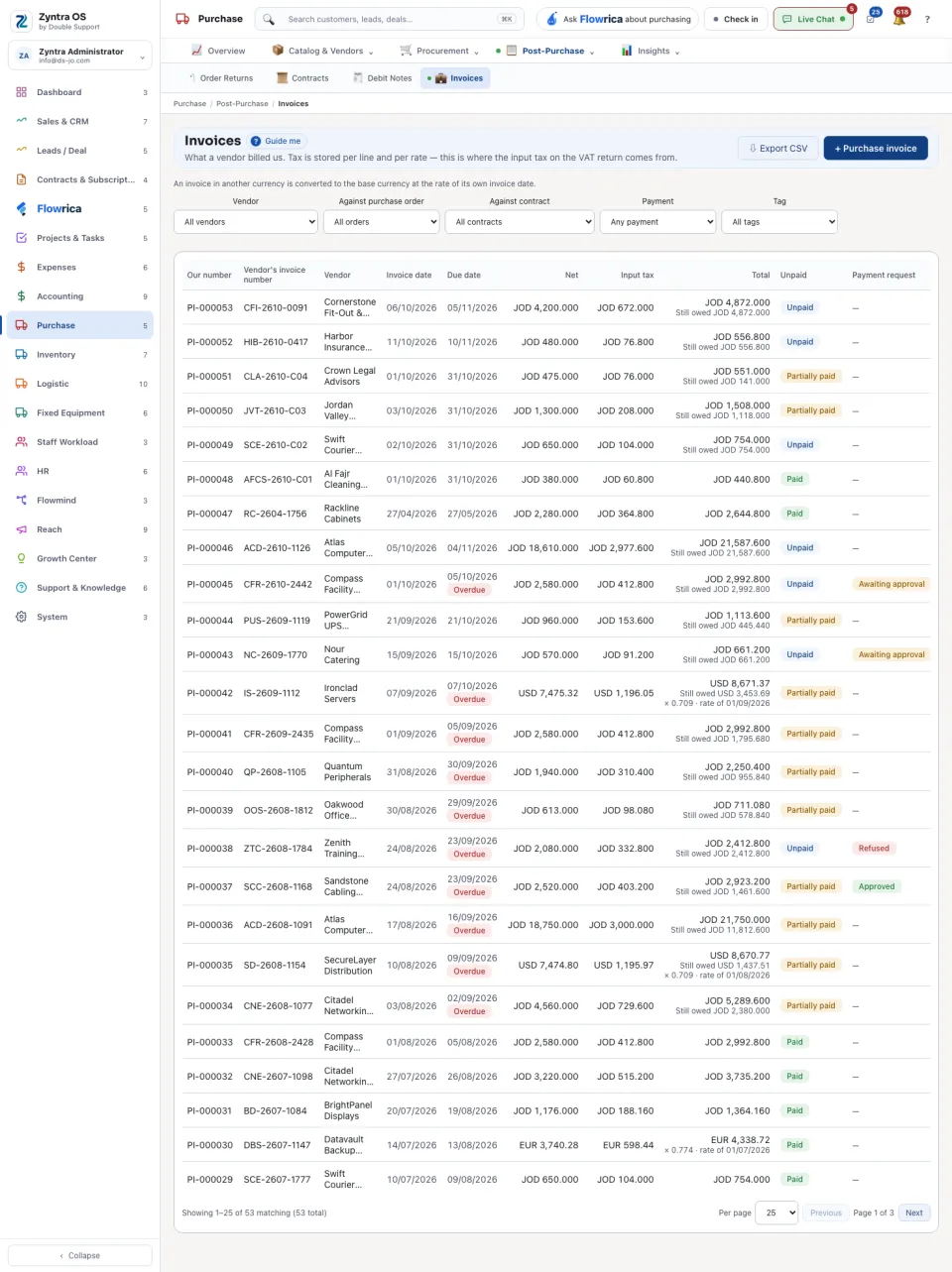
The list shows Our number, Vendor's invoice number, Vendor, Invoice date, Due date, Net, Input tax, Total, Unpaid and Payment request, with what is Still owed on each row. Narrow it by Vendor, Against purchase order, Against contract, Tag and Payment: Unpaid, Partially paid, Paid or Overdue. An invoice in another currency is converted to the base currency at the rate of its own invoice date.
Pay it
1
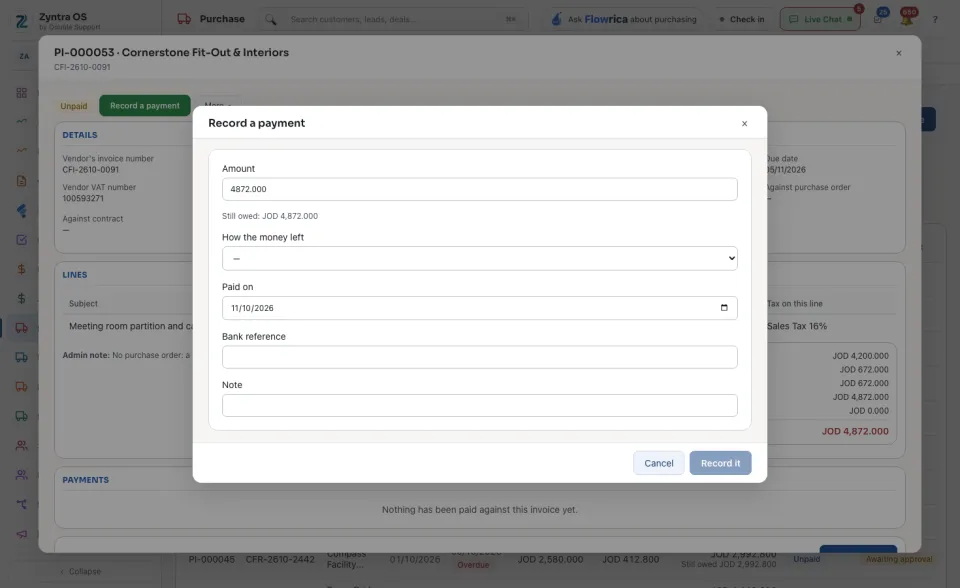
Open the invoice and press Record a payment.
2
Type the Amount, choose How the money left, set Paid on and type the Bank reference. The form shows what is still owed.
3
Press Record it.
The vendor invoice’s page
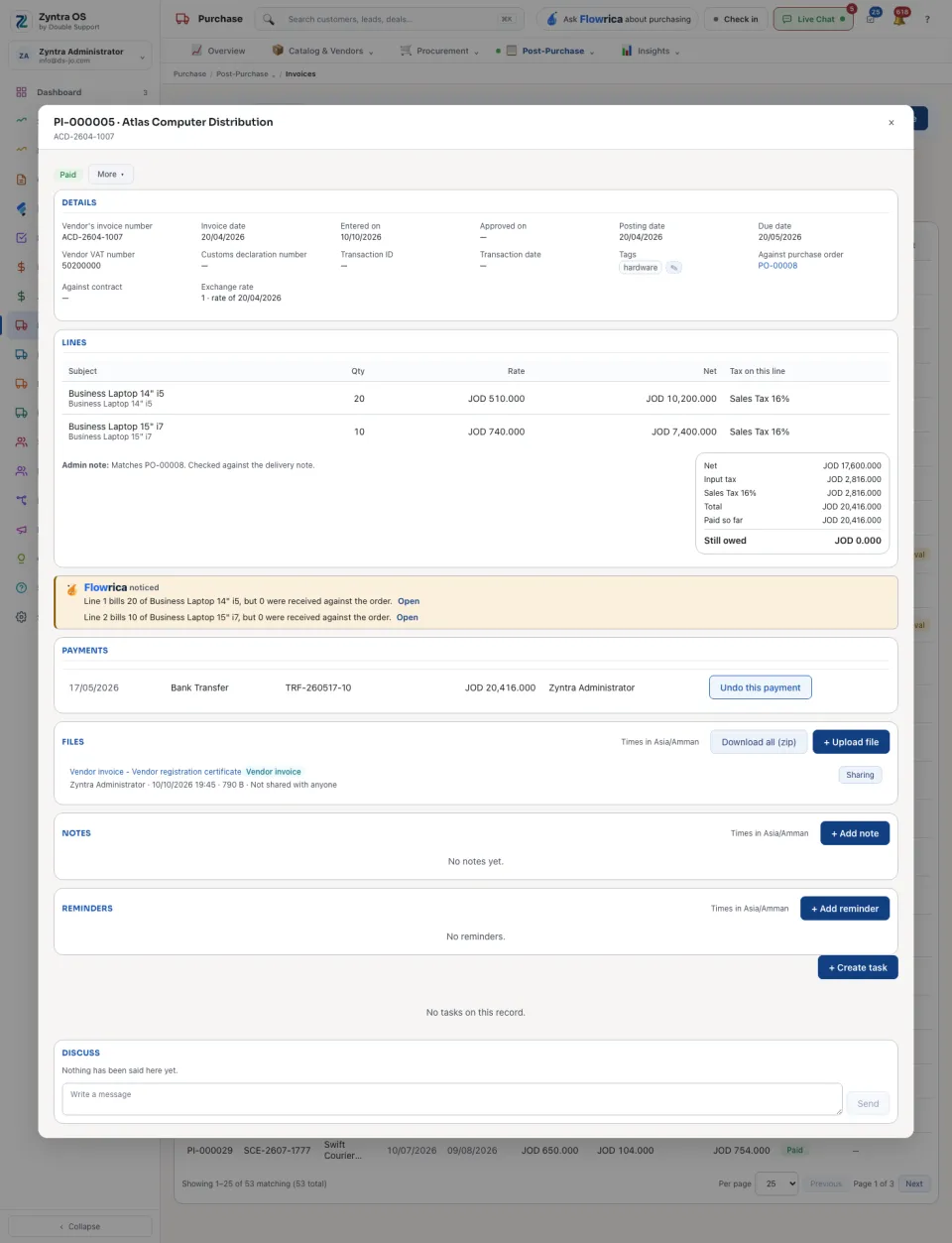
Press an invoice: its page slides in over the list. It has no tabs; it reads top to bottom: Details (dates, the linked order and contract, the Exchange rate), Lines, the totals with Paid so far and Still owed, Payments, Files, Notes, Reminders, Imported-service sales tax (Record the tax, for a service bought from abroad) and Discuss. At the top: the main button Record a payment, and More ▾ with Edit, View PDF, Download and Void the bill. A bill that is not approved yet also shows Approve for payment.


 Zyntra OS
 Zyntra Legal
 Zyntra Real Estate
 Zyntra Hotel
 Zyntra E-commerce
 Zyntra Appointments
 Zyntra Repair
 Zyntra Garage
 Zyntra Concierge
 Zyntra Contracting
 Zyntra Clinic
 Zyntra Call Center
 Zyntra OTA