

 Zyntra OS
 Zyntra Legal
 Zyntra Real Estate
 Zyntra Hotel
 Zyntra E-commerce
 Zyntra Appointments
 Zyntra Repair
 Zyntra Garage
 Zyntra Concierge
 Zyntra Contracting
 Zyntra Call Center
 Zyntra OTA
Where
Clinic › PatientsWho
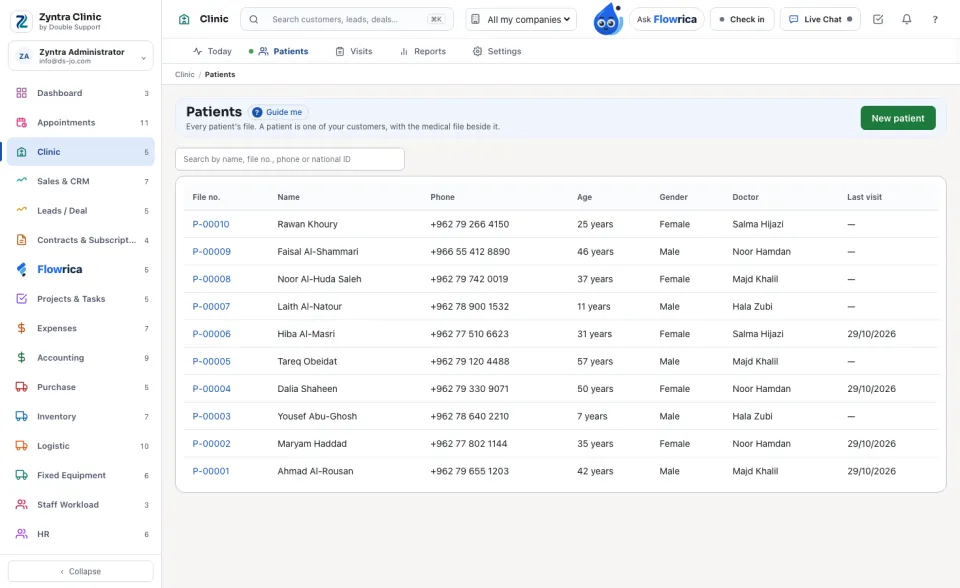
Clinic Patients — View; the medical part needs a medical record right.The list shows File no., Name, Phone, Age, Gender, Doctor and Last visit. Search by name, file no., phone or national ID.
Make a patient's file
1
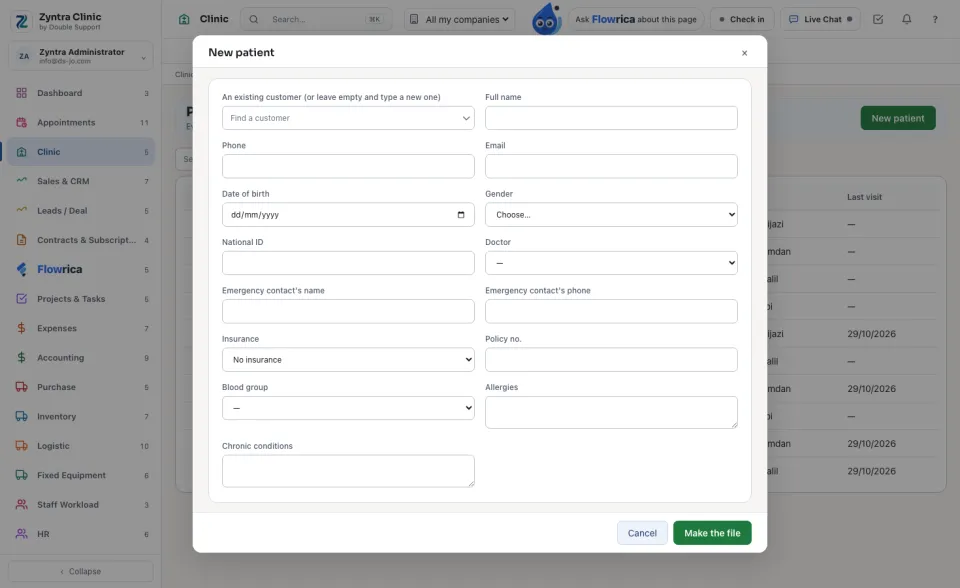
Press New patient.
2
Choose An existing customer, or leave it empty and type the Full name, Phone and Email of a new one.
3
Add the Date of birth, Gender, National ID, the Doctor, the emergency contact's name and phone, and the Insurance plan with its Policy no.
4
A person who may write the medical record also fills the Blood group, Allergies and Chronic conditions.
5
Press Make the file. The file gets its number (P-00001 and on).
The same national ID is never used twice, a customer has one file only, and a date of birth cannot be in the future.
A patient's page
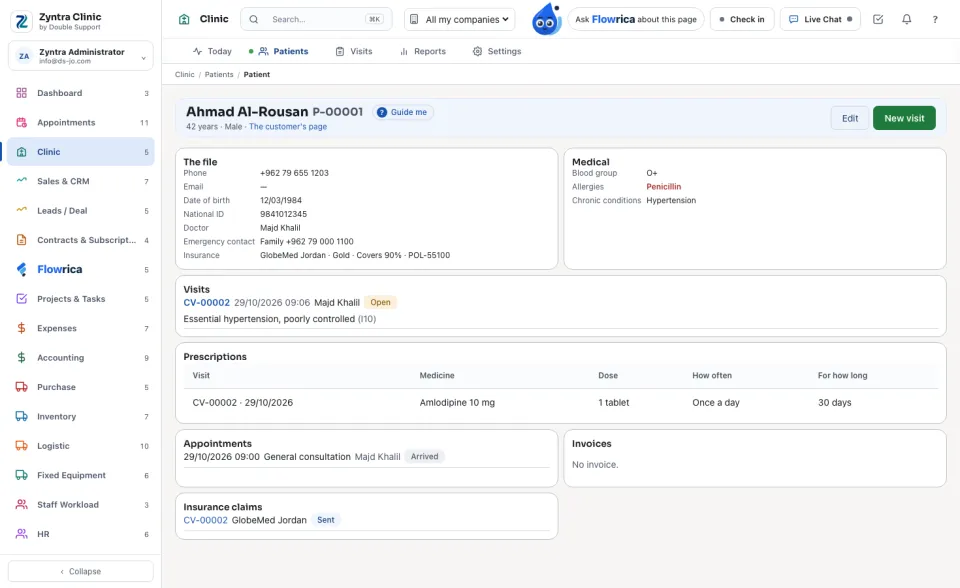
The name and file number, the age and gender, and a link to The customer's page. Edit changes the file; New visit opens a visit.
| Card | What it holds |
|---|---|
| The file | Phone, email, date of birth, national ID, doctor, emergency contact and insurance with how much it covers. |
| Medical | Blood group, allergies (in red) and chronic conditions — shown only to the patient's doctors. |
| Visits, Prescriptions, Appointments | The patient's history at the clinic. |
| Invoices, Insurance claims, Files | What was billed and claimed, and the files kept. |
Before:  Zyntra Clinic · Next: Visits
Zyntra Clinic · Next: VisitsQuestions
Where is “Patients” in Zyntra OS?
Clinic › Patients
Who can use “Patients”?
Clinic Patients — View; the medical part needs a medical record right.