

 Zyntra OS
 Zyntra Legal
 Zyntra Real Estate
 Zyntra Hotel
 Zyntra E-commerce
 Zyntra Appointments
 Zyntra Repair
 Zyntra Garage
 Zyntra Concierge
 Zyntra Contracting
 Zyntra Clinic
 Zyntra Call Center
 Zyntra OTA
Where
Clinic › VisitsWho
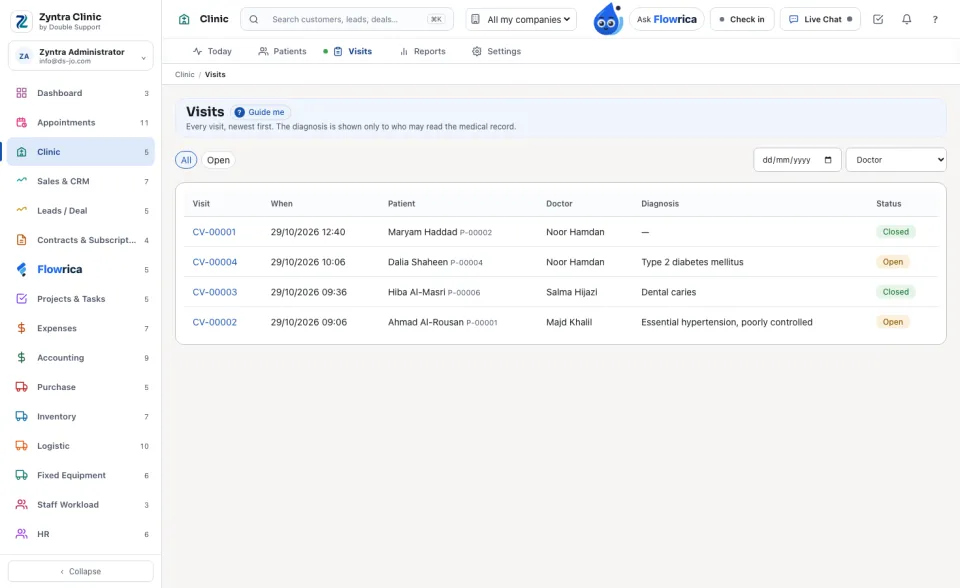
Clinic Visits — View the list; writing the record needs Clinic Medical record — Write and close visits.The list shows Visit, When, Patient, Doctor, Diagnosis and Status. The chips switch between All, Open and Closed; narrow it by day and doctor.
Write the visit
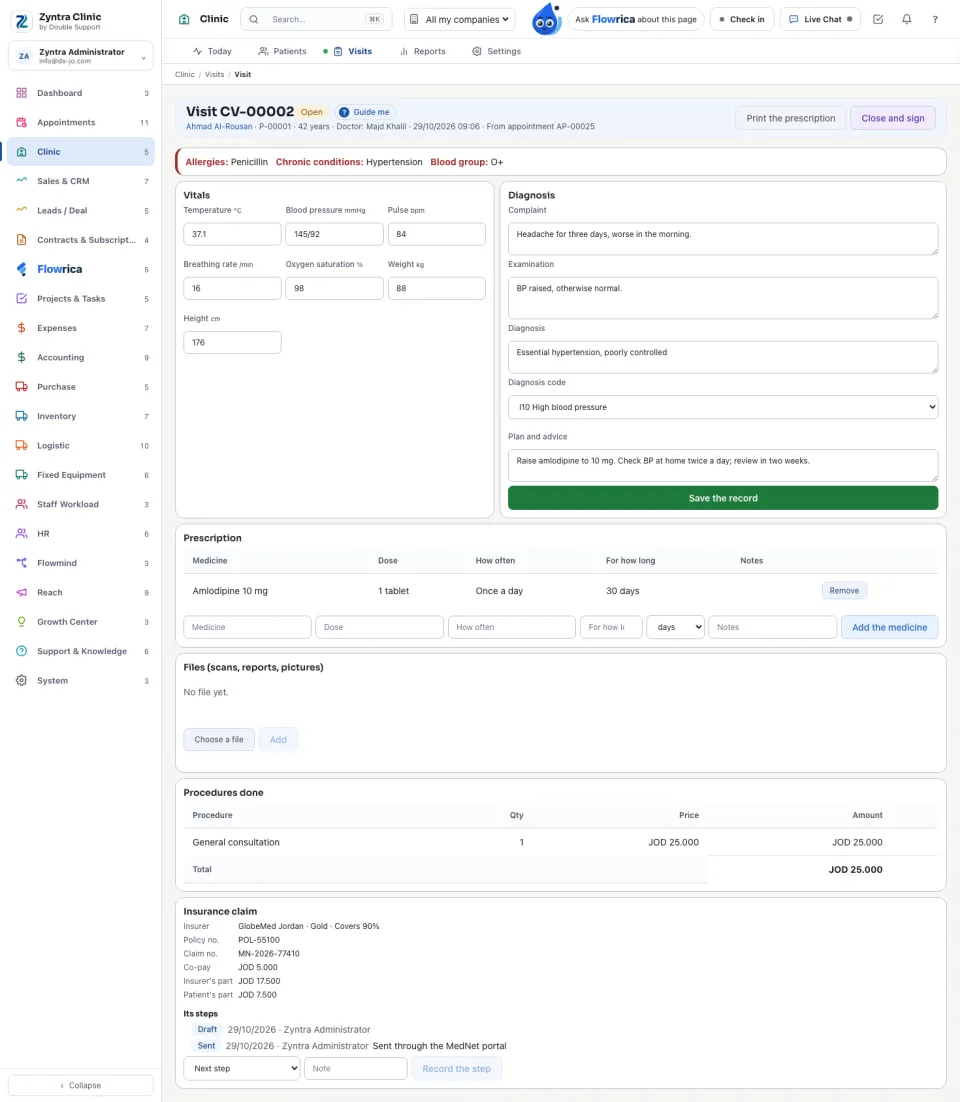
The heading says the visit number, Open or Closed, the doctor, the time, and whether it came from an appointment or was a walk-in. Allergies, chronic conditions and the blood group show at the top.
1
Under Vitals type each reading: temperature, blood pressure, pulse, breathing rate, oxygen saturation, weight and height.
2
Under Diagnosis write the Complaint, the Examination, the Diagnosis, its Diagnosis code and the Plan and advice. Press Save the record.
3
Under Prescription choose the Medicine, the Dose, How often and For how long, and press Add the medicine. Print the prescription gives it to the patient.
4
Under Files add scans, reports or pictures (images or PDF).
Bill the visit
1
Under Procedures done choose a service, or type a procedure and its price, with the quantity, and press Add the procedure.
2
Press Invoice the visit. The card then says Invoiced with the invoice number.
An insurance claim
1
On Insurance claim check the Insurer, Plan, Policy no. and Claim no., and press Claim from the insurer.
2
Record each step with Next step and a Note: Sent, Under review, Approved, Approved with changes or Rejected. Press Record the step.
3
Once approved press Invoice the insurer and the patient: the Insurer's part, the Patient's part and the Co-pay are split by the plan.
Close and sign
Press Close and sign. The record cannot be changed afterwards; the visit says who closed and signed it, and when.
Before: Patients · Next: Clinic reports
Questions
Where is “Visits” in Zyntra OS?
Clinic › Visits
Who can use “Visits”?
Clinic Visits — View the list; writing the record needs Clinic Medical record — Write and close visits.