

 Zyntra OS
 Zyntra Legal
 Zyntra Real Estate
 Zyntra Hotel
 Zyntra E-commerce
 Zyntra Appointments
 Zyntra Repair
 Zyntra Garage
 Zyntra Concierge
 Zyntra Contracting
 Zyntra Clinic
 Zyntra Call Center
 Zyntra OTA
Where
System › Setup › CompaniesWho
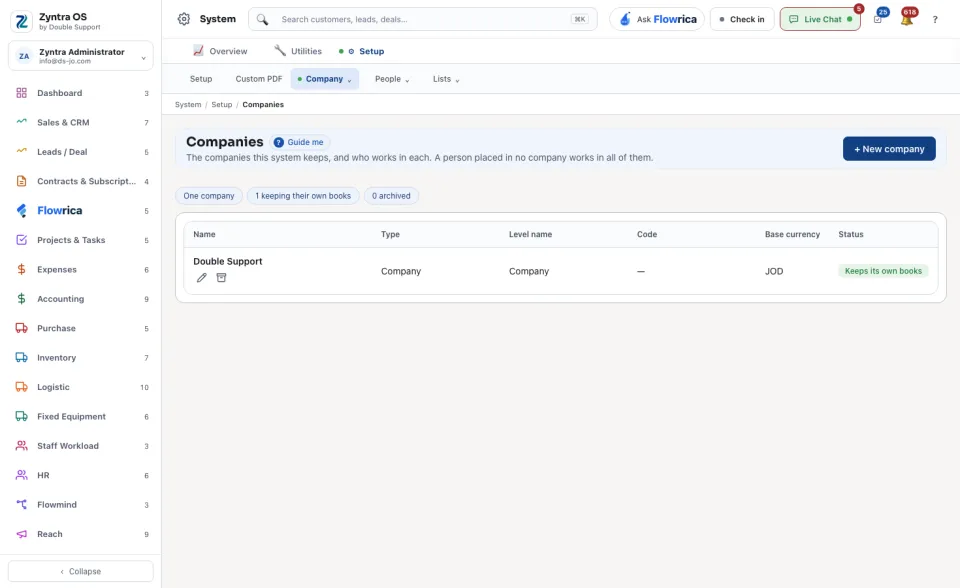
Anyone allowed to see the accounting settings.A new system starts with the one company named when it was installed, here Double Support, which keeps its books in Jordanian dinars (JOD).
Read the list
The chips at the top count the companies, how many are keeping their own books, and how many are archived. Placed in no company lists the people who work in all of them. The table gives each company's Name, Type, Level name, Code, Base currency and Status; a company that sits under another is drawn under it. Press a name to open the company: see What a company prints.
Add a company
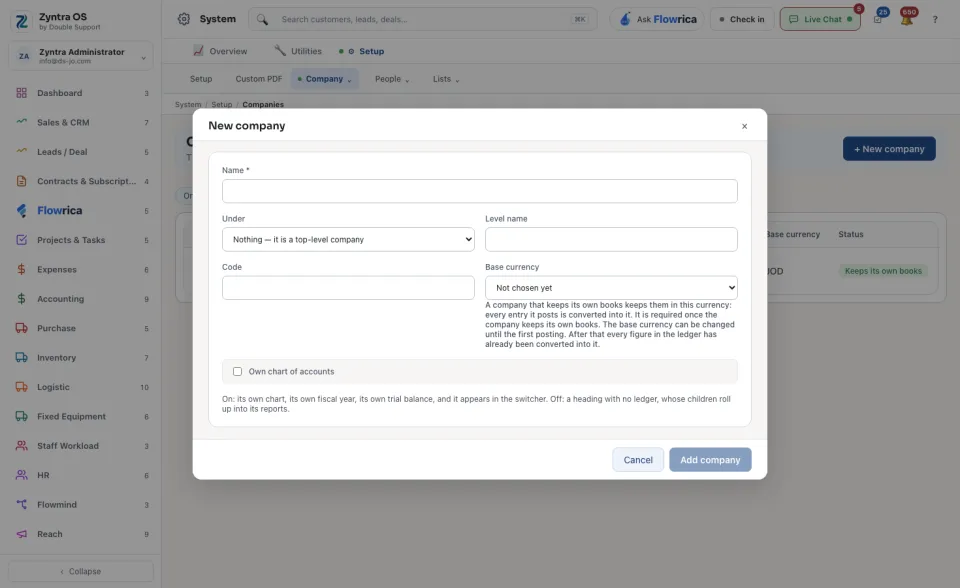
- Name: the company's name, for example Double Support Aqaba.
- Under: leave Nothing — it is a top-level company for a company of its own, or choose the company it belongs to.
- Level name: what this level is called in your group, for example Company or Branch.
- Code: a short code shown beside the name.
- Base currency: the currency its books are kept in. Every entry it posts is converted into it. You can change it until its first posting; after that it is fixed.
- Own chart of accounts: switch it on when this company keeps its own books. It then has its own chart, its own financial year and its own trial balance, and it appears in the company choice at the top of the screen. Leave it off for a heading whose companies roll up into it.
Work in one company
Once there is more than one company, choose the one you are working in from All my companies in the top bar. Every list then shows that company's records only. With All my companies chosen, a list holds every company you work in.
Flowrica on this screen
Her panel offers Set up this company: she shows the company's settings as they are now, such as the base currency, the default tax on a new sales line, the first month of the financial year and the invoice and estimate numbering, and asks what each should become. Nothing changes until you press Apply these settings.
A company that keeps its own books needs its chart of accounts before it can post anything. See Set up a company's books.