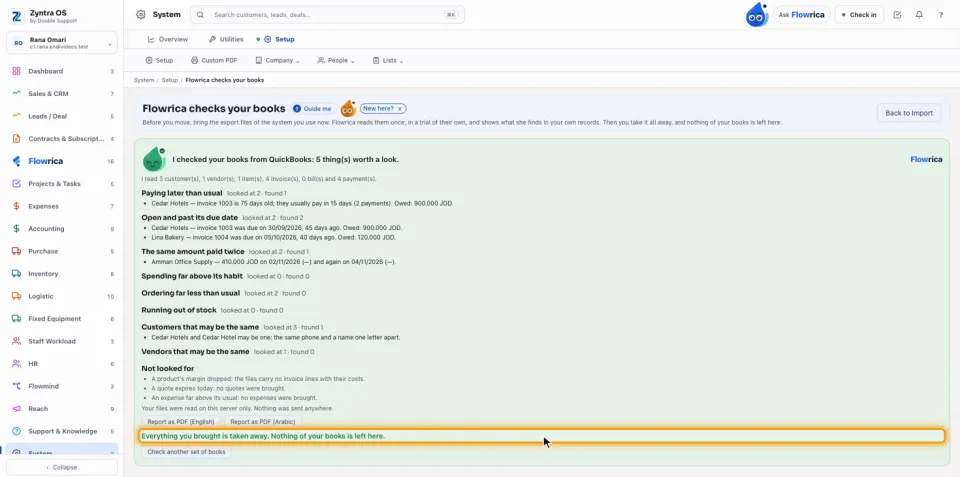
Before a company moves to Zyntra, it can bring the export files of the system it uses now: Odoo, QuickBooks, Xero, Zoho Books, Sage or Microsoft Dynamics 365. Flowrica reads them once, in a trial of their own, and shows what she finds in the company's own records: customers paying later than usual, invoices past their due date, the same amount paid twice, spending far above its habit, customers ordering less, stock running out, and customers or vendors that may be the same. Then everything brought in is taken away again.
System › Setup › Import from your old system › Flowrica checks your books
Who
People who may edit the accounting settings start a check. A check and its report are seen only by the person who started it and by the administrator.
1
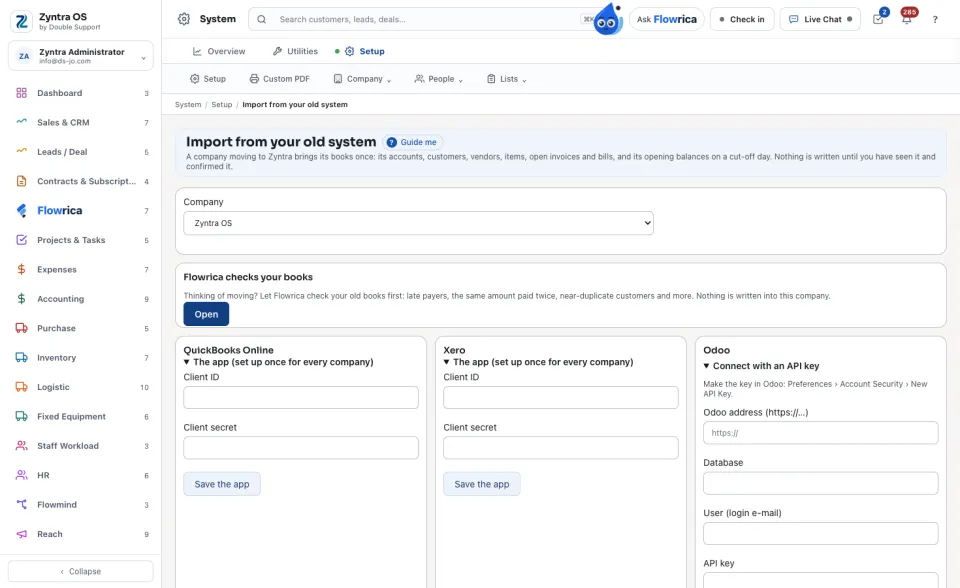
On Import from your old system, find the card Flowrica checks your books and press Open.
2
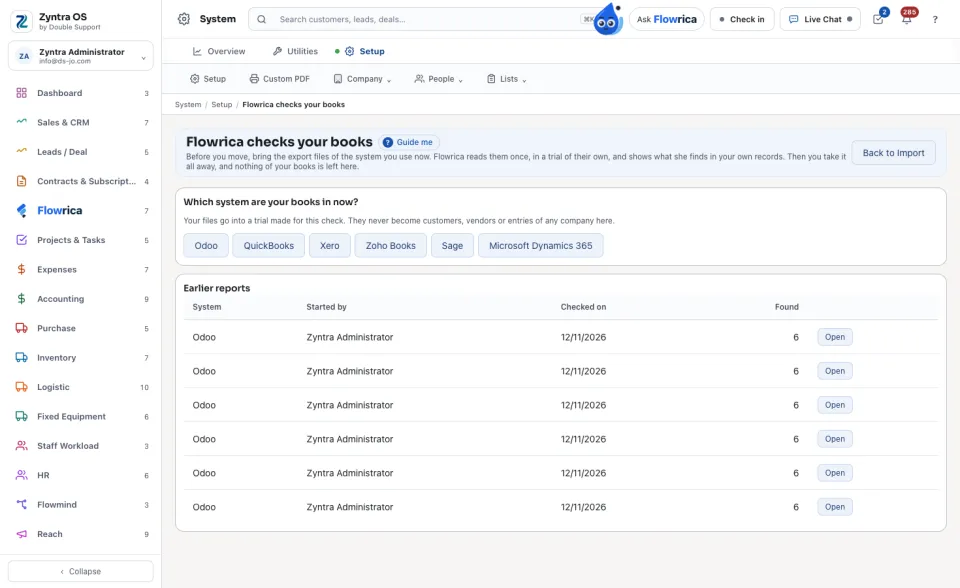
Under Which system are your books in now?, press the system, for example Odoo. Your files go into a trial made for this check; they never become customers, vendors or entries of any company here.
3
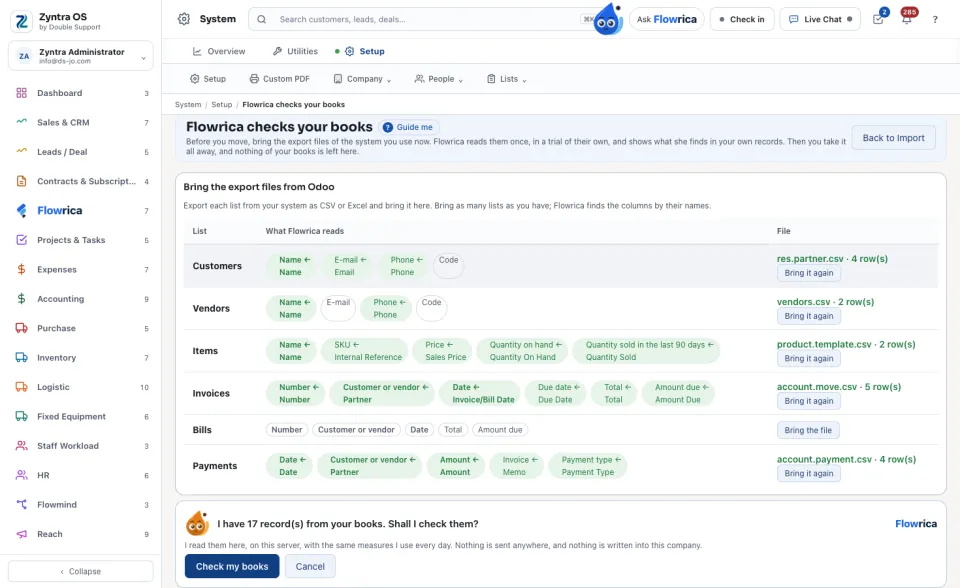
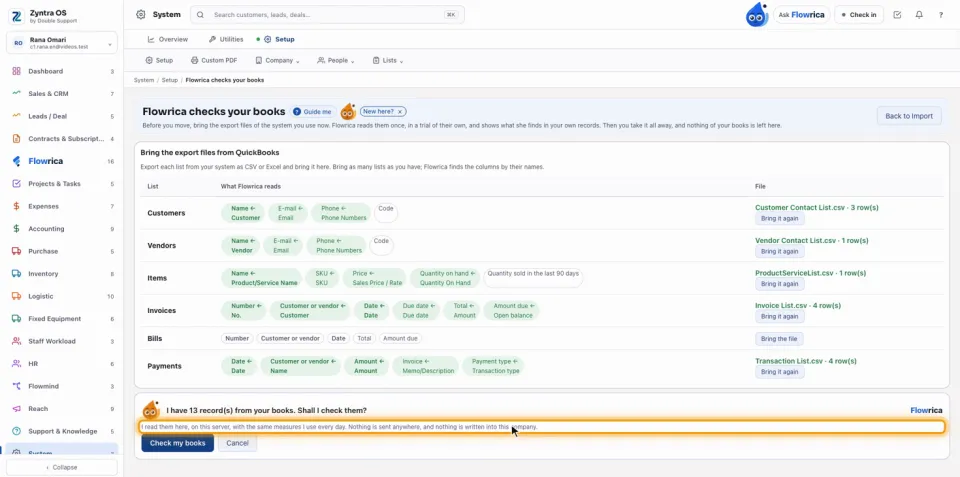
Export each list from your system as CSV or Excel: customers, vendors, items, invoices, bills and payments. Press Bring the file beside each list. Flowrica finds the columns by their names and shows, for each list, What Flowrica reads: each field in green is found, with the column it reads. Bring as many lists as you have.
4
Flowrica's card asks whether she should check them. Press Check my books. Press Cancel to stop: what you brought is taken away.
Her report
5
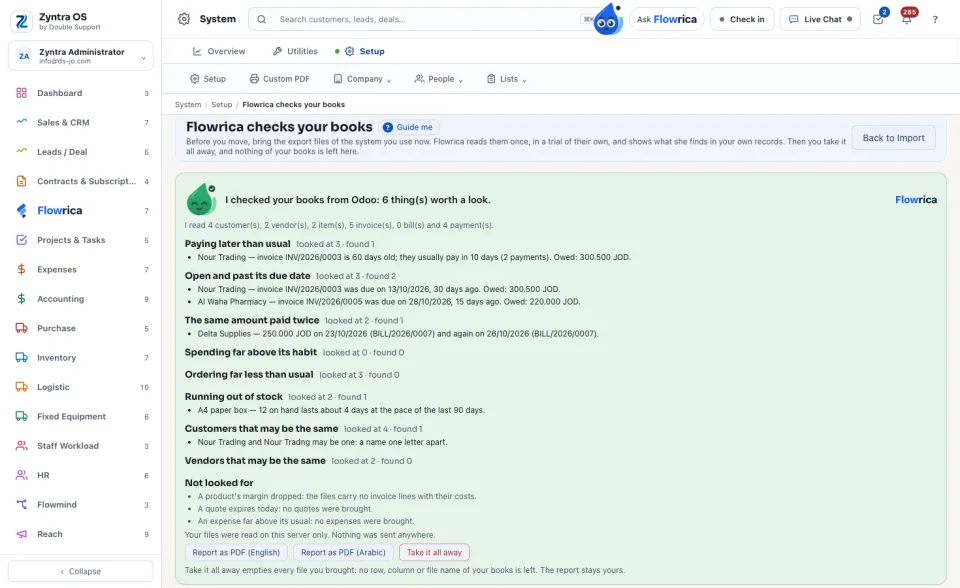
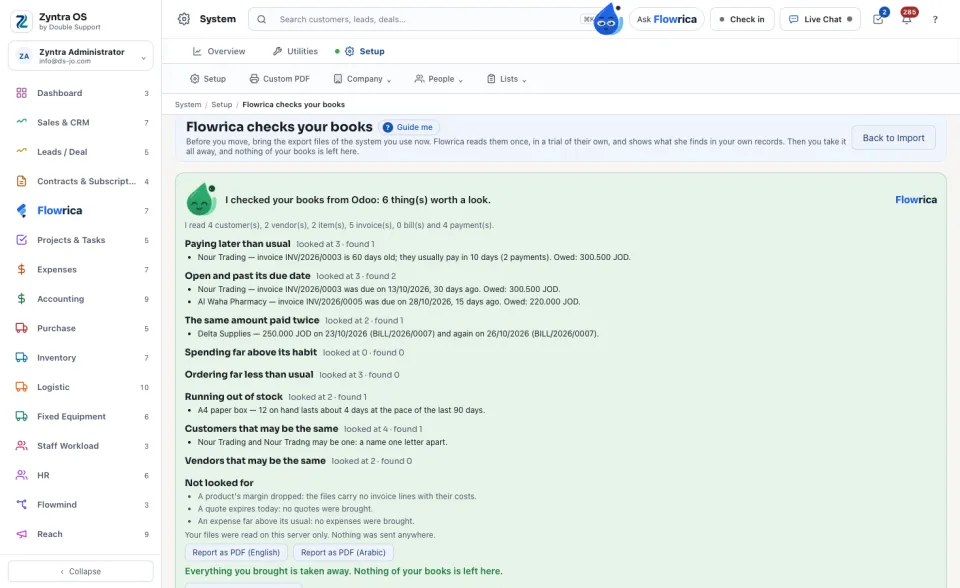
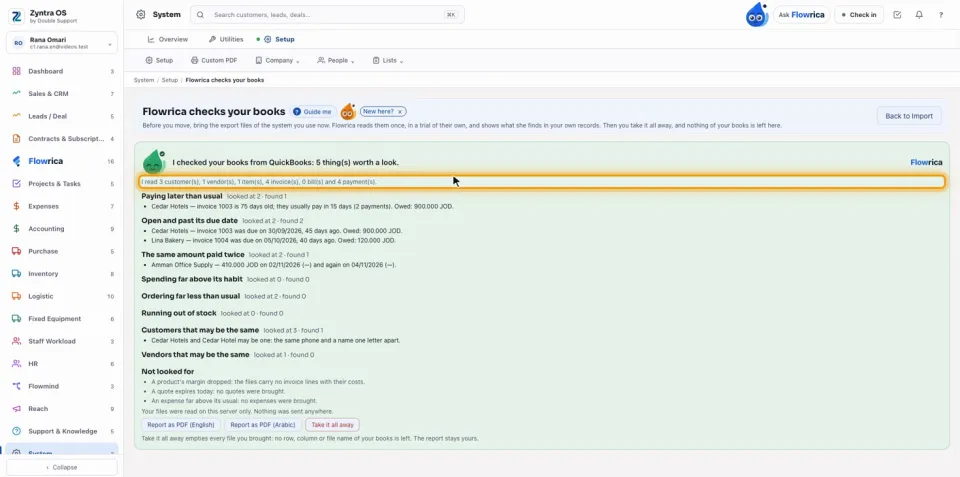
The green card says how many things are worth a look. Under each heading she says how many records she looked at and what she found, with its figures and the records it names. Not looked for names what export files cannot carry.
6
Press Report as PDF (English) or Report as PDF (Arabic) to keep the report.
Take it all away
7
Press Take it all away. Every file you brought is emptied: no row, column or file name of your books is left. The report stays yours, and its PDF still prints.
When you are trying Zyntra
8
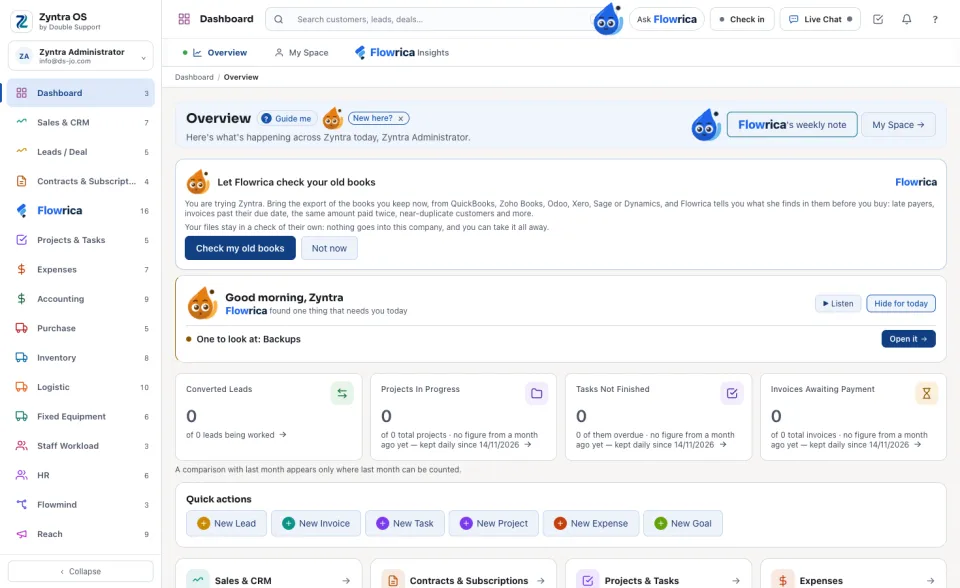
On a trial, the Overview shows Flowrica's card «Let Flowrica check your old books» to whoever may edit the accounting settings. Press «Check my old books» to open this screen and start at step 2, or «Not now» to put the card away.
9
Once your check has its report, the card is no longer shown. Your report stays on this screen under Earlier reports.
Her words, step by step
On a trial, the Overview card reads: You are trying Zyntra. Bring the export of the books you keep now, from QuickBooks, Zoho Books, Odoo, Xero, Sage or Dynamics, and Flowrica tells you what she finds in them before you buy …, and under it Your files stay in a check of their own: nothing goes into this company, and you can take it all away.
Once a list is brought, its File column shows the file's name and N row(s), and the button under it becomes Bring it again. Flowrica's card then asks I have N record(s) from your books. Shall I check them? with the line I read them here, on this server, with the same measures I use every day. Nothing is sent anywhere, and nothing is written into this company.
Her report opens with I checked your books from … : N thing(s) worth a look. and the line I read N customer(s), N vendor(s), N item(s), N invoice(s), N bill(s) and N payment(s). Beside each heading she writes looked at N · found M.
After Take it all away the screen says Everything you brought is taken away. Nothing of your books is left here., and Check another set of books starts again.
The files are read on this server only, with the same measures Flowrica's own watch uses. Nothing is sent anywhere, and nothing is written into any company.


 Zyntra OS
 Zyntra Legal
 Zyntra Real Estate
 Zyntra Hotel
 Zyntra E-commerce
 Zyntra Appointments
 Zyntra Repair
 Zyntra Garage
 Zyntra Concierge
 Zyntra Contracting
 Zyntra Clinic
 Zyntra Dental
 Zyntra School
 Zyntra University
 Zyntra Call Center
 Zyntra OTA