

 Zyntra OS
 Zyntra Legal
 Zyntra Real Estate
 Zyntra Hotel
 Zyntra E-commerce
 Zyntra Appointments
 Zyntra Repair
 Zyntra Garage
 Zyntra Concierge
 Zyntra Contracting
 Zyntra Clinic
 Zyntra Call Center
 Zyntra OTA
Where
System › Setup › People › TeamsWho
Anyone allowed to see teams; + New team shows for those who may add one.Make a team
1
Press + New team.
2
If you work in more than one company, choose the Company first with Change company: the people of that company are listed only then.
3
Type the Name.
4
Choose the Manager. The manager is told about the team's goals.
5
Choose the Members. Only people who work in this company can be chosen.
6
Press Save.
Read the list
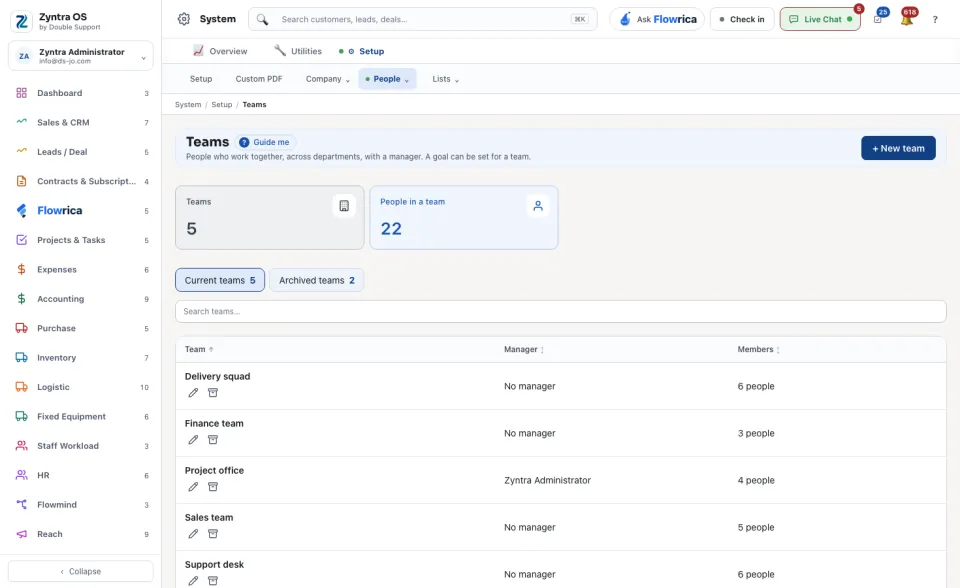
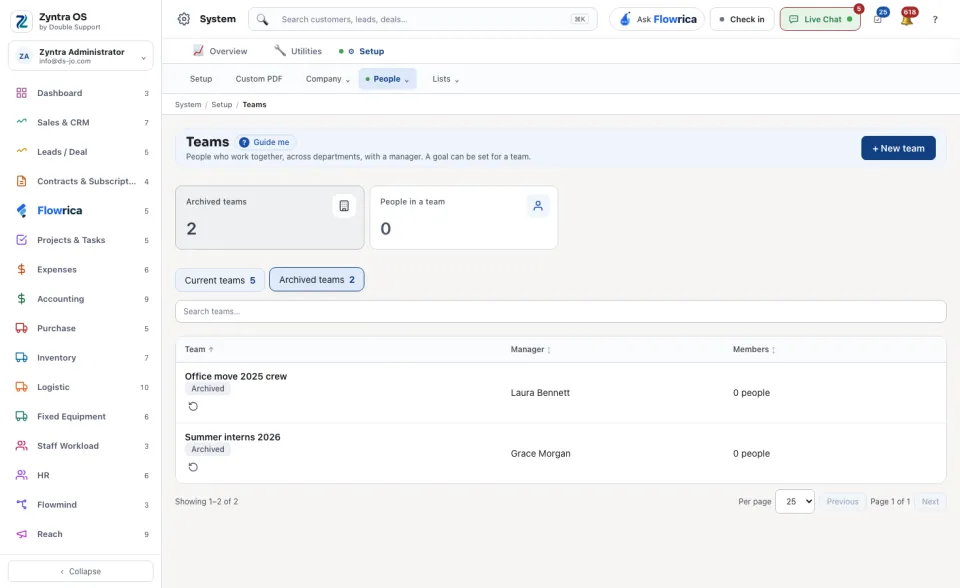
The figures at the top count the Teams and the People in a team. Current teams and Archived teams switch between the teams in use and the ones put away. Each row shows the team, its manager and how many members it has, and its company too when the teams belong to more than one company. Edit changes a team; Archive puts it away without deleting it.
A team is not a role: what a person may do comes from their role.