

 Zyntra OS
 Zyntra Legal
 Zyntra Real Estate
 Zyntra Hotel
 Zyntra E-commerce
 Zyntra Appointments
 Zyntra Repair
 Zyntra Garage
 Zyntra Concierge
 Zyntra Contracting
 Zyntra Clinic
 Zyntra Dental
 Zyntra School
 Zyntra University
 Zyntra Call Center
 Zyntra OTA
Where
System › Setup › People › Who sees whatWho
The owner, the administrators, and anyone allowed to read roles.Everyone at a glance
1
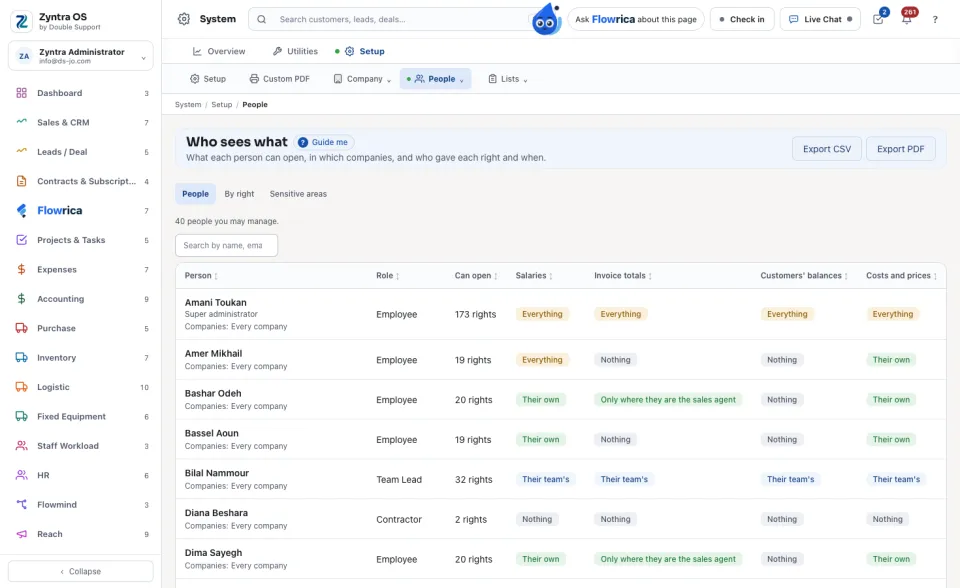
Open Who sees what. The People tab lists everyone you may manage, with their Role, their Companies and how many rights they Can open.
2
Four columns say how far each person sees the sensitive figures: Salaries, Invoice totals, Customers' balances and Costs and prices. Each reads Nothing, Their own, Their team's or Everything.
Who can see salaries?
3
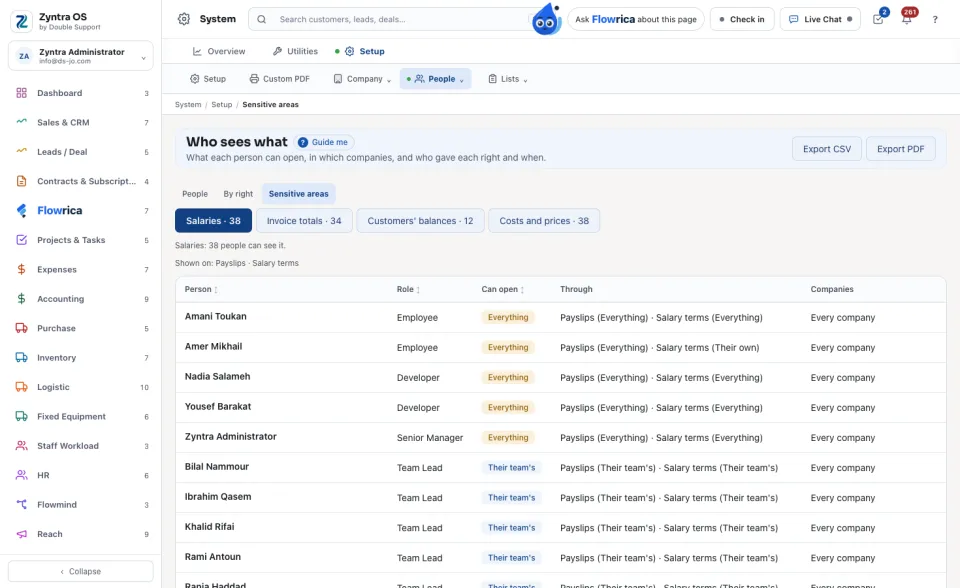
Open Sensitive areas and press Salaries, Invoice totals, Customers' balances or Costs and prices. The list shows everyone who can see it, the widest first, and the screens that show it to them.
One person: every right, who gave it and when
4
Press a person. Their page lists every right they hold and how far it reaches. Given by says where it came from: their role, a team, or a right given to them alone, with the name of who gave it. Given on says when.
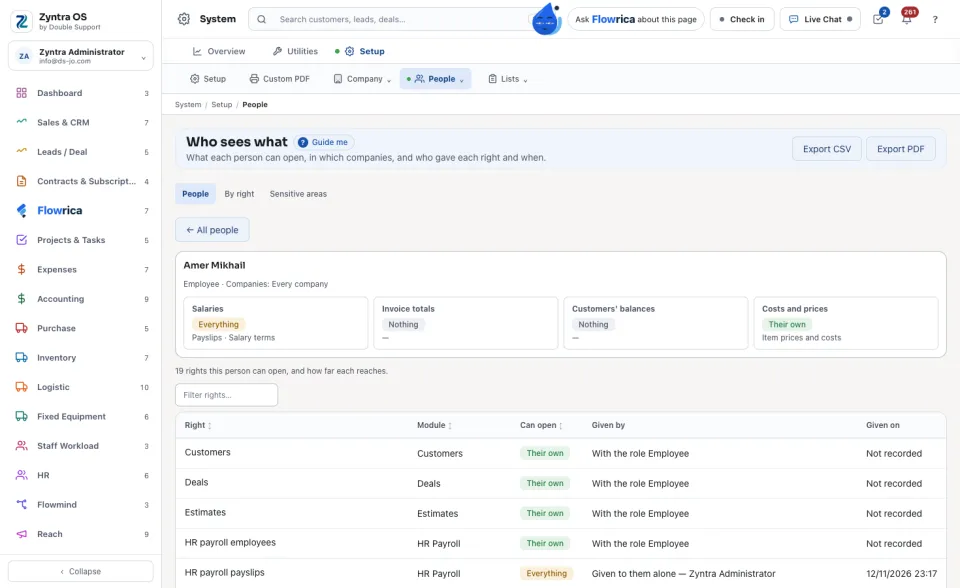
A right that came with a role before this record was kept reads Not recorded.
One right: everyone who can open it
5
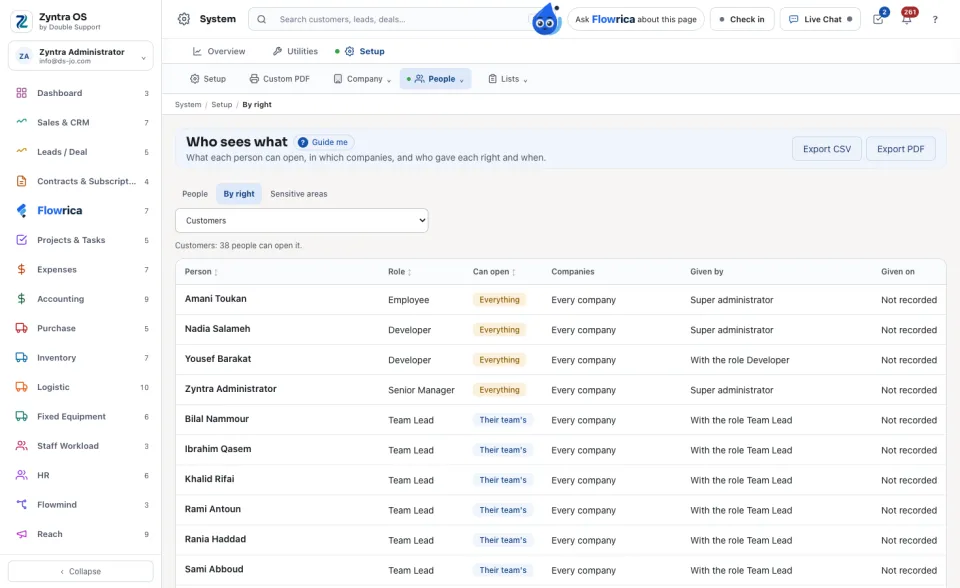
Open By right and choose a right. The list shows everyone who can open it, how far, and who gave it.
Take it with you
6
Press Export CSV or Export PDF. The file holds the list on the screen, in the language the screen is in.
Ask Flowrica too: Who can see salaries?
She answers with the same list.
Before: Roles · Next: Ask for access
Questions
Where is “Who sees what: every person's reach on one screen” in Zyntra OS?
System › Setup › People › Who sees what
Who can use “Who sees what: every person's reach on one screen”?
The owner, the administrators, and anyone allowed to read roles.