

 Zyntra OS
 Zyntra Legal
 Zyntra Real Estate
 Zyntra Hotel
 Zyntra E-commerce
 Zyntra Appointments
 Zyntra Repair
 Zyntra Garage
 Zyntra Concierge
 Zyntra Contracting
 Zyntra Clinic
 Zyntra Call Center
 Zyntra OTA
Where
Flowmind › Rules › + Add rule › ThenWho
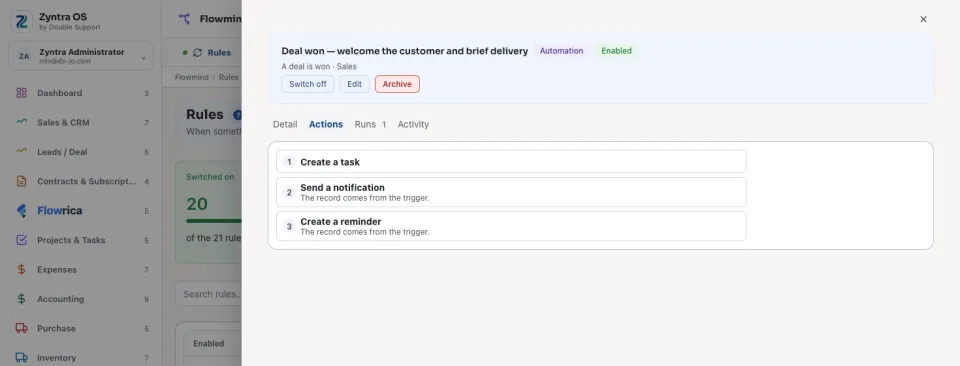
Anyone allowed to create a rule, and only for actions they could do themselves: saving is refused otherwise, with the right that is missing.A rule's own Actions tab lists its steps in the order they run.
The actions every module shares
| Action | What it does |
|---|---|
| Set a field | Which field of the record, and Set it to a value. |
| Change a status | Change the status to one of the record's own statuses. |
| Change a related record | Changes a field of a record this one names: Which record (its project, its customer, its contract, its deal or its invoice, or the customer a lead became), Which field and Set it to. |
| Assign somebody | Gives the record to Who: the record's owner, a colleague, or the manager of a team. |
| Add a follower | Adds a person who follows the record. |
| Mark / unmark a flag | Which flag, and Set it On or Off, for example a lead marked as junk. |
| Convert | Turns the record into what its module converts it to, for example a lead into a customer. |
| Create a record | Makes a new record, from the fields filled in on the step. |
| Create a task | Makes a task from a Task template (see Flowmind settings), or one named here with its Task name and Who does it. |
| Create a reminder | A Reminder title, due In how many days, on the record that set the rule off. |
| Create a note or comment | Writes the Note text on the record. |
| Send an email | Sends an Email template to the record's customer contact, its owner, a colleague or an address, and to anyone ticked under Also send to: see Tell several people. |
| Send a notification | Rings the bell of the record's owner, a colleague, or only the people ticked under Also notify: see Tell several people. |
| Run an approval | Opens the record's approval chain: see Approval steps. |
| Archive | Archives the record through its own module, so a module that may not archive it (a paid invoice, an asset that is checked out) refuses, and the refusal is written to the run's history. Never on a document that carries money or a signature against it. Nothing is deleted. |
| Call a webhook | Sends the record to an address outside, such as another system your company uses: see Call a webhook. |
Actions a module adds of its own
Some modules add actions only they can do. They are offered only on that module's records:
Issue the invoice · Put the customer in a group · Create a draft copy of an invoice · Raise an invoice from the contract · Change the contract's customer · Mark the contract as signed · Unmark the contract as signed · Change the status of the contract's project · Convert the expense to an invoice · Add a member to the project · Change the project's customer · Raise a draft purchase request · Create a draft copy of a purchase request · Create a draft copy of a purchase order · Raise a draft receiving voucher for the order · Raise a draft invoice from the estimate · Create a draft copy of an estimate · Create a draft copy of a proposal · Raise a draft delivery voucher for the invoice · Create a copy of a receiving voucher · Raise a draft invoice for the shipment · Remind the approver of a waiting leave request · Create a copy of a delivery voucher · Start an onboarding checklist · Start a leaver checklist · Book a training programme · Reach: send an email · Add a shipping log entry · Create a task for the customer's owner · Reach: send an SMS · Create a lead for the account's sales agent · Reach: send a WhatsApp message · Reach: put on the call list · Reach: award points · Reach: move to a stage · Ask the customer to rate the ticket · Create a project from the idea · Concierge: send the booking confirmation on WhatsApp · Create a task from the idea · Concierge: send the service survey on WhatsApp
A step that cannot be done on a record (a status that record does not have, a person who has left the company, a document already approved) is not done in silence: the run's history says which step stopped and why. See Flowmind histories.
Questions
Where is “Every action a rule can take” in Zyntra OS?
Flowmind › Rules › + Add rule › Then
Who can use “Every action a rule can take”?
Anyone allowed to create a rule, and only for actions they could do themselves: saving is refused otherwise, with the right that is missing.