

 Zyntra OS
 Zyntra Legal
 Zyntra Real Estate
 Zyntra Hotel
 Zyntra E-commerce
 Zyntra Appointments
 Zyntra Repair
 Zyntra Garage
 Zyntra Concierge
 Zyntra Contracting
 Zyntra Clinic
 Zyntra Dental
 Zyntra School
 Zyntra University
 Zyntra Call Center
 Zyntra OTA
Where
HR › Timesheets & Leave › Attendance › Field visits · on the phone: the Zyntra app › Me › Customer visitWho
Everyone who checks in sees their own visits. Other people's visits, their places and photos need «Field visits · View every visit, its places and photos».On the phone: the visit and its proof
1
In the Zyntra app, open Customer visit, choose the customer and press Check in here. The phone's place is read once and must be near the place saved on the customer. A place the phone says is made up by a fake-location app is refused.
2
When the company has ticked Ask for a selfie with every phone check-in (the Rules tab of HR › HR setup), the screen says so under Check in here, and pressing it opens the front camera: take the selfie and the check-in is sent with it. Check out here asks for one too. No selfie, no check-in.
3
Write What happened. Under The next photo is, choose Before, take the photo with Photo, then choose After and take the photo of the finished work. Each photo shows its label. Press Send report.
4
Press Customer signs. The customer signs with a finger in the box and writes their name under Name of the person signing, then presses Sign. The time and the phone's place are kept with the signature. After it, no more photos can be added to the visit.
5
Press Share the proof. The visit proof PDF opens in the phone's own share sheet: send it to the customer by the app they use, or save it. Zyntra sends nothing by itself.
On the web: the visits
1
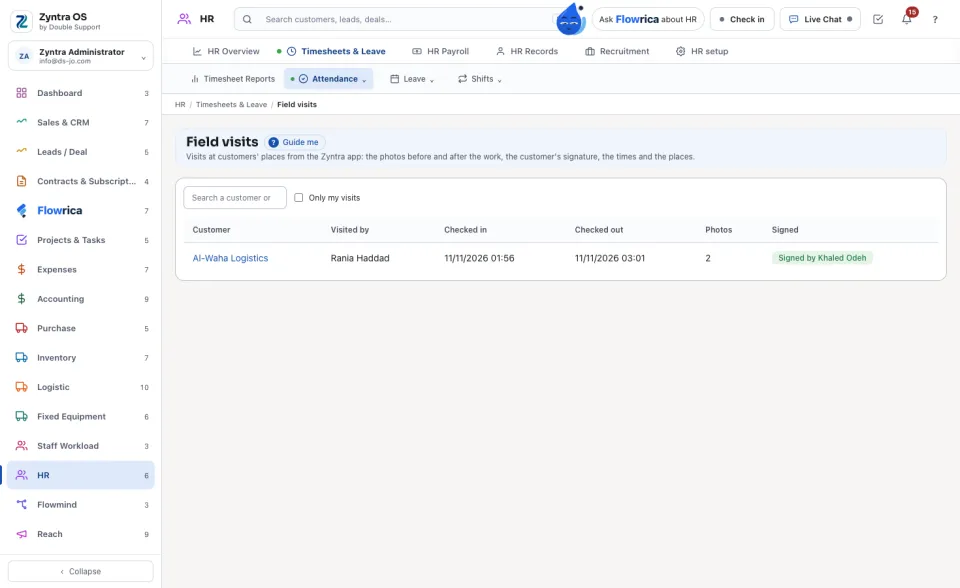
Each visit is a row with its Customer, who Visited by, when they Checked in and Checked out, how many Photos, and whether it is Signed. Search a customer or a person; tick Only my visits to see your own.
2
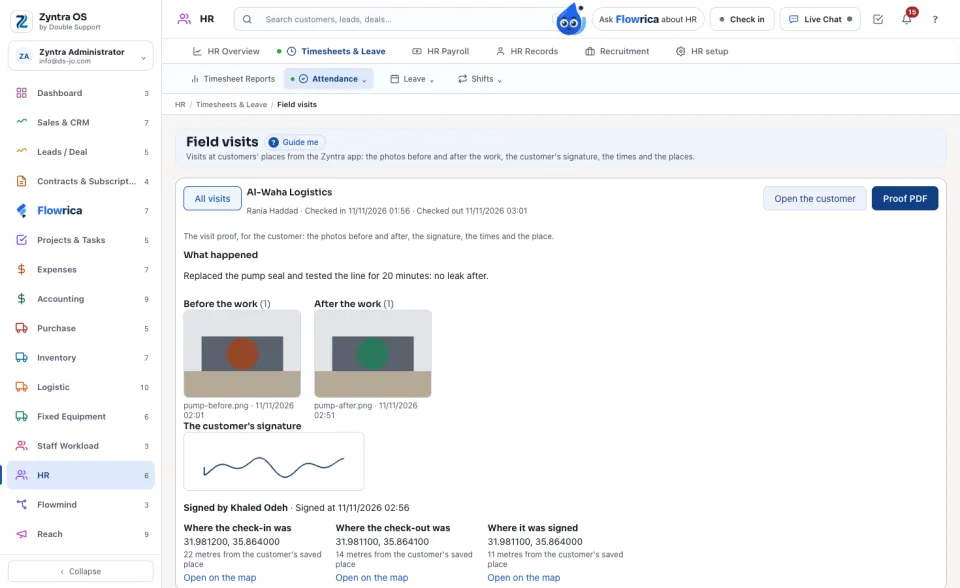
Press a customer's name to open the visit: What happened, the photos under Before the work and After the work (and During the visit for a photo with no label), each with the time it was taken.
3
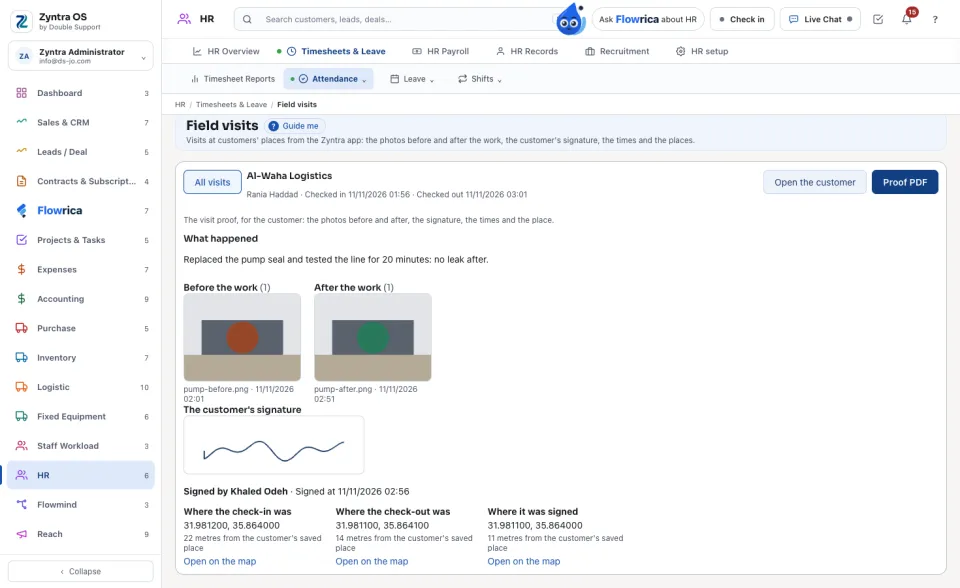
Under The customer's signature: the signature, who signed and when. Then where the check-in, the check-out and the signature were, each with how far it was from the customer's saved place and Open on the map. When the company asks for selfies, they show Selfie at the check-in and Selfie at the check-out: only the person themselves and who holds «Timesheet - Attendance · See where a punch happened and its selfie» see it.
4
Press Proof PDF to open the visit proof: the customer, who visited, the times, the photos before and after, the signature, the signer's name and the place. Press Open the customer to go to the customer.
On the customer's page, under Timeline › Activities, the visit report has Open the visit's proof, which opens the same visit here.
Questions
Where is “Field visits and the visit proof” in Zyntra OS?
HR › Timesheets & Leave › Attendance › Field visits · on the phone: the Zyntra app › Me › Customer visit
Who can use “Field visits and the visit proof”?
Everyone who checks in sees their own visits. Other people's visits, their places and photos need «Field visits · View every visit, its places and photos».