

 Zyntra OS
 Zyntra Legal
 Zyntra Real Estate
 Zyntra Hotel
 Zyntra E-commerce
 Zyntra Appointments
 Zyntra Repair
 Zyntra Garage
 Zyntra Concierge
 Zyntra Contracting
 Zyntra Clinic
 Zyntra Call Center
 Zyntra OTA
Where
Concierge › Services and pricesWho
Concierge services: View to read, Edit to change.1
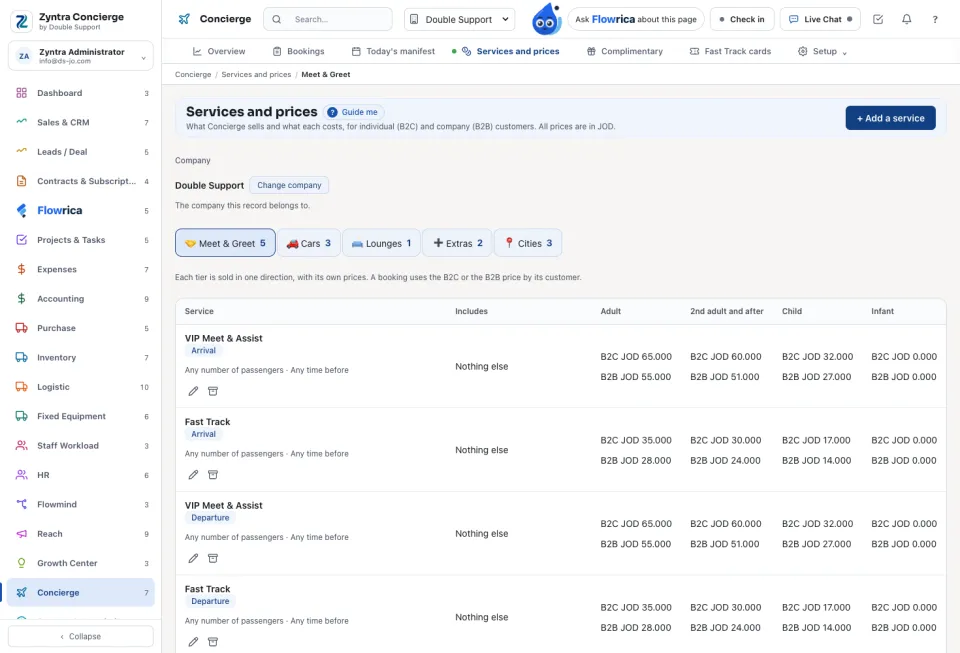
Open the tab: Meet & Greet, Cars, Lounges, Extras or Cities.
2
Press Add a service (or Add a car price, Add a city). Give its price for B2C and for B2B customers. Press Save.
3
Under What each car costs Concierge give each car's purchase price and its supplier, and press Save car costs.
The booking form reads its prices from here. A car with no cost raises no vendor bill, and the staff are told.
Questions
Where is “Services and prices” in Zyntra OS?
Concierge › Services and prices
Who can use “Services and prices”?
Concierge services: View to read, Edit to change.