What clients book, who performs it and when they work, and where: the services, the staff with their hours, and the locations with their rooms and closed days.
Appointment Services, Appointment Staff and Hours; the locations need Appointment Settings — Edit.
Services
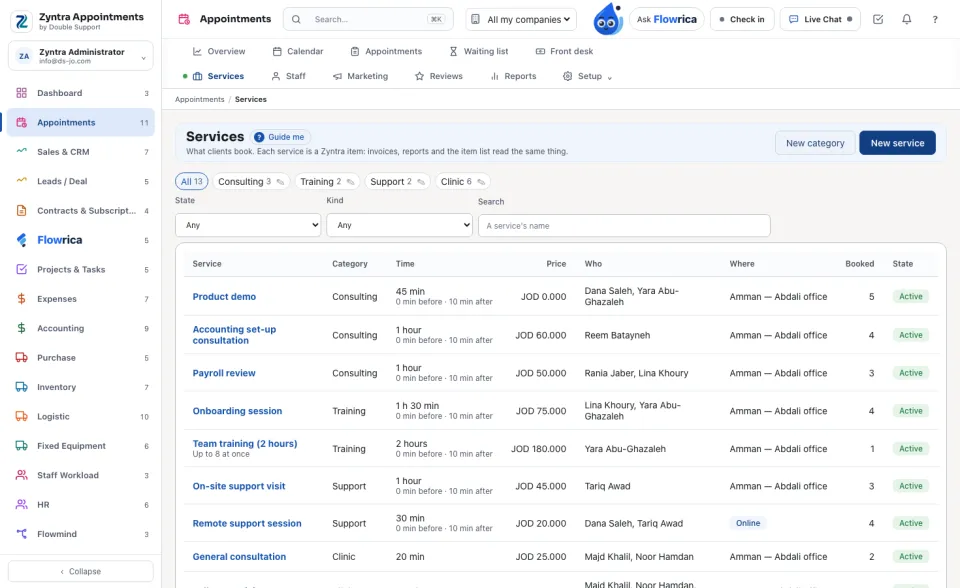
What clients book. Each service is a Zyntra item: invoices, reports and the item list read the same thing. The list shows Service, Category, Time, Price, Who performs it, Where, how many times it was Booked and its State.
1
Press New service. Under What it is type the name in English and Arabic, and choose the category and location.
2
Under Time: how many minutes it Takes, the free minutes before and after, and how many clients at once.
3
Under Price: the price and any discount.
4
Under How it is booked: online (a meeting link is made), whether it Needs a room, and whether it is Booked online too. Under Who performs it tick the staff. Press Save.
Staff and hours
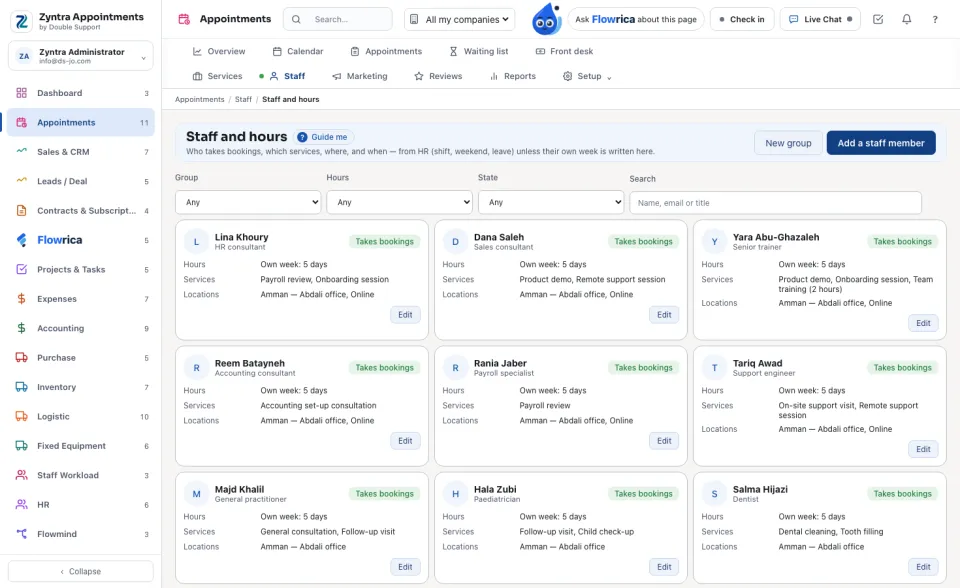
Each staff member with their hours — From HR or Their own week — and whether they Take bookings or are Paused.
1
Press Add a staff member and choose the Person (a Zyntra user). Type the title in both languages, a few words About them, and tick their services and locations.
2
Choose Use their HR shift, or Write their own week: each day Works, its hours and the break. The panel shows the next 14 days as bookings read them. Press Save.
Locations and hours
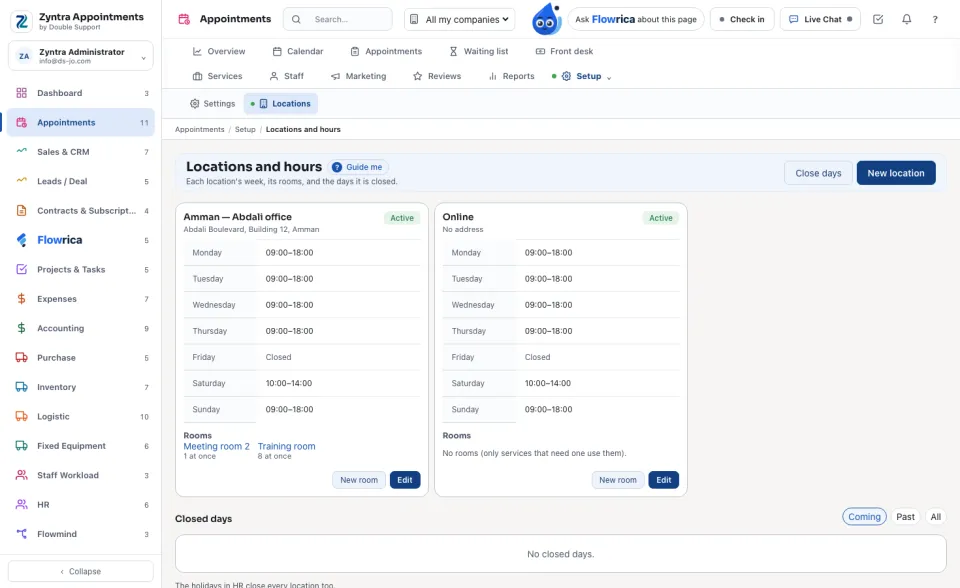
New location: the name in both languages, address, phone, the place on the map, the Opening hours of each day, and the most bookings at a time and a day. New room: a room of a location and how many it holds. Close days: a reason such as a holiday, the days, and where.


 Zyntra OS
 Zyntra Legal
 Zyntra Real Estate
 Zyntra Hotel
 Zyntra E-commerce
 Zyntra Appointments
 Zyntra Repair
 Zyntra Garage
 Zyntra Concierge
 Zyntra Contracting
 Zyntra Clinic
 Zyntra Call Center
 Zyntra OTA