

 Zyntra OS
 Zyntra Legal
 Zyntra Real Estate
 Zyntra Hotel
 Zyntra E-commerce
 Zyntra Appointments
 Zyntra Repair
 Zyntra Garage
 Zyntra Concierge
 Zyntra Contracting
 Zyntra Clinic
 Zyntra Dental
 Zyntra School
 Zyntra University
 Zyntra Call Center
 Zyntra OTA
Where
University › Fees and bills › PricesWho
University — Set fee prices adds and changes the prices and the fees.The price of a credit hour
Each price is for every student, or for a degree, a major, an intake year or a nationality. When more than one fits a student, the most exact one is used: a major's before a degree's, and an intake year's or a nationality's before a price without one. The price is before tax.
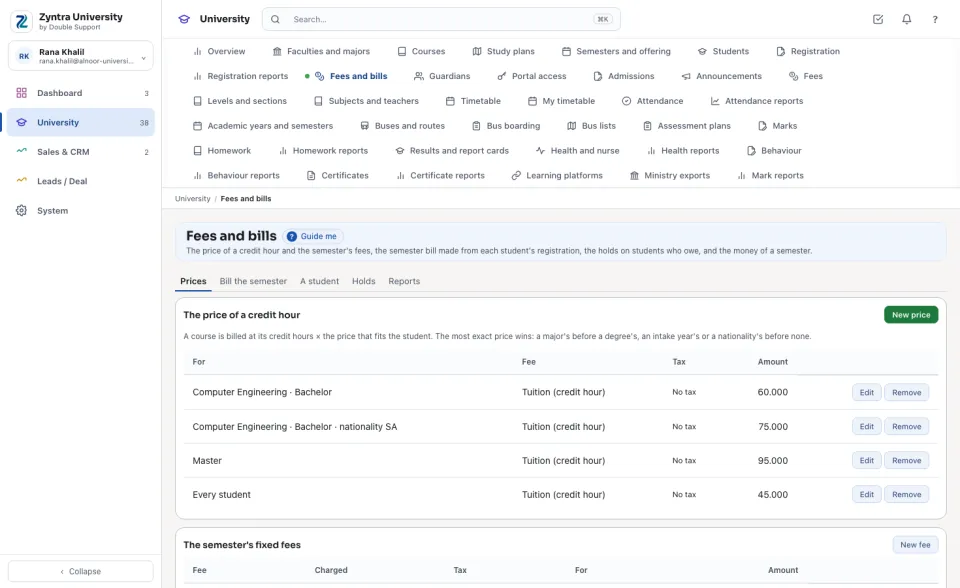
The semester's fixed fees
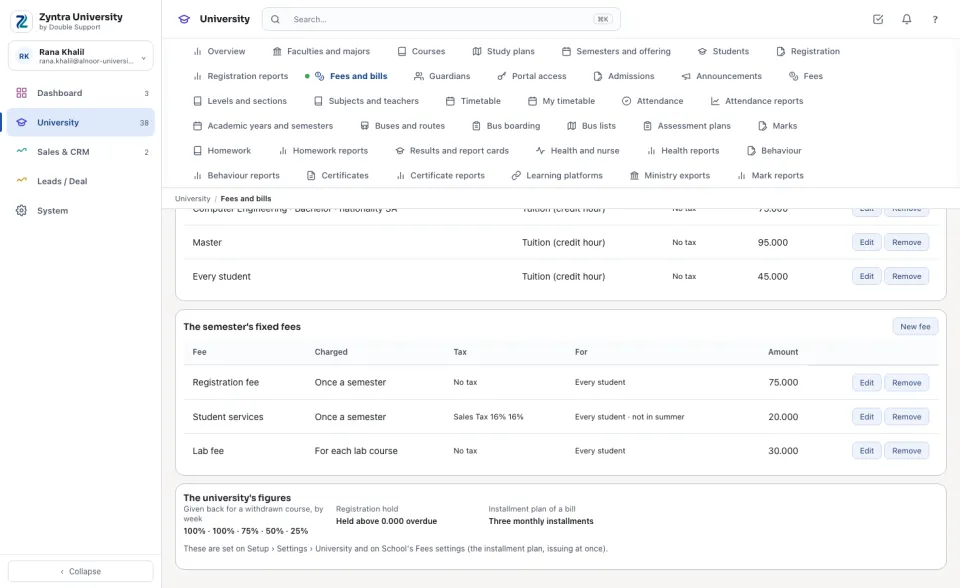
A fee is charged once a semester (registration, student services), for each course, or for each lab course. It can be for one degree only, and left out of the summer semester.
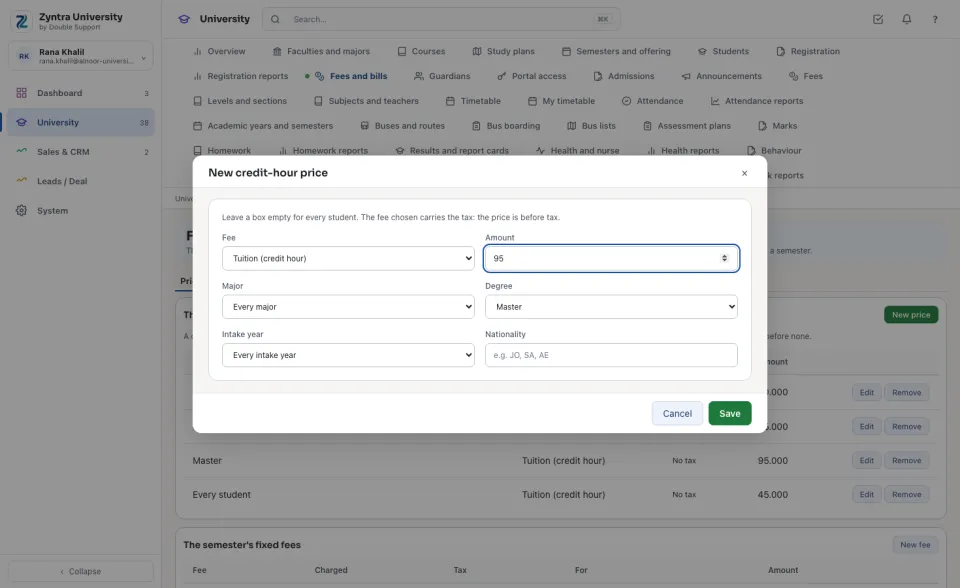
Adding a price
Press New price, choose the fee, type the amount, and choose who it is for. Leave a box empty for every student. The same price for the same students is refused: change the one already there.
The tax follows the fee
Each price and fee is one of the school's fees (School › Fees), and each fee is an item with its own tax. The tax on the bill is the item's, for that student: tuition can be without tax and student services at 16%, a Saudi citizen's education relief is the customer's own. Nothing about tax is typed here.
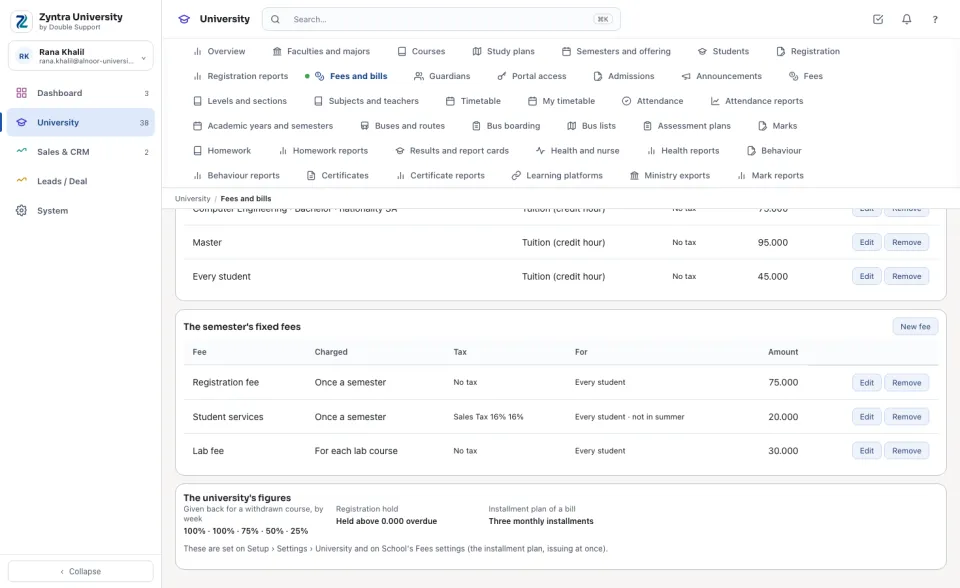
The university's figures
How much of a withdrawn course is given back, by the week of the semester, and the registration hold are set on Setup › Settings › University. The installment plan of a bill, and whether a bill is issued at once, are School's fee settings.
Questions
Where is “Fees and bills — prices” in Zyntra OS?
University › Fees and bills › Prices
Who can use “Fees and bills — prices”?
University — Set fee prices adds and changes the prices and the fees.