

 Zyntra OS
 Zyntra Legal
 Zyntra Real Estate
 Zyntra Hotel
 Zyntra E-commerce
 Zyntra Appointments
 Zyntra Repair
 Zyntra Garage
 Zyntra Concierge
 Zyntra Contracting
 Zyntra Clinic
 Zyntra Call Center
 Zyntra OTA
Where
Accounting › Exchange ratesWho
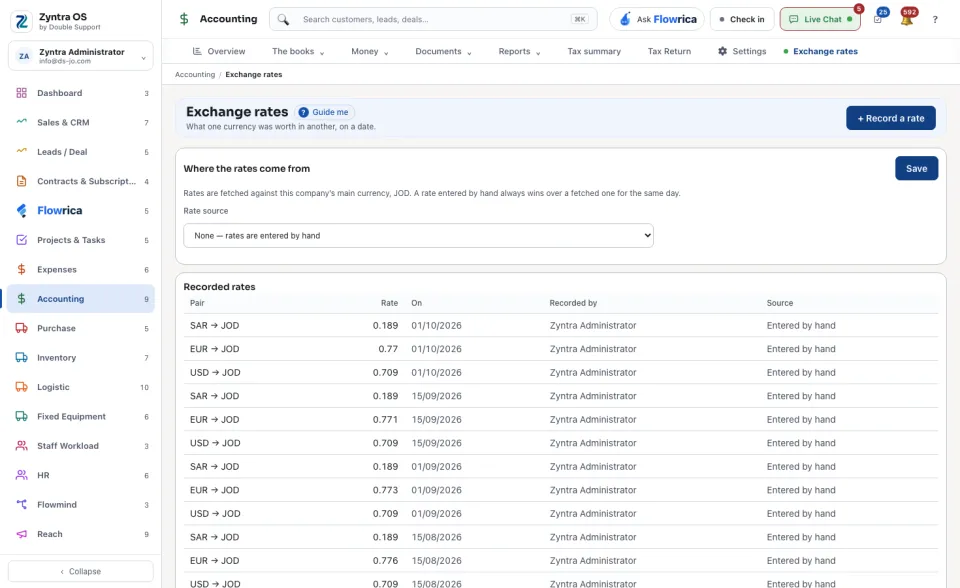
People whose role may see the settings.The screen has two parts: Where the rates come from at the top and the Recorded rates list under it.
Record a rate by hand
1
Press + Record a rate.
2
Fill in the four boxes:
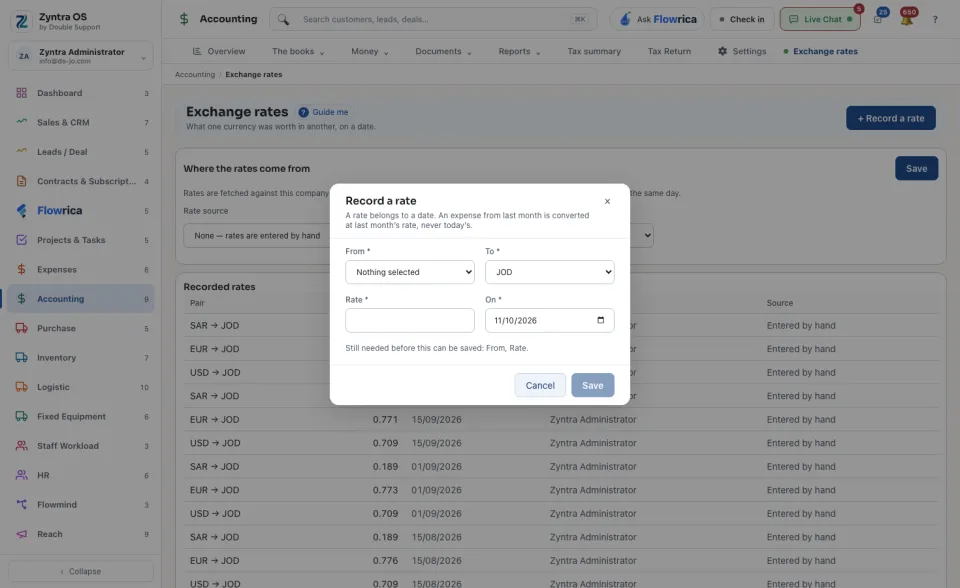
- From: the currency you are converting, for example the US dollar.
- To: the currency it is worth, for example the Jordanian dinar. It must differ from From.
- Rate: how much one unit of From is worth in To, for example 0.709.
- On: the date the rate belongs to.
3
Press Save. The rate joins Recorded rates with its Pair, Rate, the date (On), who it was Recorded by and its Source: Entered by hand.
If the rate you type is far from the last one for the same pair, the system asks first: This rate is far from the last one. Check the number, then press Save it anyway or correct it. When From and To are the same currency it says
A rate goes from one currency to a different one. Choose two.
Let the system fetch the rates
1
Under Where the rates come from, choose the Company. Rates are fetched against that company's main currency.
2
Choose the Rate source and how often to Fetch: from Every 24 hours down to Every hour. Choosing None — rates are entered by hand switches fetching off.
3
Press Test to read today's rates without keeping anything, then Save. Get online currency rates fetches once, now.
Recent fetches lists each fetch and how many rates it kept. A rate entered by hand always wins over a fetched one for the same day.
Old rates stay, so documents from earlier dates keep converting at the rate of their own date. Press Guide me and Flowrica points at + Record a rate.