Zyntra OS
 Zyntra Legal
 Zyntra Real Estate
 Zyntra Hotel
 Zyntra E-commerce
 Zyntra Appointments
 Zyntra Repair
 Zyntra Garage
 Zyntra Concierge
 Zyntra Contracting
 Zyntra Clinic
 Zyntra Call Center
 Zyntra OTA
Where
Expenses › ReportWho
People whose role may see expenses.1
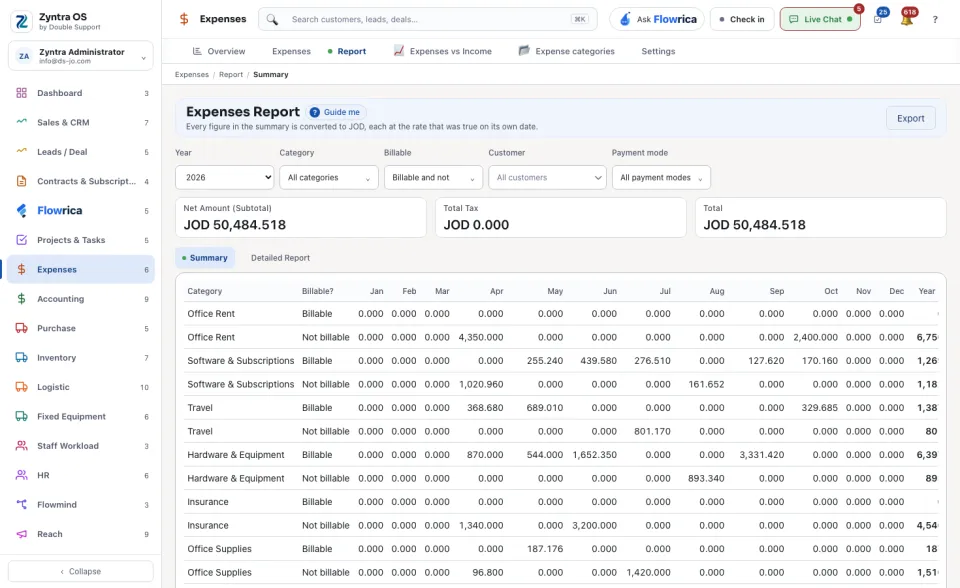
Choose the Year.
2
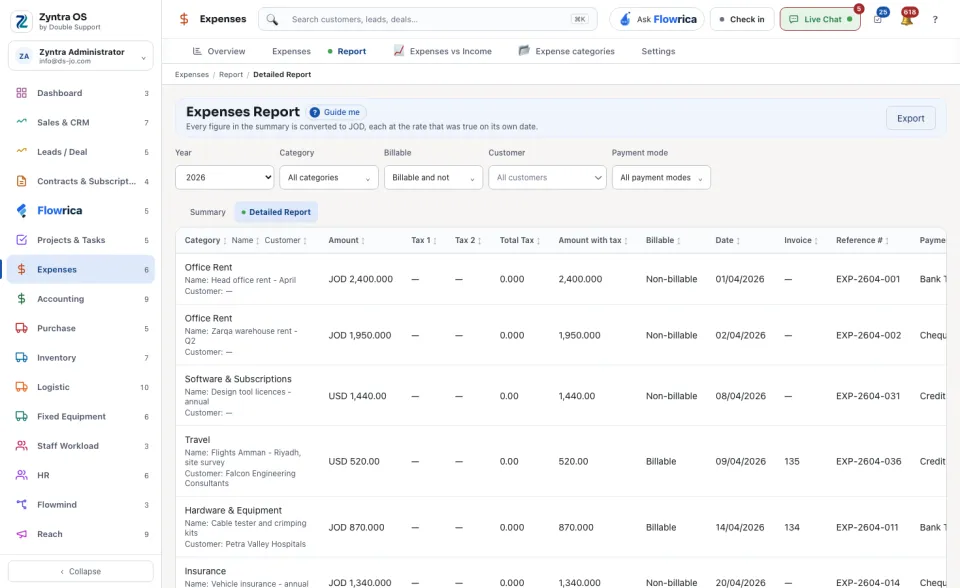
Narrow it: All categories, Billable and not, the Customer and All payment modes each open a list to choose from.
3
Choose the view: Summary sums the year by category and month, with the Net Amount (Subtotal), the Total Tax and the Total above the table; Detailed Report lists the expenses one by one, each with its Category, Amount, Tax 1, Tax 2, Total Tax, Amount with tax, Billable, Invoice, Reference # and Payment Mode.
4
Export downloads what is shown.
An expense with no exchange rate on its date cannot be converted, so it is left out of the summary and the report says so. Record the rate under Exchange rates.