

 Zyntra OS
 Zyntra Legal
 Zyntra Real Estate
 Zyntra Hotel
 Zyntra E-commerce
 Zyntra Appointments
 Zyntra Repair
 Zyntra Garage
 Zyntra Concierge
 Zyntra Contracting
 Zyntra Clinic
 Zyntra Call Center
 Zyntra OTA
Where
Accounting › Tax ReturnWho
People whose role may see tax returns.A tax return is one company's: choose one company in the company switcher of the top bar first. The screen has two views, Draft and Filed.
If the screen says No filing period is set, the system does not yet know how many months one return covers. Press Open e-invoicing settings and choose the regime that supplies it: see National e-invoicing. When the company is registered for a tax that has its own filing period, choosing that tax under Which tax lists its periods.
1
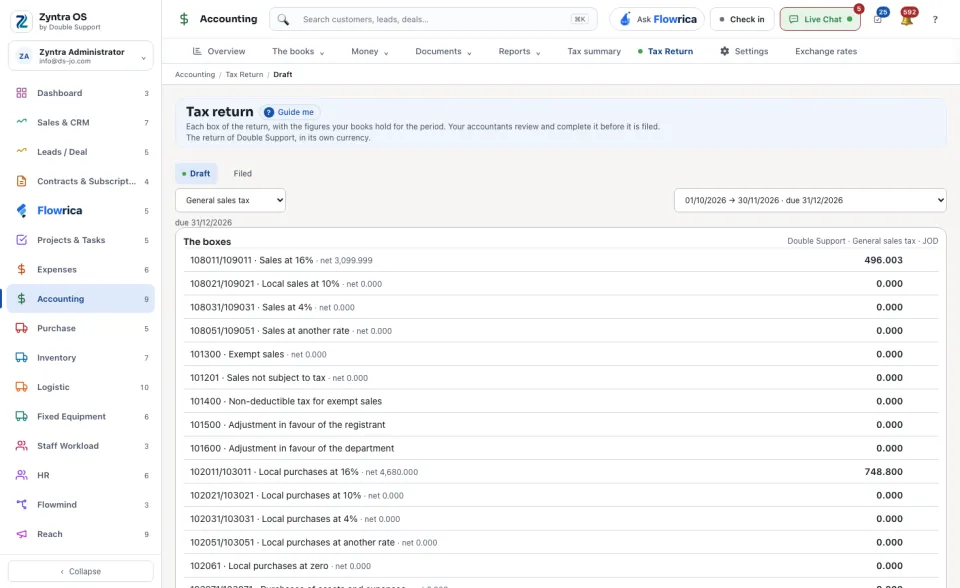
On Draft, choose the period, and under Which tax choose one tax or Every tax (one return).
2
Read The boxes, then the table By tax. Each row there is the net of sales and credit notes at that rate.
3
Check Adjustments to periods already filed. A filed return never changes: a document edited afterwards is corrected here, once, in the first period drawn after the change.
4
Press File and freeze. The dialog File this return warns that filing freezes the figures for good. It waits until every document in the period has an exchange rate: record the missing ones under Exchange rates.
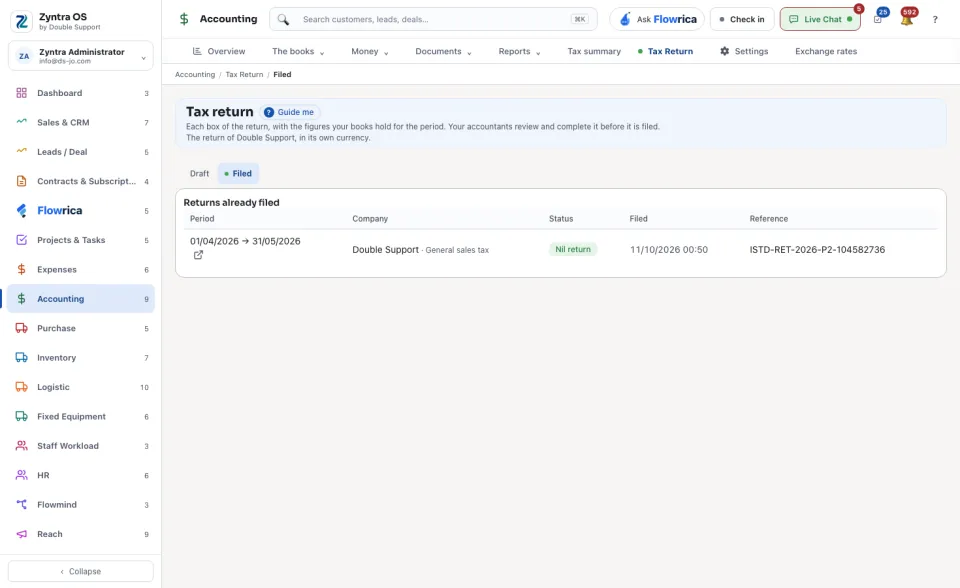
Filed lists the Returns already filed: the Period, the Company and its tax, the Status, when it was Filed and its Reference. Opening one, even years later, shows exactly what was submitted. Export downloads a return.
Before: Accounting reports