

 Zyntra OS
 Zyntra Legal
 Zyntra Real Estate
 Zyntra Hotel
 Zyntra E-commerce
 Zyntra Appointments
 Zyntra Repair
 Zyntra Garage
 Zyntra Concierge
 Zyntra Contracting
 Zyntra Clinic
 Zyntra Dental
 Zyntra School
 Zyntra University
 Zyntra Call Center
 Zyntra OTA
Where
Accounting › Money › Receipts & paymentsWho
People whose role may see receipt and payment vouchers. Making, editing and reversing one are rights of their own.1
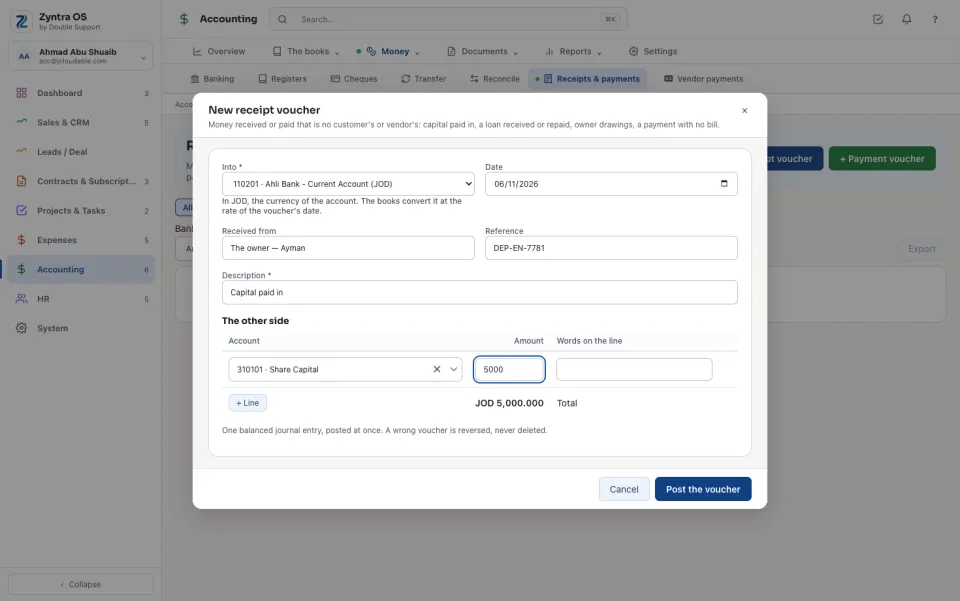
Press + Receipt voucher for money in, or + Payment voucher for money out.
2
Choose the bank or cash account under Into (or Out of). The voucher is in that account's currency.
3
Fill Received from (or Paid to), the Reference and the Description.
4
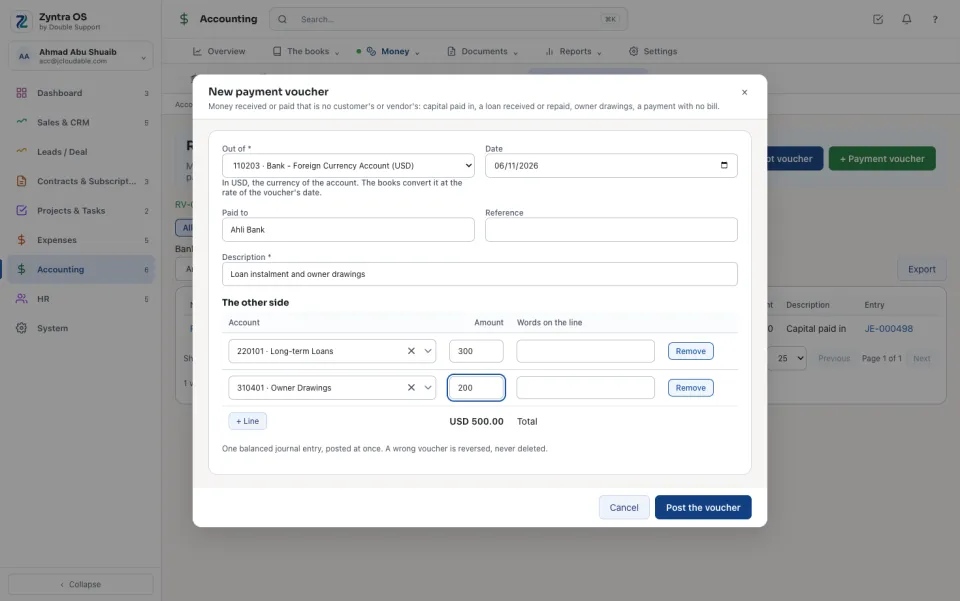
Under The other side choose each Account by typing part of its name or number, and its Amount. + Line adds another; the Total is the voucher's amount.
5
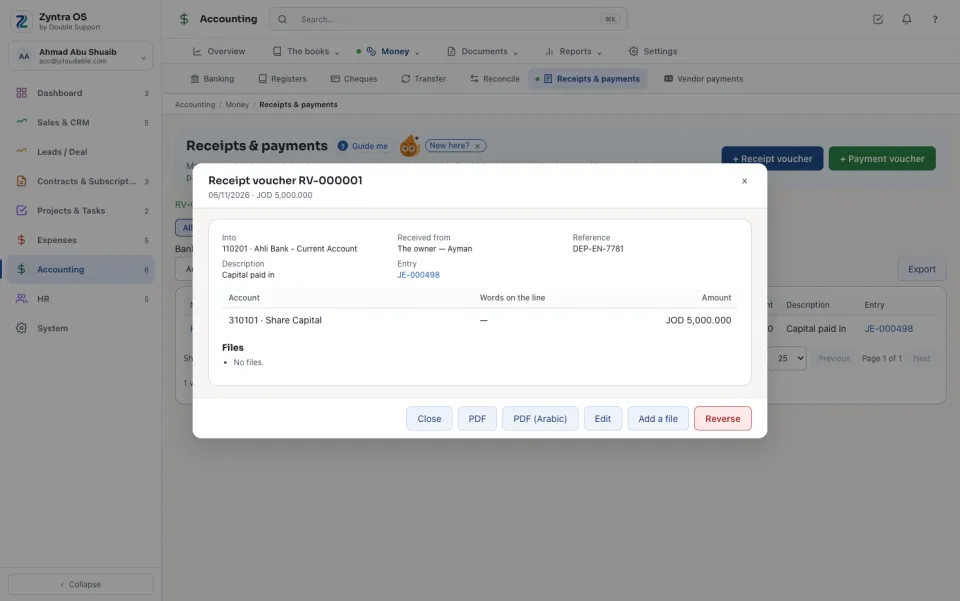
Press Post the voucher. It is one balanced journal entry and it posts immediately. The voucher opens: PDF or PDF (Arabic) prints it, Add a file keeps the bank slip with it.
A voucher out of an account kept in another currency is written in that currency; the books convert it at the rate of the voucher's date. If no rate is on file for that date it is refused: record the rate under Exchange rates first.
The list shows every voucher: Number, Date, Kind, the bank or cash account, who it was from or to, the Amount and its Entry. Receipts and Payments narrow it, and so do the account and the dates; Export downloads it.
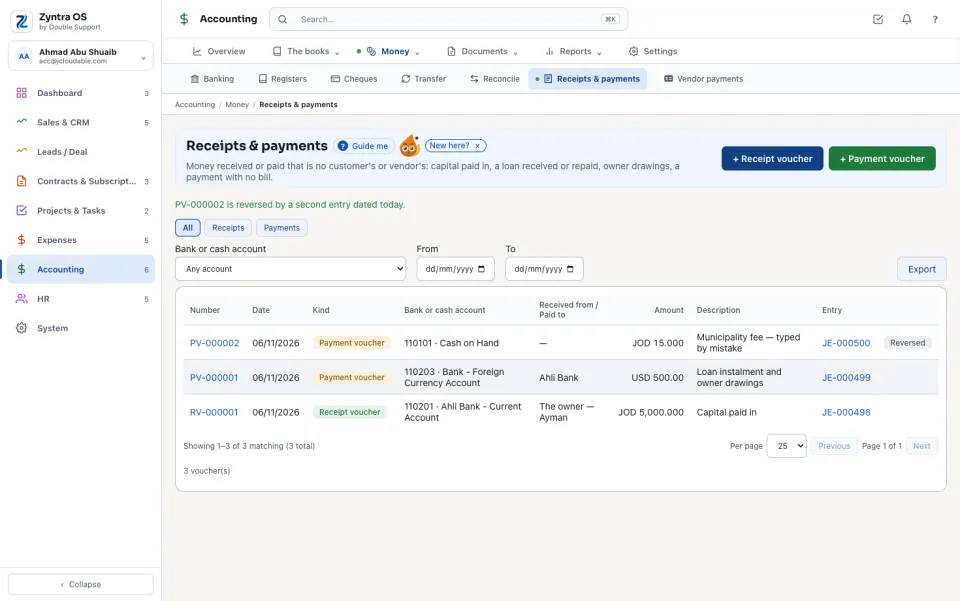
Reverse in an open voucher asks Why it is reversed, then moves the money back with a second entry dated today. Nothing is deleted; the row then says Reversed. An account that moves only by its own documents (customers, vendors) is not offered on a voucher.
With Flowrica: press Guide me and she points at + Receipt voucher. The press is yours.
Questions
Where is “Receipts & payments” in Zyntra OS?
Accounting › Money › Receipts & payments
Who can use “Receipts & payments”?
People whose role may see receipt and payment vouchers. Making, editing and reversing one are rights of their own.