

 Zyntra OS
 Zyntra Legal
 Zyntra Real Estate
 Zyntra Hotel
 Zyntra E-commerce
 Zyntra Appointments
 Zyntra Repair
 Zyntra Garage
 Zyntra Concierge
 Zyntra Contracting
 Zyntra Clinic
 Zyntra Call Center
 Zyntra OTA
Where
Accounting › Money › TransferWho
People whose role may see transfers.1
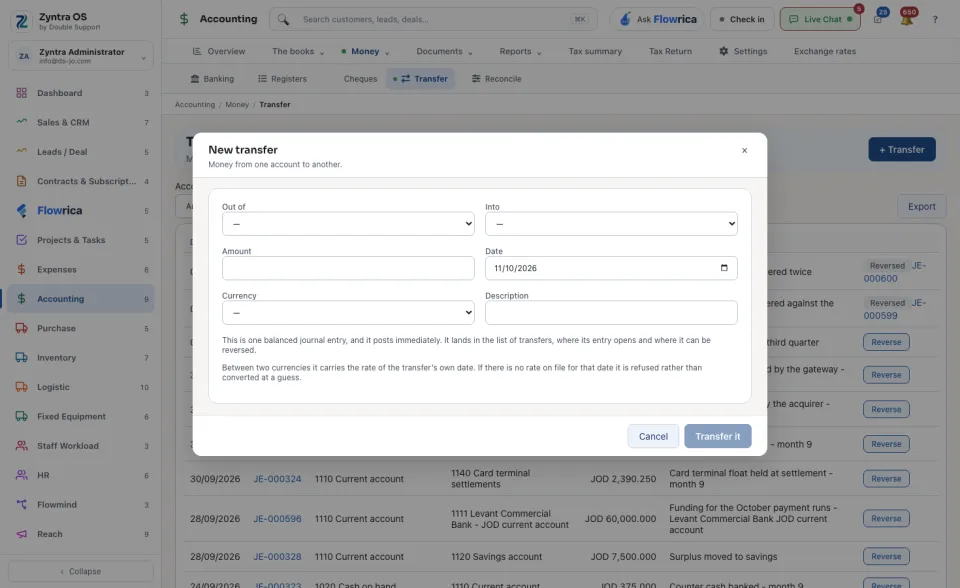
Press + Transfer. The form New transfer opens.
2
Choose the account the money comes Out of and the account it goes Into.
3
Fill the Amount and its Currency, the Date and a Description.
4
Press Transfer it. It is one balanced journal entry and it posts immediately.
Between two currencies the transfer carries the rate of its own date. If no rate is on file for that date it is refused, not converted at a guess: record the rate under Exchange rates first.
The list shows every transfer: Date, Entry, Out of, Into, Amount and Description. Narrow it by Account and by From and To dates; Export downloads it. The number under Entry opens the journal entry behind a transfer.
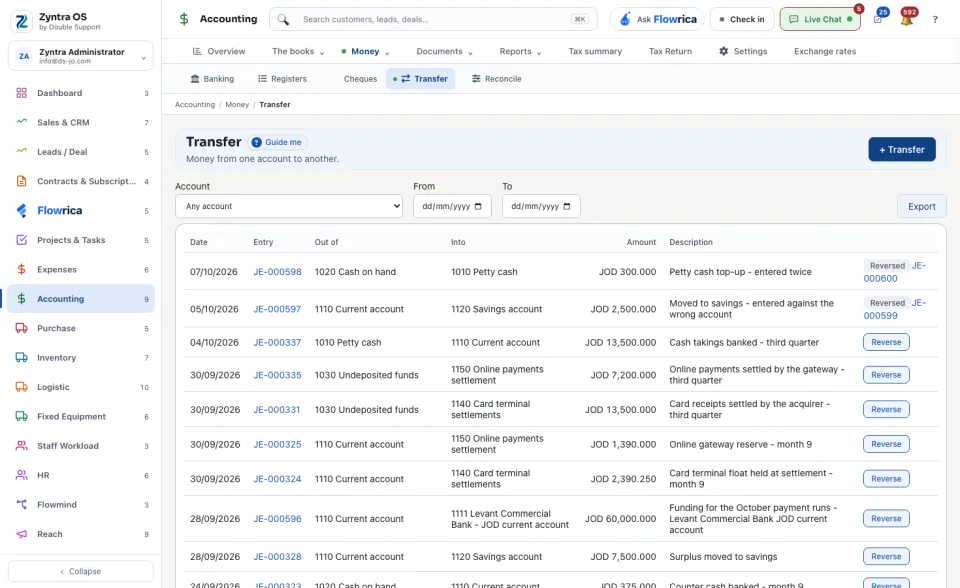
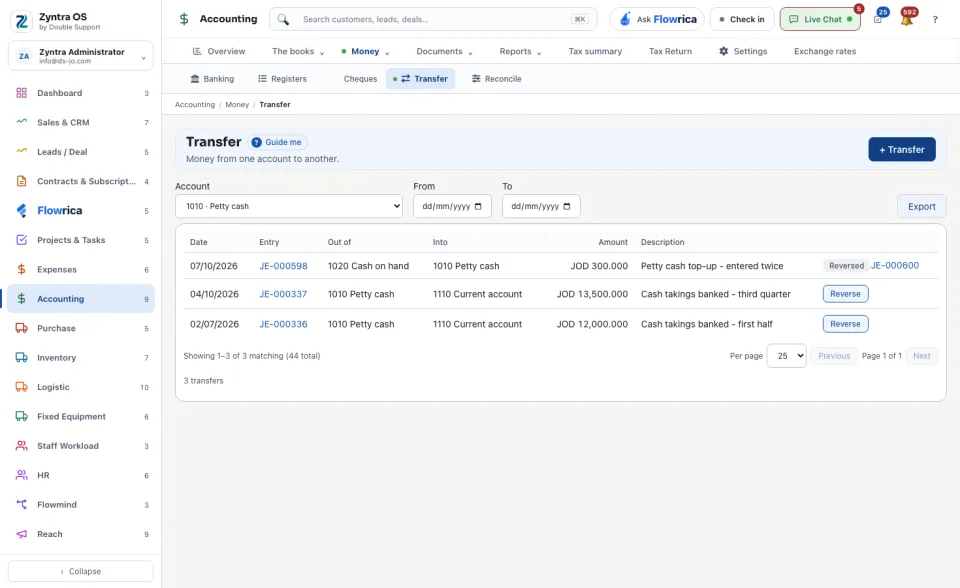
Reverse on a row asks Why it is reversed, then moves the money back with a second entry dated today. Nothing is deleted; the row then says Reversed.
With Flowrica: press Guide me and she points at + Transfer. The press is yours.