

 Zyntra OS
 Zyntra Legal
 Zyntra Real Estate
 Zyntra Hotel
 Zyntra E-commerce
 Zyntra Appointments
 Zyntra Repair
 Zyntra Garage
 Zyntra Concierge
 Zyntra Contracting
 Zyntra Clinic
 Zyntra Call Center
 Zyntra OTA
Where
Expenses › Overview and Expenses › ExpensesWho
People whose role may see expenses record their own; approvers decide.The two screens
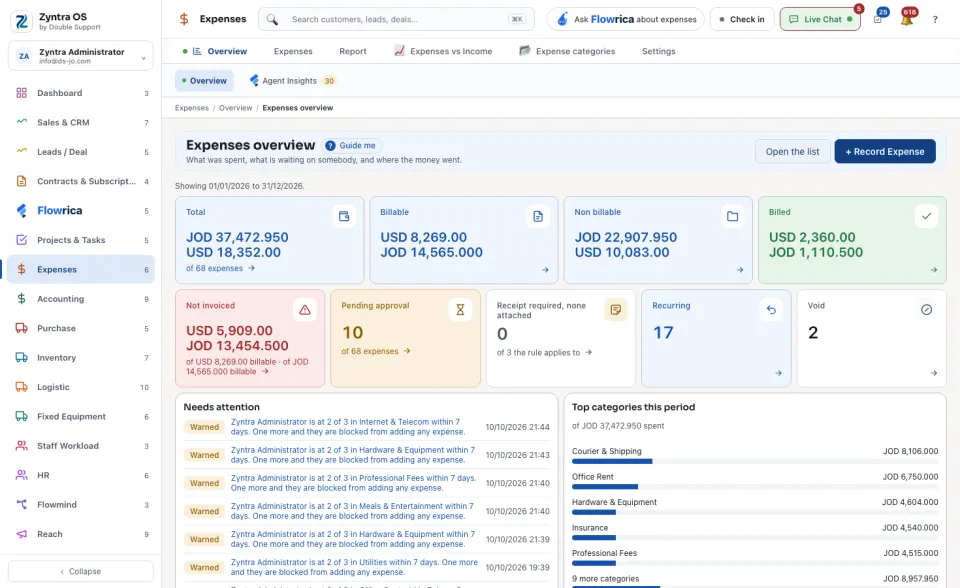
Expenses overview opens first. It shows what was spent in the period: Total, Billable, Non billable, Billed, Not invoiced, Pending approval, Receipt required, none attached, Recurring and Could not be judged (no exchange rate on the expense's date). Under them, Needs attention lists people warned or blocked by an expense rule, and Top categories this period shows where the money went. Open the list takes you to every expense.
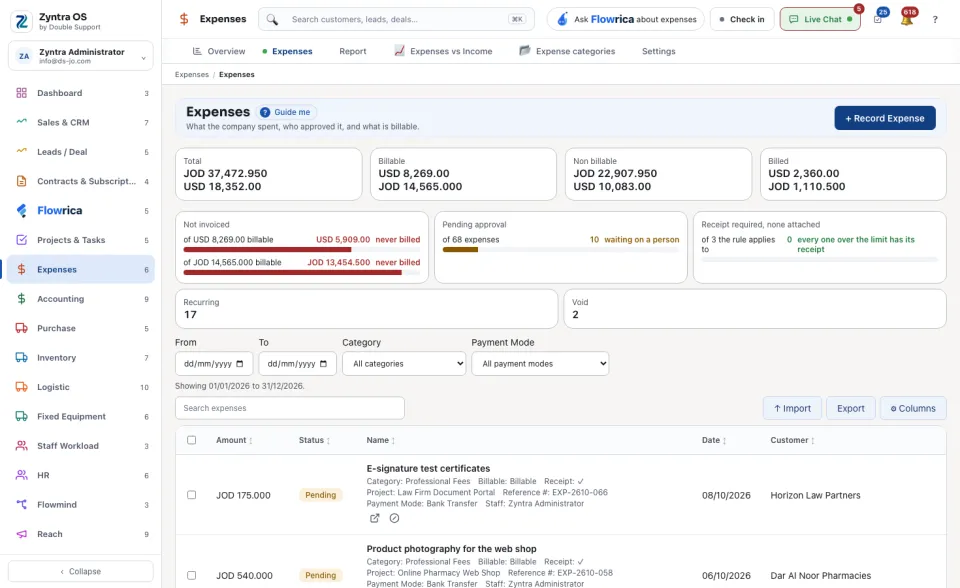
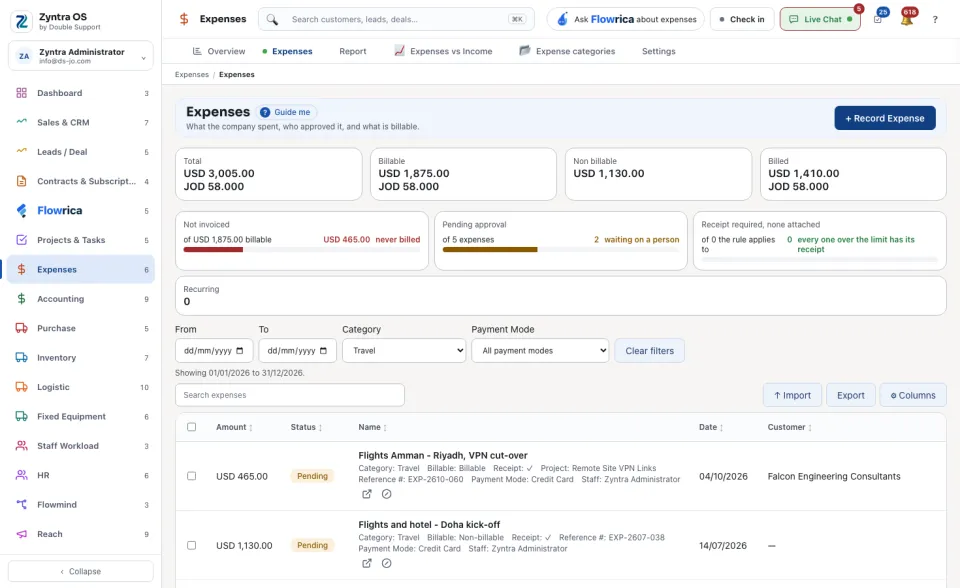
The list, Expenses, carries the same figures as cards: press a card to see only its rows. Narrow further with From, To, Category and Payment Mode. Import, Export and Columns are above the table. Each row shows the Amount, Status, Name, Date and Customer, with its category, whether it is billable and the staff member under the name.
Record one
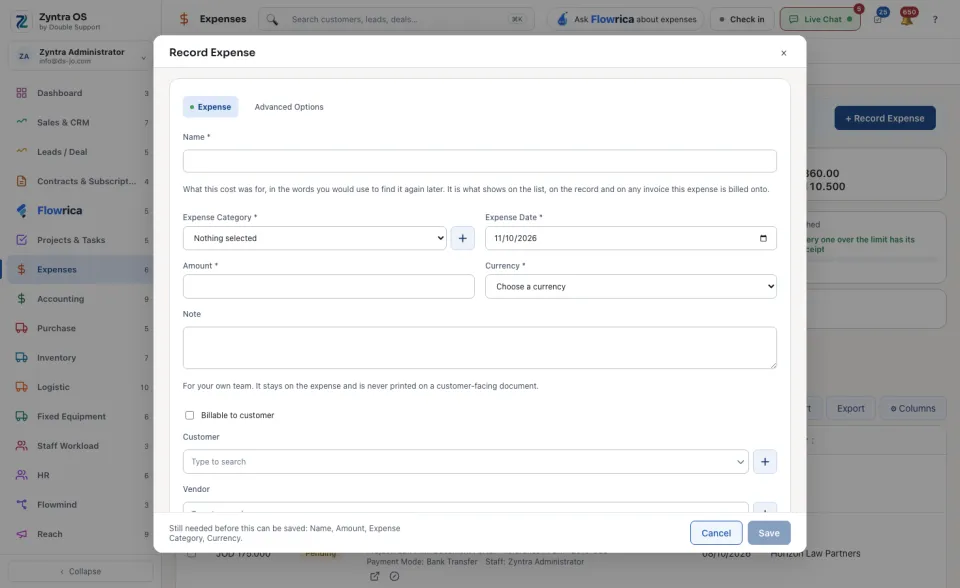
An expense is Pending, Approved, Rejected or Void. Once approved, its amount, date, category and currency are fixed: reject it first to change them. An expense in another currency is converted at the rate of its own date.
With Flowrica
Press Guide me: Flowrica points at + Record Expense and offers to record the expense with you, one question at a time. Nothing is saved until you press the form's own button. You can also ask her about the screen, for example what was spent in a period and what was billed on to customers.