

 Zyntra OS
 Zyntra Legal
 Zyntra Real Estate
 Zyntra Hotel
 Zyntra E-commerce
 Zyntra Appointments
 Zyntra Repair
 Zyntra Garage
 Zyntra Concierge
 Zyntra Contracting
 Zyntra Clinic
 Zyntra Call Center
 Zyntra OTA
Where
Expenses › Expenses, open the expense, then Convert to invoiceWho
People whose role may see expenses and create invoices.The expense's own page
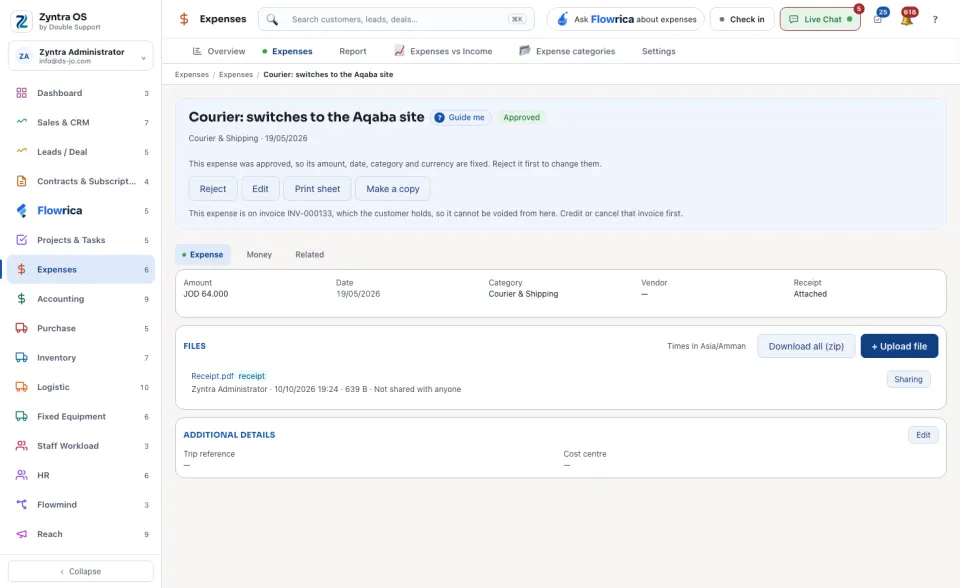
The head offers Approve / Reject, Edit, Print sheet, Make a copy, Convert to invoice and Void. Void asks Why it is being voided; nothing is deleted, the expense only stops counting. On an approved billable expense that was never billed, a band at the top says Flowrica suggests, with Bill it to the customer.
| Tab | What it holds | What you can do there |
|---|---|---|
| Expense | The Amount, Date, Category, Vendor and Receipt, and its files, each with Sharing. | + Upload file; Download all (zip). |
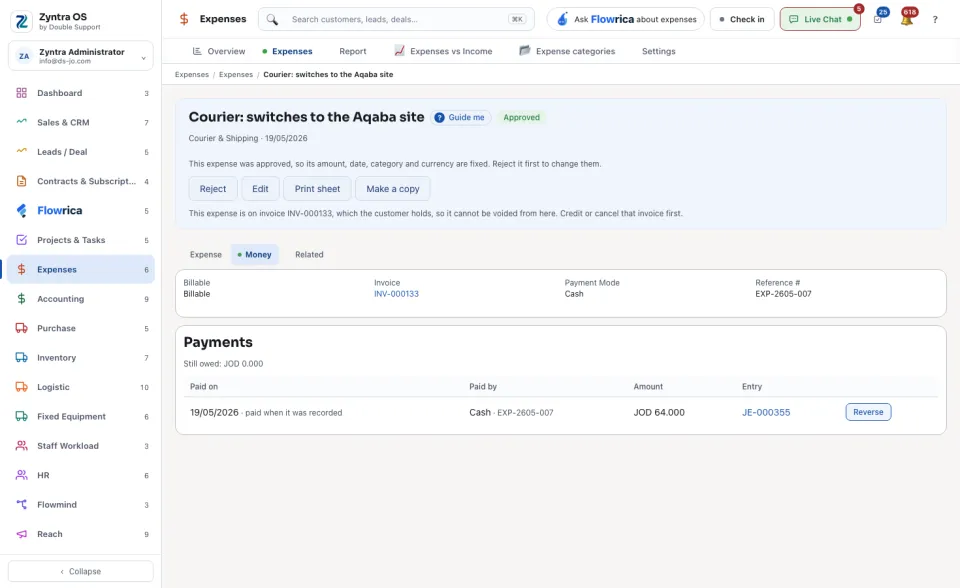
| Money | Whether it is Billable, its Invoice, the Payment Mode and Reference #, and its Payments: each with Paid on, Paid by, Amount and the Entry it posted, and what is still owed. | Record a payment while something is owed; Reverse on a payment. |
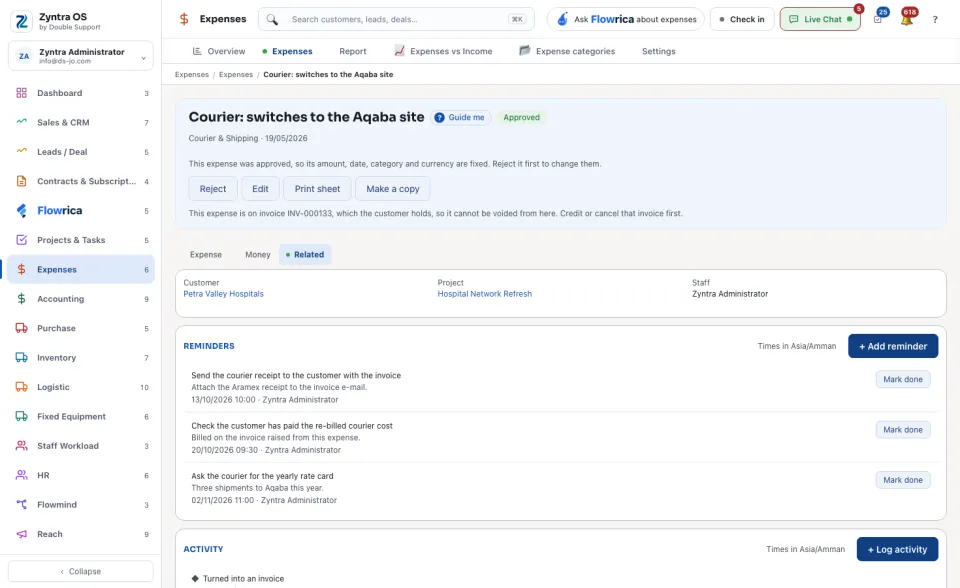
| Related | The Customer, Project and Staff member it belongs to, its reminders and its activity. | + Add reminder; + Log activity. |
Bill it to the customer
1
On the list of expenses, narrow to the billable ones that were never billed, and open one.
2
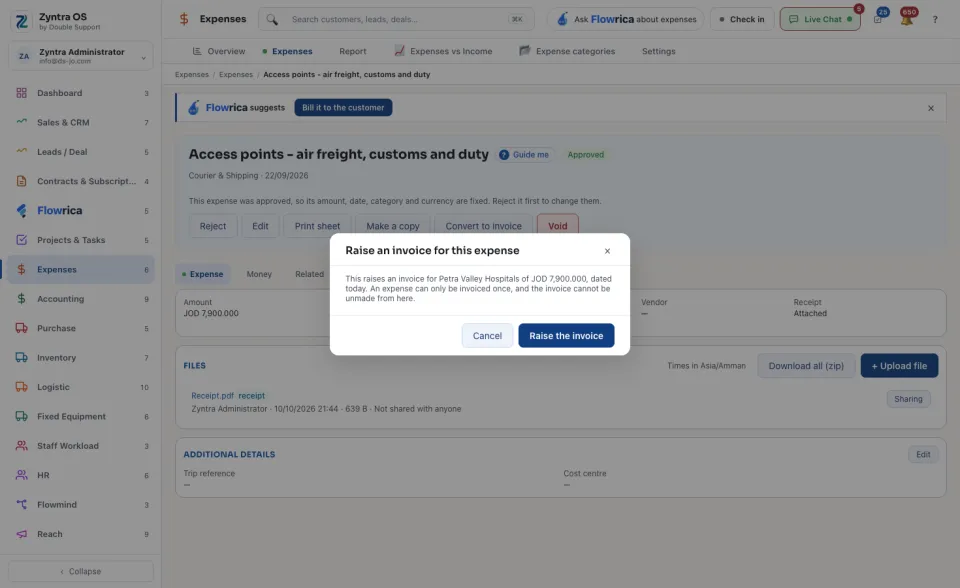
Press Convert to invoice. The dialog Raise an invoice for this expense names the customer and the amount; the invoice is dated today.
3
Press Raise the invoice. On the Money tab, Invoice now shows the invoice's number: press it to open the invoice.
An expense can be invoiced only once, and the invoice cannot be unmade from the expense. While the customer holds that invoice the expense cannot be voided: credit or cancel the invoice first. The button is offered only for an expense that is billable and has a customer.
The Money tab also keeps what the company itself paid for the expense: Payments, what is still owed, and Record a payment.
Before: Record an expense · Next: Issue an invoice