

 Zyntra OS
 Zyntra Legal
 Zyntra Real Estate
 Zyntra Hotel
 Zyntra E-commerce
 Zyntra Appointments
 Zyntra Repair
 Zyntra Garage
 Zyntra Concierge
 Zyntra Contracting
 Zyntra Clinic
 Zyntra Call Center
 Zyntra OTA
Where
Sales & CRM › Money › InvoicesWho
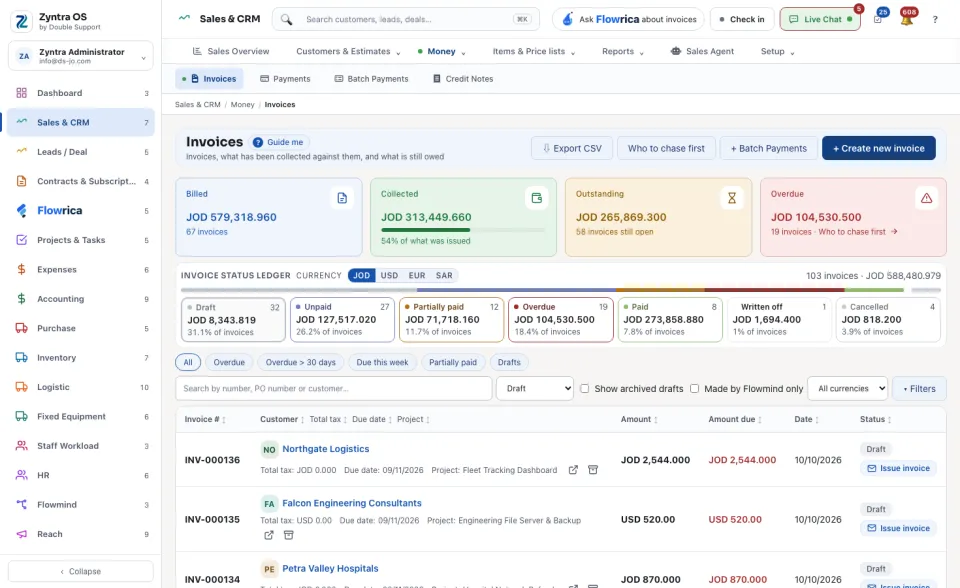
Anyone allowed to create invoices.A draft must be issued (Issue invoice) before it can be sent or paid. On an issued invoice, Send to customer emails it and Record payment records money received.
The list
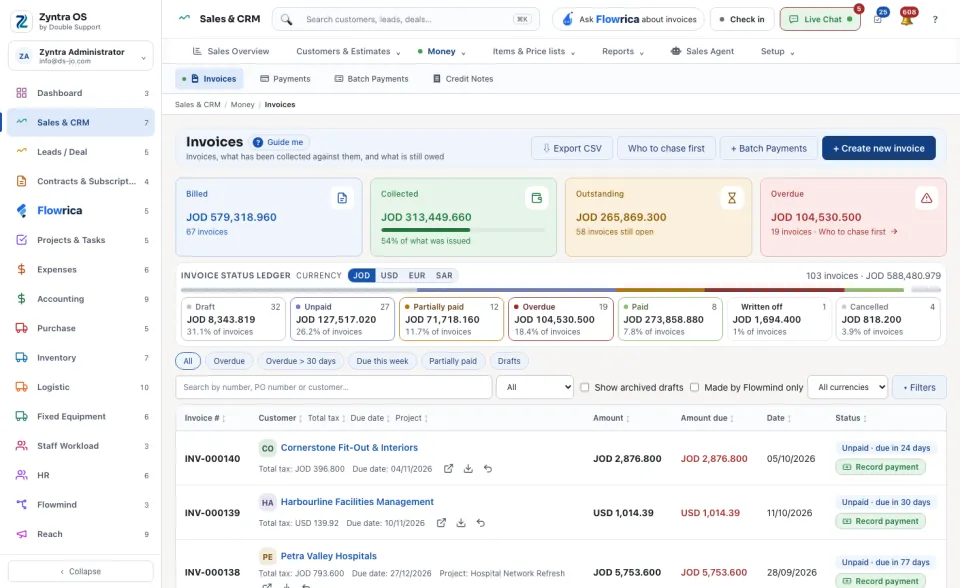
Four figures stand at the top: Billed, Collected, Outstanding and Overdue. Under them the Invoice status ledger has a card for each status in the currency you choose: Draft, Unpaid, Partially paid, Overdue, Paid, Written off and Cancelled. Press a card to see only those invoices. The row under it narrows the list as well: All, Overdue, Overdue > 30 days, Due this week, Partially paid, Drafts, then Show archived drafts and ▾ Filters. A row that still owes money carries its own Record payment button. ⇩ Export CSV takes the list out and + Batch Payments opens many payments at once.
Who to chase first
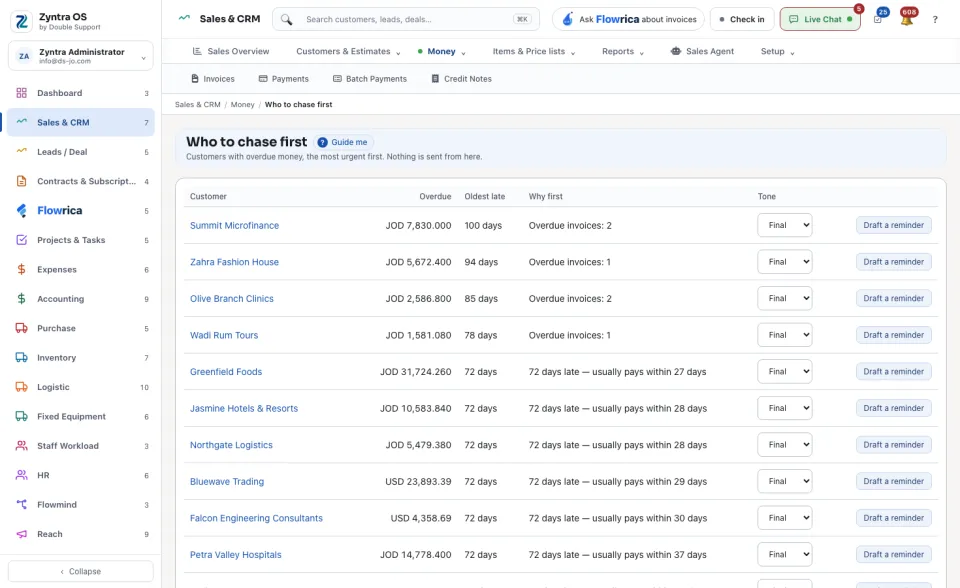
The Who to chase first button opens a list of the customers with overdue money, the most urgent first. Each row shows the amount Overdue, the Oldest late invoice and Why first, for example how late it is against how the customer usually pays. Draft a reminder writes a reminder for you to read. Nothing is sent from that screen.
The invoice’s page
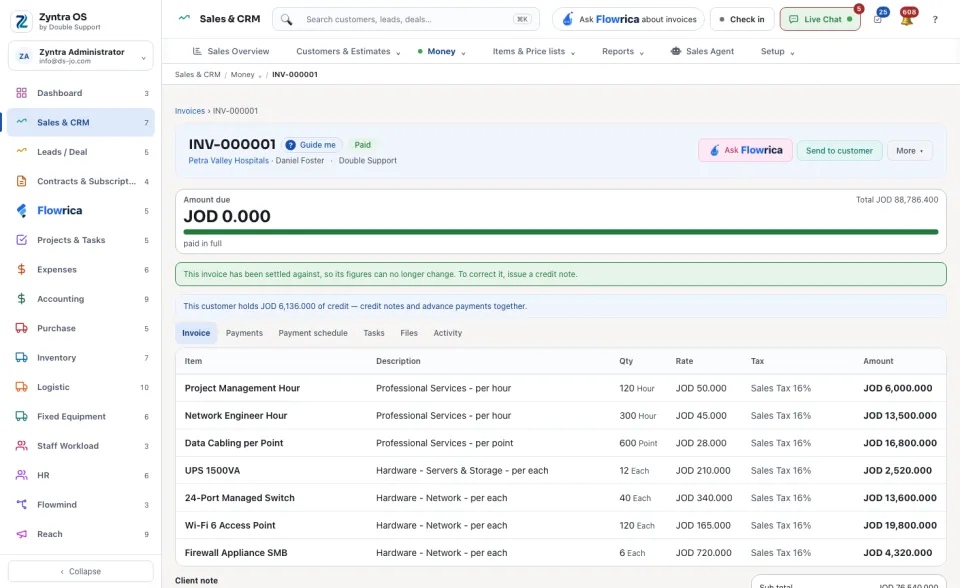
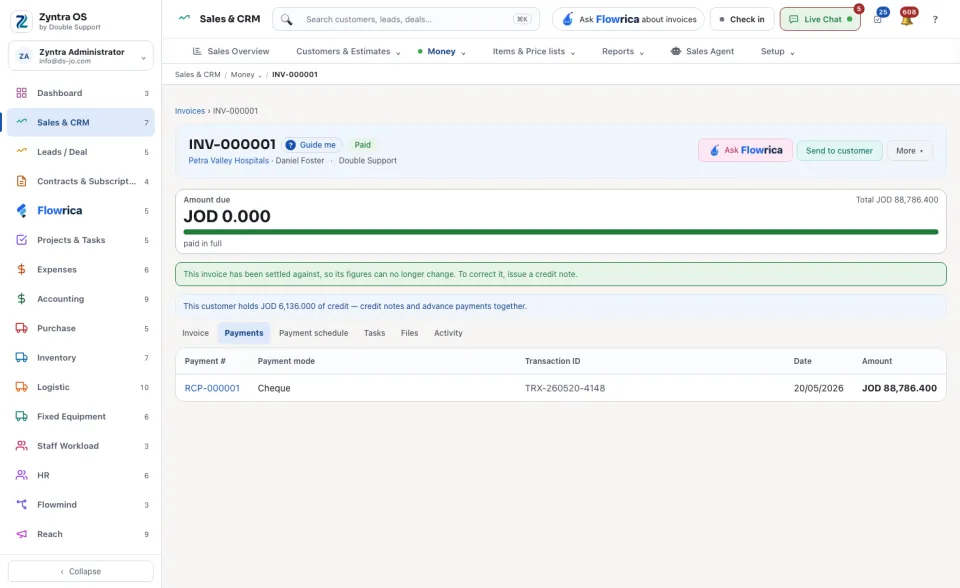
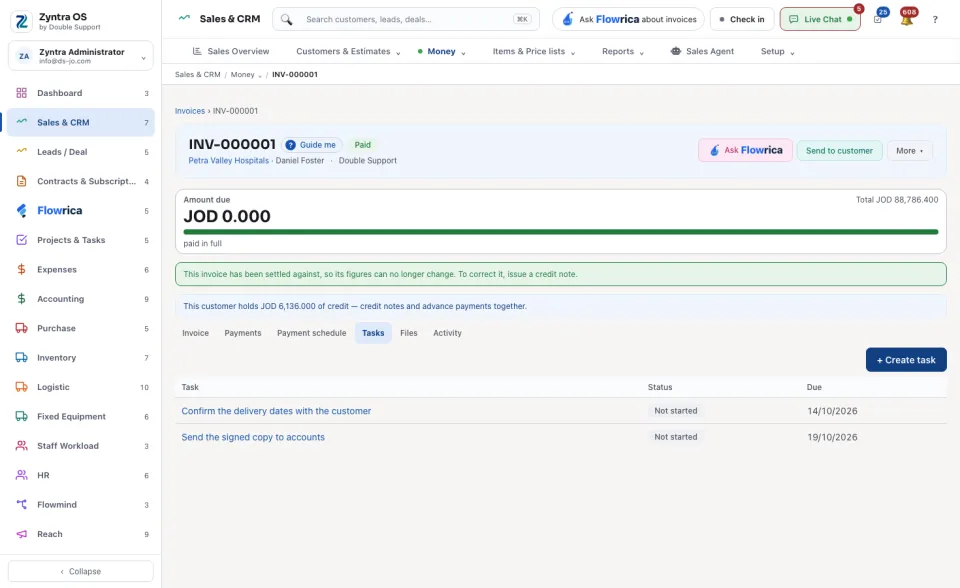
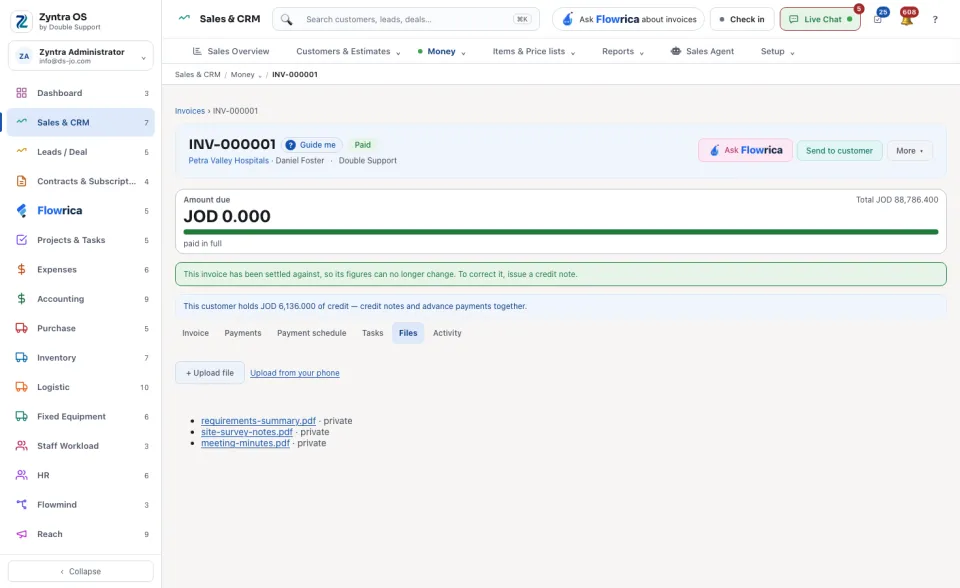
The head shows the number, the customer and the status, then the main button (Issue invoice while it is a draft, Record payment while money is due), Ask Flowrica, Send to customer and More ▾ (Create credit note, Copy, View PDF, Download, Mark as cancelled; on a draft also Edit). Under the head you see the Amount due, how much is paid, and how late it is. A late invoice shows its reminder band with Send reminder. When the customer holds credit, a band says so and offers Apply credits on an issued invoice.
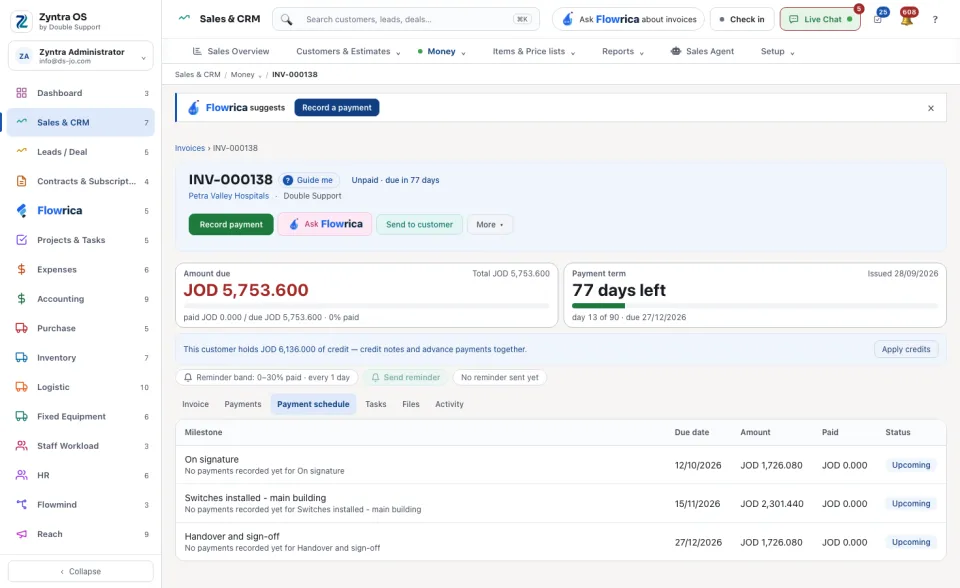
| Tab | What it is for | What you can do there |
|---|---|---|
| Invoice | The lines, notes, totals and the payment methods the customer may use. | Pause overdue reminders, Write off as bad debt. |
| Payments | Every payment and applied credit. | Take back an applied credit. |
| Payment schedule | The instalments agreed, and what is paid against each. | — |
| Tasks | Tasks about the invoice. | + Create task. |
| Files | Files on the invoice. | + Upload file, Upload from your phone. |
| Activity | Who opened the invoice, and when. | — |
What Flowrica does here
On the list she can make the invoice with you, one question at a time (Create an invoice); nothing is saved until you press the form's own button. You can ask her about the screen, for example How much is overdue?