

 Zyntra OS
 Zyntra Legal
 Zyntra Real Estate
 Zyntra Hotel
 Zyntra E-commerce
 Zyntra Appointments
 Zyntra Repair
 Zyntra Garage
 Zyntra Concierge
 Zyntra Contracting
 Zyntra Clinic
 Zyntra Dental
 Zyntra School
 Zyntra University
 Zyntra Call Center
 Zyntra OTA
Where
Sales & CRM › Money › Invoices › the invoice › Payment milestones (in the form) and the Payment schedule tabWho
Anyone allowed to create or edit invoices. Saving a plan as a template takes Invoices — Manage installment plan templates; choosing which installment a payment pays takes Payments — Choose the installment a payment pays.1
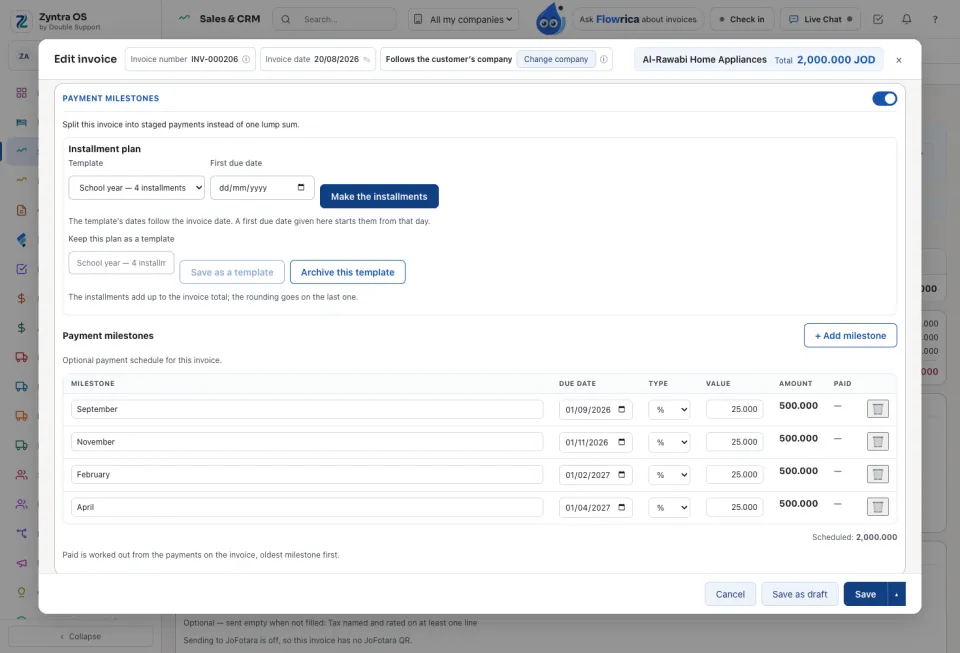
In the invoice form, under Payment milestones, use Installment plan: choose a Template, or say how many installments, every how many months or days, and the First due date. Press Make the installments. The lines fill the table below, still editable.
2
The installments must add up to the invoice total. Any rounding goes on the last one. To use the same plan again, type a name under Keep this plan as a template and press Save as a template. A template belongs to its company.
3
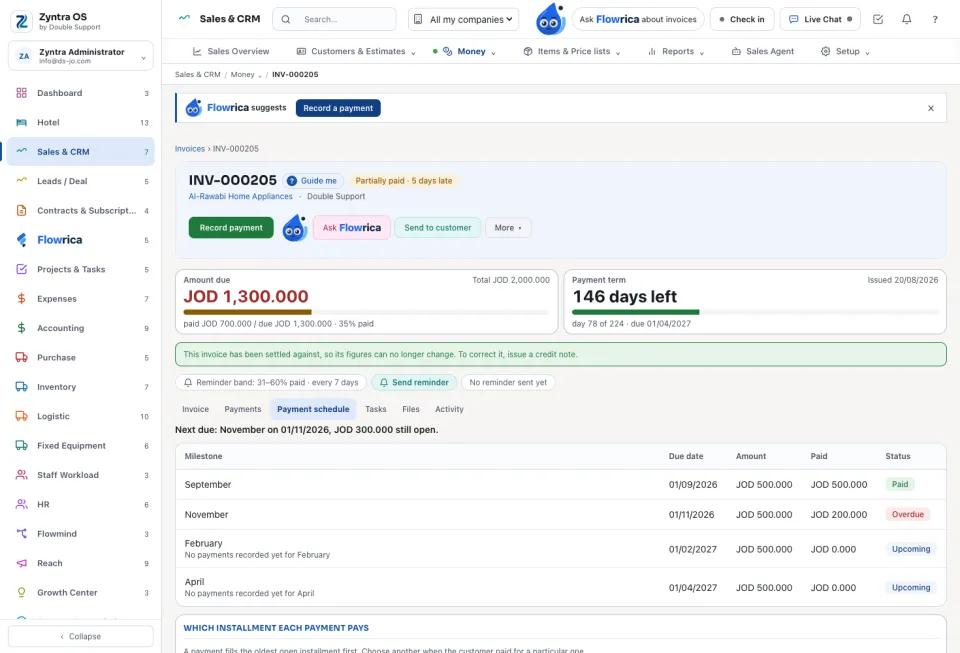
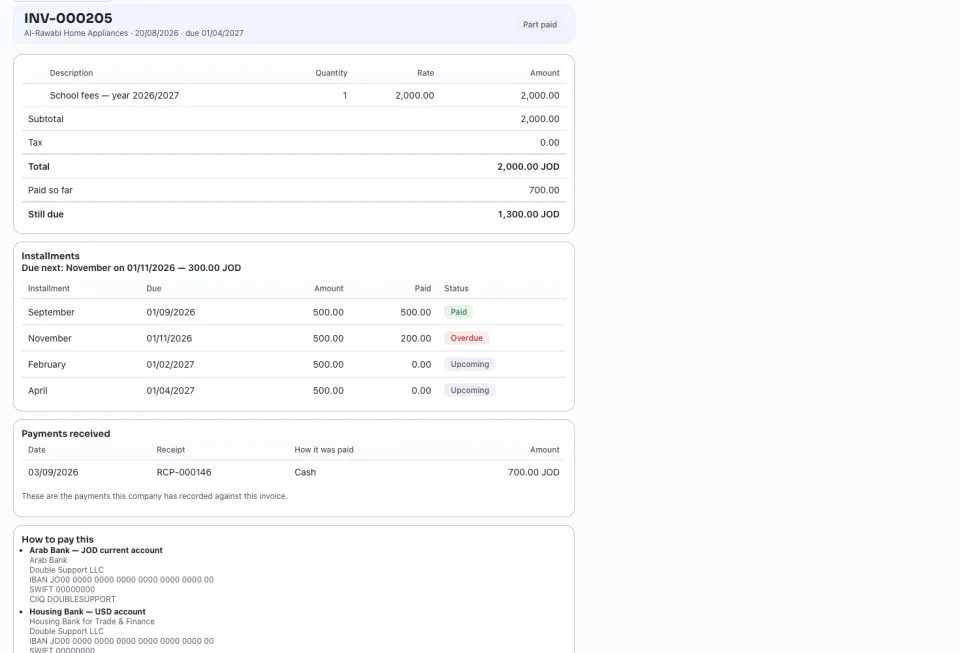
On the invoice, the Payment schedule tab shows each installment, what was paid on it, its status and which one is due next. A payment fills the oldest open installment first. Under Which installment each payment pays you can choose another one.
4
The invoice is late from its oldest unpaid installment, so reminders and the due-soon notice go out for each installment. The receivables ageing puts each part at its own due date.
5
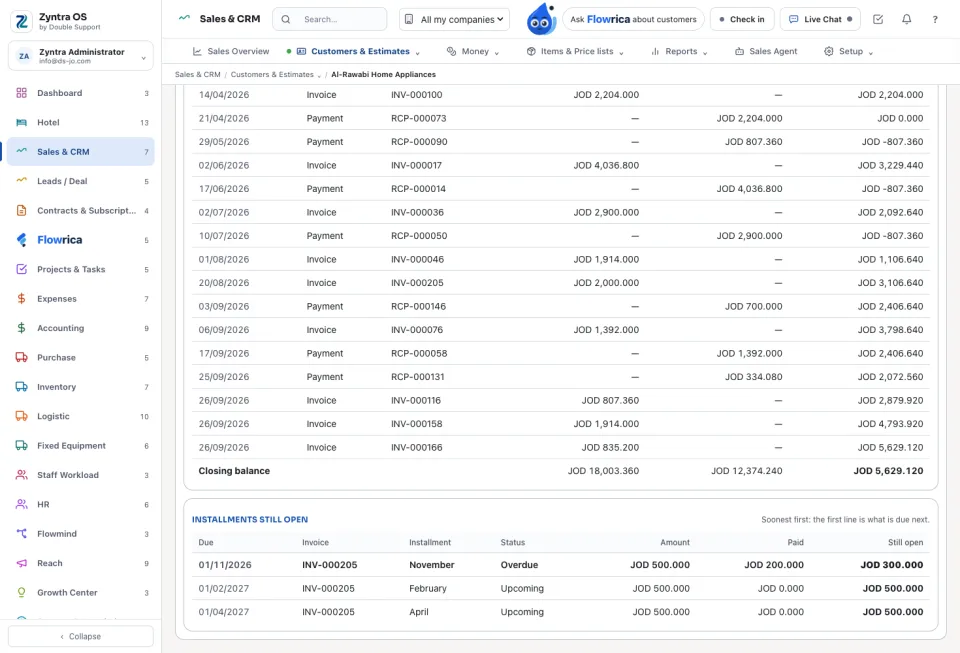
The customer's Statement (Customers › the customer › Money › Statement) lists Installments still open, soonest first. The customer sees the same plan on the invoice in the portal.
A template that is no longer used is archived, never deleted. A schedule brought from an estimate is kept as agreed until the invoice is saved again.
Before: Issue an invoice · Next: Record a payment
Questions
Where is “Let a customer pay an invoice in installments” in Zyntra OS?
Sales & CRM › Money › Invoices › the invoice › Payment milestones (in the form) and the Payment schedule tab
Who can use “Let a customer pay an invoice in installments”?
Anyone allowed to create or edit invoices. Saving a plan as a template takes Invoices — Manage installment plan templates; choosing which installment a payment pays takes Payments — Choose the installment a payment pays.