

 Zyntra OS
 Zyntra Legal
 Zyntra Real Estate
 Zyntra Hotel
 Zyntra E-commerce
 Zyntra Appointments
 Zyntra Repair
 Zyntra Garage
 Zyntra Concierge
 Zyntra Contracting
 Zyntra Clinic
 Zyntra Call Center
 Zyntra OTA
Where
Reach › Channels › CallsWho
Anyone allowed to create Reach channels. Calls shows only while Zyntra Call Center is switched on.1
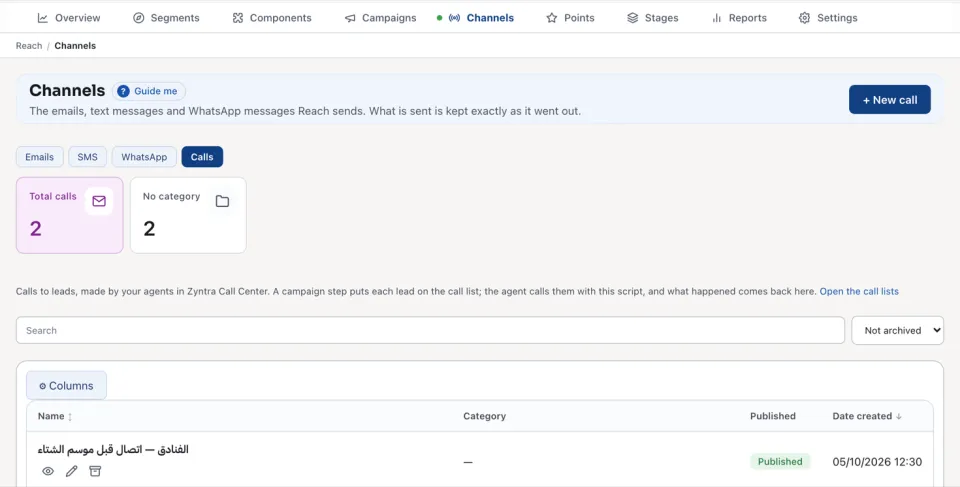
Open Calls and press + New call.
2
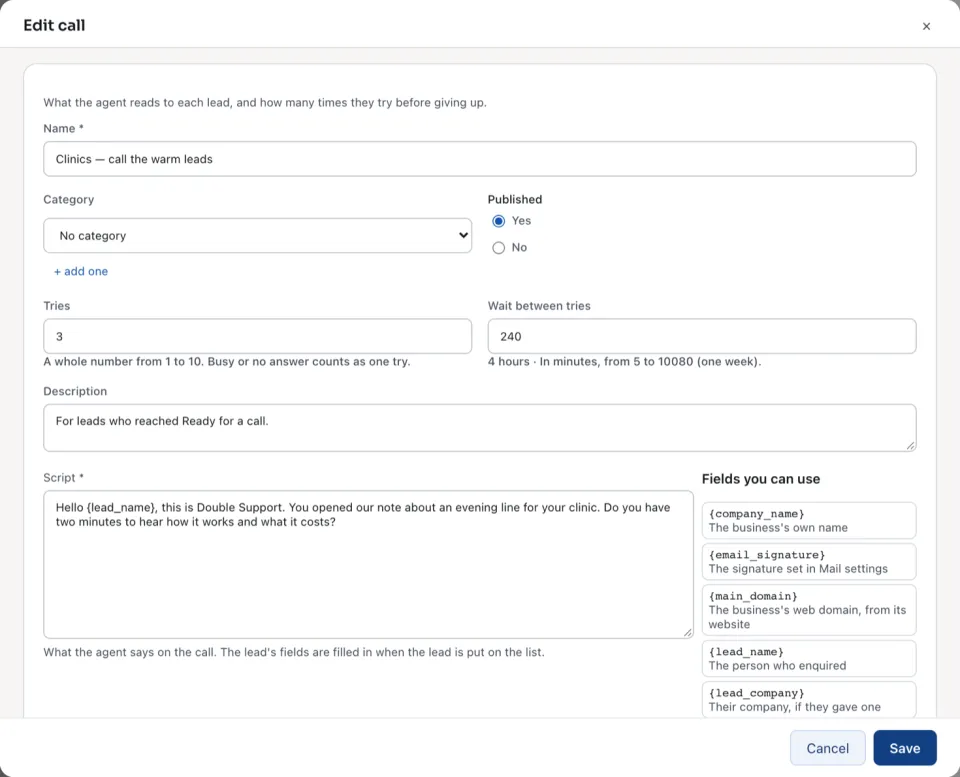
Type the Name, and choose a Category if you use them.
3
Write the Script: what the agent says on the call. The lead's fields are filled in when the lead is put on the list.
4
Set Tries: a whole number from 1 to 10. Busy or no answer counts as one try.
5
Set Wait between tries, in minutes, from 5 to 10080 (one week).
6
Press Save.
In a campaign, the step Reach: put on the call list puts each lead on the call list with this script. An open call counts To call, Reached and Not reached. Open the call lists opens the lists your agents work from.
A lead is not put on the list when they opted out of marketing calls, or while Zyntra Call Center is switched off.
Questions
Where is “Reach calls” in Zyntra OS?
Reach › Channels › Calls
Who can use “Reach calls”?
Anyone allowed to create Reach channels. Calls shows only while Zyntra Call Center is switched on.