What a supervisor watches: the phones live, how each agent's calls scored, what happened over a period, the clients your agents answer for, and the agents each half-hour needs.
Each screen has its own right: Wallboard, Quality, Reports, Clients and Workforce.
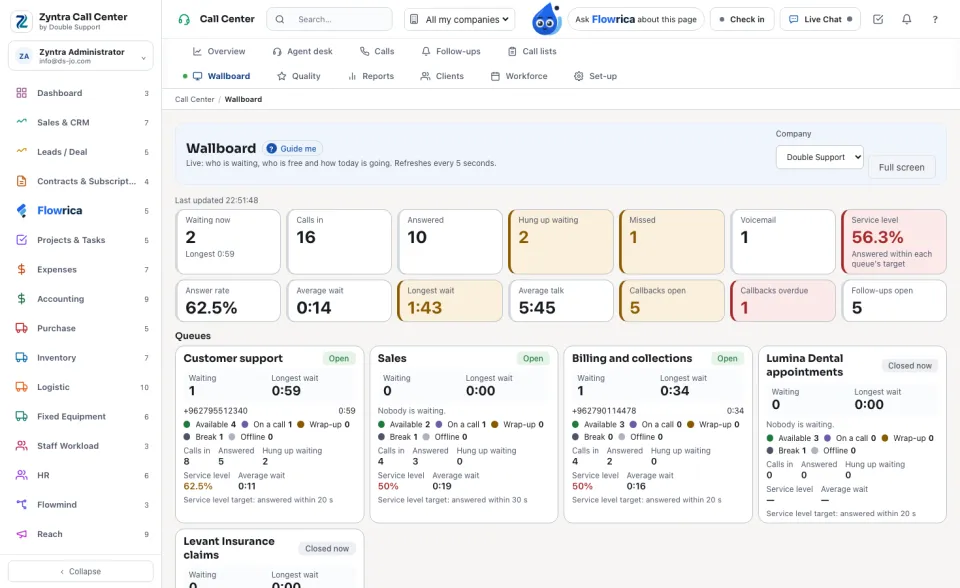
Wallboard
Live: who is waiting, who is free and how today is going. It refreshes every 5 seconds; Full screen puts it on a wall screen.
1
The tiles: Waiting now, Calls in, Answered, Hung up waiting, Missed, Voicemail, Service level, Answer rate, the waits, Average talk, the callbacks and the follow-ups.
2
Queues shows each queue now; Agents shows each agent's state and call. Set state changes an agent's state for them.
3
On a live call, Supervise this call: Listen, Whisper (only the agent hears you) or Join, then Leave the call.
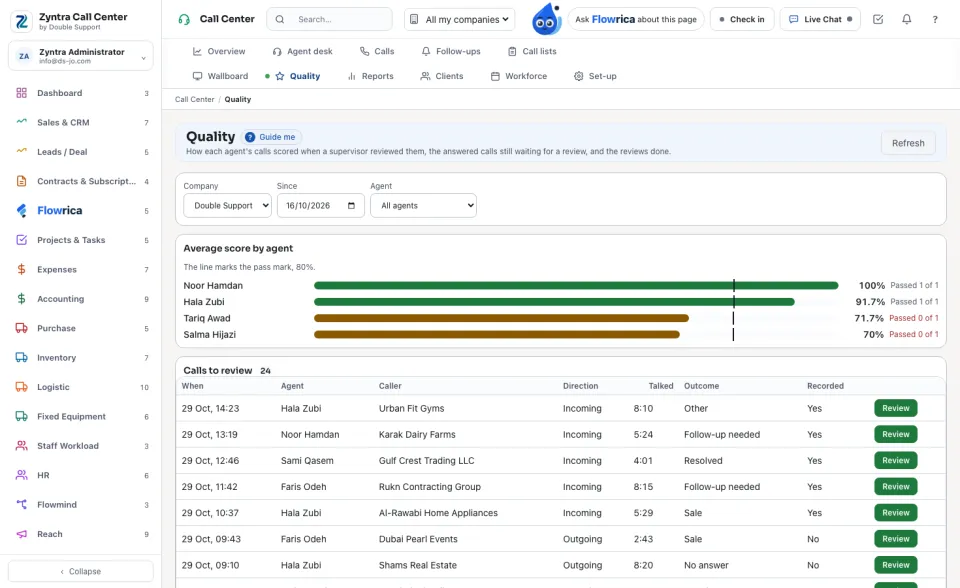
Quality
Average score by agent, the Calls to review and the calls already Reviewed. Narrow it by Since and Agent.
1
On a call to review press Review.
2
Answer every line of the form. Where Flowrica read the answer from the call itself it is filled already and marked Flowrica pre-filled; check it.
3
Write the Notes for the agent and press Save the review. The score says Passed or Below the pass mark.
Only answered calls can be reviewed, and never by the agent who took the call.
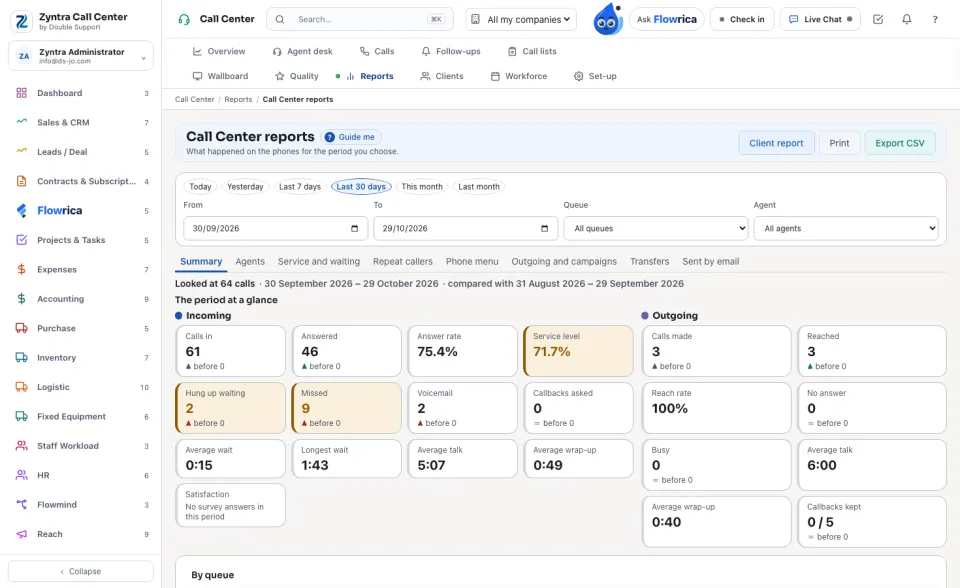
Reports
What happened on the phones for the period you choose: Today, Yesterday, Last 7 days, Last 30 days, This month or Last month, narrowed by queue, agent and company. The tabs are Summary, Service and waiting, Agents, Repeat callers, Phone menu, Outgoing and campaigns, Transfers and Sent by email. Export CSV, Print, and Client report for what your agents did for one client.
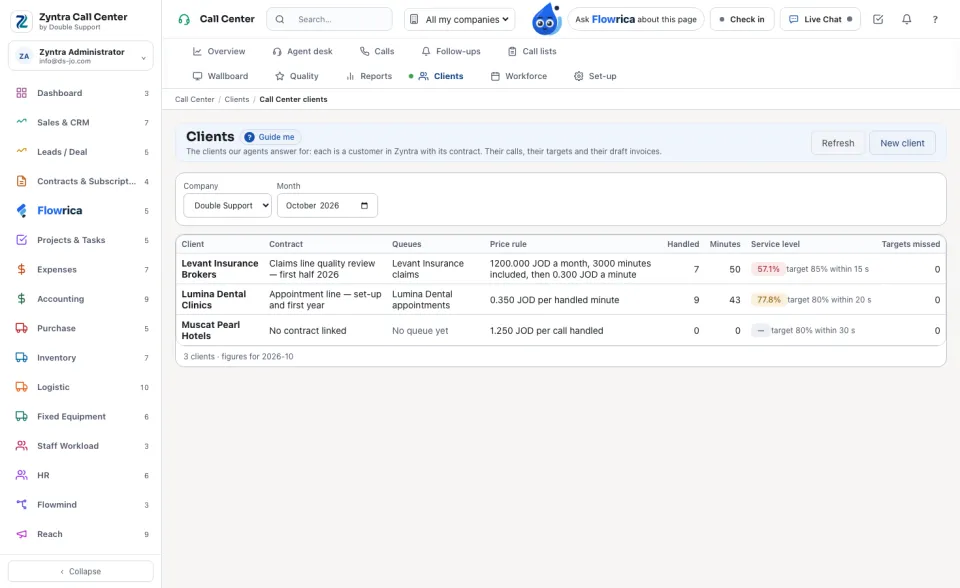
Clients
The clients your agents answer for. Each is a customer in Zyntra with its contract.
1
Press New client and choose the Customer and its Contract for the agent service.
2
Choose how it is Charged: Per handled minute, Per call handled, Per agent-hour or a Monthly fee with included minutes, and its price.
3
Set the Service targets (answered within how many seconds, the most hung up waiting) and, if you want, Prepare the draft invoice by itself when each month ends. Press Save client.
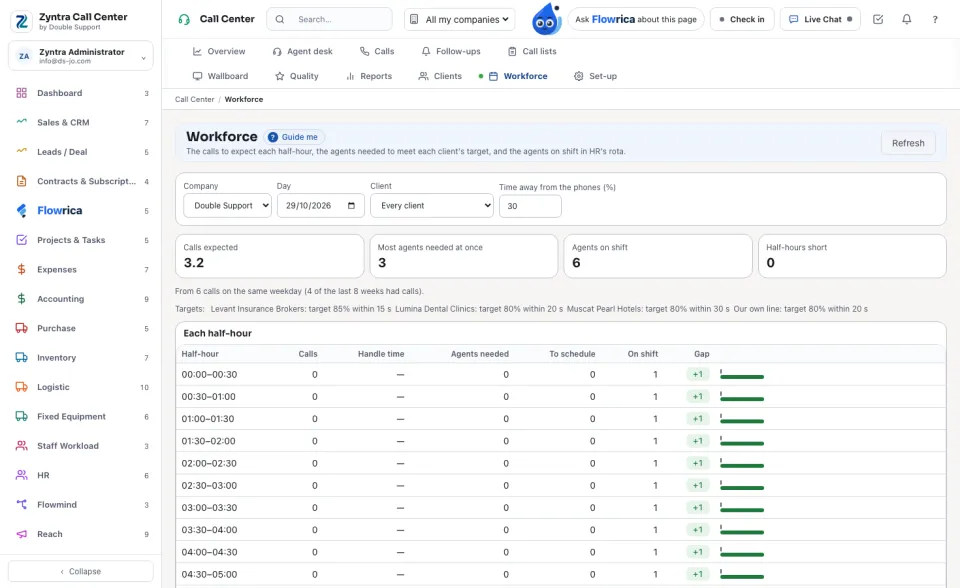
Workforce
The calls to expect each half-hour, the agents needed to meet each client's target, and the agents on shift in HR's rota. Choose the Day, the Client and the Time away from the phones (%). The Gap column says where agents are missing. This screen only reads.


 Zyntra OS
 Zyntra Legal
 Zyntra Real Estate
 Zyntra Hotel
 Zyntra E-commerce
 Zyntra Appointments
 Zyntra Repair
 Zyntra Garage
 Zyntra Concierge
 Zyntra Contracting
 Zyntra Clinic
 Zyntra Call Center
 Zyntra OTA