

 Zyntra OS
 Zyntra Legal
 Zyntra Real Estate
 Zyntra Hotel
 Zyntra E-commerce
 Zyntra Appointments
 Zyntra Repair
 Zyntra Garage
 Zyntra Concierge
 Zyntra Contracting
 Zyntra Clinic
 Zyntra Call Center
 Zyntra OTA
Where
The invoice › Record payment · Sales & CRM › Money › PaymentsWho
Anyone allowed to record payments.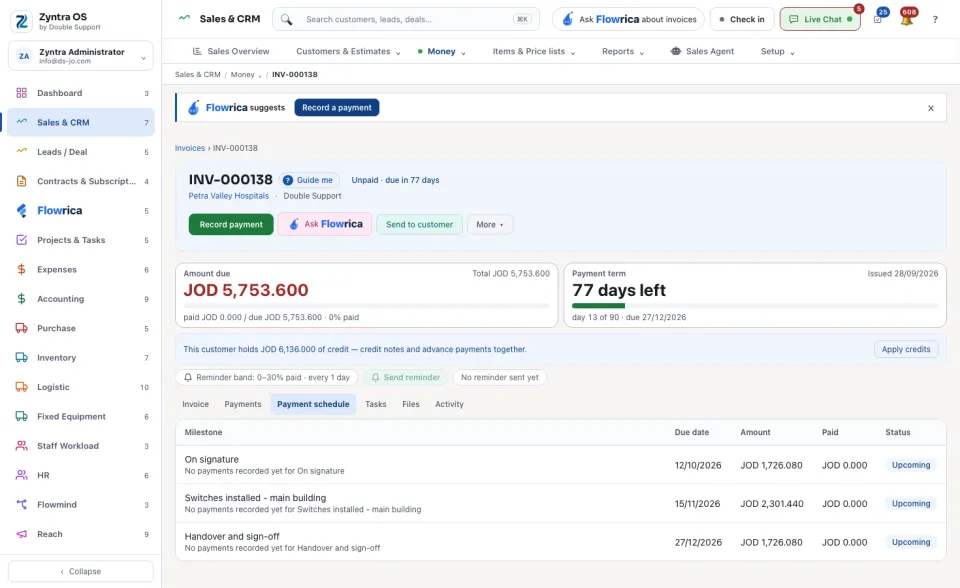
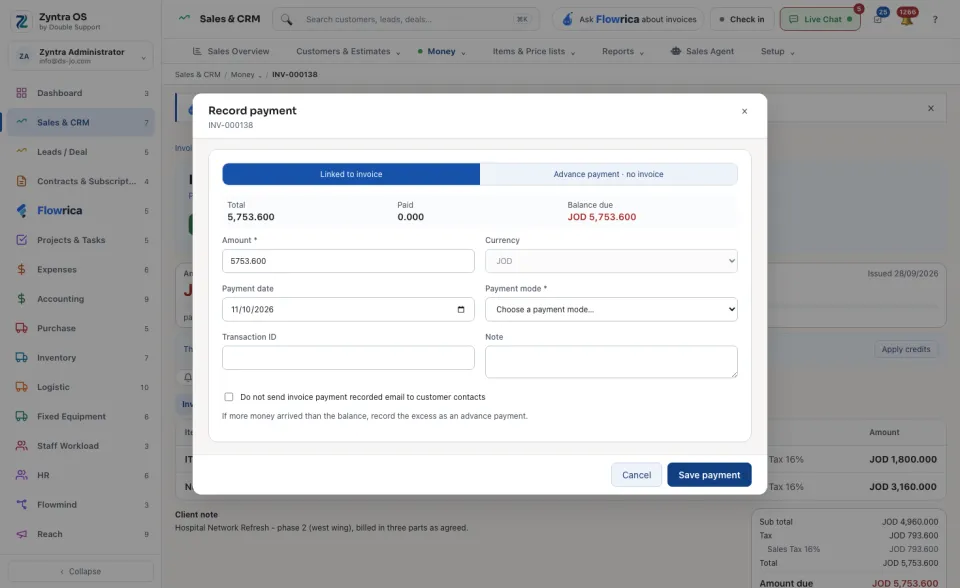
More than the balance, or before the invoice
Choose Advance payment · no invoice, pick the Customer and type the amount. The money is recorded as received and kept as a credit on the customer's account. If the advance is taxed, choose the tax under Tax on this advance. If more money arrived than an invoice's balance, record the excess the same way.
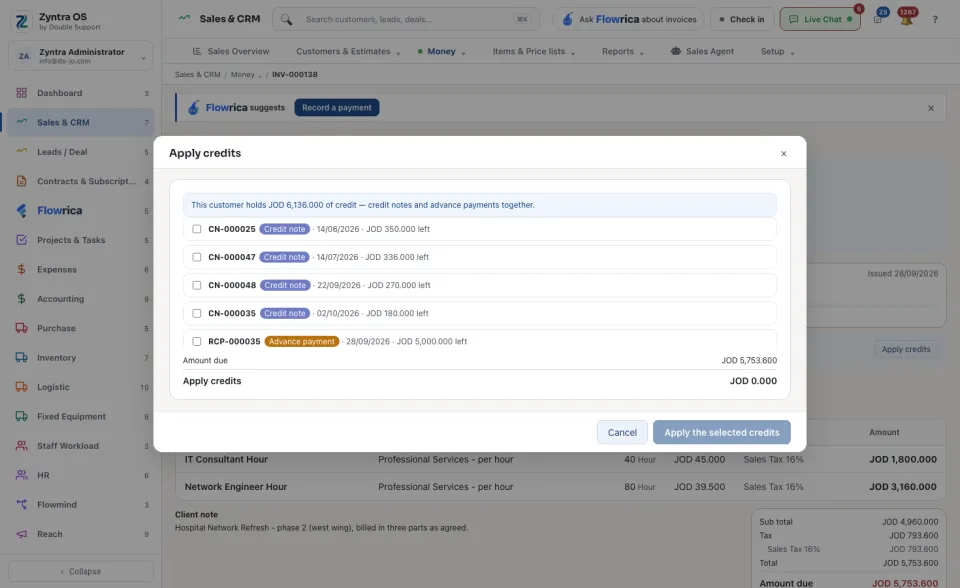
Use a credit
When a customer holds credit (advance payments and credit notes together), their invoices say so. On an issued invoice press Apply credits, tick the credits and amounts to use, and press Apply the selected credits. Take back undoes it.
The Payments screen
For each currency it shows what was Collected, the Unapplied credit, what is Outstanding and the Overdue invoices. The list shows every payment with its invoice, customer, payment mode, amount and date. Export takes it out and Batch Payments opens many payments at once.
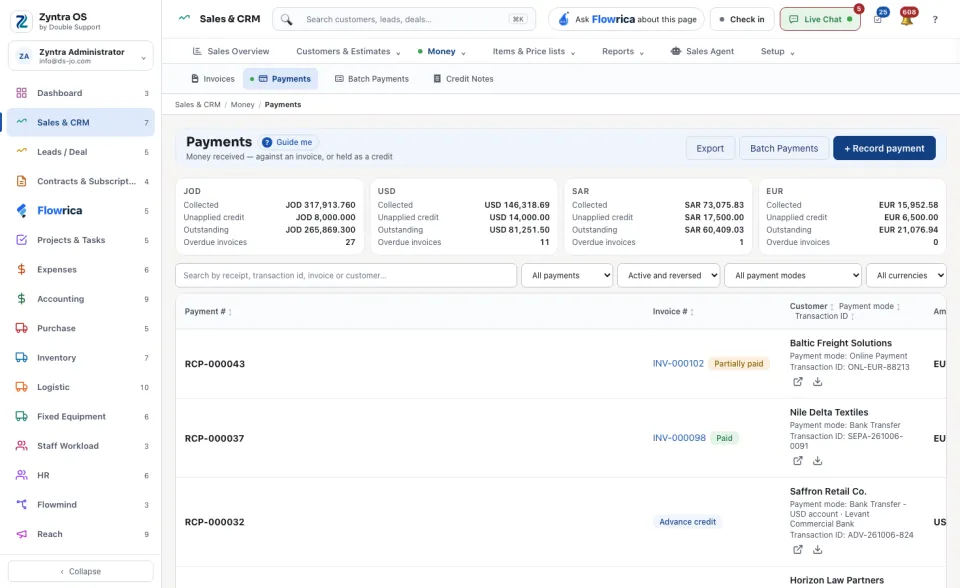
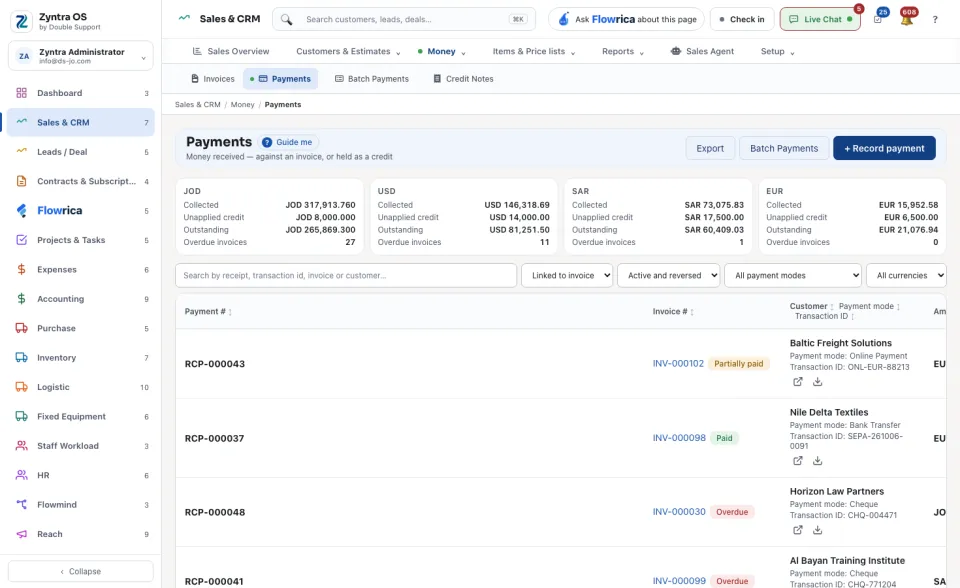
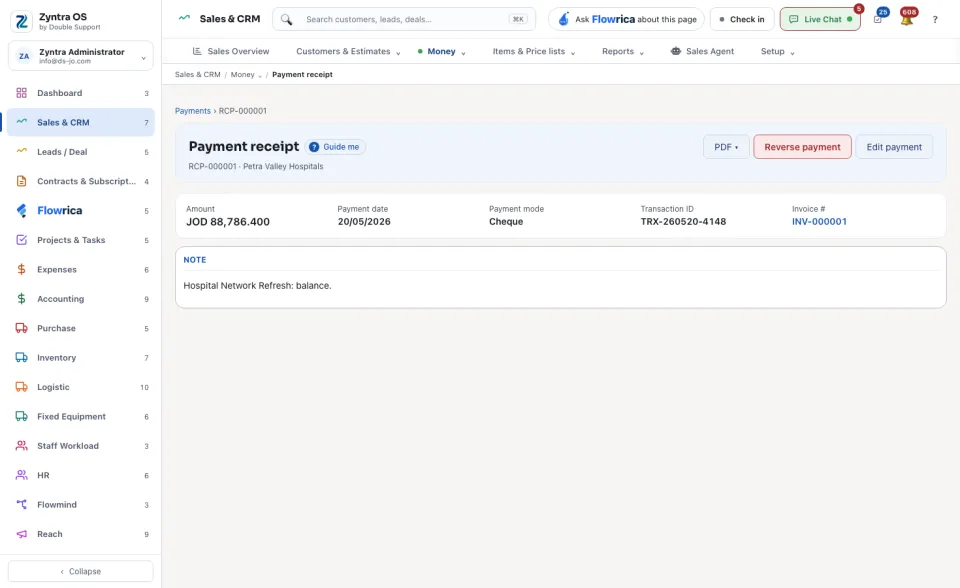
Click a payment to open its Payment receipt. PDF ▾ shows or downloads the receipt, Edit payment corrects it and Reverse payment takes it back.
What Flowrica does here
She can record the payment with you, one question at a time (Record a payment); nothing is saved until you press the form's own button.